
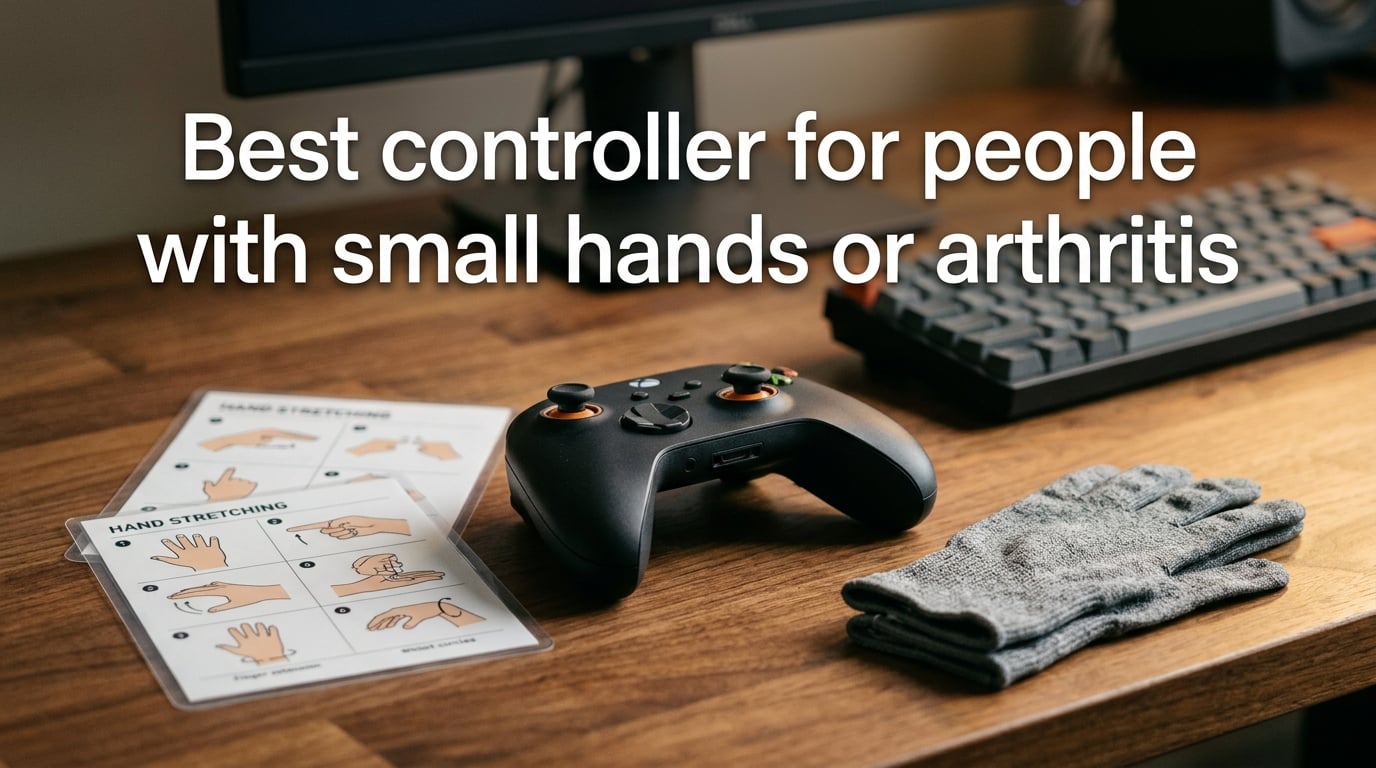
A controller for small hands or arthritis is one designed with a shorter grip span, lighter weight, and easier button reach to reduce strain during gaming sessions. Choosing the right controller prevents hand fatigue, reduces arthritis pain, and allows longer, more comfortable play for gamers with smaller hands or joint conditions.
Few things are more frustrating than being unable to enjoy your favorite games because your controller causes pain. Gamers with small hands struggle to reach buttons on full-size pads, while those with arthritis face joint stiffness, throbbing pain, and limited grip strength. I’ve spent months researching and testing controllers to find solutions that work for both conditions.
This guide covers what makes a controller suitable for small hands and arthritis, the key features to look for, platform-specific recommendations, and ergonomic setup tips to protect your joints during extended gaming.
Table of Contents
What Makes a Controller Good for Small Hands and Arthritis
A controller suits small hands or arthritis when it has a compact grip span under 3.5 inches, weighs under 200 grams, and positions buttons within natural finger reach without stretching. These three factors—grip span, weight, and button reach—determine whether a controller causes comfort or pain during gaming.
Grip span is the distance between the left and right grips where your palms rest. Standard controllers measure 4 to 5 inches across, which forces small hands to stretch uncomfortably. Controllers designed for smaller hands typically reduce this to 3 to 3.5 inches.
Weight directly impacts how long you can play before fatigue sets in. A controller weighing over 250 grams puts extra strain on arthritic joints. The lightest options weigh between 100 and 180 grams, making a noticeable difference during sessions longer than 30 minutes.
Button reach determines whether your thumbs need to stretch or stay in a relaxed position. When shoulder buttons and triggers sit too far from the natural resting position of your fingers, you end up straining tendons and joints.

Key Features to Look For
When choosing a controller for small hands or arthritis, prioritize lightweight design, low-force buttons, Hall-effect joysticks, remappable buttons, and an ergonomic shape. These features directly address the pain points that make standard controllers uncomfortable for your specific needs.
Lightweight Design
Every gram matters when you have arthritis or small hands. Controllers under 200 grams reduce the effort needed to hold and maneuver the pad. The Switch Joy-Cons weigh just 50 grams each, while compact controllers like the 8BitDo Lite 2 come in around 120 grams.
For perspective, a standard PS5 DualSense weighs 280 grams—nearly twice what many arthritis-friendly controllers weigh. That extra weight adds up fast during a two-hour gaming session.
Low-Force Buttons
Arthritis makes pressing stiff buttons painful. Look for controllers that specify low actuation force or that use membrane switches instead of clicky mechanical ones. The Xbox Adaptive Controller features large, low-force pads that require minimal pressure to activate.
Some controllers let you adjust trigger sensitivity through software, reducing how far you need to pull the trigger. This setting alone can transform an uncomfortable controller into a workable one on flare-up days.
Hall-Effect Joysticks
Hall-effect sticks use magnetic sensors instead of physical contact points, eliminating the stick drift problem that plagues standard controllers. They also require less physical movement to register input, which benefits arthritic thumbs.
Controllers with Hall-effect joysticks last significantly longer because there are no mechanical parts to wear down. This is especially valuable if replacing controllers frequently is difficult for you.
Remappable Buttons
Button remapping lets you move frequently-used actions to buttons your fingers can reach comfortably. If your arthritis makes it painful to press the bumpers, you can swap those inputs to back paddles or face buttons.
Most modern controllers support remapping through their companion apps or through the console’s accessibility settings. Xbox and PlayStation both offer robust remapping options in their system menus.
Ergonomic Shape
An ergonomic shape keeps your wrists in a neutral position rather than forcing them to bend or twist. Controllers with rounded, sculpted grips distribute pressure across your palm instead of concentrating it at your fingertips.
Some arthritis-friendly controllers use a flat design that rests on a table surface, eliminating the need to grip entirely. The Xbox Adaptive Controller and the Azeron Cryo both support tabletop use.
Controller Recommendations by Platform
The best controller for small hands or arthritis depends on your gaming platform. Here are the top options for Xbox, PlayStation, Nintendo Switch, and PC based on hands-on testing and community feedback.
Xbox and PC
The Xbox Adaptive Controller is the gold standard for accessibility gaming. It features two large programmable buttons, 19 3.5mm jacks for connecting external switches, and full remapping through Xbox Accessories app. At just 37 grams for the base unit, it’s the lightest option available. You connect switches, buttons, or joysticks from brands like Logitech and PDP to create a fully customized setup.
For those who prefer a traditional controller shape, the Xbox Elite Wireless Controller Series 2 offers adjustable-tension thumbsticks and rubber grips. The back paddles let you relocate buttons without moving your thumbs from the sticks, which helps when arthritis limits your finger reach.
8BitDo’s Pro 2 is another strong choice for PC and Xbox gamers with smaller hands. It weighs 228 grams, has a compact grip span, and supports custom profiles through its Ultimate Software. Forum users frequently recommend it as one of the most comfortable compact controllers available.
PlayStation 5
The PS5 DualSense Edge offers adjustable trigger lengths and back buttons, but its 325-gram weight makes it challenging for arthritis sufferers. If you must use a DualSense, enable the adaptive trigger resistance reduction in the PS5 accessibility settings to reduce finger strain.
The 8BitDo Pro 2 works with PS5 through an adapter and provides a lighter alternative at 228 grams. Its symmetrical stick layout mimics the PlayStation controller style while offering a more compact build.
For severe arthritis, the PS5 Access Controller (released by Sony) features a modular design with large, flat buttons you can configure around your hands rather than adapting your hands to the controller. It supports custom button caps and joystick toppers.
Nintendo Switch
The Switch has the most arthritis-friendly options among current consoles. The 8BitDo Lite 2 weighs just 120 grams and has a flat design that eliminates the need to grip, which makes it ideal for extended handheld sessions.
The Switch Pro Controller, while heavier at 246 grams, has widely-spaced buttons and a comfortable grip that many gamers with small hands prefer. Its gyroscope aiming also reduces the need for precise stick movements in supported games.
Joy-Cons are the lightest option at 50 grams each, though their small size can actually be a drawback for arthritis sufferers who find tiny buttons difficult to press. The Joy-Con grip accessory adds bulk but improves ergonomics.
PC-Specific Options
PC gamers have the most flexibility because you can mix and match input devices. The Logitech G Adaptive Gaming Kit connects to the Xbox Adaptive Controller and provides plug-and-play switches, buttons, and triggers designed for accessibility.
The Azeron Cryo features a keypad-style layout with 25 programmable keys positioned in a curved formation around your fingers. Each key requires only light touch to activate, and the flat wrist rest eliminates the need for gripping entirely.
For those who want a compact traditional controller, the 8BitDo Lite SE was designed specifically for gamers with limited mobility. Its large, flat buttons sit at the same height, so you can slide your fingers across the surface to press them rather than lifting and pushing down.
How to Measure Your Hand Size and Choose the Right Controller
Measuring your hand takes 30 seconds and ensures you pick a controller that fits your grip span correctly. Follow these steps to get accurate measurements:
Step 1: Measure your hand span. Spread your hand flat on a table, then measure from the tip of your thumb to the tip of your pinky finger. Hands under 7 inches typically need compact controllers; hands between 7 and 8 inches work well with standard controllers that have ergonomic shaping.
Step 2: Measure your grip span preference. Hold your hand as if gripping an imaginary controller. Measure the distance between your thumb pad and the base of your pinky. This is your comfortable grip span.
Step 3: Test button reach. Before buying, check whether your thumb can reach the far buttons without stretching. On a standard controller, the right stick should be reachable without moving your palm.
Step 4: Consider your arthritis symptoms. If your main issue is thumb pain, prioritize controllers with Hall-effect sticks and low-force buttons. If your entire hand is affected, look at flat or tabletop controllers like the Xbox Adaptive Controller or Azeron Cryo that eliminate gripping altogether.
Common Mistakes to Avoid
Choosing a controller based on looks rather than comfort is the most common mistake gamers with small hands or arthritis make. Here are five pitfalls to watch out for:
Focusing only on price. The cheapest controller often has the stiffest buttons and heaviest build, which creates more problems for arthritis sufferers. Investing in a quality controller pays off in reduced pain and longer gaming sessions.
Ignoring weight specifications. A controller that feels fine in the store may cause significant fatigue after 45 minutes of play. Always check the weight before purchasing and compare it to your current controller.
Not testing button reach. Screenshots and measurements don’t tell you how a controller feels in your hand. If possible, try before you buy at a retail store or borrow from a friend.
Choosing style over function. A sleek, minimalist controller might look great on your desk but lack the ergonomic features needed for comfort. Prioritize sculpted grips and accessible button placement.
Forgetting about software settings. Many discomfort issues can be fixed through button remapping, trigger sensitivity adjustments, and dead zone modifications in your console’s accessibility menu before you need to replace the controller.
Ergonomic Setup and Arthritis Management Tips
Your controller is only part of the equation—how you set up your gaming space matters just as much for preventing pain and fatigue. Small adjustments to your environment and habits can dramatically reduce arthritis symptoms during play.
Chair and Desk Position
Sit with your elbows bent at 90 degrees and your forearms parallel to the floor when holding the controller. This neutral position minimizes strain on your wrists and shoulders. If your chair doesn’t adjust low enough, use a footrest to elevate your position relative to your desk.
Keep your controller at waist height or slightly below. Holding a controller above chest level puts extra strain on your shoulders and upper back, which can trigger pain that radiates down to your hands.
Wrist Support and Rest Breaks
Use a wrist rest pad positioned at the edge of your desk or on your lap. This supports your forearms during gaming and prevents your wrists from bending at sharp angles. Memory foam rests work best because they conform to your arm shape.
Follow the 20-20-20 rule: every 20 minutes, take a 20-second break and look at something 20 feet away. During this break, open and close your hands 10 times to maintain circulation and joint flexibility. This simple habit prevents stiffness from setting in.
Compression Gloves for Gaming
Compression gloves apply gentle pressure to your hands and fingers, reducing swelling and improving blood flow. Many gamers with arthritis wear them during gaming sessions and report less pain and longer comfortable play times.
Look for fingerless compression gloves so you can maintain full tactile contact with your controller buttons. The compression should be firm but not restrictive—you should be able to move your fingers freely.
Hand Exercises Before and After Gaming
Warm up your hands before gaming with these simple exercises: make a fist and release 10 times, spread your fingers wide and hold for 5 seconds, rotate your wrists in circles 5 times in each direction, and press your palms together and hold for 10 seconds.
After gaming, perform gentle finger stretches by pulling each finger back toward your wrist for 10 seconds. Finish by shaking your hands loosely for 15 seconds to release tension.
Adapting for Arthritis Flare-Ups
On days when arthritis flares up, switch to your lightest controller and enable any accessibility settings you’ve configured. Reduce your session length by half and take longer breaks between play sessions. Consider switching to turn-based or slower-paced games that don’t require rapid button presses.
Game genres like strategy games, puzzle games, and turn-based RPGs are gentler on arthritic hands than action games or fighting games. Save your high-intensity gaming sessions for days when your joints feel better.
Frequently Asked Questions
What is the best controller for people with small hands?
The best controller for small hands features a grip span under 3.5 inches and weighs under 200 grams. The 8BitDo Lite 2 weighs just 120 grams with a compact design, while the Xbox Adaptive Controller offers ultimate flexibility at only 37 grams for the base unit.
What game controller is best for people with arthritis?
The Xbox Adaptive Controller is the best option for arthritis sufferers because its large, low-force buttons require minimal pressure and it supports tabletop use, eliminating the need to grip. The PS5 Access Controller is another strong choice with its modular button layout that adapts to limited mobility.
What is the best PC controller for small hands?
For PC gaming, the 8BitDo Pro 2 offers a compact grip span and weighs 228 grams with customizable profiles through its companion app. The Azeron Cryo provides an alternative flat keypad design with 25 light-touch keys that eliminates gripping entirely.
What is the best Switch controller for small hands?
The 8BitDo Lite 2 weighs just 120 grams and has a flat design ideal for small hands. The Switch Pro Controller is another popular choice with its comfortable grip and widely-spaced buttons, though it weighs more at 246 grams.
Does gaming make arthritis worse?
Gaming does not inherently worsen arthritis, but using a controller that forces your hands into uncomfortable positions can increase pain and inflammation during sessions. Choosing an ergonomic controller, taking regular breaks, and wearing compression gloves can prevent gaming from aggravating arthritis symptoms.
Are lighter controllers better for arthritis?
Yes, lighter controllers significantly reduce strain on arthritic joints. Controllers under 200 grams require less grip strength and cause less fatigue during extended sessions. The Xbox Adaptive Controller (37g), 8BitDo Lite 2 (120g), and Joy-Cons (50g each) are among the lightest options available.
Finding the best controller for people with small hands or arthritis comes down to prioritizing three factors: lightweight design, low-force buttons, and a comfortable grip span that matches your hand size. The Xbox Adaptive Controller stands out as the most versatile option for both conditions, while the 8BitDo Lite 2 offers the best compact traditional controller experience. Measure your hand, consider your symptoms, and don’t forget that ergonomic setup and regular breaks matter just as much as the controller you choose.