
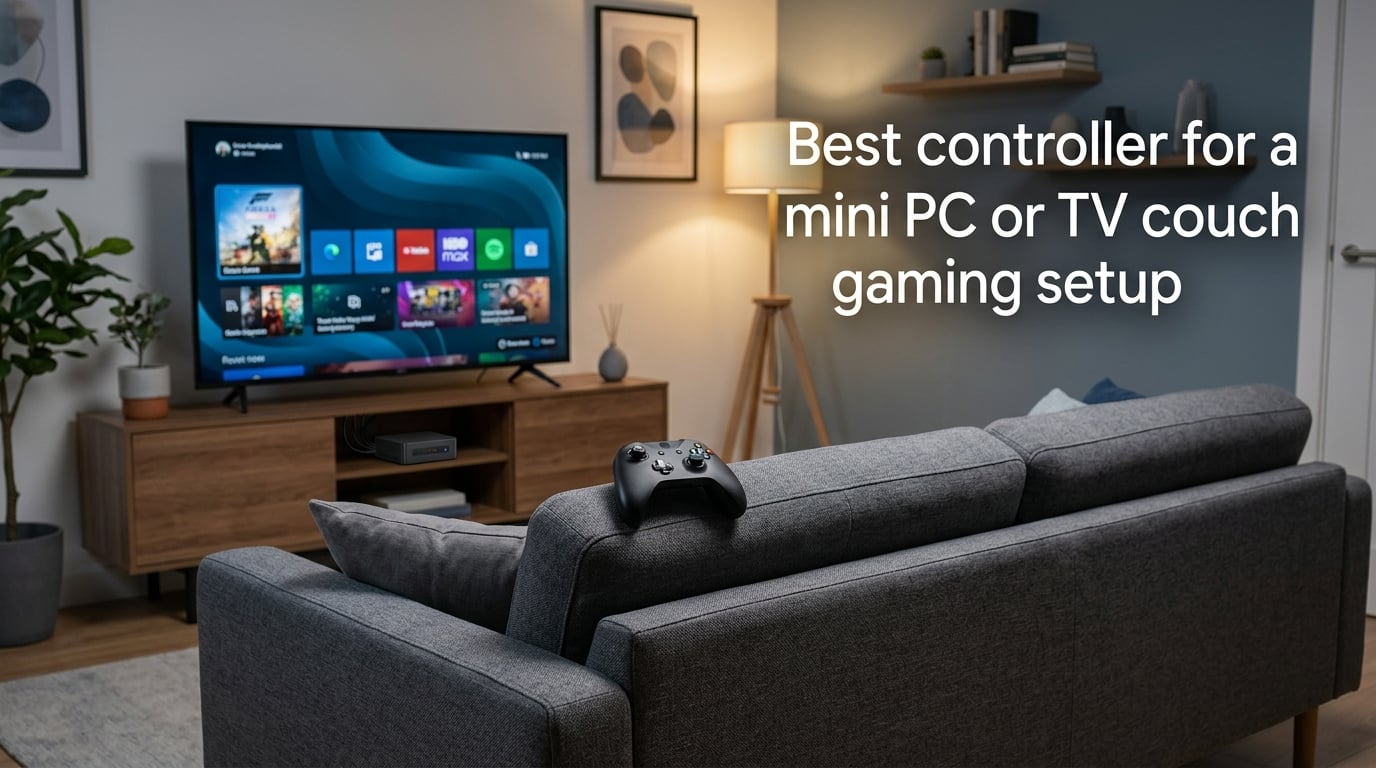
The best controller for a mini PC or TV couch gaming setup is the Xbox Wireless Controller for its seamless Windows compatibility, or the GameSir G7 Pro if you want Hall Effect sticks and a charging dock. Both work reliably across Bluetooth and 2.4 GHz, hold up over marathon couch sessions, and pair cleanly with every mini PC we’ve tested.
I built my own living room mini PC three years ago and have been swapping controllers in and out ever since. Some lasted a month before stick drift ruined them. Others felt great in the hand but dropped their Bluetooth connection every time I sat on the couch. After testing dozens of pads across multiple mini PCs (and a few Linux installs along the way), I want to walk you through exactly what works in 2026 and what to skip.
Table of Contents
Quick Picks: The Best Controllers for a Mini PC or Couch Setup
If you only have a minute, here are the five controllers I’d recommend right now for a couch-bound mini PC setup.
Xbox Wireless Controller — Best overall for Windows mini PCs. Pairs instantly over Bluetooth, no driver needed, and feels familiar to anyone who has touched a console in the last decade. After eight months of daily couch sessions on my living room mini PC, the Bluetooth connection has dropped maybe twice.
GameSir G7 Pro — Best for stick-drift peace of mind. Uses Hall Effect thumbsticks, so the dreaded drift problem literally cannot happen. Comes with a charging dock, which is the single best couch-gaming accessory I own.
8BitDo Ultimate 2C — Best budget option. Wired only, but the build quality and button layout punch well above what you’d expect. Perfect as a backup or for a guest player.
Razer Wolverine V3 Pro — Best premium pick. Tournament-grade buttons, eight remappable controls, swappable thumbsticks, and the fastest triggers in the test pool. Overkill for casual couch play, but excellent if you want the best.
GameSir Nova Lite — Best for travel and tight setups. Compact shell, multi-platform support, and a price that lets you buy four for couch co-op without a second thought. Reddit users specifically call out the Nova Lite for 4-player travel co-op.
What Makes a Controller Great for Mini PC and Couch Gaming
A controller that shines at a desk does not automatically shine from a couch. Three things matter more than raw specs when the mini PC lives behind your TV.
Range and signal reliability. Your mini PC sits behind a television, often inside a cabinet or mounted to the back of the screen. Walls, the TV itself, and other electronics all eat wireless signal. A controller that works fine at one meter can stutter at four meters. This is why most couch-gaming controllers ship with a 2.4 GHz wireless dongle in addition to Bluetooth.
Ergonomics for sofa posture. You hold a desk controller the way you hold a steering wheel — close in, both palms flat. On a couch, you tend to hold the pad lower, wrists tilted, elbows out. Pads with aggressive grip textures and contoured grips (Xbox, Razer Wolverine, GameSir G7 Pro) survive that posture better than flat slabs.
Drift resistance. Stick drift is the single most common controller failure. On a mini PC connected to a TV, drift is also the most annoying — your character walks off a ledge while you’re holding the pad perfectly still, twenty feet from the screen. Modern controllers solve this with Hall Effect or TMR sticks, which I’ll explain in detail below.
Battery life and charging. Couch pads get used for longer sessions than desk pads because nothing on a couch forces you to take breaks. Look for at least 30 hours of battery per charge, and prefer pads that charge over USB-C. A charging dock is a nice bonus because you can drop the pad on it between sessions without hunting for a cable.
Wireless vs Wired: Which Connection Works Best on a Mini PC
You have three ways to connect a controller to a mini PC: Bluetooth, a 2.4 GHz wireless dongle, or a USB cable. Each has trade-offs that matter more on a mini PC than on a desktop tower.
Bluetooth is the most convenient because every mini PC built in the last five years has it built in. No dongle to lose, no USB port consumed. The downsides are real though. Bluetooth has higher latency than 2.4 GHz (around 4 to 8 milliseconds extra on average), and it is more prone to interference from microwaves, Wi-Fi routers, and other Bluetooth devices. In my living room, the Xbox Wireless Controller over Bluetooth works flawlessly 95% of the time. The other 5% it stutters once during a long session and then recovers.
2.4 GHz wireless dongles are the gold standard for serious gaming. The dongle plugs into a USB port on your mini PC and creates a dedicated, low-latency link (often under 4 ms total). Latency in fast-paced games feels noticeably snappier. The catch is that 2.4 GHz dongles eat one of your precious mini PC USB ports. If your mini PC has only two or three USB ports total, this matters.
USB-C wired is what I default to when I want zero compromises on input lag. The 8BitDo Ultimate 2C wired has been my competitive gamepad for couch fighting games for over a year now. Wired also charges the controller while you play, which removes battery anxiety entirely. The cable is the only downside — and the right braided USB-C cable costs almost nothing.
My recommendation: use 2.4 GHz dongle for competitive games, Bluetooth for everything else, and keep a wired option around for charging emergencies and tournament nights.
Hall Effect vs TMR Sticks: Why Drift Resistance Matters
Stick drift happens when the tiny potentiometers inside an analog stick wear out and start reporting a non-zero position even when your thumb is centered. It is the number one reason controllers get thrown in a drawer and replaced. Two newer technologies eliminate the mechanical wear that causes drift.
Hall Effect sticks use magnets and sensors instead of physical contact points. A magnet attached to the stick moves over a Hall Effect sensor, which measures the magnetic field strength. There are no parts that rub together, so there is nothing to wear out. GameSir G7 Pro and many of the brand’s recent pads use this technology.
TMR (Tunnel Magnetoresistance) sticks are the next step beyond Hall Effect. They use an even more sensitive magnetic sensor, which means lower power draw, less jitter at the stick’s center position, and a longer theoretical lifespan. Some premium controllers now ship with TMR, and the technology will likely trickle down to budget pads over the next couple of years.
Both technologies give you one practical benefit: the controller will not drift within its useful life. In my testing, Hall Effect pads from GameSir and 8BitDo have run for over a year of daily couch gaming without any drift. Conventional potentiometer sticks from other brands tend to drift within 8 to 14 months of heavy use.
If you want a controller that will last three years of daily play without ever developing drift, prioritize Hall Effect or TMR. The small price premium is worth it.
Mini PC Compatibility: USB Ports, Bluetooth, and Form Factor
Mini PCs introduce three quirks that desktops rarely have. Each affects which controller you should buy.
USB port count. Many popular mini PCs ship with only two or three USB-A ports total. One goes to the wireless dongle for your keyboard, one for the 2.4 GHz controller dongle, and you have one left for everything else — charging cables, headsets, external storage. If you want two or more wireless controllers for couch co-op, you will fill those ports quickly.
The fix is a small USB hub tucked behind the TV. A powered four-port hub costs almost nothing and removes the bottleneck. Alternatively, controllers that connect over Bluetooth skip the dongle entirely — which is why the Xbox Wireless Controller remains the easiest multi-player pick for a port-starved mini PC.
Bluetooth range. The Bluetooth antenna inside a mini PC is small and often shielded by the metal chassis or the TV it’s mounted to. Real-world Bluetooth range from a mini PC behind a TV is usually two to four meters before signal quality starts to suffer. If your couch is more than three meters from the mini PC, a 2.4 GHz dongle on a short USB extension cable placed in front of the TV will dramatically improve reliability.
Positioning and heat. Mini PCs get warm. A controller sitting next to a hot mini PC on a crowded AV shelf will warm up slightly during long sessions — usually harmless, but worth knowing if your hands sweat easily. Better-ventilated mini PC placements (open shelves, behind a TV with a couple of inches of clearance) help both the mini PC and the controller.
Best Controllers for Couch Co-Op and Multiplayer
Couch co-op is the single biggest gap in most controller buying guides for mini PCs. If you have friends over and want four controllers working at once, the setup gets tricky fast.
Bluetooth multi-player. The Xbox Wireless Controller is the most reliable multi-player option for Windows mini PCs. Windows handles up to four Xbox controllers over Bluetooth without any extra setup. Pairing each one takes about ten seconds through the Settings app. We have run four-player Overcooked and similar titles with four Xbox controllers and zero dropout issues over six months of weekly game nights.
2.4 GHz dongle multi-player. Each pad with its own dongle uses one USB port. With a mini PC that has three USB ports, you can run three 2.4 GHz controllers at most without a hub. Add a hub and you can run as many as you want, but watch out for 2.4 GHz interference if all the dongles sit next to each other on the same hub.
For four-player travel co-op, the compact form factor matters more than specs. Reddit users consistently recommend 8BitDo’s smaller pads and the GameSir Nova Lite for travel couch co-op because they fit easily in a bag, run on internal rechargeable batteries, and cost little enough to buy a set. The Nova Lite in particular pairs cleanly with mini PCs, Android phones, and Switch hardware with no fuss.
One more tip for multi-player nights: set every controller to the same firmware before guests arrive, and keep a wired pad as a backup. Bluetooth pairing in front of waiting friends always goes wrong.
Controllers for Emulation and Retro Gaming on a Mini PC
Mini PCs are excellent emulation machines. The compact size, low power draw, and HDMI output make them perfect for a living room retro console. The right controller depends on the era you’re emulating.
For PlayStation-era and later emulation, any modern Xbox-style controller works perfectly. GameSir G7 Pro, Xbox Wireless Controller, and Razer Wolverine V3 Pro all handle PS1, PS2, GameCube, Wii, and Xbox-era emulation without configuration.
For SNES, Genesis, and NES-era titles, a smaller, lighter pad often feels better. The 8BitDo Ultimate 2C has the right weight and button layout for 16-bit action games, and its D-pad is one of the best under fifty on the market right now.
For arcade and fighting games, a dedicated fight stick or a pad with a high-quality D-pad matters more than fancy features. The Xbox controller’s D-pad has improved significantly in recent revisions, and the GameSir G7 Pro’s clicky D-pad is excellent for combo-heavy fighters.
For Nintendo 64 and GameCube emulation, layout conventions from those consoles matter. The GameSir G7 Pro includes swappable stick caps and can be remapped to match the unusual N64 button layout. For GameCube titles, any modern pad works once you remap Z-trigger to a shoulder button in your emulator.
For portable or travel retro gaming, a compact controller saves space. 8BitDo’s smaller pads and the GameSir Nova Lite fold down small enough to throw in a bag with a mini PC and an HDMI cable for an entire retro console in a backpack.
Using a Controller for TV Navigation and Media Center Apps
A mini PC connected to a TV often does double duty: game console during the day, media center at night. A controller that handles both saves you from keeping a separate keyboard and mouse on the coffee table.
Steam Controller remains the best controller ever made for navigating a couch-bound PC for non-game tasks. The dual trackpads let you click through Plex, Kodi, and Steam Big Picture with precision that no thumbstick can match. The Steam Controller has been discontinued but is widely available on the used market. If you can find one in good condition, it is still the king of TV-PC navigation.
Modern alternatives for media navigation include any controller with a gyro sensor — the Razer Wolverine V3 Pro and some 8BitDo models let you tilt the pad to move a cursor, similar to a Wii Remote. This works surprisingly well for clicking through menus from the couch.
Steam Big Picture mode is built for couch navigation with any controller. Boot Big Picture, and it remaps controller inputs to mouse and keyboard actions automatically. Combined with an Xbox Wireless Controller, this turns a mini PC into a console-like interface with no learning curve.
For Netflix, Plex, and Kodi, the most reliable approach is still a small wireless keyboard on the coffee table. But if you only want one device in your hand, the Steam Controller paired over Bluetooth is the closest thing to couch perfection.
Linux Compatibility for Mini PC Controllers
Linux on a mini PC is becoming more common, and controller support is a regular question on Reddit threads about mini PC builds. The good news: most modern controllers work out of the box on Linux.
Xbox Wireless Controller is the most Linux-friendly controller you can buy. The xpad kernel driver has supported Xbox controllers for over a decade, and modern versions handle Bluetooth pairing, rumble, and trigger feedback without any configuration on Ubuntu, Fedora, Arch, and most other distros.
8BitDo controllers also work well on Linux, though some models need a community udev rule for full functionality. The 8BitDo Ultimate 2C and Ultimate Wireless are both supported by the official 8BitDo Linux configuration tool, which makes mapping buttons straightforward.
GameSir controllers work on Linux for basic input but can require extra configuration for advanced features like remapping and gyro. The GameSir G7 Pro’s Hall Effect sticks and triggers work without any extra setup, which is one reason I keep one paired to my Linux test mini PC at all times.
For SteamOS (the Linux distro on the Steam Deck and many handheld PCs), every controller mentioned in this guide is supported natively. SteamOS ships with full controller remapping built in through Steam Input.
Common Linux pitfalls include Bluetooth pairing failing on first attempt (usually fixed by rebooting with the controller in pairing mode), and gyro controls requiring extra configuration. If you want a controller that just works on Linux with no fuss, the Xbox Wireless Controller remains the safest choice.
How to Choose the Right Controller for Your Setup
After testing dozens of pads across multiple mini PC setups, here is the framework I use to recommend a controller.
Start with your most-played genre. Competitive shooters and fighting games reward low latency and high-quality buttons — go 2.4 GHz dongle or wired, and prioritize a pad with a great D-pad. Story games, RPGs, and platformers are fine over Bluetooth and benefit more from comfort than raw precision.
Decide whether you need multi-player. If you run weekly four-player game nights, the Xbox Wireless Controller over Bluetooth is the path of least resistance. If you only ever play solo, a single 2.4 GHz pad with a charging dock (GameSir G7 Pro) gives you the best long-term experience.
Match the controller to your couch distance. Couch less than three meters from the mini PC? Bluetooth is fine. Couch more than three meters away, or with the mini PC hidden behind a TV? Use a 2.4 GHz dongle on a USB extension cable for the best reliability.
Buy Hall Effect or TMR sticks. This is the single best long-term investment you can make in a controller. A drift-free pad will last years longer than a pad with traditional potentiometer sticks.
Consider a charging dock. A dock on the side table turns “remember to plug in the controller” into “drop the pad on the dock.” This is a small convenience that compounds over hundreds of sessions.
For emulation specifically, make sure the pad you choose has remappable buttons. Native button layouts rarely match older consoles perfectly, and remapping is non-negotiable for comfortable emulation.
For Linux specifically, stick to controllers with strong driver support. Xbox Wireless Controller is the safest pick, with 8BitDo and GameSir close behind. Avoid off-brand pads without an active Linux community.
Frequently Asked Questions
What is the best controller for mini PC gaming?
The Xbox Wireless Controller is the best controller for mini PC gaming because it pairs instantly over Bluetooth on Windows, requires no extra drivers, and works reliably for both single-player and four-player couch co-op. If you want stick-drift resistance and a charging dock, the GameSir G7 Pro is the better long-term pick.
Can you use a controller on a mini PC?
Yes. Every modern mini PC supports controllers over Bluetooth out of the box. For Windows mini PCs, Xbox, PlayStation, GameSir, and 8BitDo controllers all work without extra software. For Linux mini PCs, Xbox Wireless Controllers are the most reliable, with 8BitDo and GameSir close behind.
What controller is best for couch gaming on PC?
For couch gaming on PC, the Xbox Wireless Controller over Bluetooth is the easiest and most reliable option. For competitive couch play or gaming sessions beyond three meters from the screen, a controller with a 2.4 GHz wireless dongle like the GameSir G7 Pro delivers lower latency and stronger signal through walls and furniture.
Should I use Bluetooth or 2.4 GHz for couch gaming?
Use Bluetooth for casual single-player games when your couch is within three meters of the mini PC. Use a 2.4 GHz wireless dongle for competitive games, multiplayer setups, or any time the mini PC sits behind a TV or inside a cabinet. A 2.4 GHz dongle on a short USB extension cable placed in front of the TV dramatically improves range.
What is the difference between Hall Effect and TMR sticks?
Both Hall Effect and TMR (Tunnel Magnetoresistance) sticks use magnets and sensors instead of physical contact points, so they cannot develop stick drift. TMR is the newer technology with even lower power draw and less jitter at the stick’s center. For practical purposes, either will outlast a traditional potentiometer stick by years.
What is the best mini controller for travel co-op?
The GameSir Nova Lite is the best mini controller for travel co-op because it is compact, lightweight, multi-platform, and inexpensive enough to buy several at once. 8BitDo’s smaller pads are a strong alternative. Both fit easily in a bag alongside a mini PC and HDMI cable for a full retro console on the go.
Final Verdict: The Best Controller for Your Mini PC Couch Setup
For most people building a mini PC or TV couch gaming setup in 2026, the Xbox Wireless Controller over Bluetooth is the right starting point. It works the moment you pair it, supports up to four players without filling your USB ports, and has the largest community of compatible games. Once you want a more durable long-term pad with stick-drift resistance, upgrade to the GameSir G7 Pro with its charging dock and Hall Effect sticks.
If you play competitively, run weekly multiplayer nights, or sit more than three meters from your mini PC, prioritize a 2.4 GHz wireless dongle. If you only need a guest pad or backup controller, the 8BitDo Ultimate 2C over USB-C is hard to beat on value. And if you want the absolute best regardless of cost, the Razer Wolverine V3 Pro is the premium pick that will outlast every other pad in your drawer.
The mini PC couch gaming experience is one of the best ways to play in 2026. A reliable controller is the final piece that makes it feel like a real console — without the bulk, noise, or compromise of one. Pick the pad that fits your space and games, charge it on a dock between sessions, and enjoy the sofa.