
If you play MMOs like World of Warcraft, Final Fantasy XIV, or Elder Scrolls Online, you’ve probably asked yourself whether you actually need a mouse with extra side buttons. The honest answer is: it depends on the game you play, how many abilities you use per minute, and whether you’re willing to invest a few weeks in relearning muscle memory. In this guide, I’ll walk you through what an MMO mouse is, who benefits from one, who doesn’t, and how to decide before you spend a cent.
Table of Contents
What an MMO Mouse Is and What Extra Side Buttons Actually Do
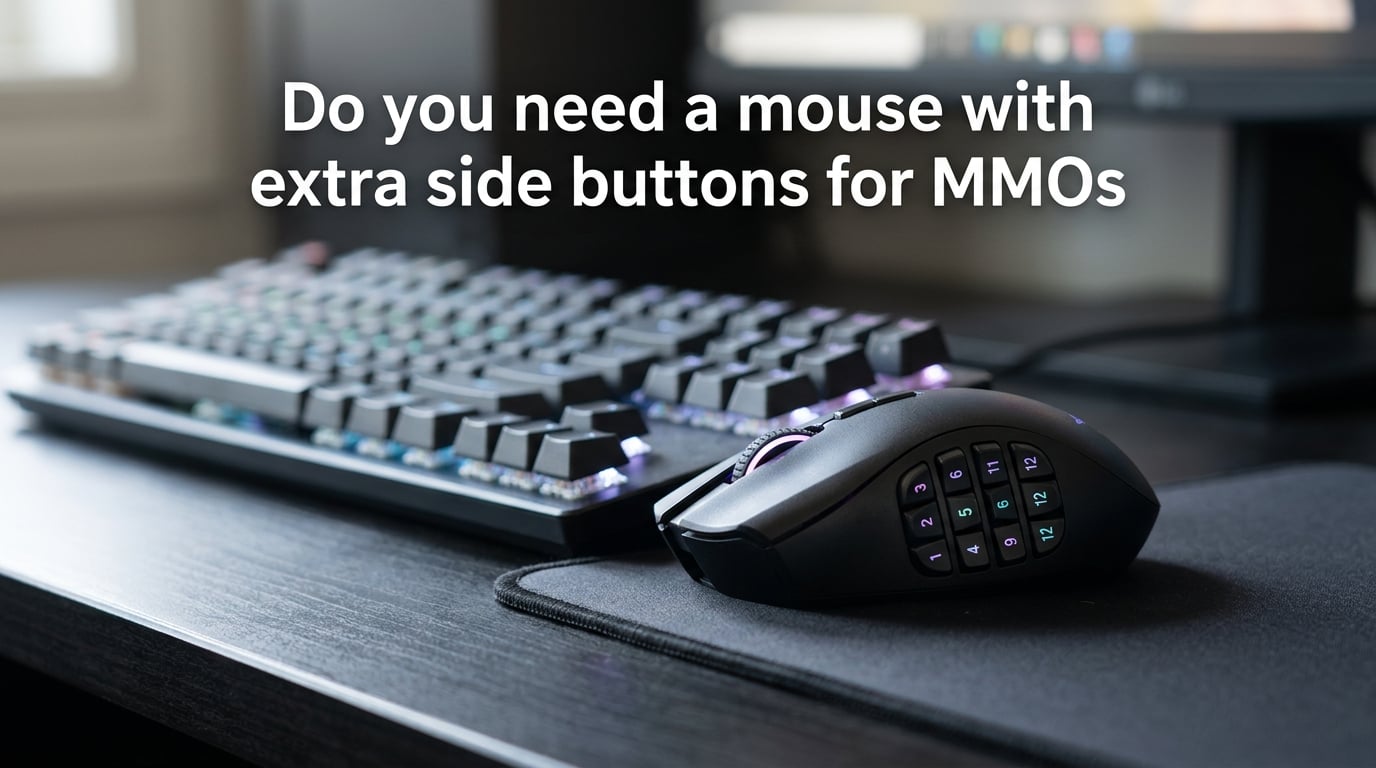
An MMO mouse is a gaming mouse with a cluster of extra programmable buttons – usually 6, 12, or more – arranged on a side panel where your thumb naturally rests. Those side buttons aren’t just decoration; each one can be mapped to a single key, a macro (a sequence of keystrokes), or a modifier-layer combination like Shift+key or Ctrl+key.
The “extra” part is what sets an MMO mouse apart from a standard 5- or 6-button gaming mouse. A normal mouse gives you left click, right click, a scroll-wheel click, and two thumb buttons. An MMO mouse multiplies that input surface by 2x to 12x, so a 12-button grid combined with shift and ctrl layers can give you 36 or more unique bindings without ever moving your hand off the movement keys.
The whole point is keeping your left hand on WASD for movement while your right thumb handles abilities, cooldowns, heals, and consumables. If that sounds useful, it probably is for you.
Why MMO Players Use Extra Side Buttons (Rotations, Hotbars, Keybinds)
Modern MMOs pack 20 to 40 abilities onto a single class, and healers in raids can hit 60+ binds once you include interrupts, cooldowns, and raid utility. Try mapping all of that to a standard keyboard and you’ll either run out of reachable keys or you’ll spend a raid staring at your action bars instead of the boss.
Extra side buttons solve the bind-limit problem by moving dozens of inputs onto your mouse where your thumb can hit them in milliseconds. Healer mains in FFXIV, tanks in WoW Mythic+, and PvP players in Elder Scrolls Online all rely on thumb grids to execute rotations without losing positional control.
If your class fits comfortably on the keyboard and your left hand never feels crowded, you may not need one. But if you’ve ever said “I wish I had one more key” mid-rotation, side buttons fix that exact problem.
6 Side Buttons vs 12 Side Buttons: Which Do You Actually Need
Six side buttons is the sweet spot for most MMO players, and forum consensus backs that up. A 6-button grid covers core cooldowns, defensives, and main rotational binds, while keeping your thumb within easy reach so you don’t accidentally graze a key while strafing.
Twelve side buttons makes sense if you play a healer, a high-action-per-minute class, or a PvP spec where every interrupt and crowd-control matters. The trade-off is accidental clicks. On a cramped 12-button grid your thumb can land on the wrong key during fast movement, and you’ll spend the first month wondering why your cooldowns are firing on their own.
Smart software helps. Most MMO mice let you bind Shift+1 through Shift+12 to the grid, effectively turning 12 physical buttons into 36+ virtual ones. Razer Synapse, Logitech G Hub, Corsair iCUE, and SteelSeries GG all support modifier layers and per-application profiles, so a single mouse covers MMO healing at 9pm and Excel macros at 9am.
Muscle Memory and the Real Learning Curve
Switching from keyboard binds to side buttons takes roughly two to six weeks of regular play. Forum users consistently say the first week feels clunky – you’ll hit the wrong button, miss cooldowns, and briefly regret the purchase. By week three, the bindings start feeling automatic, and by week six most players say they barely touch the keyboard.
Here’s the routine that works: start with just three to four binds on your side buttons – usually your most-used cooldowns and defensives. Add two more per week as the previous ones become automatic. Don’t remap everything at once; you’ll overwhelm your thumb and your brain at the same time.
If you’re switching from a long-established keyboard setup, expect a rough month. One WoW player on Reddit described it as “really sucks relearning years of muscle memory,” then said the relief from wrist pain made it worth it. That trade-off is real.
Ergonomics, Hand Size, and Wrist Strain
Most MMO mice are sculpted for right-handed players with medium-to-large hands. If you have small hands or you’re left-handed, the 12-button grid can feel oversized, and your thumb may struggle to reach the bottom row without cramping. The Corsair Scimitar’s adjustable side slider helps a bit here, but it doesn’t solve small-hand grip completely.
Wrist strain is the underrated reason people switch. Mashing Shift, Ctrl, Alt, and number keys through a Mythic+ raid can fatigue your left hand within an hour. Moving those binds to the thumb reduces reach distance and cuts down on awkward finger stretches – which is why healers with chronic wrist pain often swear by them.
That said, an MMO mouse can cause its own fatigue if the grid is poorly placed or the buttons are too stiff. A 110-gram mouse with stiff mechanical switches will tire you out faster than a 70-gram wireless model with light optical switches. Try before you commit, or buy from a retailer with a generous return window.
Wired vs Wireless for MMO Play
Wireless MMO mice have caught up to wired in latency – sub-1ms 2.4GHz dongles are now standard on premium models. For most players the difference is unnoticeable, even in PvP.
What still differs is weight and battery anxiety. A wireless MMO mouse is usually 10 to 20 grams heavier than its wired sibling, and you’ll need to plug it in once a week if you game daily. Wired mice never run out of battery and never have a dongle to lose.
If you compete at the highest ranks of arena or rated PvP, wired remains the safe choice. For everything else, wireless is fine.
When You Do NOT Need an MMO Mouse (and Better Alternatives)
You probably don’t need an MMO mouse if you play casually, your class fits on the keyboard, or you mostly run content where slow rotations are fine. You also don’t need one if your hands are small and the grid doesn’t fit your grip – forcing it will just create new pain points.
Before committing to a 12-button mouse, try these cheaper alternatives first:
- Mouse Button 4 and 5 (XButton1/XButton2): the two standard thumb buttons cover a surprising number of binds when paired with Shift and Ctrl modifiers.
- Macro pad: a small keypad with 12 to 20 programmable keys gives you most of the benefit without retraining your grip.
- Stream Deck or Loupedeck: great for productivity, less ideal for fast in-game rotations.
- Keyboard layers: QMK or VIA-firmware keyboards let you turn one key into multiple bindings on different layers – free, but with a learning curve.
If none of those solve your bind problem, an MMO mouse is the next logical step.
Specific Game Breakdown: WoW, FFXIV, ESO, Lost Ark, Path of Exile 2
World of Warcraft: PvP and Mythic+ benefit most. Healers in raid environments can manage on keyboard alone, but arena and rated PvP players typically run 8 to 12 side binds for interrupts, kick cooldowns, and crowd control.
Final Fantasy XIV: healers and tanks gain the most. Scholar and Astrologian rotations are macro-heavy, and Sage has so many oGCD heals that side buttons feel mandatory once you hit Savage content. One FFXIV Scholar player on Reddit used a Redragon M908 for five to six years running macros before upgrading.
Elder Scrolls Online: action-bar-heavy by design. ESO supports 25 binds per bar, and PvP players often layer two bars, which is far beyond what a keyboard can comfortably cover. An MMO mouse is closer to required than optional in serious PvP.
Lost Ark and Path of Exile 2: both have lower ability counts but high-engagement combat. Side buttons help for potion binds, flasks, and movement abilities, but aren’t transformative the way they are in a 40-ability healer rotation.
Frequently Asked Questions
Is it worth getting an MMO mouse?
Yes, if you play an ability-heavy class like a healer or PvP spec and you’re willing to spend two to six weeks retraining muscle memory. If you only use a handful of abilities or you play casually, the cost and learning curve aren’t worth it.
What makes a mouse an MMO mouse?
An MMO mouse is defined by its side button grid – usually 6 or 12 programmable buttons where your thumb rests. Each button can hold a single key, a macro, or a modifier-layer combination, and most ship with software that supports per-application profiles.
Do I need a 12 button or 6 button MMO mouse?
Six buttons covers most classes and is the forum-recommended starting point. Twelve makes sense if you play a healer, run high-end PvP, or want modifier layers that turn 12 physical buttons into 36+ virtual binds.
How long does it take to get used to an MMO mouse?
Most players need two to six weeks of regular play before side buttons feel natural. Start with three or four binds, add two more per week, and expect a rough first month if you’re switching from a long-established keyboard setup.
Are sideways mouses better for productivity?
Yes, for workflows that benefit from macros and shortcuts – video editing, spreadsheets, Photoshop, and CAD all get faster with extra programmable buttons and modifier layers.
Which MMO mouse has 12 side buttons?
The Razer Naga line, Logitech G600, SteelSeries Aerox 9, Corsair Scimitar, and Redragon M908 all ship with 12-button grids. The Razer Naga V2 Pro adds interchangeable side plates so you can swap between 2, 6, and 12 button layouts.
Final Verdict: Should You Buy an MMO Mouse
If you run endgame content, play a healer or PvP class, or you’ve ever run out of keyboard binds mid-rotation, yes – an MMO mouse with extra side buttons is worth it. Start with a 6-button model, give yourself a month to adjust, and only step up to a 12-button grid once you know which binds you actually use.
If you play casually, your class fits comfortably on the keyboard, or you have small hands that don’t suit a sculpted right-handed shape, skip it. A macro pad or a smarter keyboard layer will solve the bind problem without retraining your grip. Either way, the answer to whether you need a mouse with extra side buttons for MMOs comes down to your class, your content, and your patience for the learning curve – not the marketing copy.