
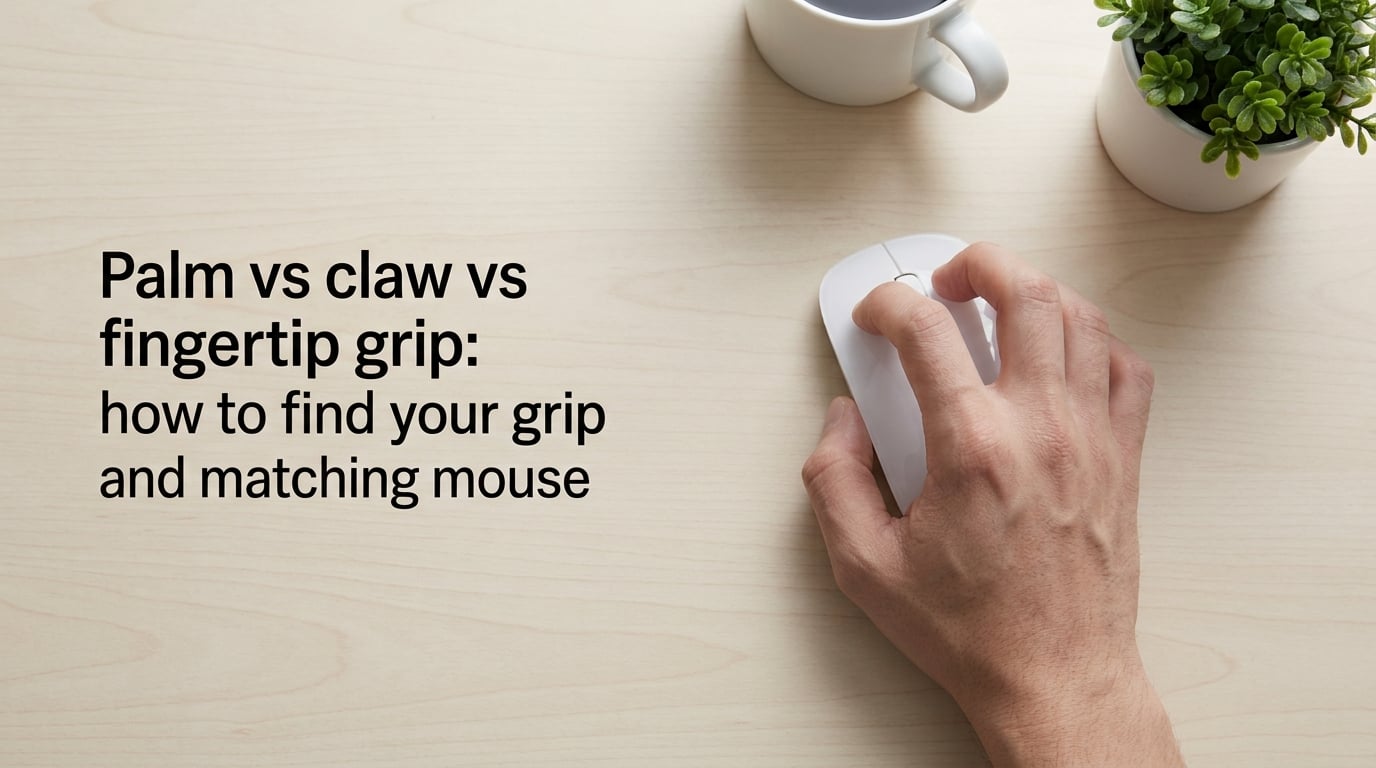
If your hand cramps, your aim drifts, or your mouse just never feels right, the problem is almost never the sensor. It is the grip. Three mouse grip styles rule everything: fingertip, claw, and palm. Each one places your hand differently on the mouse, moves from a different joint, and rewards a different mouse shape. In this guide I will show you how to find your natural grip in under five minutes, how to measure your hand the right way (length AND width), and how to pick a mouse shape that actually fits.
I have spent the last year testing mice across claw, palm, and fingertip positions with a 19 x 9.5 cm hand (medium-wide) and a 23 x 13 cm hand (large-wide) so you do not have to. Here is everything the spec sheets do not tell you.
Table of Contents
What Is a Mouse Grip Style?
A mouse grip style is the way your hand rests on and moves the mouse. The three core grips are fingertip (only fingertips touch the mouse), claw (palm heel rests on the back while fingers arch over the buttons), and palm (the full palm lies flat against the shell). The grip determines where control comes from: fingertip uses mostly fingers, claw uses fingers plus wrist, palm uses mostly wrist and forearm.
Grip matters because it dictates which mouse shape fits you. A short, flat mouse rewards a fingertip grip. A long mouse with a tall rear hump rewards a palm grip. A mid-sized mouse with a centered hump fits claw. When the shape does not match the grip, you over-grip, fatigue sets in, and aim consistency drops regardless of DPI or sensor.
One important note before we go further: grips sit on a spectrum, not in three boxes. Most people land somewhere between claw and palm, often in a position we call relaxed claw. Treat the three names below as anchor points, not rules.
The Three Grips at a Glance
| Grip | Contact Points | Movement Source | Best For |
|---|---|---|---|
| Fingertip | Fingertips only; palm hovers above the shell | Fingers and micro-flicks | Fast flicks, low-weight mice, high-sensitivity aim |
| Claw | Palm heel on rear of mouse, fingers arched over buttons, thumb on side grip | Fingers plus wrist | Competitive FPS, balanced precision and speed |
| Palm | Full palm flat against the shell, fingers draped over buttons | Wrist and forearm | Long sessions, MMO, office work, low-sensitivity arm aim |
The Three Grips Explained Side by Side
Each grip has a different feel, a different weakness, and a different best-fit genre. Read all three before you decide which one matches you.
Fingertip Grip
In a fingertip grip, only the tips of your fingers contact the mouse. Your palm hovers slightly above the shell, your thumb and pinky grip the sides, and almost no part of your palm rests on the body. The mouse moves mostly from your fingertips, with wrist and forearm doing the larger sweeps.
Fingertip grip is the fastest of the three grips because fingers can micro-adjust quickly. It pairs naturally with lighter mice (under 60 g feels great; over 80 g feels sluggish) and shorter, flatter shapes that let fingers pivot easily. The downside is finger fatigue: with no palm support, your fingers carry the load, and long sessions can cramp.
Best for: high-sensitivity aim, fast flick shots in Apex Legends or Fortnite, players who already have small-to-medium hands and short fingers.
Claw Grip
In a claw grip, the palm heel sits on the back end of the mouse while your fingers arch up and forward over the buttons. Only the fingertips touch the click surfaces. Your thumb grips the side, often resting on a thumb ledge or thumb rest. Movement comes from a mix of finger flicks and wrist pivots.
Claw grip is the most popular grip in competitive FPS for good reason: you keep fingertip-level precision on the clicks while gaining wrist stability. The trade-off is hand tension. Claw grippers who arch their fingers too aggressively (sometimes called aggressive claw) fatigue fast. A relaxed claw, with fingers only slightly arched, keeps the precision without the cramps.
Best for: Counter-Strike, Valorant, Overwatch, and any FPS where micro-adjustments and flick shots both matter.
Palm Grip
In a palm grip, your full palm lies flat against the back of the mouse. Your fingers drape forward over the buttons rather than arching. Movement comes mostly from the wrist and forearm, not the fingers. The mouse feels planted and stable.
Palm grip is the most comfortable grip for long sessions because the shell supports the entire hand. It rewards longer, taller mice with rear humps that fill the palm. The trade-off is speed: palm grippers tend to use lower sensitivity and arm-driven aim, which sacrifices some agility for stability.
Best for: MMO and RPG play, productivity and office work, low-sensitivity FPS players who prioritize tracking over flicking.
Relaxed Claw and Other Hybrids
If you read the three descriptions above and felt like you fit none of them cleanly, you are not alone. Most medium-handed players land in a relaxed claw: palm heel on the rear hump, fingers only slightly arched, thumb loose on the side. A palm-claw hybrid uses a flatter shell but still keeps the palm heel anchored. Fingertip-claw sits at the other end, where fingers do almost all the work but the palm heel still grazes the back.
Hybrids are not a mistake. They are the default. Choose a mouse shape that fits your hybrid, not the textbook name you wish you had.
How to Find Your Grip Style (3 Quick Checks)
Use these three checks in order. They take under five minutes and give you a much clearer answer than guessing from photos alone.
- Relax-and-look check. Sit normally, drop your hand onto your current mouse without thinking, and hold for 30 seconds. Take a photo or look down. Where does your palm sit? On the back hump, hovering above, or flat against the shell? That alone tells you about 70% of your grip.
- Slow-vs-fast test. Track a slow-moving target (follow a moving cursor across the screen at low speed), then flick quickly between two points. Which felt more natural? Finger-driven control points to fingertip or claw. Wrist-and-arm control points to palm.
- Fatigue-location check. After 30 minutes of normal use, note where you feel tired: fingertips, wrist, or forearm. Fingertip fatigue usually means fingertip or over-arched claw. Wrist fatigue usually means a grip angle or desk-height problem, not the grip itself. Forearm fatigue usually means palm grip with low-sensitivity arm aim.
Fatigue Location and What It Tells You
| Where It Hurts | Likely Grip | Likely Fix |
|---|---|---|
| Fingertips | Fingertip or aggressive claw | Switch to a lighter mouse, relax finger arch, or move toward relaxed claw |
| Wrist | Any grip with poor mouse angle | Raise or lower chair so forearm is parallel to the desk; check mousepad size |
| Forearm | Palm grip with arm-aim at low DPI | Raise DPI slightly, shorten mousepad travel, or shift toward claw |
| Thumb | Over-pinch from gripping the side | Switch to a mouse with a wider thumb rest or thumb groove |
Measure Your Hand the Right Way (Length and Width)
Most guides tell you to measure hand length. That is half the picture. Hand width is a better predictor of which grip feels natural and which mouse shape fills your palm. Measure both.
- Length: from the tip of your middle finger to the first crease of your wrist. That is your hand length.
- Width: across the knuckles of your four fingers (index to pinky), at the widest point, with your hand relaxed. Do not include the thumb.
- Note the shape: long-and-narrow hands tend to favor claw. Wide palms tend to favor palm grip or relaxed claw because the palm heel needs more rear-hump surface to sit on.
Hand Size Brackets and Natural Grip Tendency
| Hand Size | Length (cm) | Typical Grip | Mouse Length to Look For |
|---|---|---|---|
| Small | Under 17 | Fingertip or claw | Under 120 mm |
| Medium | 17 to 19 | Relaxed claw or palm | 120 to 128 mm |
| Large | Over 19 | Palm or relaxed claw | Over 128 mm |
If you have wide palms (knuckle width above 9.5 cm at medium length), you will likely feel cramped in short mice even if your hand length says “medium.” That is the signal to size up.
Mouse Shape Criteria That Match Each Grip
Once you know your grip, the mouse choice narrows quickly. There are four shape criteria that matter more than sensor, weight class, or button count: mouse length, hump position, side support, and overall weight.
Mouse Shape Criteria by Grip
| Grip | Length | Hump Position | Side Support | Weight |
|---|---|---|---|---|
| Fingertip | Short to medium | Centered or slightly rear | Minimal; thin sides for finger pivot | Under 60 g preferred |
| Claw | Medium | Centered hump, defined peak | Defined thumb ledge, subtle pinky channel | 55 to 75 g sweet spot |
| Palm | Long | Tall rear hump that fills the palm | Full side curves for thumb and pinky rest | Any weight; stability matters more than grams |
Why These Match
Fingertip grippers lift the mouse from the palm and pivot it with the fingers. Short mice let the fingers wrap around and the heel of the palm stay clear of the buttons. Lightweight shells reduce finger fatigue because the fingers carry less mass on every micro-move.
Claw grippers want a centered hump that pushes the palm heel back just enough to arch the fingers without cramping. A defined thumb ledge keeps the mouse planted during aggressive flicks. Medium weight balances inertia for tracking without slowing flicks.
Palm grippers need length so the palm heel anchors on the rear hump and the fingertips still reach the front of the buttons. Side support matters more here than in any other grip because the entire hand rests on the mouse, and an unsupported thumb or pinky causes the shell to drift in long sessions.
Best Grip for Each Game Genre and Use Case
The “best” grip is the one that matches your genre, your sensitivity, and the mouse shape you can actually get. Here is a quick map.
Grip by Genre and Use Case
| Use Case | Typical Best Grip | Why |
|---|---|---|
| Competitive FPS (CS2, Valorant) | Claw or relaxed claw | Mix of micro-flicks and tracking; balanced speed and stability |
| Battle Royale (Apex, Fortnite, Warzone) | Claw or fingertip | Larger flicks at varied ranges, often higher sensitivity |
| MOBA (League of Legends, Dota 2) | Palm or relaxed claw | Long sessions of clicks and ability binds, comfort matters most |
| MMO (World of Warcraft, FFXIV) | Palm | Many side buttons, low-speed play, full-palm comfort wins |
| Office and productivity | Palm or relaxed claw | Long hours, low-speed cursor work, comfort and RSI prevention |
| Creative work (3D, video editing) | Palm | Long steady cursor travel, often with a precision mouse |
Many FPS pros actually switch grips between games: claw for competitive FPS, palm or relaxed claw for MMO or office work. There is no rule that says you must commit to one grip for life.
Can You Actually Change Your Grip?
Yes, but treat it like a habit change, not a switch flip. Expect two to four weeks of awkward aim before muscle memory settles.
- Pick a target grip based on hand size and mouse shape. Do not chase a grip that does not match your hand.
- Drop your sensitivity by 10 to 15 percent for the first week. Lower sensitivity reduces the cost of small grip mistakes.
- Practice 15 minutes a day in an aim trainer. Use only the new grip during practice, not in ranked.
- Switch back to your old grip only after the first week. Your main games should run on the new grip from week two onward.
- Reassess shape after two weeks. A grip change often reveals that your current mouse was sized for the old grip.
Common mistake: forcing an aggressive claw when a relaxed claw fits your hand. You will fatigue in a week and bounce back to your old grip. Start relaxed, tighten only if you actually need the arch for your mouse shape.
Setup Tips That Affect Every Grip (Desk, Mousepad, Chair)
Grip is not the only variable. Three setup details change how every grip feels.
- Chair height: your forearm should be roughly parallel to the desk when your hand rests on the mouse. If your wrist bends up, your chair is too low. If your shoulder shrugs, your chair is too high.
- Mousepad size: a pad that is too small forces you to pick up the mouse mid-flick. A pad that is too large wastes lift-off space. Most claw and palm players want a pad at least 35 cm wide.
- Mouse position: keep the mouse close to your body midline. Reaching forward twists your wrist and changes the grip angle, especially for palm and claw.
RSI, Finger Cramps, and When to Worry
Mouse grip is one of the most common contributors to repetitive strain injury (RSI) and carpal tunnel flare-ups. Pain in the fingertips often points to over-gripping, especially with fingertip or aggressive claw on a heavy mouse. Pain in the wrist usually points to desk height, mouse angle, or a grip that forces the wrist sideways. Pain in the forearm often points to palm grip with very low sensitivity and large arm sweeps.
If pain lasts more than a few days, or shows up as numbness or tingling, stop and see a clinician. The mouse grip you choose is not worth a nerve issue. Most RSI is reversible if caught early and much harder to reverse after months of grinding through it.
Frequently Asked Questions
Is claw grip better than palm grip?
Neither is universally better. Claw grip is faster and more precise for short flicks, which is why most competitive FPS players use it. Palm grip is more stable and comfortable over long sessions, especially for MMO and office work. The right answer depends on your hand size, mouse shape, sensitivity, and genre.
Do any pro gamers use palm grip?
Yes. Some Valorant and Counter-Strike pros use palm or relaxed claw, especially players who prefer tracking over flicking. Many pros also switch grips by genre, going palm for MMO and claw for FPS.
What mouse grip is best for big hands?
Big hands tend to favor palm grip or relaxed claw because a larger palm heel needs more rear-hump surface to sit on. A long mouse (over 128 mm) with a tall rear hump usually fills the palm without forcing fingertips to stretch.
Is fingertip grip bad for your hand?
Fingertip grip is not bad on its own, but it loads more work onto the fingers because the palm provides no support. On a heavy or large mouse, fingertip grip causes finger fatigue and cramping quickly. A short, lightweight mouse (under 60 g) makes fingertip grip comfortable for longer sessions.
Can hand size change which grip is best?
Yes. Hand size and shape are the two biggest predictors of natural grip. Small hands usually favor fingertip or claw. Medium hands usually land in relaxed claw. Large or wide hands usually favor palm or relaxed claw. Hand width is a better predictor of fit than hand length alone.
Which grip is best for long hours at work?
Palm grip is generally best for long hours because the full palm rests on the shell and no single set of muscles carries the load. Relaxed claw is the second-best option for long sessions. Fingertip grip tends to fatigue fastest in office work because the fingers take all the weight.
Conclusion: Match the Grip, Then Match the Mouse
The palm vs claw vs fingertip grip mouse debate does not have one winner. The right grip is the one that matches your hand width, your genre, and the mouse shape you can actually hold. Start with the three checks (relax-and-look, slow-vs-fast, fatigue-location), measure your hand length and width, then choose a mouse shape built for your grip: short and light for fingertip, medium and humped for claw, long and tall-humped for palm.
If you are buying a new mouse this year, 2026‘s lineup rewards shape fit more than ever. Skip the spec-sheet wars and pick the shape that matches the grip you already use. Your aim, your fingers, and your wrists will thank you.