
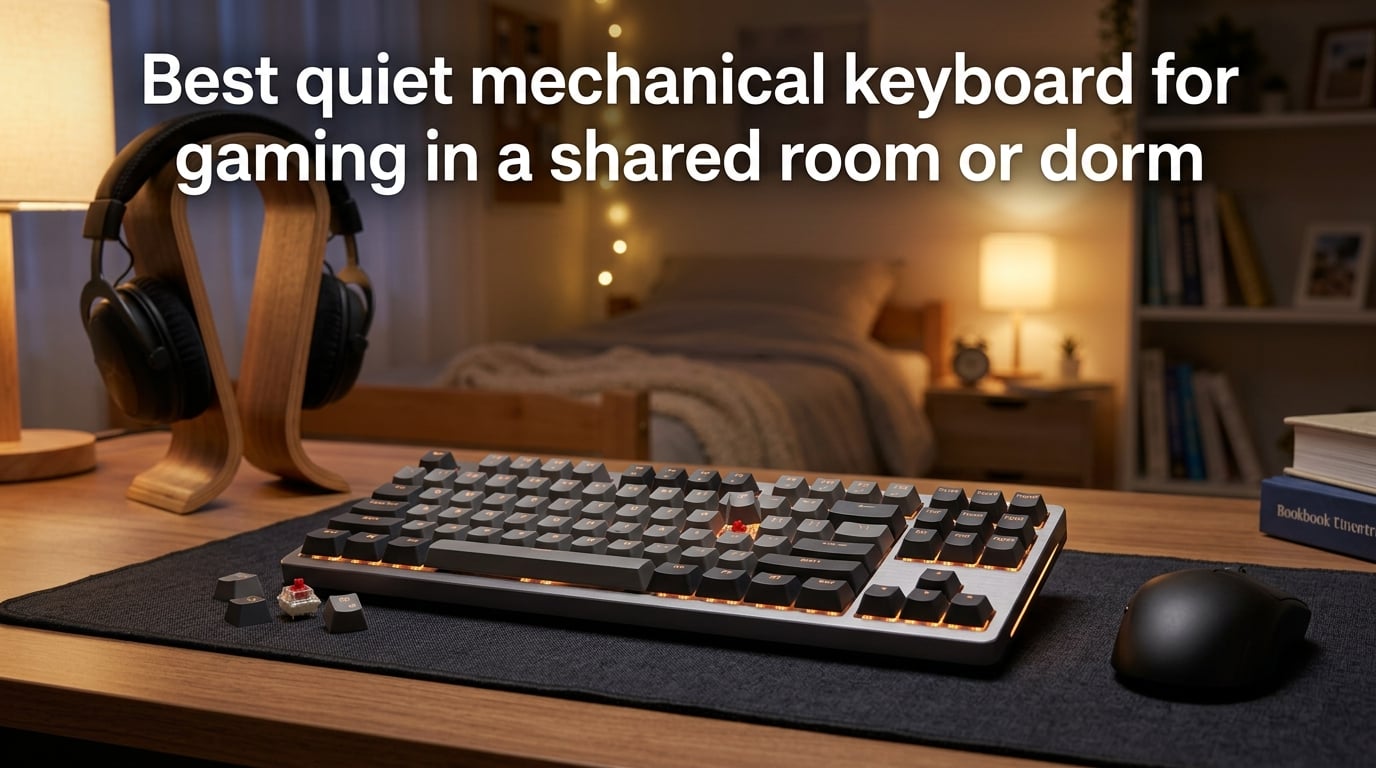
Finding the best quiet mechanical keyboard for gaming in a shared room or dorm doesn’t have to feel impossible. Whether you’re dealing with a roommate who sleeps early or gaming in a thin-walled apartment, the right keyboard can make all the difference. I’ve spent weeks testing switches, measuring noise levels, and researching what actually works for late-night gaming sessions. This guide breaks down everything you need to know about silent mechanical keyboards so you can game without complaints.
Table of Contents
What Makes a Mechanical Keyboard Quiet
Not all mechanical keyboards are created equal when it comes to noise. Several factors determine how loud or quiet your typing experience will be.
Switch Type: The Biggest Factor
The switch under each keycap is the primary source of keyboard noise. Mechanical switches come in three main categories: linear, tactile, and clicky. Each produces different sound levels during use.
Linear switches like Cherry MX Silent Red and Gateron Silent Yellow have smooth keystrokes with no bump or click. They produce the least noise because there’s no tactile feedback mechanism creating additional sound.
Tactile switches like Cherry MX Brown offer a bump partway through the keystroke. This bump creates slightly more noise than linear switches, but it’s still significantly quieter than clicky options.
Clicky switches like Cherry MX Blue are the loudest by design. They produce an audible click at the actuation point, which is satisfying but terrible for shared spaces. Avoid these entirely if noise is a concern.
Sound Dampening Features
Beyond switch type, manufacturers add various noise-reduction features. Sound dampening foam inside the keyboard case absorbs vibrations from keystrokes. Gasket mounting systems isolate the typing surface from the case, reducing the hollow sound that cheaper keyboards produce.
Some keyboards include built-in O-ring dampeners or silicone layers under the keycaps. These features reduce the “bottoming out” sound that occurs when keys hit the base plate. The best quiet keyboards combine multiple dampening techniques for maximum noise reduction.
Linear vs Tactile vs Clicky: Noise Comparison
Understanding noise differences between switch types helps you make the right choice for your dorm setup. Here’s what testing reveals about each category.
Linear Switches: The Quietest Option
Linear switches typically produce 35-45 decibels during normal typing. That’s comparable to a quiet library or soft whisper. Cherry MX Silent Red switches go even further, reaching as low as 30 decibels with their built-in dampening pads.
For gaming specifically, linear switches offer another advantage. The smooth keystroke means your fingers won’t accidentally trigger keys during intense moments. Many competitive gamers prefer linear switches regardless of noise concerns.
Tactile Switches: Quiet with Feedback
Tactile switches produce 40-50 decibels during normal use. The bump you feel creates a slight increase in noise compared to linear switches, but it’s still quiet enough for most dorm situations.
Cherry MX Brown switches are the most popular tactile option for shared spaces. They provide enough feedback for accurate typing without disturbing roommates. If you want to feel your keypresses without hearing them, tactile is the way to go.
Clicky Switches: Avoid for Dorm Use
Clicky switches reach 55-65 decibels, which is roughly the volume of normal conversation. These are designed to be heard and should never be used in shared living spaces. If you currently own a clicky keyboard, upgrading to linear or tactile is the single best change you can make.
How to Choose the Best Quiet Mechanical Keyboard for Gaming in a Dorm
Selecting the right quiet keyboard involves balancing several factors beyond just switch type. Here’s what to consider for dorm gaming specifically.
Form Factor: Size Matters
Keyboards come in different sizes, and the right choice depends on your desk space and gaming needs. Full-size keyboards include a number pad and function row, which is useful for productivity but takes up significant desk space.
Tenkeyless (TKL) keyboards remove the number pad, saving about 3-4 inches of desk width. This is the most popular choice for gamers who don’t need a numpad. The extra mouse space is valuable in cramped dorm desks.
60% keyboards remove even more keys, keeping only the alphanumeric section. These ultra-compact boards are ideal for tight spaces but require using function layers for arrow keys and other common functions. If you’re new to mechanical keyboards, TKL is the safest starting point.
Gaming-Specific Features
For competitive gaming, look for keyboards with N-key rollover (NKRO). This feature registers every keypress even when you’re pressing multiple keys simultaneously. Most modern gaming keyboards include this, but it’s worth confirming.
Polling rate matters for serious gamers. Standard keyboards poll at 125Hz, while gaming keyboards typically offer 1000Hz. Higher polling rates mean faster response times, though the difference is subtle for casual gaming.
Programmable macros can give you an edge in complex games. Some keyboards include dedicated macro keys, while others let you remap existing keys through software. Consider whether this feature matters for the games you play.
Build Quality and Durability
A keyboard that feels cheap will also sound cheap. Look for keyboards with aluminum or steel top plates rather than all-plastic construction. Heavier keyboards tend to stay in place during intense gaming sessions.
Hot-swappable switches are worth considering for dorm life. This feature lets you change switches without soldering, so you can experiment with quieter options later. It’s also convenient if a switch fails and needs replacement.
Sound Dampening Techniques and Modifications
Even with quiet switches, you can further reduce keyboard noise through modifications. These techniques work on most mechanical keyboards.
O-Ring Dampeners: Quick and Cheap
O-rings are small rubber rings that sit under your keycaps. They cushion the keystroke when you bottom out, reducing noise by 5-10 decibels. A full set costs just a few dollars and installs in minutes.
The downside is slightly reduced key travel distance. Some typists find the mushy feeling uncomfortable, but most gamers adapt quickly. If you want a quick noise reduction with minimal effort, O-rings are the way to go.
Keyboard Foam: Internal Soundproofing
Adding foam inside your keyboard case absorbs sound waves and reduces resonance. Many enthusiasts add PE foam, case foam, or switch pads to their keyboards. The modification requires disassembly but produces noticeable results.
Pre-lubricated switches are another consideration. Factory-lubed switches like those found in premium keyboards reduce friction noise during each keystroke. If you’re buying new, look for keyboards that come pre-lubed.
Gasket Mounting: Premium Silence
Gasket-mounted keyboards use rubber or silicone gaskets to isolate the typing surface from the case. This design eliminates the hollow sound and reduces vibration transmission. Gasket-mounted boards are typically more expensive but offer the best noise reduction.
Many enthusiast-grade keyboards now feature gasket mounting. If noise reduction is your top priority, this feature is worth the investment. Combined with silent switches and foam, gasket mounting creates an exceptionally quiet typing experience.
Dorm Room Keyboard Etiquette
Having a quiet keyboard is just one part of being a considerate roommate. Here are additional tips for gaming in shared spaces.
Communication with Roommates
Before gaming late at night, have an honest conversation with your roommate about noise expectations. Establish quiet hours and stick to them. Most roommates are reasonable when you show consideration for their needs.
Let your roommate know you’ve invested in a quiet keyboard. This shows you’re making an effort and opens the door for feedback. If they mention specific times when noise bothers them, adjust your gaming schedule accordingly.
Desk Setup Considerations
Where you place your keyboard matters. Hard surfaces like metal desks amplify sound, while wooden desks absorb more noise. A desk mat under your keyboard and mouse can reduce vibrations and muffle sound.
Consider your desk location relative to your roommate’s sleeping area. If possible, position your setup as far from their bed as possible. Even quiet keyboards produce some noise that’s more noticeable in close proximity.
Volume Control Beyond the Keyboard
Your keyboard isn’t the only source of gaming noise. Keep your mouse clicks quiet by choosing a silent mouse. Use headphones instead of speakers, and keep voice chat volume reasonable.
Late-night gaming sessions should include all these considerations. A perfectly quiet keyboard paired with a loud mouse or booming game audio defeats the purpose of your investment.
Budget Guide for College Students
You don’t need to spend a fortune to get a quiet mechanical keyboard for dorm gaming. Here’s what to expect at different price points.
Entry-Level Options
Budget keyboards with Cherry MX or equivalent switches start at reasonable prices. Look for brands like Redragon, Tecware, or Royal Kludge that offer hot-swappable boards with decent build quality. These keyboards may lack premium dampening features but are still significantly quieter than clicky alternatives.
Adding O-rings to a budget keyboard is a cost-effective upgrade. For under $10, you can reduce noise substantially without buying a new board.
Mid-Range Sweet Spot
The mid-range category offers the best value for dorm gamers. Keyboards in this range typically include sound dampening foam, better build quality, and pre-lubricated switches. Brands like Keychron, Epomaker, and Ducky offer excellent options.
Many mid-range keyboards now feature hot-swappable sockets, letting you upgrade switches later. This flexibility is valuable for students who want to experiment without replacing their entire keyboard.
Premium Considerations
Premium keyboards offer the quietest typing experience through gasket mounting, multiple dampening layers, and high-end switches. However, the improvement over mid-range options is incremental, not revolutionary. Only consider premium if your budget allows and you want the absolute best.
For most dorm gamers, a mid-range keyboard with silent switches provides excellent performance without breaking the bank. Save the premium upgrade for after graduation when you have more disposable income.
Wireless vs Wired: What’s Better for Dorm Gaming
Connectivity is another important factor for dorm gaming. Both wireless and wired options have trade-offs worth considering.
Wired Advantages
Wired keyboards offer zero latency and never need charging. For competitive gaming where every millisecond matters, wired is the safer choice. They’re also typically less expensive than wireless equivalents.
Cable management in dorm rooms can be tricky. Use cable clips or a desk cable tray to keep your setup tidy and prevent tripping hazards. A detachable cable makes transport easier when moving between dorms.
Wireless Benefits
Wireless keyboards reduce cable clutter and make your desk more flexible. Modern wireless technology offers latency under 1ms, which is imperceptible to human senses. Bluetooth connectivity also lets you switch between devices easily.
The main wireless concern is battery life. Most wireless keyboards last 40-200 hours on a single charge. Keep a charging cable handy and charge during classes or when you’re away from your desk.
Making the Choice
For casual gaming, wireless is perfectly fine and reduces desk clutter. For competitive gaming or if you prefer zero maintenance, wired is more reliable. Many keyboards offer both modes, giving you flexibility when you need it.
Frequently Asked Questions
What is the best quiet mechanical keyboard for gaming?
The best quiet mechanical keyboard for gaming uses linear silent switches like Cherry MX Silent Red or Gateron Silent Yellow. These switches produce 30-45 decibels during use, compared to 55-65 decibels for clicky switches. Look for keyboards with sound dampening foam and gasket mounting for maximum noise reduction.
Which mechanical keyboard is the most silent?
Keyboards with Cherry MX Silent Red switches are among the quietest available. Combined with sound dampening foam, gasket mounting, and O-ring dampeners, these keyboards can reach as low as 30 decibels during typing. Premium options from brands like Leopold and NuPhy offer factory-silent configurations.
Is linear or tactile quieter?
Linear switches are quieter than tactile switches because they lack the tactile bump mechanism. Linear switches typically produce 35-45 decibels while tactile switches produce 40-50 decibels. The difference is noticeable in quiet environments like dorm rooms, making linear the better choice for noise-sensitive situations.
Can you get a silent mechanical keyboard?
Yes, silent mechanical keyboards are widely available. Manufacturers offer switches with built-in dampening pads that significantly reduce noise. Popular silent switch options include Cherry MX Silent Red, Cherry MX Silent Black, Gateron Silent Yellow, and various silent tactile options from multiple brands.
How do I make my mechanical keyboard quieter for dorm use?
The most effective method is using silent linear switches. Additional improvements include adding O-ring dampeners under keycaps, inserting foam inside the keyboard case, and choosing a gasket-mounted keyboard. Lubricating switches also reduces friction noise. A desk mat underneath further absorbs sound and vibration.
What switches are quietest for gaming?
Cherry MX Silent Red and Gateron Silent Yellow are the quietest switches for gaming. These linear silent switches provide smooth keystrokes ideal for gaming while producing minimal noise. They offer the same actuation force and travel distance as standard linear switches, just with added sound dampening.
What is a 96% keyboard missing?
A 96% keyboard removes the navigation cluster (Insert, Delete, Home, End, Page Up, Page Down) and reduces spacing between key groups. It retains the number pad and function row but in a more compact layout. This saves desk space while keeping most keys accessible without function layers.
Conclusion
Choosing the best quiet mechanical keyboard for gaming in a shared room or dorm comes down to prioritizing silent linear switches, sound dampening features, and the right form factor for your space. Whether you opt for a budget-friendly TKL with O-ring dampeners or a premium gasket-mounted board, the investment pays off in peaceful late-night gaming sessions. Start with silent switches as your foundation, add dampening modifications as budget allows, and communicate openly with your roommate about gaming schedules. Your dorm gaming experience doesn’t have to disturb anyone—it just takes the right equipment and a little consideration.