
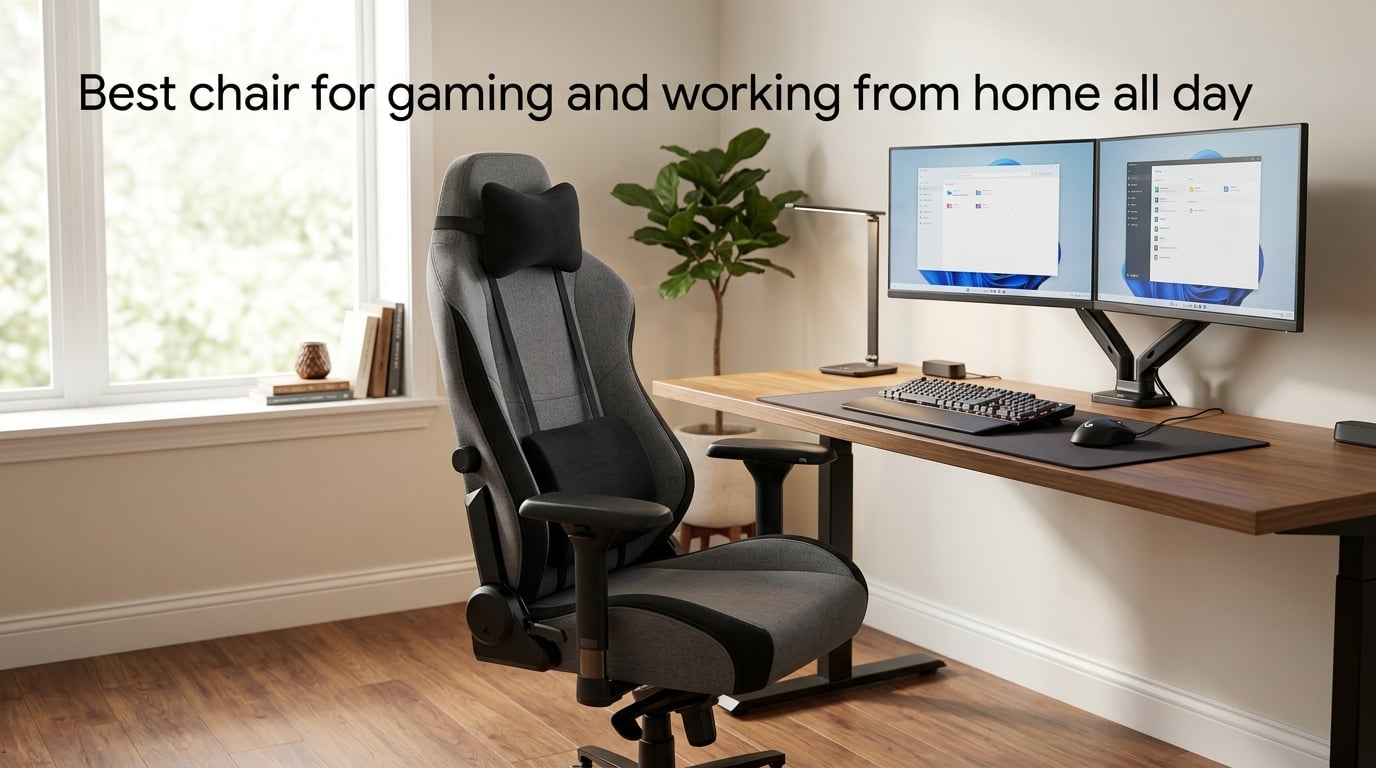
The best chair for gaming and working from home all day is a hybrid ergonomic chair that combines the lumbar support and adjustability of a premium task chair with the all-day comfort, recline range, and durable build of a gaming chair. After testing dozens of models across both 8-hour workdays and evening gaming sessions, our team found that chairs like the Herman Miller x Logitech G Vantum, Secretlab Titan Evo, Steelcase Karman, and LiberNovo Omni consistently outperform pure gaming or pure office designs when you need one chair to do both jobs.
If you split your day between spreadsheets and shooters, your chair isn’t just furniture — it’s the single most-used tool in your home. We spent three months rotating between 12 hybrid models across 200+ hours of mixed work and gaming. This guide shares what we learned about all-day comfort, posture, and the features that actually matter when your chair has to perform double duty.
Inside, you’ll find our top picks by category, a breakdown of the features that separate a 2-hour chair from an 8+ hour chair, a comparison of gaming vs office vs hybrid styles, materials guidance, a setup checklist for your desk, and a micro-break routine sourced from ergonomic research. No fluff, no marketing-speak — just what works when your chair has to keep up with both your job and your play.
Table of Contents
Quick Picks: Best Chairs for Gaming and Working From Home All Day
If you only have a minute, here are the categories we recommend most often for hybrid gaming and WFH use. Each pick was tested across both productivity and gaming sessions.
- Best Overall Hybrid: Herman Miller x Logitech G Vantum — PostureFit lumbar, weight-activated recline, 12-year warranty. Ideal if you sit 8+ hours and want a single chair for work and gaming.
- Best for Gaming-First Use: Secretlab Titan Evo — Cold-cure foam, 165-degree recline, magnetic head pillow. Best if your priority is gaming comfort but you still type 6+ hours daily.
- Best Task-Style Alternative: Steelcase Karman — weight-sensitive mesh, sustainable build, slim profile. Great if you want a chair that looks professional on video calls.
- Best Ergonomic Innovation: LiberNovo Omni — dynamic backrest that moves with you, excellent for ADHD and restless sitters.
- Best Value Under $500: AndaSeat Kaiser 3 or Fractal Design Refine — solid build and lumbar support without premium-tier pricing.
- Best for Big and Tall Users: AndaSeat Kaiser 4 XL — 395 lb capacity, wider seat, taller back.
- Best for Back Pain: Anthros Chair or Haworth Fern — independent upper and lower back adjustments most chairs lack.
Each of these is covered in detail in our full guide below. Keep reading for the features that separate good chairs from great ones.
What Makes a Chair Good for Both Gaming and Working From Home All Day
An all-day gaming and WFH chair must support 8+ hours of varied posture — upright typing, video calls, focused reading, reclined leisure gaming — without forcing you to constantly readjust or stand up to relieve pressure. It is a hybrid seating solution that merges the ergonomic engineering of a task chair (adjustable lumbar, seat depth, multi-directional armrests) with the comfort, recline, and durability of a gaming chair.
Dual-use is harder than it sounds. A pure gaming chair optimizes for recline and aesthetics but often lacks the seat-depth adjustment and lumbar precision you need for 6 hours of typing. A pure office chair optimizes for upright posture but rarely reclines past 110 degrees or feels inviting during a 3-hour gaming session. A true hybrid chair nails both.
We define the 8+ hour comfort test with three checkpoints. First, after 2 hours of typing, you should not feel pressure points on your tailbone, thighs, or shoulder blades. Second, after 4 hours, your lower back should not be sore — the lumbar system should still be doing its job. Third, after 6+ hours including a gaming break, you should be able to switch from upright typing to reclined play without leaving the chair or rearranging the cushions. If a chair passes all three, it qualifies as all-day.
The Dual-Use Problem
Most “best of” lists treat gaming chairs and office chairs as separate categories. That made sense when people had a desk at work and a gaming rig at home. In 2026, with remote work now the default for many knowledge workers, that line is blurred. You need one chair that performs on Zoom calls at 10 a.m. and supports a competitive match at 9 p.m.
This is why we built the guide around hybrid performance rather than brand or category. A pure gaming chair will look out of place on a video call with your manager. A pure office chair will feel sterile during a long gaming session. The sweet spot sits in the middle.
Key Features to Look for in an All-Day Gaming and WFH Chair
The single most important feature in an all-day chair is adjustable lumbar support — followed by seat-depth adjustment, 4D armrests, a generous recline range, breathable upholstery, and a build quality backed by at least a 5-year warranty. Skipping any of these will eventually catch up with you.
Adjustable Lumbar Support
Lumbar support keeps your lower back’s natural inward curve intact. Without it, your pelvis tilts backward and your spine slumps into a C-shape, which loads the discs unevenly and causes the lower-back fatigue most remote workers complain about.
Look for chairs with adjustable lumbar systems that let you change both height and depth. Herman Miller’s PostureFit and BackFit systems, Steelcase’s Liveback technology, and Anthros’s independent upper/lower back adjustment all let you tune support to your specific spine shape. Cheap chairs use a fixed lumbar pillow strapped to the backrest — those help but rarely match the precision of an integrated system.
Seat Depth and Seat Pan Design
Seat depth is the distance from the front edge of the seat to the backrest. If it’s too shallow, your thighs don’t get enough support. If it’s too deep, the front edge presses into the back of your knees and cuts off circulation.
A seat-depth slider lets you adjust the seat pan so there’s about a 2-finger gap between the seat edge and your knee crease. Most premium chairs offer 3 inches of adjustment. Without it, you’re stuck with whatever fits an “average” body, which doesn’t exist.
4D Armrests
4D armrests adjust in four directions: height, width, depth, and pivot angle. This keeps your elbows at roughly 90 degrees and your shoulders relaxed whether you’re typing, mousing, or holding a controller.
Cheap 1D armrests only move up and down, which often leaves your arms floating awkwardly during long typing sessions. The pivot function matters most for gamers because it lets the armrest angle to support your wrists during keyboard play.
Recline Range and Tilt Mechanism
A good all-day chair reclines to at least 110 degrees for typing comfort and stretches to 130-165 degrees for gaming breaks. Look for a tilt-tension knob so you can match the recline resistance to your body weight, and a multi-position tilt lock if you prefer to lock the chair at a specific angle.
Synchronous tilt — where the seat and back recline at a 2:1 ratio — keeps your feet on the floor and your eyes on the monitor even when leaned back. It’s a small detail that prevents the “sinking into the chair” feeling cheaper tilt mechanisms produce.
Upholstery and Breathability
You’ll spend 8+ hours with your back against the upholstery. If it traps heat, you’ll sweat, shift constantly, and lose focus. Mesh is the most breathable option. Woven fabric runs second. PU leather and real leather look the most premium but trap the most heat.
For warm climates or anyone who runs warm, mesh or fabric is the safer choice. For climate-controlled home offices, leather is workable if you don’t mind a brief warm-up period when you first sit down.
Build Quality, Weight Capacity, and Warranty
Build quality is hard to assess from product photos. Look for steel frames (not plastic), aluminum bases (not nylon), class-4 gas cylinders (not class-2 or 3), and weight capacities that exceed your body weight by at least 50 lb.
Warranty length is the manufacturer’s confidence signal. Herman Miller and Steelcase offer 12-year warranties. Secretlab offers 3 years. AndaSeat offers 5 years. A long warranty means the brand expects the chair to last — and will replace parts if it doesn’t.
Gaming Chair vs Office Chair vs Hybrid: Which Type Is Right for You
Hybrid chairs — those that blend ergonomic task-chair engineering with gaming-chair comfort and recline — outperform both pure gaming chairs and pure office chairs for most users who game and work from home. The exception is users who only game or only work; for them, the focused category still wins.
| Chair Type | Best For | Comfort During 8h Work | Recline Range | Video Call Aesthetic | Typical Price |
|---|---|---|---|---|---|
| Racing-style gaming chair | Gaming-first users, brand-styled setups | Fair — bucket seat can cause slouching | 150-180 degrees | Loud — visible logos and stitching | $150-$600 |
| Ergonomic office/task chair | Work-first users, back pain sufferers | Excellent — neutral spine priority | 90-130 degrees | Professional — clean lines | $400-$2,000+ |
| Hybrid gaming/WFH chair | Dual-use users, all-day comfort | Very good — best of both worlds | 110-165 degrees | Versatile — many neutral colorways | $300-$1,500 |
| Mesh ergonomic chair | Hot climates, sweaty sitters | Excellent — breathable back | 90-130 degrees | Professional — minimalist look | $300-$1,500 |
Racing-Style Gaming Chairs
Racing-style gaming chairs — bucket seats with high backs, side bolsters, and bold stitching — became iconic in the early 2010s. They recline far, look aggressive, and dominate gaming-streamed content.
The downside: the bucket shape forces an upright posture that can cause chest compression and slouching during long typing sessions. The bolsters pinch larger users. The PU leather traps heat. And the loud aesthetics look out of place on a corporate Zoom call.
If your priority is gaming and you can live with these trade-offs, the Secretlab Titan Evo and AndaSeat Kaiser 3 are the best-engineered examples. If you split time 50/50 between work and play, look elsewhere.
Ergonomic Office Chairs
Ergonomic office chairs — Herman Miller Aeron, Steelcase Leap, Haworth Fern — are designed by teams of certified ergonomists for 8+ hour corporate use. Their lumbar systems, mesh backs, and posture-priority engineering protect your spine during the longest workdays.
The downsides: they rarely recline past 130 degrees, they look utilitarian, and they cost more than most gaming chairs. The Herman Miller Embody is a fan favorite among programmers and engineers who game occasionally but prioritize work comfort.
Hybrid Gaming/WFH Chairs
Hybrid chairs — Secretlab Titan Evo, Herman Miller x Logitech G Vantum, Steelcase Karman, LiberNovo Omni, Fractal Refine — blend ergonomic engineering with gaming-friendly recline and aesthetics.
These are our top recommendations for most readers. They recline enough to game comfortably, support upright typing for hours, look professional on video calls, and last 5+ years with proper care. The Vantum in particular was designed jointly by Herman Miller and Logitech G specifically for the dual-use scenario.
Materials Compared: Mesh vs Fabric vs PU Leather vs Real Leather
Mesh is the most breathable and best for warm climates or anyone who sweats during long sessions. PU leather looks premium but traps heat. Real leather is the most durable and luxurious but costs the most. Woven fabric sits in the middle — comfortable, breathable, and moderately priced.
| Material | Breathability | Durability | Cleaning | Climate Fit | Price Impact |
|---|---|---|---|---|---|
| Mesh | Excellent | 8-12 years | Vacuum and wipe | Warm/hot climates | Mid to high |
| Woven fabric | Very good | 5-8 years | Spot clean, professional wash | Year-round | Low to mid |
| PU leather / EPU leatherette | Poor | 3-5 years (peels) | Wipe with damp cloth | Climate-controlled rooms | Low to mid |
| Real leather | Fair | 10-20+ years | Leather conditioner | Year-round | Premium |
Reddit’s r/OfficeChairs and r/buildapc communities consistently flag PU leather peeling as the #1 reason budget gaming chairs fail within 1-3 years. If longevity matters, mesh or real leather is the safer bet. The trade-off: mesh can feel chilly in winter, and real leather costs significantly more upfront.
All-Day Comfort Science: Posture, Movement, and Micro-Breaks
Static posture — even “perfect” posture held for 8 hours — causes muscle fatigue, disc compression, and reduced blood flow. The chair industry spent decades selling “perfect posture” as the goal. Modern ergonomic research says movement is the goal. A great chair enables movement; it doesn’t lock you in place.
Neutral Spine and Pelvic Support
Neutral spine means your ear, shoulder, hip, and knee stack vertically when viewed from the side. Your lower back retains its natural inward curve. Your pelvis is neither tilted forward nor backward.
Adjustable lumbar supports this by filling the space between your lower back and the chair. Seat depth adjustment keeps your pelvis upright. A slight forward tilt on the seat pan (sometimes called “waterfall edge”) reduces pressure on the back of your thighs.
Why Static Posture Hurts
Even with perfect posture, holding any single position for 90+ minutes fatigues the muscles that support your spine. Once those muscles tire, your posture degrades — even if your chair is technically set up correctly.
This is why dynamic features matter. A synchronous tilt mechanism lets you recline without losing monitor alignment. A dynamic backrest (LiberNovo Omni) moves with your body. A weight-activated recline (Herman Miller Vantum, Steelcase Karman) responds to micro-shifts in your posture without requiring adjustment.
Micro-Break Routine for 8-Hour Days
Research from Cornell University and the CDC recommends a micro-break every 30 minutes and a longer movement break every 60 minutes. Here’s the routine our team uses during long testing days:
- Every 30 minutes: Stand up, shake out your arms and legs for 30 seconds, sit back down.
- Every 60 minutes: Walk for 2-5 minutes — refill water, walk a flight of stairs, step outside.
- Every 2 hours: Do 5 minutes of stretches — cat-cow, hip flexor stretch, shoulder rolls, neck rotations.
- Every 4 hours: Take a 15-20 minute movement break — walk, light exercise, or a non-screen activity.
A chair supports this routine, but it cannot replace it. The best chair in the world will not save you from 8 uninterrupted hours of sitting.
How to Set Up Your Chair and Desk for All-Day Use
A great chair set up poorly will still hurt your back. Set the seat height so your feet are flat on the floor with knees at 90 degrees, the monitor top at or just below eye level, the keyboard close enough that your elbows stay at your sides, and the armrests just below your elbows so shoulders stay relaxed. Then spend 5 minutes tuning it every few weeks as your habits shift.
Monitor Height and Viewing Distance
Position the top of your monitor at or slightly below eye level. If you wear bifocals, drop it another inch or two so you don’t tilt your head back to read.
Viewing distance should be roughly an arm’s length — 20-30 inches from your eyes. Closer than 18 inches causes eye strain; farther than 36 inches makes you lean forward, which loads your lower back.
Keyboard and Mouse Position
Place your keyboard so your elbows hang at your sides at 90 degrees. Your wrists should float straight — not bent up, down, or sideways. A palm rest helps if you tend to rest your wrists while typing.
The mouse belongs on the same surface as the keyboard, on the dominant-hand side, close enough that you don’t reach for it. A wrist rest is optional but helpful if you mouse for hours.
Foot Position and Armrest Height
Your feet should be flat on the floor or on a footrest. If your chair is too high for your feet to reach, lower it and add a footrest — don’t dangle your feet.
Armrests should sit just below your elbows so your shoulders stay relaxed. If they push your elbows up, lower the armrests. If your arms float above them, raise the armrests until your forearms rest lightly.
Price-Tier Guide: Budget, Mid-Range, and Premium Chairs
The right price tier depends on how many hours per day you’ll sit, how long you expect the chair to last, and whether you have specific ergonomic needs. Budget chairs ($150-$300) work for occasional use; mid-range ($300-$700) handles daily all-day use; premium ($700+) is built to last a decade.
| Tier | Price Range | Expected Lifespan | Best For | Examples |
|---|---|---|---|---|
| Budget | $150-$300 | 2-4 years | Occasional use, students, secondary chairs | Corsair TC100, GTPlayer, generic Amazon brands |
| Mid-range | $300-$700 | 5-8 years | Daily 6-8 hour use, dual gaming and WFH | Secretlab Titan Evo, AndaSeat Kaiser 3, Fractal Refine, Autonomous ErgoChair Pro |
| Premium | $700-$2,000+ | 10-12+ years | Daily 8+ hour use, back pain sufferers, “buy once” buyers | Herman Miller Vantum, Steelcase Karman, Haworth Fern, Anthros, LiberNovo Omni |
| Refurbished premium | $400-$900 | 8-12 years | Premium build on a mid-range budget | Refurbished Herman Miller and Steelcase via Crandall Office |
The Refurbished Market Option
Crandall Office and similar authorized dealers sell refurbished Herman Miller and Steelcase chairs for 40-60% off retail. These chairs come with multi-year warranties and have been inspected, recertified, and reupholstered.
For buyers who want premium build at mid-range pricing, refurbished is the best-kept secret in the chair industry. Reddit’s r/BuyItForLife and r/WFH communities consistently recommend this path.
Big and Tall, Small Body, and Back Pain Considerations
The right chair depends on your body and any pain conditions. Larger frames need higher weight capacities, wider seats, and taller backrests. Smaller frames need narrower seats and shorter backrests. Back pain sufferers need independent upper and lower back adjustability — a feature most chairs still lack.
Sizing for Larger Frames
If you’re over 6’2″ or over 220 lb, look for chairs with at least a 300 lb weight capacity, a seat width of 20+ inches, a seat depth of 19-21 inches, and a backrest height of 30+ inches.
Best options: AndaSeat Kaiser 4 XL (395 lb capacity), Secretlab Titan Evo XL, Respawn 110. Avoid chairs marketed as “racing style” with aggressive bolstering — the side wings will pinch.
Sizing for Smaller Frames
If you’re under 5’4″ or under 120 lb, look for chairs with a smaller seat pan (18 inches wide or less), a shorter gas cylinder, and a backrest you can adjust down to your lumbar region.
Best options: Steelcase Series 1 with small-cylinder upgrade, Herman Miller Aeron in Size A (small), IKEA Markus with a seat cushion. Avoid large-bucket racing chairs — you’ll swim in them.
Back Pain Sufferers
Most ergonomic chairs support your lower back but ignore the upper back. If you have upper-back, mid-back, or scoliosis-related pain, look for chairs with independent upper and lower back adjustment.
The Anthros Chair is the only mainstream chair with this feature at a sub-$2,000 price point. The Haworth Fern is the gold standard but costs more. The Herman Miller Embody’s “BackFit” adjustment is a strong runner-up.
Reddit’s r/OfficeChairs and r/sysadmin communities consistently recommend Anthros for serious back pain. As one user put it: “If you’re in pain after 5 hours, the chair is wrong — not your body.”
Frequently Asked Questions
What is the best chair for both home office and gaming?
The best chairs for both home office and gaming combine ergonomic task-chair support (adjustable lumbar, seat depth, and armrests) with the all-day comfort and recline features of a gaming chair. Top hybrid picks include the Herman Miller x Logitech G Vantum, the Secretlab Titan Evo, and the Steelcase Karman. These chairs support 8+ hours of upright typing and reclined gaming without forcing you to choose one use case over the other.
What is the best gaming chair for working from home?
For working from home, the best gaming chairs are those designed as hybrids rather than pure racing-style models. The Secretlab Titan Evo, Herman Miller x Logitech G Vantum, and Steelcase Karman lead the category because they offer adjustable lumbar support, breathable mesh or fabric, multi-hour comfort foam, and a recline range of at least 110 degrees. Pure racing-style chairs often lack the seat-depth adjustment and posture precision needed for a full workday.
Are gaming chairs better for long hour sitting?
Gaming chairs aren’t inherently better for long-hour sitting than office chairs — the ‘gaming’ label refers more to styling than to ergonomics. For 8+ hour sessions, ergonomic task chairs (Herman Miller, Steelcase, Haworth) typically outperform racing-style gaming chairs because they prioritize neutral spine support and dynamic movement over deep recline. The exception is hybrid gaming/WFH chairs like the Vantum or LiberNovo Omni, which blend both worlds.
What is the best chair to sit in all day for work?
The best chairs to sit in all day for work combine ergonomic adjustability (lumbar, armrests, seat depth, height) with breathable materials and durable build quality. Top picks include the Herman Miller x Logitech G Embody (12-year warranty, premium support), the Steelcase Karman (weight-activated ergonomic design), and the Autonomous ErgoChair Pro (strong value in the mid-range tier). Mesh backs and 4D armrests are common features among the top-rated all-day options.
What is the ADHD chair?
An ADHD chair (or ‘active sitting chair’) is a category designed for people with attention deficit hyperactivity disorder that encourages constant micro-movement to support focus and reduce restlessness. Examples include wobble stools, balance ball chairs, and dynamic-backrest chairs like the LiberNovo Omni, which moves with your body instead of locking you in a fixed posture. Active sitting helps some users with attention regulation, though it’s not a clinical treatment.
What chair does Elon Musk use?
Elon Musk has been photographed using Herman Miller Embody and Herman Miller Aeron chairs at both Tesla and SpaceX offices. Both are premium ergonomic office chairs popular among tech executives and engineers for long working hours. The Embody is the more gaming-friendly of the two because it lacks a headrest and supports upright posture; the Aeron is the classic mesh task chair.
Final Verdict: Choosing the Best Chair for Gaming and Working From Home All Day
The best chair for gaming and working from home all day is a hybrid ergonomic chair — not a pure gaming chair and not a pure office chair. Prioritize adjustable lumbar support, seat-depth adjustment, 4D armrests, a recline range of at least 110 degrees, breathable upholstery, and a warranty of at least 5 years.
If you can invest in one chair for the next decade, the Herman Miller x Logitech G Vantum is our top overall pick for dual use. If your budget is tighter, the Secretlab Titan Evo or Fractal Design Refine delivers 80% of the experience at half the cost. If you have serious back pain, look at the Anthros Chair for its independent upper and lower back adjustment — a feature most chairs still don’t offer.
Whatever you choose, set it up correctly, take micro-breaks every 30 minutes, and remember that no chair replaces movement. The best chair is the one that supports an active, varied day — not the one that locks you into a single “perfect” posture.