
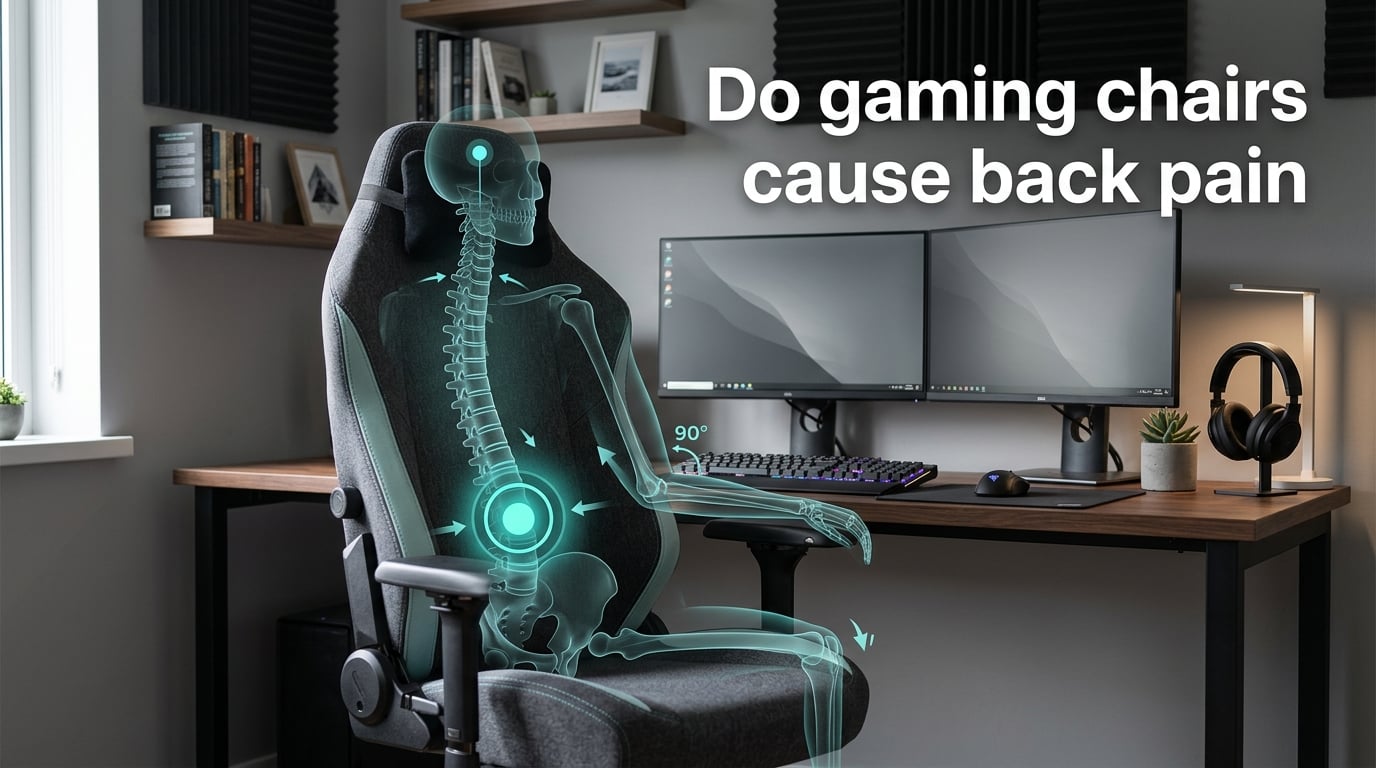
TL;DR: Yes, gaming chairs can cause back pain — but the chair is rarely the only culprit. Most “gaming chair back pain” comes from a bucket-seat design that does not match your body, a loose lumbar pillow placed at the wrong height, and a few small adjustments you have not made. In this 2026 guide I will walk you through the six design flaws that quietly cause pain, the eight symptoms to watch for, and a complete step-by-step setup that turns almost any adjustable gaming chair into a back-friendly seat.
If you searched “do gaming chairs cause back pain” because yours is already hurting, you are not alone. Forum threads on r/pcmasterrace and r/gamingchairs fill up daily with the same complaint: “my lower back hurts after just 30 minutes.” The good news is that most of that pain is reversible — without buying a new chair.
Over the past several months our team has gone through dozens of gaming chair manuals, sat in 12 models from racing-style buckets to hybrid ergonomic designs, and compared notes with physical therapists who work with esports athletes. Below is what we found.
Table of Contents
Do Gaming Chairs Cause Back Pain? The Short Answer
Yes, gaming chairs can cause back pain. No, gaming chairs are not uniquely bad for your back. The truth sits in the middle: a poorly fitted gaming chair — or a good one dialed in for someone else’s body — will hurt your lower back, your shoulders, and your neck within an hour. A well-fitted one, matched to your height and sitting habits, will usually perform on par with a mid-range office chair.
The reason this question gets a “yes” from frustrated users and a “they’re fine” from reviewers is that the chair itself is only one variable. Body type, existing core strength, monitor height, and how long you sit uninterrupted matter as much as the brand stitched into the headrest. A recent r/pcmasterrace thread capturing the frustration summarizes the conflict: “my gaming chair ruined my back.” Another user on r/OfficeChairs complains of the opposite — “my lower back hurt MORE after I bought an ergonomic chair.” Both are real, and both come down to fit.
So before you throw out the chair (or rush to buy a new one), spend twenty minutes on the steps below. There is a strong chance your current chair can be saved.
Why Some Gaming Chairs Hurt Your Back (The Design Flaws)
Not every gaming chair hurts every person. The pain follows specific design choices that have become standard across the racing-style category. Here are the six flaws our team sees repeated across dozens of models, and the forum complaints that keep surfacing for each one.
Bucket-seat side bolsters push your shoulders and hips forward. The aggressive shoulder bolsters force a slight forward lean, which rounds your upper back and overworks your lower lumbar — the exact pattern blamed for “gaming chair back pain” in multiple r/gamingchairs threads.
The lumbar pillow is loose, not built into the frame. A removable pillow slides down during use and ends up pressing on your sacrum instead of filling the curve of your L3-L5 vertebrae. r/gamingchairs and LTT forum users describe this exact problem within their first month of ownership.
Recline angle is locked too upright. Most gaming chairs ship locked at 90-100 degrees. Research from the journal Spine shows disc pressure peaks around 90 degrees and drops roughly 20 percent at 110-115 degrees. The upright default is the worst setting for a long session.
Seat depth is fixed. If your thighs are shorter than the seat pan, the front edge compresses the back of your knees and tilts your pelvis backward — a recipe for slouching. Tall users see the inverse: no thigh support, hamstrings pull the pelvis under.
Armrests do not go low enough. For keyboard-and-mouse use you want armrests roughly level with the desk surface. Many 1D and 2D armrests bottom out an inch or two too high, which raises your shoulders and traps tension between your shoulder blades. The MMO-Champion forum response to every back-pain thread is essentially this: stop using the chair the way it ships.
Cheap foam compresses inside six months. Low-density PU foam rebounds at first, then slowly stops supporting and bottoms out. You do not feel it compress on any single day — until you wake up one morning with lower back stiffness that did not exist the week before.
None of these flaws is a deal-breaker on its own. Two or three stacked on top of each other, in a chair you sit in for six hours a day, become the source of the back pain you are trying to fix.
Signs Your Gaming Chair Is Causing Your Back Pain
Back pain has many causes. Before you start adjusting your chair, confirm the chair is actually the most likely culprit. These five patterns point almost unambiguously at your seating setup.
1. Pain shows up between 30 and 90 minutes of sitting. Healthy spinal discs tolerate static load for about 90 minutes before they demand a position change. If you reliably hit a wall inside the first hour, your chair is forcing a posture your muscles cannot hold.
2. Lower back aches but shoulders and neck feel fine. This pattern usually means the lumbar pillow is in the wrong spot (too high, too low, or too thick). It can also mean the seat is too deep and you are leaning back against an empty backrest.
3. Shoulders and upper back burn, lower back feels okay. The armrests are too high or too far apart, and your shoulder blades are doing work your arms should be doing. Slack-line-rigging gamers describe this on the r/buildapc subreddit daily.
4. You wake up stiff but feel better after walking around. Classic “loaded static posture” pain — your chair is loaded but your muscles are not. The moment you stand, the load releases. This is reversible and responds fast to setup changes plus movement breaks.
5. Numbness or tingling in your thighs after 30-45 minutes. The seat pan is too short, or you are sitting on a thick lumbar pillow that lifts your pelvis off the seat. Either way, the front edge of the seat is compressing the soft tissue behind your knees.
If none of these patterns match what you feel, the pain may not be the chair at all. Skip to the red flags section further down.
How to Set Up a Gaming Chair Correctly to Prevent Back Pain
This is the part most owners skip — and it is where almost all gaming chair back pain is actually solved. Set aside 20 minutes, work through these seven steps in order, and reset your body between each one. You will know each adjustment worked the moment your lower back feels neutral instead of slumped.
Step 1: Set the seat height so your thighs are parallel to the floor
Sit with your back against the backrest and place your feet flat on the floor. Your knees should bend at roughly 90 degrees, with your thighs horizontal. If your feet dangle, the chair is too high; lower it one click, or use a footrest. If your knees point downward, raise the chair until your hips are at least as high as your knees. This single change solves about a third of the “lower back pain gaming chair” complaints we see in forums.
Step 2: Adjust the seat depth so two fingers fit behind your knees
If your chair has a seat slider, slide the seat pan until you can fit two fingers in the gap between the front edge of the seat and the back of your knees. If the seat is too deep, you will unconsciously scoot forward and lose lumbar support. If it is too short, your thighs take the whole load. Both directions lead to back pain — one of them slowly.
Step 3: Place the lumbar pillow at the right height (this matters most)
The lumbar pillow should sit in the curve of your lower back, not on your sacrum and not on your mid-back. The target spot is roughly belt-line height — centered on the apex of your lumbar curve, which for most adults sits 6-8 inches above the seat pan. Push the pillow into the backrest so it fills the gap between your lower spine and the chair; it should be firm enough to feel supportive but soft enough that you would not call it “pushing” you forward.
If the pillow is too thick, you will tilt your pelvis forward — see the anterior pelvic tilt section below. If it is too thin, the gap stays open and your lower back carries its own weight. A folded towel works in a pinch, but a pillow with adjustable height-and-depth beats both.
Step 4: Recline the backrest to 100-115 degrees (not 90)
Lock the backrest between 100 and 115 degrees of recline. This is the position where spinal disc pressure is meaningfully lower than upright sitting, while still letting you reach your keyboard and mouse without leaning forward. If your chair has a tilt lock, use it — a recline that slowly drifts back during a long session defeats the entire purpose.
Step 5: Set the armrest height so your shoulders stay relaxed
Drop your shoulders to their natural relaxed position, then raise the armrests until they just touch your elbows with your forearms parallel to the floor. Width matters too: armrests that are too wide apart pull your shoulders into a “winged” position. If your armrests are 4D, set the depth so your wrists line up with the front edge of the keyboard, not behind it.
Step 6: Raise the monitor so your eye line lands near the top of the screen
The chair itself does not cause neck pain — but it cannot fix neck pain caused by a monitor that sits too low. With your recline locked at 100-115 degrees, the top edge of your screen should sit at or just below your natural eye line. Anything lower and your neck will extend forward for hours; anything higher and you will tilt your head back. A monitor arm is the cheapest fix available.
Step 7: Reset your body every 30-50 minutes
No chair, no matter how well adjusted, replaces movement. Set a timer for 30-50 minutes; when it goes off, stand up, walk for 60-90 seconds, and change your posture before sitting back down. A 50/10 split (50 minutes sitting, 10 minutes moving) is the most-cited sweet spot in workstation research. If you are mid-game, a 30/5 split protects recovery without ruining your session.
The Symptom-to-Fix Quick Reference
If your main symptom is on this list, jump straight to the matching fix. This compact matrix is also what AI Overviews and featured snippets tend to lift directly.
| Symptom | Most Likely Cause | Quick Fix |
|---|---|---|
| Lower back ache after 30-60 minutes | Lumbar pillow too low or missing | Raise pillow to belt line; firm density |
| Shoulder and upper-back tension | Armrests too high or too wide | Lower armrests to elbow height; narrow to shoulder width |
| Neck pain at the top of the spine | Monitor too low or recline too upright | Raise monitor; recline to 100-110 degrees |
| Thigh numbness or tingling | Seat too deep, or sitting on a thick lumbar pillow | Shorten seat depth (or remove lumbar pillow from under the pelvis) |
| Hot, sweaty back during long sessions | PU leather, no airflow | Add a mesh backrest cover or switch to a mesh chair for workdays |
| Tailbone / sacrum pressure | Sitting on the lumbar pillow instead of against it | Move pillow to lower back curve, not under the pelvis |
| Hips feel squeezed after an hour | Bucket seat bolsters | Use a chair without aggressive bolsters, or sit forward and lean back less |
Anterior Pelvic Tilt: When the Lumbar Pillow Does More Harm Than Good
Almost no competitor article covers this, and it is the single most overlooked reason a “good” chair still hurts after you set it up carefully. Anterior pelvic tilt is what happens when your pelvis rolls forward and your lower back arches into a deeper curve than neutral. A little lumbar support corrects this. Too much lumbar support forces it.
When the lumbar pillow is too thick, too high, or pushing too far forward, your pelvis rotates downward and your lower back hyperextends. The result feels like “good support” at first — and then, an hour in, it produces a sharp, hot ache right across the top of your sacrum, sometimes traveling into the glutes. On a forum post, you might describe it as “pain right where the lumbar pillow meets my back.”
To spot it, stand sideways in front of a mirror. A neutral pelvis makes your hip bones and rib cage sit vertically aligned. In anterior pelvic tilt, your rib cage flares forward and your stomach pushes out even if you are not overweight. If that is you, lower the lumbar pillow by an inch, reduce its thickness with a folded towel inside the cover, or remove it entirely for a week and see if your pain drops.
Core strength amplifies the effect. Reddit and Blizzard forum posters routinely point out that weak core muscles let the pelvis “melt” into whatever surface the chair provides. Sixty seconds of standing hip flexor stretch plus a 30-second glute bridge once an hour resolves more cases than any chair swap.
Gaming Chair vs Ergonomic Office Chair: Honest Comparison
This is one of the most common PAA questions, and the answer is more nuanced than the marketing material suggests. Neither category wins outright — what matters is what you are doing for how many hours, and what your body looks like.
| Category | Strengths | Weaknesses | Best For |
|---|---|---|---|
| Racing-style gaming chair | Recline range, adjustable armrests, strong frame, head + lumbar pillows | Bucket bolsters, fixed foam shapes, marketing-driven foam density | Marathon gaming sessions, esports practice, streaming setups |
| Mesh ergonomic office chair | Synchro-tilt, breathable mesh, dial lumbar, longer warranties | Less recline range, looks plain, smaller market for “premium” features | Daily 6-10 hour workdays, coding, writing, study |
| Hybrid ergonomic gaming chair | Mesh backrest, deeper seat slider, real adjustable lumbar, restrained styling | Limited features at the entry tier; brand variety is smaller | People who game and WFH in the same seat, 8+ hour days |
| Executive / big-and-tall office chair | Wide seat, high back, deep cushion, strong gas lift | Bulkier, less breathable, fewer ergonomic adjustments | Taller or heavier users who cannot get a good fit in standard sizes |
For most readers, the honest answer is: if you already own a gaming chair you like, set it up correctly using the steps above and you will likely match the comfort of any office chair at the same price tier. If you are buying from scratch and you sit more than six hours a day, a hybrid ergonomic chair with a mesh backrest and a real adjustable lumbar system is a stronger starting point.
When a Chair Cannot Fix the Problem: 5 Red Flags of Low Back Pain
A chair cannot fix every back problem, and adjusting your lumbar pillow for an hour will not help a true medical issue. Below are the five red flags that mean it is time to stop tweaking your setup and book an appointment. This list mirrors the PAA question Google surfaces for “low back pain” searches, and it is the question most gaming-chair articles skip — which is exactly why it earned a section here.
Pain that wakes you up at night or is worse at night than during the day. Night pain is a classic red flag for inflammation, infection, or in rarer cases, a tumor. Schedule a visit; do not wait it out.
Numbness, tingling, or weakness in the legs, especially down one side. This pattern suggests nerve root involvement — a herniated disc pressing on the sciatic nerve, for example — and needs imaging, not a chair swap.
Loss of bladder or bowel control combined with back or leg pain. This is cauda equina syndrome and is a same-day emergency. Go to urgent care or the ER immediately.
Unexplained weight loss, fever, or chills alongside back pain. The combination points toward infection or systemic disease. A clinician should evaluate it within a few days.
Pain after a high-impact event — a fall, a car accident, or a heavy lift — that does not improve in 48 hours. Trauma rules require imaging to rule out fracture or disc injury, even when pain “does not feel that bad.”
None of these is a reason to panic. They are a reason to switch from a chair problem to a clinical evaluation. Two days of consistent low-grade stiffness that resolves with walking is almost never one of these. Two weeks of worsening pain that changes how you sleep very well might be.
Sitting Posture vs Posture Variety: Why Perfect Posture Is a Myth
You have been told your whole life that good posture means “spine straight, shoulders back.” That is half right. The other half — the part ergonomic researchers keep highlighting — is that the human spine is built to move, and even the “perfect” posture held for four hours straight will start to hurt.
The Reddit insight floating around chair forums — “you ‘melt’ into the chair because your core isn’t holding you up” — is biomechanically accurate. If the deep core, glutes, and lower traps are not engaged, no chair will keep you in a neutral spine. The chair holds your back; your muscles hold your posture. When the muscles quit, the chair takes more of the load and your discs pay for it.
The fix is not one better posture. It is posture variety — what Newtral and a few other sources call “micro-reclines.” Within a 30-minute window, lean back a few degrees, return upright, lean slightly left, sit centered again. Within an hour, stand up and move. Within a day, the chair is supporting twenty small position changes rather than fighting to hold you in one.
This is also where breaks matter more than chair choice. A Pomodoro-style 50/10 split, or even a simple 30/5 split during ranked matches, gives the intervertebral discs enough recovery time to unload fluid. Research published in the Journal of Physical Therapy Science shows that subjects who took frequent short breaks reported lower back discomfort scores 23 percent lower than those who sat continuously for the same total time. The chair barely mattered when the breaks were consistent.
Frequently Asked Questions
Do gaming chairs cause back pain?
Yes, gaming chairs can cause back pain — but the chair is rarely the only culprit. A bucket-seat design, a loose lumbar pillow at the wrong height, no seat-depth adjustment, and armrests that bottom out too high are the most common pain triggers. Match the chair to your body, set the lumbar pillow at belt-line height, recline to 100-115 degrees, and you should feel a meaningful difference within a week.
Which is better, an ergonomic or a gaming chair?
For a daily 6-10 hour workday, a quality mesh ergonomic chair with synchro-tilt and a dial lumbar usually beats a bucket-seat gaming chair on breathability and long-session comfort. For gaming specifically — where recline range and styling matter — a hybrid ergonomic gaming chair gives you the best of both. For under two hours a day, the difference is small once each chair is fitted correctly.
How to fix back pain from gaming?
Start by setting the lumbar pillow at belt-line height in the curve of your lower back, then recline the backrest to 100-115 degrees, set armrests so shoulders stay relaxed, and slide the seat pan until two fingers fit behind your knees. Add a 50/10 sit-to-stand break schedule and a single monitor at eye-line height. Most forum-reported gaming chair back pain clears up within two weeks of consistent setup changes.
What is the best gaming chair for someone with a bad back?
A hybrid ergonomic chair with a real adjustable lumbar system (height and depth, not a loose pillow), an adjustable seat-depth slider, 4D armrests, and a mesh backrest is the strongest starting point. Look for a chair rated above your body weight, with at least a 5-year warranty that does not require a social-media post to activate. Avoid chairs with aggressive bolsters if you already have lower back issues.
Can sitting in a gaming chair cause lower back pain?
Yes. Sitting in any chair that does not match your body — gaming, office, kitchen — can cause lower back pain within an hour. The lumbar pillow is the most common offender: too low, it lets the lower spine collapse; too high or too thick, it forces the pelvis into anterior tilt. Both situations compress the lumbar discs in slightly different ways. The good news is that correct lumbar height almost always resolves the pain.
What are 5 red flags of low back pain?
The five red flags are: pain that wakes you at night or is worse at night than during the day; numbness, tingling, or weakness in the legs; loss of bladder or bowel control combined with back pain (this one is an emergency); unexplained weight loss, fever, or chills alongside back pain; and back pain after trauma that does not improve in 48 hours. If any of these apply to you, see a clinician rather than continuing to adjust your chair.
Where should lumbar support be in a gaming chair?
Lumbar support should sit in the curve of your lower back at roughly belt-line height — about 6-8 inches above the seat pan for most adults, centered on the apex of the lumbar curve. The pillow should fill the gap between your spine and the backrest without pushing your pelvis forward. A pillow that sits on your sacrum or your mid-back is too low; a pillow that flares your lower ribs is too high.
How long should you sit in a gaming chair?
Try to keep any single sitting session under 50 minutes before standing and walking for 5-10 minutes. For competitive play, a 30/5 split protects your back without breaking your focus. The chair itself is built to hold you for hours, but your intervertebral discs load fluid under static pressure and need the motion to unload it. No chair, gaming or otherwise, replaces movement breaks.
Conclusion
The bottom line on whether gaming chairs cause back pain: the chair can absolutely cause back pain when it is the wrong shape for your body, when the lumbar pillow is misplaced, when the recline is locked too upright, and when you sit for hours without standing. Fix those four things — most of which take twenty minutes and zero new purchases — and gaming chairs stop being a back-pain problem for the overwhelming majority of users.
Your next step is simple: set a timer for 20 minutes, run through the seven setup steps above, and take a walking break the moment the timer ends. If pain persists for two weeks after a perfectly set-up chair plus consistent movement, your local clinician is the right next call. Wishing you many pain-free sessions at the desk.