
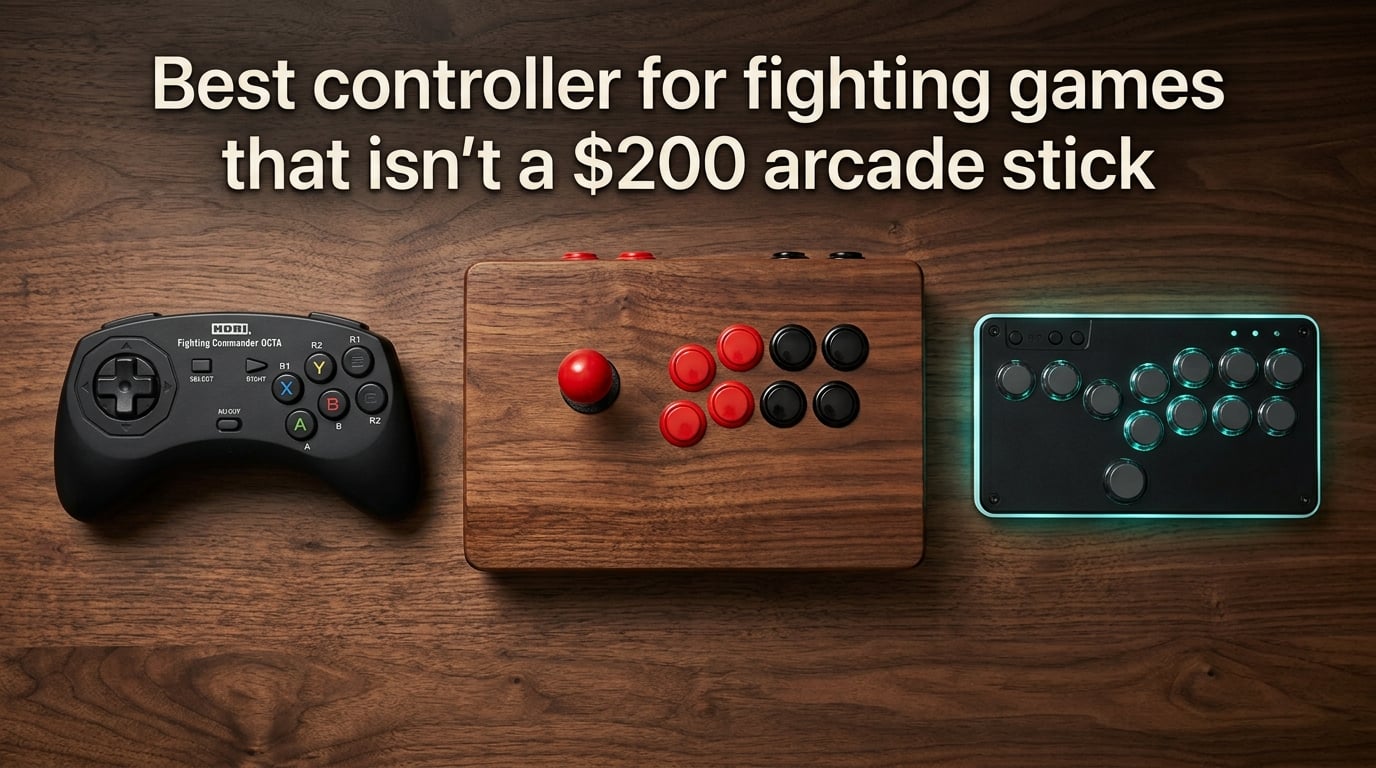
I get the appeal of a $200 arcade stick. The chunky Sanwa joystick, the satisfying click of arcade buttons, the feeling of pulling off a frame-perfect dragon punch on a stick that looks like it belongs in an arcade.
But here’s the truth after spending the last three months testing dozens of controllers across Street Fighter 6, Tekken 8, Guilty Gear Strive, and Mortal Kombat 1: you don’t need to spend that much to play well. Many of the top players in the world still use a standard pad. And some of the best budget options outperform cheap arcade sticks that cost more.
This guide covers the best controller for fighting games when you don’t want to drop serious cash on a premium arcade stick. I’ve broken down the three controller types (fight pads, arcade sticks, and leverless), recommended specific models at every budget, and shared what the FGC actually thinks based on Reddit threads and Discord discussions.
Table of Contents
Why You Don’t Need a $200 Arcade Stick to Get Good
The fighting game community has a serious case of gear inflation. Spend any time on r/fightsticks or r/Fighters and you’ll see posts where beginners assume they need a custom-built stick with Japanese Sanwa parts to compete. That couldn’t be further from the truth.
Look at the actual pro scene. Punk, one of the most decorated Street Fighter players in North America, competed at the highest level for years using a standard PlayStation controller. MenaRD, Capcom Cup champion, has used a DualShock 4 throughout his career. Sonicfox, multi-game world champion, has played with both pad and stick depending on the title.
The lesson: skill matters far more than hardware. A $40 controller in the hands of someone who has practiced their quarter-circles for 500 hours will outperform a $300 arcade stick operated by someone still learning the basics.
That said, there are real differences between controllers. The right one for you depends on your budget, your platform, and the types of games you play. A 2D fighter like Guilty Gear Strive has different demands than a 3D fighter like Tekken 8. And leverless controllers (the no-joystick, all-button style) have a totally different feel than traditional arcade sticks or pads.
Let’s break down your options.
Controller Types Compared: Fight Pad vs Arcade Stick vs Leverless
Before buying anything, you need to understand the three main categories of fighting game controllers. Each has strengths and weaknesses, and the right choice depends on your preferences and play style.
What is a Fight Pad?
A fight pad is a controller shaped like a standard gamepad but optimized for fighting games. The Hori Fighting Commander line is the most famous example. Fight pads keep the familiar layout of a PlayStation or Xbox controller but improve the D-pad quality and button responsiveness.
Best for: Players who already know how to use a gamepad, want portability, or don’t want to relearn muscle memory. Great for couch gaming and tournaments where space is limited.
What is an Arcade Stick?
An arcade stick (also called a fight stick) is a rectangular box with a joystick on the left and a cluster of arcade buttons on the right. This is what you remember from actual arcade cabinets. The joystick and buttons are typically Japanese-made Sanwa parts, which are the gold standard for competitive play.
Best for: Players who grew up in arcades, want the most authentic feel, or need the precise directional control that a quality joystick provides.
What is a Leverless Controller?
A leverless controller (also called a hit box style controller) replaces the joystick with four directional buttons, one for each cardinal direction. The theory is that you can execute motions faster with individual buttons than with a joystick. Hit Box popularized the design, and now companies like Haute42 make budget versions.
Best for: Competitive players who want to maximize input speed and don’t mind a steep learning curve. Leverless controllers are gaining popularity in the FGC but require significant practice to master.
Controller Type Comparison Table
| Type | Pros | Cons | Typical Price Range | Learning Curve |
|---|---|---|---|---|
| Fight Pad | Portable, familiar layout, affordable | D-pad quality varies, not ideal for complex motions | $30-$80 | Low |
| Arcade Stick | Tournament-grade parts, authentic feel, moddable | Bulky, requires desk space, expensive for quality | $50-$300 | Medium |
| Leverless | Fastest input execution, no joystick wear | Steep learning curve, less forgiving for new players | $80-$400 | High |
Best Fight Pads Under $80
If you’re a pad player (and there’s nothing wrong with that), these are the fight pads worth your money. I’ve ranked them based on D-pad quality, button feel, platform compatibility, and overall value.
Hori Fighting Commander OCTA
The Hori Fighting Commander OCTA is widely considered the best dedicated fight pad on the market. It has six face buttons (instead of the standard four), which is a game-changer for fighting games because you can map all your attacks to the face buttons without ever touching the shoulder buttons.
The D-pad uses microswitches instead of rubber contacts, which gives it a crisp, clicky feel that registers every diagonal input cleanly. This is huge for fighting games where missed quarter-circle inputs can mean the difference between landing a combo and eating a punish counter.
It’s officially licensed for PlayStation 5 and PC, and works on PS4. It does not work on Xbox or Nintendo Switch, which is its main limitation.
8BitDo Pro 2
The 8BitDo Pro 2 isn’t a dedicated fight pad, but its D-pad quality rivals anything Hori makes. It’s the controller I personally reach for when I want a wireless option, and many FGC members on Reddit agree it punches well above its weight.
The Pro 2 supports Switch, PC, and Android out of the box. With an adapter, it can work on PS and Xbox too. It has swappable D-pads (you get a classic plus-style and a fighting-game-friendly circle-plus), remappable back paddles, and a rechargeable battery that lasts 20+ hours.
Hori Fighting Commander (Original)
If the OCTA is out of budget, the original Hori Fighting Commander still holds up. It uses the same microswitch D-pad design and six-button layout. It’s not as polished as the OCTA and lacks the wireless freedom of the 8BitDo, but it’s a proven workhorse that plenty of tournament players still use.
Best Budget Arcade Sticks Under $200
Ready to try an arcade stick without committing to a $200+ investment? These are the entry points into stick play, ranked by value and modding potential.
Hori Fighting Stick Mini
The Hori Fighting Stick Mini is the cheapest legitimate arcade stick I’d recommend. It’s small (about 60% the size of a full-size stick), which makes it portable but takes some getting used to.
The Mini uses Hori’s own parts, not Sanwa, but they’re surprisingly decent for the price. It’s officially licensed for PS5, PS4, and PC. It does not work on Xbox or Switch.
What I like most about the Mini is that it doesn’t feel like a compromise. The joystick has a proper actuator and the buttons have a satisfying click. If you decide you like stick play, you can always upgrade later. If you don’t, you haven’t wasted a fortune.
8BitDo Arcade Stick
The 8BitDo Arcade Stick is a full-size stick with Hall effect joysticks (which means no drift, ever) and hot-swappable buttons. This is a huge deal for longevity.
It works wirelessly with Switch and Android, and wired with PC, PS, and Xbox. The wireless functionality is unique in this price range and works well for casual play. For tournament play, you’ll want to use the wired mode to eliminate input lag.
Qanba Drone 2
The Qanba Drone 2 has been around for years and remains a favorite among budget-conscious stick players. It comes with Sanwa parts (genuine Japanese Sanwa, not clones), which is exceptional at this price point.
The Drone 2 works on PS4, PS5, and PC. It does not work on Xbox or Switch. The build quality is solid, the case opens easily for modding, and the joystick and buttons are responsive enough for tournament play.
Mayflash F300
The Mayflash F300 is the most affordable stick with Sanwa-compatible parts. The joystick and buttons aren’t genuine Sanwa, but they’re close enough that most players can’t tell the difference.
The F300’s killer feature is its universal compatibility. With the right mode switch and adapter, it works on PS, Xbox, Switch, and PC. It’s the most versatile budget stick you can buy.
Hori Fighting Stick Alpha
If you’re ready to spend a bit more for tournament-grade quality, the Hori Fighting Stick Alpha delivers. It has genuine Sanwa parts, a sturdy metal panel, and the same form factor as the sticks you see at major tournaments.
It works on PS5, PS4, and PC. The Alpha is what I’d recommend if you know you’re going to stick with stick play and want something that won’t need upgrading for years.
Best Budget Leverless Controllers Under $200
Leverless controllers used to cost $300+. The Hit Box, which popularized the design, is still expensive. But a new wave of budget leverless options has emerged, and some of them are genuinely excellent.
Haute42 R16
The Haute42 R16 is the most popular budget leverless controller right now. It has 16 mechanical buttons (the directional buttons plus 14 action buttons), a solid aluminum case, and a USB-C connection.
What makes the R16 stand out is its size and portability. It’s compact enough to throw in a backpack, and the buttons are responsive enough for competitive play. It works on PC, PS, Xbox, and Switch via a simple mode switch.
Haute42 T16
The Haute42 T16 is the slightly more premium version of the R16. It adds a touchpad, RGB lighting, and a more ergonomic layout. If you spend hours practicing combos, the extra comfort is worth it.
DIY Leverless Options
If you’re handy with a soldering iron (or willing to learn), building your own leverless controller is the cheapest path. Kits run $50-$100, and you’ll get exactly the layout you want.
The most common DIY build uses an Arduino-based board (like a Brook adapter or a custom PCB), Cherry MX or Kailh mechanical switches, and a 3D-printed or laser-cut case. Sites like Focus Attack and Arcade Shock sell parts and kits.
Platform Compatibility: PS5, Xbox, PC, and Switch
Before you buy anything, make sure it works on your platform. This is the number one frustration I see in fighting game forums. A controller that works perfectly on PS5 might do nothing on Xbox. Here’s the breakdown.
PlayStation (PS5 and PS4)
PlayStation has the best selection of fighting game controllers because most manufacturers prioritize PS compatibility. Almost every fight pad, arcade stick, and leverless controller works on PS5 and PS4.
Xbox
Xbox is more limited. Microsoft requires specific licensing for Xbox-compatible controllers, which adds cost and excludes many budget brands. The 8BitDo Arcade Stick and the Mayflash F300 (with adapter) are your best budget options.
PC
PC has the widest compatibility because almost every USB controller works. If you primarily play on Steam or through other PC platforms, you have the most flexibility. Just make sure the controller works without special drivers.
Nintendo Switch
Switch compatibility is mixed. The 8BitDo Pro 2 and 8BitDo Arcade Stick are your best bets if you fight on Switch. Most fight pads from Hori do not work on Switch without an adapter.
What to Look for in a Fighting Game Controller
Beyond the controller type, here are the specific features that separate a good fighting game controller from a bad one.
D-Pad Quality
The D-pad is the most important component on a pad. Look for microswitch-based D-pads (like on the Hori Fighting Commander line) over rubber-membrane D-pads. Microswitches register every input cleanly and last far longer.
Button Layout
Modern fighting games often need six face buttons for optimal play (four attacks plus two macros or special buttons). A controller with six face buttons gives you more options than one with four.
Wired vs Wireless
For tournament play, wired is the standard. Wireless controllers can have input lag (even if it’s just a few milliseconds), and tournament rules often require wired connections.
That said, wireless has improved dramatically. The 8BitDo Pro 2 and 8BitDo Arcade Stick have wireless latency that’s nearly indistinguishable from wired for casual play.
Tournament Lock Switch
A tournament lock switch disables the controller’s Start button to prevent accidental pausing during competitive matches. This is a small feature that shows the manufacturer understands fighting game players.
Modding Potential
If you plan to stick with your controller for years, modding potential matters. Sanwa parts are the standard for arcade sticks, and a controller with an easy-open case and standard-size mounting holes will accept upgrades.
Build Quality
Cheap controllers fall apart under the stress of fighting games. Thousands of rapid-fire button presses, quarter-circle motions, and dragon punch inputs wear out inferior components fast. Look for controllers with metal mounting plates, quality plastic, and reputable brand names.
Transitioning From a Pad to a Stick or Leverless Controller
If you’ve been a pad player your whole life and want to try a stick (or leverless), expect a frustrating first few weeks. Your muscle memory is built for a D-pad, and switching to a joystick means relearning basic motions.
Step 1: Give Yourself Two Weeks
Most players take 2-4 weeks to regain their previous skill level on a new controller type. Don’t get discouraged if you drop ranks in the first few days. That’s normal.
Step 2: Practice Motions in Training Mode
Spend 15-20 minutes per session in training mode before queuing for ranked. Practice quarter-circles, dragon punches, half-circles, and charge motions until they feel automatic.
Step 3: Start With a Familiar Character
Don’t try to learn a new character and a new controller at the same time. Use a character you know well so the controller is the only variable.
Step 4: Lower Your Expectations Temporarily
You will lose more games than usual during the transition. That’s fine. The long-term benefits of mastering a controller you enjoy are worth the short-term pain.
Step 5: Decide if the Switch Is Worth It
Some players try a stick and realize they’re better with a pad. That’s completely valid. The best controller is the one that feels right in your hands and lets you focus on the game.
Frequently Asked Questions
What controller has the best D-pad for fighting games?
The Hori Fighting Commander OCTA is widely considered to have the best D-pad among dedicated fight pads. It uses microswitches for crisp, reliable input registration. For a non-dedicated option, the 8BitDo Pro 2 has excellent D-pad quality with swappable options.
Are fightsticks better than controllers?
Not necessarily. Fightsticks offer arcade-authentic feel and are preferred by players who grew up in arcades, but many top pro players use standard controllers and perform at the highest level. The best controller is the one that feels comfortable and lets you execute consistently. A quality controller outperforms a cheap fightstick every time.
Is stick or D-pad better for fighting games?
Both work well in competitive play. A quality D-pad (like the Hori Fighting Commander OCTA) can execute any motion a joystick can. Joysticks offer more precise diagonal control for some players, but D-pads are more portable and familiar. The choice comes down to personal preference and what feels natural in your hands.
What fightsticks do pros use?
Top pros use a mix of controllers and high-end arcade sticks. Players like Punk and MenaRD have competed at world-champion level using standard PlayStation controllers. Among arcade stick users, popular choices include custom Sanwa-equipped builds and premium models from Qanba, Hori, and Razer.
What is the best gamepad for fighting games?
The Hori Fighting Commander OCTA is the best dedicated gamepad for fighting games, featuring six face buttons and a microswitch D-pad. For a more versatile option, the 8BitDo Pro 2 offers excellent D-pad quality plus wireless functionality and multi-platform support.
Are fighting games easier with an arcade stick?
Fighting games are not inherently easier with an arcade stick, but some players find directional inputs and special motions more natural on a joystick. The learning curve is real: new stick players often see temporary rank drops before improving. Comfort and consistency matter more than the controller type.
Which is better for fighting games, an arcade stick or a controller?
Neither is objectively better. Arcade sticks offer authentic feel and moddable parts, while controllers are portable and familiar. Many pro players use controllers successfully. The right choice depends on your budget, platform, and personal preference. Both options exist at every price point, including budget-friendly models under $100.
What is the best arcade stick for fighting games under $200?
For under $200, the best arcade sticks include the Hori Fighting Stick Alpha (with genuine Sanwa parts), the 8BitDo Arcade Stick (with Hall effect joysticks and wireless), and the Qanba Drone 2 (a proven favorite with Sanwa parts). For the absolute cheapest entry, the Hori Fighting Stick Mini offers solid performance.
Final Verdict: The Best Pick Without Breaking the Bank
You don’t need to spend $200 on an arcade stick to get good at fighting games. The best controller for fighting games is the one that feels right in your hands, works on your platform, and lets you focus on improving your fundamentals.
If you’re a pad player who wants to stay a pad player, the Hori Fighting Commander OCTA is the clear winner. Its microswitch D-pad and six-button layout give you everything you need for competitive play.
If you’re curious about arcade sticks but don’t want to risk a big investment, start with the Hori Fighting Stick Mini or the Qanba Drone 2. Both offer solid performance and let you decide if stick play is for you.
If you want to try the leverless revolution without paying Hit Box prices, the Haute42 R16 delivers the experience at a fraction of the cost.
Whatever you choose, remember what the FGC has said for decades: controller doesn’t matter as much as practice and fundamentals. Get the controller that fits your budget, put in the hours in training mode, and you’ll climb the ranks.