
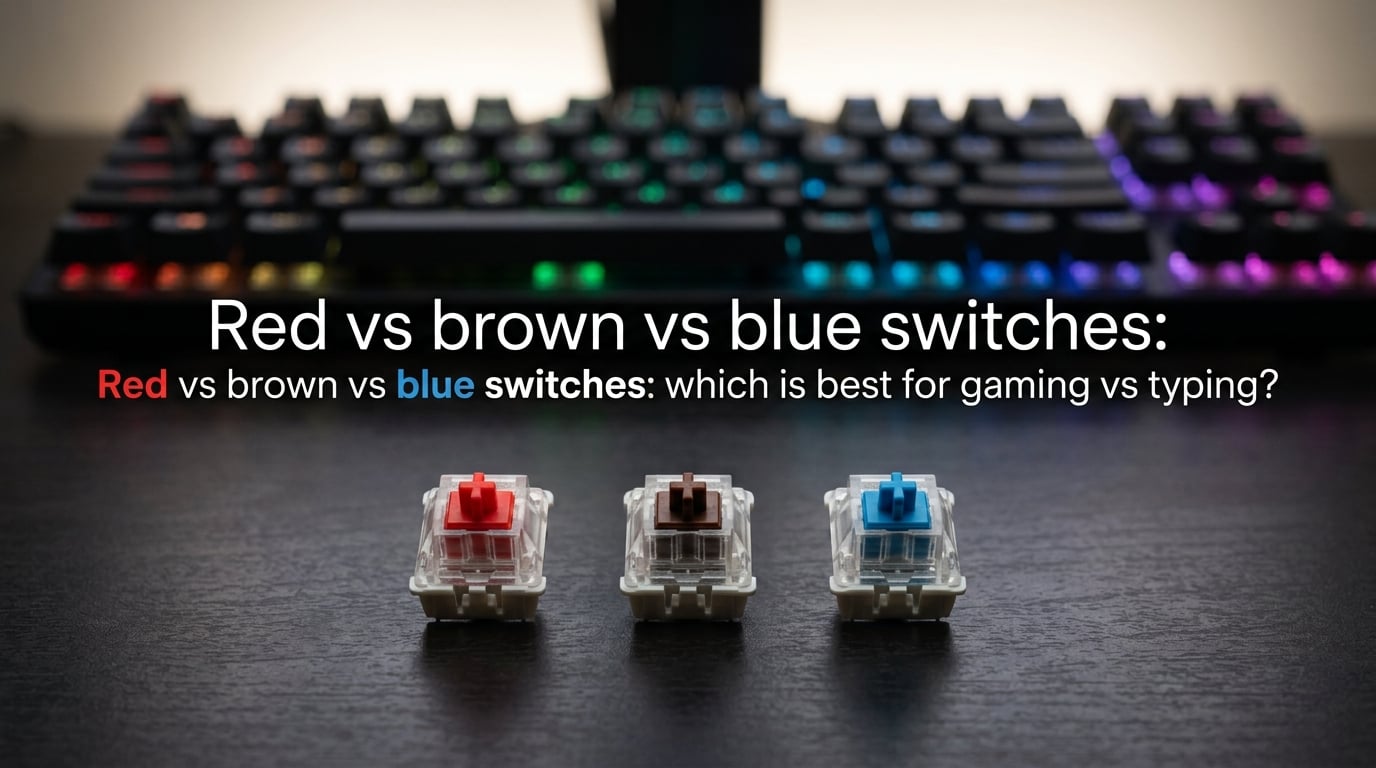
If you’ve spent any time shopping for a mechanical keyboard, you’ve probably stared at the wall of switch options and felt completely lost. Red, Brown, Blue — they all sound like simple color choices, but each one delivers a dramatically different typing and gaming experience. I’ve tested all three extensively across competitive FPS matches, marathon writing sessions, and noisy office environments, and the differences are real.
Choosing the wrong switch type can lead to finger fatigue during long gaming sessions, missed keystrokes in heated battles, or complaints from coworkers who can hear every keypress through the walls. The right switch, on the other hand, feels like an extension of your hands. This guide breaks down red vs brown vs blue switches so you can pick the one that actually fits how you use your keyboard.
Table of Contents
Red vs Brown vs Blue Switches: Quick Answer
For gaming: Red switches are the top choice. Their smooth linear travel and light 45g actuation force let you press keys quickly with minimal resistance, which matters in fast-paced games like Valorant, CS2, and Fortnite where every millisecond counts.
For typing: Blue switches deliver the most satisfying experience. The tactile bump and audible click provide clear feedback on each keystroke, helping you type more accurately without bottoming out every key. Writers and programmers tend to love them.
For both gaming and typing: Brown switches are the safe middle ground. They offer a subtle tactile bump without the loud click, making them versatile enough for gaming after work and typing reports during the day. If you only want one keyboard for everything, Browns are the recommendation most experienced users give.
Here’s the quick version:
- Red (Linear): Smooth, quiet, light — built for speed and gaming
- Brown (Tactile): Gentle bump, moderate noise — great all-arounder
- Blue (Clicky): Strong bump with loud click — best for typing enthusiasts
How Mechanical Keyboard Switches Work
Every mechanical keyboard switch uses the same basic principle: a spring-loaded stem sits beneath each keycap. When you press down, the stem travels downward until it crosses the actuation point — the moment the keyboard registers your keypress. The difference between switch types comes down to what happens during that downward travel.
There are three main switch categories. Linear switches (like Reds) move straight down with no interruption — the feel is smooth from top to bottom. Tactile switches (like Browns) have a small bump partway through the travel that you can feel, giving feedback without making noise. Clicky switches (like Blues) combine that tactile bump with an audible click mechanism, producing the classic mechanical keyboard sound.
Two specs matter most when comparing switches. Actuation force measures how hard you need to press to register a keypress, measured in grams (g). Lighter forces (45g) mean faster presses but more accidental inputs; heavier forces (50-60g) require intentional presses. Key travel distance measures how far the key moves before bottoming out, typically around 4mm total with actuation happening around 2mm.
Red Switches: The Smooth Linear Option
Red switches are the simplest mechanical switch design. There’s no bump, no click — just a clean, smooth press all the way down. Cherry MX Reds actuate at around 45g of force with 2mm of pre-travel, making them one of the lightest and fastest switches available. Many competing brands (Gateron, Kailh, Outemu) make equivalents with nearly identical specs.
The lack of tactile feedback is both Red’s strength and its weakness. On the positive side, you can press keys extremely quickly without any resistance slowing you down. Double-tapping the same key is effortless, which competitive gamers rely on for rapid-fire inputs. The smooth travel also means quieter operation — no click mechanism means less noise hitting the desk.
On the flip side, that same smoothness makes Reds feel “mushy” to some typists. Without a bump telling you the key registered, you tend to bottom out every press, which can cause more finger fatigue over long typing sessions. Some users also report more accidental keypresses because the light actuation force means resting your fingers can trigger inputs.
Best for: Competitive gaming, fast-paced FPS titles, players who prioritize speed over feedback, and users who want a quieter keyboard. Not ideal for heavy typing work unless you’re comfortable with the linear feel.
Brown Switches: The Versatile All-Rounder
Brown switches sit right in the middle of the spectrum. They use a tactile bump at the actuation point — you feel a small resistance as the key registers, then the press continues smoothly to the bottom. Cherry MX Browns actuate around 45-55g with similar travel distances to Reds. The bump is subtle, nothing dramatic, but it’s enough to give your fingers useful feedback.
This middle-ground design makes Browns the switch most people recommend to first-time mechanical keyboard buyers. You get a noticeable improvement in typing accuracy over Reds because that bump helps you know exactly when each keypress registers. At the same time, the bump isn’t aggressive enough to slow down your gaming inputs significantly. It’s a compromise that works surprisingly well for most people.
The main criticism of Browns comes from enthusiasts who find the tactile bump too subtle. Some describe them as “barely tactile” or “scratchy Reds” — the feedback is there, but it’s not as pronounced as what you’d get from a dedicated tactile or clicky switch. For competitive gamers, even that small bump can create a slight speed disadvantage compared to completely smooth Reds.
Best for: Mixed-use setups (gaming and typing), first-time mechanical keyboard buyers, office workers who want feedback without noise, and anyone who can’t decide between Red and Blue.
Blue Switches: The Satisfying Clicky Type
Blue switches deliver the quintessential mechanical keyboard experience. They combine a pronounced tactile bump with a dedicated click mechanism (called a click jacket) that produces a sharp, audible “click” at the actuation point. Cherry MX Blues require around 50-60g of force, making them slightly heavier than Reds or Browns. The result is the most distinct feedback of any common switch type.
For typists, Blues are genuinely satisfying. That click provides clear confirmation that your keypress registered, which can improve typing accuracy significantly. Writers, programmers, and data entry professionals often find they make fewer errors on Blues compared to linear switches. The heavier actuation force also means fewer accidental keypresses from resting your fingers on the keys.
The downside is noise — and it’s significant. Blue switches are loud enough to be heard in adjacent rooms, through thin walls, and even over voice calls. They’re a poor choice for shared offices, quiet homes, dorm rooms, or anywhere other people can hear you. The click mechanism also creates a slight reset delay compared to linear switches, which can affect performance in games that require very fast double-tapping.
Best for: Dedicated typing work, solo home offices, writers and programmers who love tactile feedback, and anyone who doesn’t mind (or actively enjoys) the clicky sound. Not recommended for shared spaces or competitive gaming.
Which Switches Are Best for Gaming?
Red switches are the best choice for competitive gaming. The smooth linear travel and light actuation force give you the fastest possible inputs with minimal finger effort. In games like Valorant, CS2, and Apex Legends where split-second reaction times matter, the ability to press and release keys without any tactile resistance translates to a real advantage. Most professional esports players use linear switches for this reason.
For FPS and battle royale games, Red switches excel at movement and quick weapon switches. The light 45g actuation lets you hold WASD for extended periods without fatigue, and double-tapping shift or other keys is effortless. MOBA players (League of Legends, Dota 2) also benefit from Reds, especially for kiting and ability combos that require rapid sequential inputs.
Brown switches work well for casual and mixed gaming. If you play single-player RPGs, strategy games, or MMOs where reaction speed is less critical than in competitive shooters, the tactile bump won’t slow you down noticeably. Many people game on Browns daily without complaints. The bump can even help prevent accidental inputs in complex keybinding setups.
Blue switches are the least suitable for gaming, though they’re not unusable. The tactile bump and heavier actuation create a slight delay on rapid inputs, and the click mechanism means the reset point sits differently than the actuation point. For casual gaming it’s fine — I’ve played plenty of games on Blues without issues. But for ranked competitive play, you’re putting yourself at a small disadvantage.
One important factor: switch type matters less than you think for casual gaming. If you’re playing story-driven games, turn-based strategy, or anything that doesn’t demand millisecond precision, use whichever switch feels best to you. The gaming advantage of Red switches only becomes meaningful at competitive levels.
Which Switches Are Best for Typing?
Blue switches are the best for dedicated typing. The tactile bump combined with the audible click gives your brain two forms of feedback — physical and auditory — confirming each keypress. This dual feedback loop helps you develop a consistent typing rhythm and reduces errors. Writers, transcriptionists, and programmers who spend hours typing daily often find Blues improve both their speed and accuracy after a brief adjustment period.
That said, Brown switches are the better recommendation for most typists in real-world conditions. They provide enough tactile feedback to improve accuracy over Reds without the noise issues that come with Blues. If you type in a shared space, take calls while working, or have family members nearby, Browns deliver 80% of the typing experience at 20% of the noise level. They’re the practical choice.
Red switches are often considered the worst for typing, but that’s oversimplified. Typists who bottom out every key anyway (which is most people) won’t notice much difference between Reds and Browns. The real disadvantage is the lack of feedback, which can lead to slightly more errors during fast typing. If you’re a hunt-and-peck typist or type slowly, the switch type matters far less than it does for someone typing 100+ WPM.
For programming specifically, Brown and Blue switches both work well. Programmers benefit from the tactile feedback when entering code with lots of special characters and symbols, where accuracy matters more than speed. Many developers also appreciate the auditory feedback of Blues during long coding sessions — it creates a satisfying rhythm that some find helps with focus.
Noise Level Comparison: Which Switch Is Quietest?
If noise matters to you, this comparison is critical. Red switches are the quietest of the three. With no click mechanism and a smooth linear travel, the only sound comes from the keycap hitting the switch housing at bottom-out. You can reduce this further with O-ring dampeners — small rubber rings that cushion the landing and cut noise by around 30-40%. With O-rings installed, Reds are quiet enough for virtually any environment.
Brown switches produce moderate noise. The tactile bump creates a small amount of extra sound compared to Reds, but it’s minor — think of a slightly louder keypress rather than a distinct click. In a typical office environment, Browns won’t draw attention. On a phone call, the other person might hear light typing in the background, but it’s generally not disruptive.
Blue switches are loud. The click jacket mechanism produces a sharp, high-pitched click that’s easily audible across a room. On phone calls, Blue switches sound like someone is aggressively tapping on a desk. In a quiet office, your coworkers will hear every single keypress. Even at home, Blue switches can be heard through walls and may disturb sleeping family members. If you stream on Twitch or record content, Blue switch noise will be picked up by your microphone.
Here’s a practical noise guide:
- Shared office: Red (safe), Brown (acceptable), Blue (too loud)
- Home with family: Red (safe), Brown (usually fine), Blue (problematic)
- Dorm room: Red (safe), Brown (check with roommate), Blue (no)
- Solo home office: Any switch works — use what you enjoy
- Streaming/recording: Red (safe), Brown (manageable), Blue (will pick up on mic)
How to Choose: Decision Guide for Beginners
Start by asking yourself one question: what will you use the keyboard for most? If the answer is competitive gaming, go with Red switches. If it’s typing-intensive work (writing, programming, data entry), go with Blue switches. If it’s a mix of both, or you genuinely can’t decide, go with Brown switches. That covers about 90% of the decision process.
Next, consider your environment. If you share your space with others — office, dorm, apartment with thin walls — noise becomes a real factor. Red and Brown switches work in shared spaces; Blue switches do not. This single factor rules out Blues for many people, which is why Browns are the most popular switch overall.
Think about your typing style. Heavy typists who bottom out every key will feel less difference between switch types than light typists who float across the keyboard. If you’re a heavy typist, the tactile feedback of Brown or Blue switches helps you stop pressing before bottoming out, which can reduce finger fatigue over long sessions.
Hot-swappable keyboards are worth considering if you’re still unsure. These keyboards let you pull out switches and swap in different ones without soldering, so you can start with Browns and switch to Reds or Blues later if you want. Many modern keyboards in all price ranges now support hot-swapping. It’s a great option for anyone who wants to experiment before committing.
Switch testers are another option — small boards with one of each switch type mounted on them so you can feel the difference firsthand. They cost very little and can save you from buying the wrong keyboard. Many mechanical keyboard enthusiasts recommend trying before buying, especially if this is your first mechanical keyboard.
One final consideration: switch break-in period. New switches often feel slightly different after a few weeks of use. Reds become smoother, Browns’ tactile bump may become more or less pronounced, and Blues’ click can settle into a more consistent sound. If your new keyboard doesn’t feel perfect on day one, give it a couple of weeks before deciding it’s the wrong switch.
Frequently Asked Questions
Which is better for gaming, red or blue mechanical switches?
Red switches are better for gaming. Their smooth linear travel and light 45g actuation force allow faster keypresses with less finger effort, which matters in competitive FPS and MOBA games. Blue switches have a tactile bump and heavier actuation that can slow down rapid inputs.
Is a red or brown switch better for typing?
Brown switches are better for typing than Reds. The tactile bump on Brown switches provides feedback that helps you know when a keypress registers, improving accuracy. Red switches lack this feedback, which can lead to more typing errors and increased finger fatigue during long sessions.
Which keyboard switch color is best for gaming?
Red switches are the best keyboard switch color for gaming. The linear design with no tactile bump or click mechanism allows the fastest possible inputs. Most professional esports players prefer Red or similar linear switches for competitive play in titles like Valorant, CS2, and Fortnite.
Which type of keyboard switch is better for typing, blue or brown?
Blue switches are better for pure typing thanks to their pronounced tactile bump and audible click, which provide strong feedback on each keystroke. Brown switches are better for typing in shared environments because they offer tactile feedback without the loud click. Both improve typing accuracy over Red switches.
Are brown switches good for both gaming and typing?
Yes, Brown switches are the best option for users who do both gaming and typing. They provide enough tactile feedback to improve typing accuracy over Reds while remaining smooth enough for gaming. Brown switches are the most commonly recommended switch for first-time mechanical keyboard buyers who need versatility.
Wrapping Up: Red vs Brown vs Blue Switches
When it comes to choosing between red vs brown vs blue switches, the right answer depends entirely on how you plan to use your keyboard. Red switches dominate competitive gaming, Blue switches deliver the best typing experience, and Brown switches handle both reasonably well. If you’re buying your first mechanical keyboard and aren’t sure what you need, start with Browns — you can always swap later with a hot-swappable board. Whatever you choose, the jump from a membrane keyboard to mechanical switches is one of the biggest upgrades you can make to your daily computing experience.