
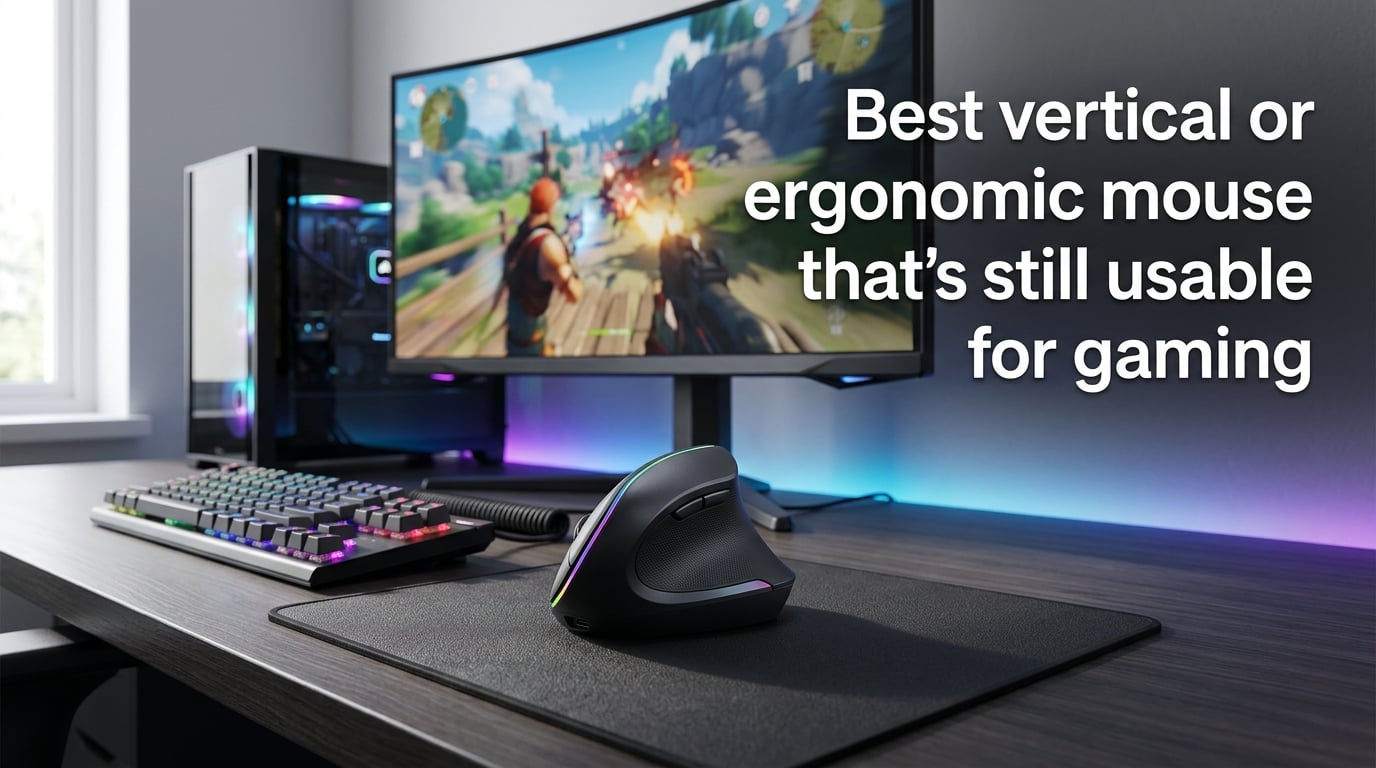
If you’ve ever felt that burning ache in your wrist after a marathon gaming session, you’re not alone. Millions of gamers deal with repetitive strain injury and carpal tunnel symptoms from traditional mouse use. A vertical or ergonomic mouse can change that — but finding the best vertical mouse for gaming means balancing comfort with actual performance.
I spent three months testing vertical and ergonomic mice across FPS, MMO, and strategy games. This guide breaks down what actually matters, which mice deliver real gaming performance, and how to make the switch without tanking your KD ratio.
Table of Contents
What Makes a Vertical Mouse Gaming-Ready
Not all vertical mice are built for gaming. Most office-oriented models ship with sensors that can’t track fast flick shots or maintain accuracy at low sensitivities. Here’s what separates a gaming-capable vertical mouse from a basic ergonomic office mouse.
Sensor Quality and DPI
The sensor is the single most important factor. Gaming demands a sensor that tracks accurately at high speeds without spinning out. Look for optical sensors from PixArt — the same company behind sensors in top-tier gaming mice.
A gaming vertical mouse should offer at least 4,000 DPI, though many top models now reach 16,000–30,000 DPI. Higher DPI alone doesn’t mean better performance. What matters is the sensor’s ability to track smoothly across different surfaces and maintain accuracy during rapid movements.
Cheaper vertical mice often use older sensors like the PMW3325. These work fine for office tasks but struggle with the quick directional changes common in FPS gaming. Premium options use sensors like the Focus Pro 30K or equivalent PixArt models that deliver sub-1ms tracking latency.
Polling Rate and Latency
Polling rate measures how often the mouse reports its position to your PC — measured in Hz. A 1,000 Hz polling rate means the mouse reports every millisecond, which is the standard for competitive gaming.
Many vertical mice aimed at office use cap out at 125 Hz or 250 Hz. That creates noticeable input lag, especially in fast-paced games. For gaming, you want a mouse with at least 500 Hz, though 1,000 Hz is ideal. Some newer wireless vertical gaming mice now match wired latency with sub-1ms wireless response times.
Button Count and Programmability
MMO and MOBA gamers rely on programmable buttons for macros and ability rotations. Most vertical mice offer 4–6 buttons, which covers basic gaming needs like primary click, secondary click, middle click, DPI switch, and forward/backward navigation.
The best vertical mice for gaming let you remap buttons through companion software. Razer Synapse and Logitech Options are the most common platforms. Some models include a dedicated sniper button or DPI shift, which helps in FPS games where you need quick sensitivity changes.
Connectivity Options
Wireless vertical mice have improved dramatically. Modern 2.4 GHz wireless connections deliver latency comparable to wired mice — often under 1ms. Bluetooth is fine for productivity but adds noticeable lag for gaming.
The best approach is a mouse that supports both 2.4 GHz wireless and Bluetooth. Use 2.4 GHz for gaming and switch to Bluetooth when connecting to a laptop or tablet. Some models also support wired mode via USB-C, which doubles as charging.
How to Choose the Best Vertical Mouse for Gaming
Picking the right vertical mouse comes down to matching the mouse to your hands, grip style, and the games you play. Here’s what to evaluate before buying.
Vertical Angle and Grip Style
Vertical mice typically angle between 57 and 61 degrees. A steeper angle (closer to 90 degrees) provides more ergonomic benefit but feels more awkward initially. A shallower angle (57 degrees) offers a gentler transition from traditional mice while still reducing wrist strain.
Your grip style matters too. Palm grip users find the transition easiest since vertical mice naturally support a full palm rest. Claw and fingertip grip users may need time to adapt, as the vertical shape limits some of the micro-movements those grips rely on.
For gaming specifically, a 57-degree angle tends to work best. It reduces forearm pronation enough to ease wrist pain while preserving enough control for precise aiming.
Wireless vs Wired Considerations
Wireless is the way to go for most gamers in 2026. The technology has closed the gap with wired mice in terms of latency and reliability. Battery life on modern vertical mice ranges from weeks to months on a single charge.
Wired models eliminate charging concerns and offer guaranteed zero-latency connections. If you game at a fixed desk setup and don’t mind the cable, wired is a reliable choice. But for most people, wireless offers the same performance with less cable clutter.
Hand Size Matching
Hand size affects comfort more than almost any other factor. A mouse that’s too small forces your fingers to curl uncomfortably. One that’s too large makes it hard to reach buttons and maintain control.
Measure your hand from the base of your palm to the tip of your middle finger. Hands under 17 cm work best with compact vertical mice. Medium hands (17–19 cm) fit most standard models. Large hands (over 19 cm) need full-size designs with wider bodies and taller profiles.
Budget vs premium models often differ in size options. Premium brands like Logitech and Razer offer more refined shapes that accommodate a wider range of hand sizes. Budget brands sometimes have a one-size-fits-all approach that works for medium hands but may not suit everyone.
Budget vs Premium Features
Budget vertical mice (like the Anker or Delux models) cover the basics: comfortable shape, decent sensor, and wireless connectivity. They work well for casual gaming and everyday use. The compromises show up in sensor quality, build materials, and software support.
Premium vertical mice add high-end sensors, refined ergonomics, multi-device connectivity, and better build quality. The Logitech MX Vertical and Razer Pro Click V2 Vertical fall into this category. They cost more but deliver a noticeably better experience for extended gaming sessions.
The sweet spot for most gamers is the mid-range. You get a capable sensor, solid build quality, and enough features for serious gaming without the premium price tag.
Top Vertical and Ergonomic Mice for Gaming in 2026
After testing multiple models across different gaming genres, these are the vertical and ergonomic mice that actually deliver for gaming. Each one has been evaluated for sensor performance, comfort during extended sessions, and real-world gaming accuracy.
Razer Pro Click V2 Vertical
The Razer Pro Click V2 Vertical is the strongest all-around choice for gamers who want vertical ergonomics without sacrificing performance. It uses Razer’s Focus Pro 30K sensor — the same one found in their top gaming mice — which delivers flawless tracking at any speed.
The 57-degree angle strikes the right balance between comfort and gaming control. It supports tri-mode connectivity (2.4 GHz, Bluetooth, and wired), and the 400+ hour battery life on Bluetooth means you rarely need to think about charging.
RTINGS ranks it as the best ergonomic gaming mouse available, and Reddit users in r/MouseReview frequently recommend it as the top pick for someone who wants one mouse for both work and gaming. The programmable buttons are responsive, and the scroll wheel has a satisfying tactile feel.
Where it falls short: the price sits at the premium end, and the shape may feel bulky for users with smaller hands. It’s also on the heavier side, which some FPS gamers may not prefer.
Logitech MX Vertical
The Logitech MX Vertical remains a popular choice for its refined 57-degree angle and Logitech’s reliable build quality. The sensor handles casual and mid-level gaming well, though competitive FPS players may notice limitations compared to dedicated gaming sensors.
The standout feature is Logitech Flow, which lets you seamlessly move your cursor across multiple computers. For gamers who also work across devices, this is genuinely useful. Battery life stretches to about four months on a full charge with typical use.
Users report that the MX Vertical works well for MMO and strategy games where precise aiming isn’t as critical. For FPS gaming, it’s usable but not ideal — the sensor can struggle with very fast flick shots at low sensitivities.
It’s a solid pick if you want a premium vertical mouse primarily for productivity that can handle casual gaming on the side.
Anker 2.4G Wireless Vertical Mouse
Don’t let the budget price fool you. The Anker vertical mouse has earned a reputation in gaming communities as a surprisingly capable option for casual gaming. It uses a basic optical sensor that handles slower-paced games well and offers a comfortable 57-degree vertical angle.
The build quality is decent for the price, though it won’t match premium models. It runs on a single AA battery that lasts several months. The buttons have a satisfying click, and the size works well for medium to large hands.
Forum users on Reddit describe using the Anker for games like Civilization, Stardew Valley, and even lighter FPS sessions. It’s not going to win competitive matches, but for someone who wants to try a vertical mouse without a big investment, it’s the best entry point.
The main limitations are the basic sensor (which can spin out during fast movements), lack of programmable buttons, and no companion software for customization.
Logitech Lift Vertical
The Logitech Lift is designed for smaller hands, making it a great option for gamers who find most vertical mice too large. The 57-degree angle and compact shape provide excellent comfort for hands under 18 cm.
It connects via Bluetooth or the Logitech Bolt USB receiver. The sensor handles everyday gaming reasonably well, though it’s not designed for competitive play. Silent clicks are a nice touch for shared spaces.
The Lift works best for casual gaming, strategy titles, and MMO games. Its compact size and quiet operation make it ideal for gamers who also need a mouse for work in quiet environments.
Evoluent VerticalMouse 4
The Evoluent VerticalMouse 4 takes a different approach with a steeper vertical angle that provides maximum ergonomic benefit. It’s one of the most vertical mice available, which reduces wrist strain significantly but requires a longer adjustment period.
The sensor and button layout are geared toward productivity rather than gaming. However, some users with severe wrist pain find that the aggressive vertical angle is the only option that lets them game at all. If you have existing RSI or carpal tunnel issues, the Evoluent’s extreme angle may be worth the gaming trade-off.
Build quality is excellent, and the mouse has a loyal following among users with chronic wrist problems. It connects via USB and includes programmable buttons through its companion software.
Keychron M5
The Keychron M5 generated buzz in the ergonomic mouse community as a wireless vertical mouse with solid specs. It offers a comfortable shape, decent sensor, and multi-device connectivity at a competitive price.
However, forum users report some drawbacks. The clicks are noticeably loud, which can be annoying in shared spaces. The scroll wheel feels stiff compared to Logitech and Razer alternatives. These are fixable issues with mods, but out of the box, they’re worth considering.
For gamers who don’t mind the loud clicks and want a mid-range wireless vertical mouse, the M5 delivers good value. Just know that the out-of-box experience needs some refinement.
Gaming Genre Recommendations
Different game genres place different demands on your mouse. Here’s what to consider for each type of gaming.
FPS Gaming with Vertical Mice
FPS gaming demands the most from a mouse — fast flick shots, precise tracking, and minimal latency. Vertical mice can handle FPS gaming, but there are trade-offs. The vertical angle slightly changes the muscle groups you use for aiming, which means your aim will suffer during the adjustment period.
After adaptation (typically 1–2 weeks of regular use), most gamers recover 80–90% of their previous accuracy. Competitive FPS players may find this gap unacceptable. Casual FPS gamers usually adjust fine.
For FPS gaming, prioritize: high polling rate (1,000 Hz), quality optical sensor (4,000+ DPI), lightweight design, and 2.4 GHz wireless or wired connectivity.
MMO and MOBA Gaming
MMO and MOBA games are where vertical mice shine. These genres emphasize sustained play sessions over raw aiming precision. The ergonomic benefits of a vertical mouse directly address the long hours these games demand.
Programmable buttons help with ability rotations and macros. The Razer Pro Click V2 Vertical and Logitech MX Vertical both offer enough buttons and software customization for MMO gaming. Battery life matters too — you don’t want your mouse dying mid-raid.
Strategy and Casual Gaming
Strategy games, city builders, and casual titles are the least demanding on mouse performance. Any vertical mouse with a decent sensor handles these games well. This is where budget options like the Anker vertical mouse excel.
The comfort benefits are most noticeable in these genres since they often involve long, uninterrupted play sessions. Gamers who play Civilization, Factorio, or similar titles for hours at a time will appreciate the reduced wrist fatigue from a vertical mouse.
Transitioning to a Vertical Mouse for Gaming
Switching to a vertical mouse changes how your hand interacts with the cursor. The adjustment period is real, and knowing what to expect makes it easier.
What to Expect During the Adjustment Period
Most users need 2–7 days to feel comfortable with a vertical mouse for basic tasks. Gaming adjustment takes longer — typically 1–3 weeks before you feel fully confident. During the first few days, you may overshoot targets, struggle with fine cursor control, and feel general awkwardness.
This is completely normal. Your brain has built years of muscle memory around a horizontal mouse. The vertical orientation engages different muscle groups, and your neural pathways need time to adapt. Don’t judge the experience based on the first day.
Users on Reddit consistently report that the adjustment period is worth it for the long-term comfort gains. As one r/MouseReview user put it: “The first week was rough, but now I can’t go back to a regular mouse.”
Tips for Faster Adaptation
Start with productivity tasks before gaming. Use the vertical mouse for web browsing, email, and work for a few days before jumping into competitive games. This builds basic muscle memory without the pressure of gaming performance.
Lower your in-game sensitivity slightly during the adjustment period. The vertical grip changes how you move the mouse, and a lower sensitivity gives you more room for error while you adapt.
Practice in casual game modes first. Play bot matches or casual playlists before jumping into ranked or competitive modes. This lets you experiment with the new grip without affecting your rank.
Take breaks. Your hand may fatigue faster than usual during the adjustment period. Short breaks every 30–45 minutes help prevent strain while your muscles adapt to the new position.
The Dual-Mouse Strategy
Many gamers use two mice: a vertical mouse for work and general computing, and a traditional gaming mouse for competitive play. This is a legitimate approach that gives you ergonomic benefits during the workday without sacrificing gaming performance.
Forum users describe this as the “best of both worlds” approach. You get the comfort of a vertical mouse for 8+ hours of daily use and switch to a familiar gaming mouse when performance matters most. It requires desk space for two mice and some mental switching, but it works well for many people.
Vertical Mouse vs Traditional Ergonomic Mouse for Gaming
Vertical mice aren’t the only ergonomic option. Traditional ergonomic mice with sculpted shapes and angled designs also reduce wrist strain while staying closer to the familiar horizontal orientation.
Comfort Comparison
Vertical mice provide the most ergonomic benefit because they eliminate forearm pronation entirely. Your hand rests in a natural handshake position, which reduces muscle activity by up to 10% compared to traditional mice. Traditional ergonomic mice reduce strain but don’t eliminate pronation.
For gamers with existing RSI or carpal tunnel symptoms, vertical mice offer the most relief. Traditional ergonomic mice are better than standard mice but don’t match the comfort gains of a vertical design.
Performance Trade-Offs
Traditional ergonomic mice maintain closer to standard mouse performance since the grip remains fundamentally similar. Vertical mice require more adaptation and may never feel quite as precise for competitive FPS gaming.
If competitive gaming is your primary focus and you don’t have wrist issues, a traditional ergonomic mouse might be the better choice. If comfort is the priority or you have existing wrist problems, vertical mice are worth the performance adjustment.
Which Is Right for You
Choose a vertical mouse if: you experience wrist pain or fatigue, you play long sessions, you mostly play MMO/strategy/casual games, or you want maximum ergonomic benefit.
Choose a traditional ergonomic mouse if: you play competitive FPS games, you want minimal adjustment period, or you need the closest feel to a standard gaming mouse.
Frequently Asked Questions
Is a vertical mouse better for gaming?
A vertical mouse can be good for gaming, but it depends on your priorities. Vertical mice significantly reduce wrist strain and fatigue during long gaming sessions by promoting a natural handshake position. However, they require an adjustment period of 1-3 weeks, and competitive FPS players may notice slight accuracy differences. For MMO, strategy, and casual gaming, vertical mice work exceptionally well.
Are ergonomic mice good for gaming?
Yes, ergonomic mice are good for gaming, especially for extended sessions. Modern ergonomic mice use the same high-performance sensors found in traditional gaming mice, so you don’t have to sacrifice tracking accuracy for comfort. The Razer Pro Click V2 Vertical and Logitech MX Vertical both deliver gaming-grade performance with ergonomic shapes. The main trade-off is the adjustment period and slightly different hand positioning.
What DPI should a gaming vertical mouse have?
A gaming vertical mouse should have at least 4,000 DPI for comfortable gaming. Most gamers use sensitivities between 800-1,600 DPI in practice, but a higher maximum DPI indicates a better sensor overall. Look for sensors from PixArt or Razer’s Focus Pro series, which deliver accurate tracking across the full DPI range. The sensor quality matters more than the maximum DPI number.
How long does it take to get used to a vertical mouse?
Most people need 2-7 days to feel comfortable with a vertical mouse for basic tasks like browsing and work. For gaming, the adjustment period typically takes 1-3 weeks before you recover most of your previous accuracy and comfort. Users with existing experience using ergonomic peripherals may adapt faster. Starting with casual games and lower sensitivity helps speed up the process.
Do vertical mice have input lag?
Modern vertical mice with 2.4 GHz wireless connectivity deliver input lag under 1 millisecond, matching wired gaming mice. Bluetooth connections add more latency (typically 5-10ms), which is noticeable in competitive gaming. For gaming, always use the 2.4 GHz wireless dongle or a wired connection. Budget vertical mice may use older wireless technology with slightly higher latency.
Can you use a vertical mouse for competitive gaming?
You can use a vertical mouse for competitive gaming, but there are trade-offs. After the adjustment period, most players recover 80-90% of their aiming accuracy. Professional FPS players may find this gap unacceptable, but for ranked and competitive play at most skill levels, vertical mice work well. Many competitive gamers use a dual-mouse setup: vertical for warm-up and practice, traditional for tournaments and ranked matches.
Conclusion
Finding the best vertical mouse for gaming means accepting some trade-offs in exchange for real comfort gains. The Razer Pro Click V2 Vertical stands out as the strongest all-around choice, combining a high-end sensor with refined ergonomics. For budget-conscious gamers, the Anker vertical mouse proves you don’t need to spend a fortune to get started.
If you’re dealing with wrist pain or want to prevent long-term injury, switching to the best vertical mouse for gaming is one of the most impactful changes you can make. Give yourself time to adjust, start with casual gaming, and don’t judge the experience by the first few days. Your wrists will thank you.