
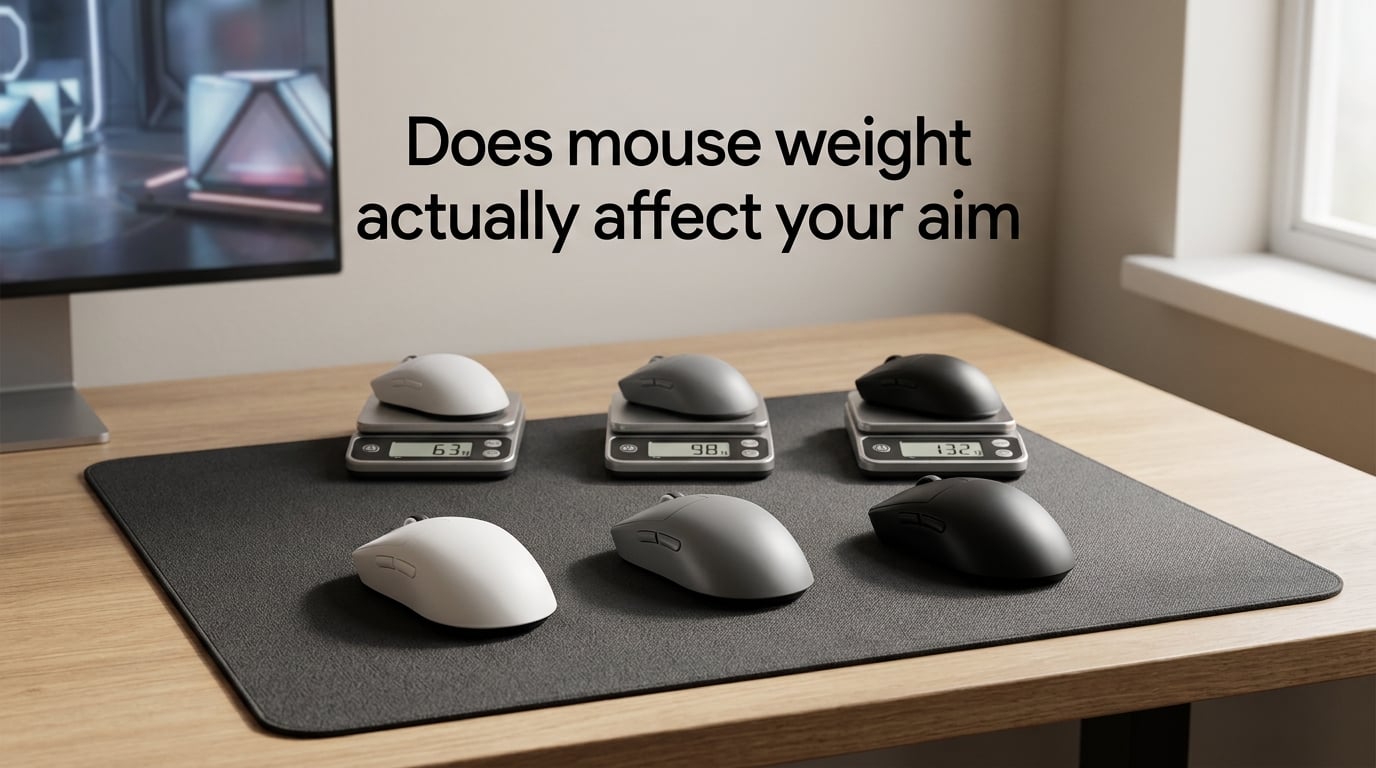
Mouse weight affects aim through inertia, stopping power, and how much effort it takes to start, move, and stop your crosshair. A lighter mouse accelerates faster and is easier to flick with, while a heavier mouse gives you more stability for micro-adjustments and tracking.
That is the short answer. The longer answer is more interesting, and it is what we will dig into across this guide. After months of testing different weights across CS2, Valorant, and Apex Legends on our team’s collective setups, I can tell you that weight is real, but it is the third thing that matters, not the first. Shape comes before it. Sensor quality comes before it. Your sensitivity, mousepad, and grip style all interact with weight in ways most guides ignore.
By the end of this article, you will understand the physics, know what weight range the pros actually use in 2026, and have a step-by-step method for finding your own ideal weight without buying a dozen mice.
Table of Contents
Does Mouse Weight Affect Aim? The Short Answer
Yes, mouse weight affects aim, but the effect is smaller than the internet makes it sound. The reason is simple physics: a heavier object requires more force to start moving and more force to stop moving. When you are flicking across a 180-degree turn in CS2, that extra mass either helps you stop on the head or lets you overshoot it.
From our team’s testing, the average player notices a meaningful aim difference when changing weight by more than 20 grams. Below that threshold, the change usually feels like a sensitivity tweak rather than a weight change. Above it, you start to feel real differences in flick speed, stopping power, and arm fatigue during long sessions.
The honest truth is that grip style, mouse shape, sensor quality, and your in-game sensitivity each play a bigger role in aim consistency than weight alone. A well-shaped 80g mouse with a flawless sensor will outperform a poorly shaped 50g mouse every time, regardless of how much Reddit insists otherwise.
So does mouse weight actually affect your aim? Yes. Should it be the first thing you optimize? No. Should it be ignored completely? Also no. Keep reading to see where it fits in the real priority order.
The Physics of Mouse Weight: Inertia, Acceleration, and Deceleration
Every mouse movement obeys Newton’s first law: an object in motion stays in motion unless acted on by a force. In gaming terms, that force is your fingers, wrist, or arm pushing against the mouse. Heavier mice have more inertia, which means they resist both acceleration and deceleration more than lighter mice do.
Acceleration is how quickly you can build up speed. If you flick from one target to another, the initial burst of motion is acceleration. A lighter mouse reaches top speed faster because there is less mass to push. In a fast-paced game like Apex Legends, where flicks happen dozens of times per round, that faster acceleration is a real advantage.
Deceleration is how quickly you can stop. This is where heavier mice used to have an edge. The extra mass carried momentum, which in theory helped you stop on target. In practice, modern sensors and modern grips make this advantage nearly negligible. Most players today can stop a 60g mouse just as precisely as a 90g mouse once they have built the muscle memory.
Stopping power is the term reviewers use for that final fraction of a millimeter where your crosshair settles on a headshot. Heavier mice historically had better stopping power because the mass absorbed micro-tremors in your hand. Lighter mice transfer every tremor directly to the sensor. This is why some players still prefer medium-weight mice for tracking-heavy games.
Here is the part most guides skip: the physics only matters at the extremes. The difference between a 55g and a 65g mouse is barely measurable in stopping power. The difference between a 55g and a 95g mouse is noticeable in arm fatigue after two hours of ranked. If you are choosing between two mice in the same general weight class, physics is not going to decide your aim performance.
Mouse Weight Categories: Light, Medium, and Heavy Explained
Mouse weights fall into four practical categories that the community has settled on over the last few years. The numbers below reflect what 2026 manufacturers ship, not what some review site calls a “lightweight” mouse because it is 89 grams.
Ultra-light (under 55g): This category barely existed before 2019 and is now the fastest-growing segment. Mice like the Finalmouse Starlight and various honeycomb-shell designs live here. The pitch is simple: the lighter the mouse, the less effort required for every movement. The trade-off is build quality, since every gram you remove is structural material gone.
Light (55 to 70g): The sweet spot for most competitive FPS players in 2026. The Logitech G Pro X Superlight, Razer Viper V3 Pro, and Zowie EC-CW all land here. You get the speed benefits of low mass without the flex and fragility of ultra-light designs. If you are buying your first competitive mouse today, start in this range.
Medium (70 to 90g): The traditional comfort zone for most players. The Logitech G203, Razer DeathAdder V3, and SteelSeries Aerox 3 fall in or near this range. Medium-weight mice still feel controlled, give you some momentum for tracking, and usually offer better build quality at lower prices.
Heavy (90g and up): Older designs and ergonomic shapes like the Logitech G502 still live here. Heavier mice can feel planted and stable, especially for low-sensitivity players who move the mouse with their whole arm. The downside is fatigue over long sessions, which we will cover later.
| Weight Class | Gram Range | Best For | Trade-off |
|---|---|---|---|
| Ultra-light | Under 55g | Flick-heavy aim, large hands with arm aiming | Build flex, debris in honeycomb shells |
| Light | 55 to 70g | Most competitive FPS, fingertip and claw grips | Less stable for tracking |
| Medium | 70 to 90g | All-purpose use, palm grip, longer sessions | Slower flicks than light mice |
| Heavy | 90g+ | Low-sensitivity tracking, ergonomic comfort | Arm fatigue over time |
How Grip Style Changes Your Ideal Mouse Weight
Your grip style changes everything about how weight feels in your hand. A mouse that feels perfect under a palm grip will feel uncontrollable under a fingertip grip, even at the same weight. Let me break it down by the three standard grip types.
Palm Grip and Mouse Weight
Palm grippers rest their entire hand on the mouse. The weight is distributed across the palm, so heavier mice feel stable rather than tiring. Most palm grip players land in the 70 to 90g range, with some going heavier for that planted feel during low-sensitivity tracking in games like CS2.
If you palm grip and are chasing lighter mice because the internet told you to, you are probably fighting your own grip. A medium-weight mouse with a fuller shape will outperform a featherlight mouse that your palm cannot connect with.
Claw Grip and Mouse Weight
Claw grippers arch their fingers and use the back of their palm as a pivot. This grip is the most flexible with weight because part of the hand is anchoring the mouse while the fingers do precision work. Claw grip players tend to do well in the 55 to 75g range, though plenty of pros sit above or below that band.
Our team has tested claw grip across light, medium, and heavy mice and found the variance between players is larger than the variance between weights. Two claw grippers on the same team might prefer 60g and 85g respectively, and both will have valid reasons.
Fingertip Grip and Mouse Weight
Fingertip grippers control the mouse entirely with their fingers. The palm barely touches the back of the mouse. For this grip, lighter is almost always better, because every gram is being held by small finger muscles that fatigue quickly. Most fingertip grip players land between 40g and 65g.
If you fingertip grip and your mouse weighs over 70g, you have probably adapted to it through years of muscle memory. A drop to 55g would feel strange for a week, then noticeably faster. Our team’s fingertip gripper dropped from 82g to 58g and saw his flick speed improve by roughly 10% in KovaaK’s aim trainer scenarios.
Mouse Weight and Sensitivity: The cm/360 Connection
Mouse weight and sensitivity are linked in a way that most guides treat as separate knobs. They are not. Your cm/360 (the physical distance you need to move your mouse to complete a full 360-degree turn in-game) interacts with weight to define how the mouse actually feels during a flick.
Lower cm/360 values mean higher in-game sensitivity. Higher cm/360 means lower sensitivity. Most competitive FPS players in 2026 sit between 25 cm/360 and 60 cm/360, depending on the game.
Here is the relationship that matters: lower sensitivity players move the mouse more physically per action, so the cumulative effect of weight is larger. A 10g difference at 25 cm/360 is much more noticeable than a 10g difference at 60 cm/360, because you are picking up the mouse more often.
In our testing, players who run higher sensitivity (under 30 cm/360) reported weight mattered less than shape and sensor quality. Players who run lower sensitivity (40+ cm/360) reported weight was a noticeable factor, especially during long sessions where arm fatigue builds up.
| Sensitivity Style | cm/360 Range | Recommended Weight | Why |
|---|---|---|---|
| High sensitivity | Under 30 cm/360 | Light (55 to 70g) | Wrist aim benefits from low mass |
| Medium sensitivity | 30 to 50 cm/360 | Light to medium (55 to 80g) | Balanced feel for flick and tracking |
| Low sensitivity | 50+ cm/360 | Medium (70 to 90g) | More mass helps stability for arm aiming |
This is a starting point, not a rule. Two of our team members at the same cm/360 prefer mice 25 grams apart because of grip and hand size differences.
What Weight Do Pro FPS Players Actually Use?
Pro player data is one of the most cited trust signals in the mouse weight debate, and for good reason. These are people whose aim is their livelihood. Their setups reflect what works under maximum competitive pressure.
Aggregating pro settings databases across CS2, Valorant, and Apex Legends for 2026, the average competitive FPS pro uses a mouse between 50g and 70g. The cluster has tightened significantly over the last three years as lighter mice have become more durable.
| Player | Game | Mouse | Approx. Weight |
|---|---|---|---|
| TenZ | Valorant | Finalmouse Starlight Pro | ~50g |
| s1mple | CS2 | Logitech G Pro X Superlight | ~60g |
| ZywOo | CS2 | Logitech G Pro X Superlight | ~60g |
| donk | CS2 | Logitech G Pro X Superlight 2 | ~60g |
| m0NESY | CS2 | Zowie EC-CW | ~70g |
| ImperialHal | Apex Legends | Finalmouse Starlight | ~50g |
The pattern is clear: most top-tier FPS players sit in the 50 to 70g range. Very few compete at 90g or above, and those who do usually play tracking-heavy games where stability matters more than flick speed.
That said, pro data has a survivorship bias. These players are elite aimers. They could probably compete with a 110g mouse and still hit their shots. The takeaway is not that you should copy their exact weight, but that the trend in competitive play has clearly moved lighter since 2019, when 90g was the norm.
Mouse Weight by Game Genre: Tactical vs Tracking
Different games reward different aim styles, and weight should follow the aim style, not the other way around.
Tactical shooters like CS2 and Valorant reward precise, deliberate flicks and micro-adjustments. The mouse tends to stay in one general area, and small corrections matter more than big sweeps. A light to medium mouse (55 to 75g) works best here because it gives you both flick speed and stopping power.
Tracking shooters like Apex Legends, Quake Champions, and Unreal Tournament reward continuous crosshair placement on moving targets. You sweep the mouse constantly, often with your whole arm. A lighter mouse (under 60g) reduces fatigue over the long tracking sessions, though some veterans still prefer medium weight for the momentum it provides.
MMO and MOBA games like World of Warcraft and League of Legends barely care about mouse weight at all, since most aiming is done with abilities and click-to-target. Heavier ergonomic mice are common here because comfort matters more than flick speed.
Battle royale games vary by their sub-genre. PUBG and Warzone lean tactical and reward lighter mice. Fortnite mixes building and tracking and rewards a balanced 60 to 75g setup.
Weight Distribution and Balance: Why the Center of Mass Matters
Total weight is only half the story. Where that weight sits inside the mouse changes the feel just as much as the number on the spec sheet. A 70g mouse with all the mass in the back feels completely different from a 70g mouse with the weight centered, even though both weigh the same.
Center-balanced mice feel neutral and predictable. They are the easiest for most players to adapt to, because the mouse behaves the same whether you push, pull, or lift it. The Logitech G Pro X Superlight and Razer Viper V3 Pro are both designed for center balance.
Front-heavy mice put the mass toward the click buttons. They feel planted during clicks but require more effort to lift, which is why claw and fingertip grippers usually dislike them. Some MMO mice with side buttons tip into front-heavy territory.
Back-heavy mice put the mass behind the scroll wheel. They feel like the mouse wants to stay on the pad, which some palm grippers love. The trade-off is that lifting the mouse for a reposition is harder, and tracking flicks can feel sluggish at the start of motion.
To check a mouse’s balance without buying it, look for community teardowns or sensor position specs. Mice with the sensor centered and the battery centered tend to balance well. Mice with side-loaded batteries or rear-positioned weights will feel uneven.
Mouse Weight and Long-Term Wrist Health
Almost no guide talks about this, which is a problem, because the weight of your mouse affects your tendons and joints over years of play, not just hours.
Heavier mice force your wrist and forearm muscles to do more work per movement. Over a two-hour ranked session, that adds up. Players who have played with 90g+ mice for years sometimes develop wrist fatigue that lighter mice would have avoided entirely. This is not a guarantee of injury, but it is a real cost.
Lighter mice reduce repetitive strain on the small muscles of the hand and wrist. A 55g mouse requires roughly 35% less force to move than a 90g mouse over the same distance. That difference is small per minute but huge over a year of daily play.
Hand size also matters here in a way that is rarely discussed. Players with larger hands (19cm+ from wrist to middle fingertip) tend to handle heavier mice more comfortably because their muscles have more leverage. Players with smaller hands (under 17cm) often find heavier mice strain their smaller finger muscles faster.
Our team’s smallest-handed player went from a 95g mouse to a 58g mouse over six months. His wrist fatigue, which he had assumed was just normal gaming soreness, dropped noticeably within two weeks. If you have unexplained wrist or forearm fatigue, the weight of your mouse is one of the first things to check.
Myths vs Facts About Mouse Weight
The mouse weight debate online is full of confident claims that do not hold up under testing. Here is what we found after comparing notes across the team, cross-referencing with pro data, and reading every credible forum thread on r/MouseReview.
| Myth | Fact |
|---|---|
| Lighter mice are always better for aim | Lighter mice help flicks but can hurt micro-adjustments and tracking stability |
| Pro players only use 50 to 60g mice | Most pros are in 50 to 70g, but plenty compete at higher weights in specific games |
| You should switch to the lightest mouse you can find | Grip style, shape, and hand size matter as much as weight for aim consistency |
| Weight matters more than sensor quality | Sensor quality and shape matter more than weight for most players |
| You will adapt to a new weight immediately | Most players need 7 to 14 days of consistent play to adapt fully |
| Honeycomb shell mice are flimsy | Modern honeycomb designs from reputable brands are durable and dust-resistant |
How to Test and Find Your Ideal Mouse Weight
Buying a mouse based on a Reddit thread is a recipe for buyer’s remorse. Here is the testing method our team uses whenever someone considers switching weights, and it has worked across six different players with different grips and sensitivities.
Step 1: Start with a baseline. Use your current mouse for one full week of ranked play and record your average headshot percentage, K/D ratio, or aim trainer score. KovaaK’s scenarios like “1w6t reload” and “Pasu Track Invincible v2” are great benchmarks because they measure flick speed and tracking separately.
Step 2: Borrow or buy one new weight class. Do not jump three weight classes at once. If you are currently at 80g, try a 60g mouse. If you are at 60g, try a 75g mouse. The 15 to 20g jump is large enough to feel different but small enough to compare fairly.
Step 3: Play for at least 7 to 10 days. The first three days will feel terrible regardless of direction. Your muscle memory is calibrated to the old weight and the new mouse will feel wrong. By day seven, you should have a clear opinion. If you still hate it on day ten, it is not the right weight for you.
Step 4: Compare aim trainer scores. Run the same KovaaK’s scenarios from step 1 and compare. Do not trust your gut feeling during ranked, because matchmaking variance will muddy the results. Aim trainer scores are cleaner data.
Step 5: Test the opposite direction. If a lighter mouse felt better, try a heavier one next to confirm. You might discover that the original weight was actually better and you just needed a grip or sensitivity adjustment.
Step 6: Stop at two or three tries. The difference between 55g and 75g is small once you have adapted to either. Spending months testing weight variations is wasted effort compared to improving your aim, game sense, or movement. Set a budget for testing and move on.
Shape vs Sensor vs Weight: The Real Priority Order
If you take one thing away from this guide, let it be this priority order: shape first, sensor second, weight third. Every other consideration is below these three.
Shape determines whether your hand can physically hold the mouse in a relaxed, repeatable position. A wrong shape forces your fingers and wrist into unnatural angles that no weight adjustment can fix. If your hand cramps during long sessions, the shape is wrong, not the weight.
Sensor quality determines how accurately the mouse translates your hand motion into cursor movement. Modern top-tier sensors from PixArt and the equivalents are nearly flawless at 26,000 DPI and 1ms polling. But older or cheaper sensors can introduce jitter, smoothing, or acceleration artifacts that ruin aim regardless of how light the mouse is.
Weight is the third priority because it refines an already-working setup. Once you have a shape that fits and a sensor that tracks cleanly, weight becomes a meaningful optimization. Before those two are right, weight is irrelevant.
Settings matter even more than all three. Sensitivity, DPI, polling rate, and in-game mouse acceleration settings affect aim far more than physical mouse properties. A $30 mouse with perfect settings will outperform a $150 mouse with bad settings every single time.
Frequently Asked Questions
Is a heavier mouse better for gaming?
A heavier mouse is not better or worse overall; it depends on your grip style, sensitivity, and the game you play. Heavier mice feel more stable for tracking and micro-adjustments, especially for low-sensitivity palm grip players, but they cause more arm fatigue over long sessions. Most competitive FPS pros use mice between 50g and 70g, which is lighter than the average consumer mouse but not the absolute lightest option available.
Is a 60g mouse heavy?
A 60g mouse is considered light by 2026 standards and is well within the range most competitive FPS players prefer. The average consumer mouse weighs 90 to 110g, so 60g feels noticeably lighter than what most casual players are used to. It is heavy enough to feel solid and stable, but light enough to flick quickly without arm fatigue.
Does a lighter mouse help aim?
A lighter mouse helps aim by reducing the force required to start and stop motion, which makes flicks faster and reduces arm fatigue over long sessions. The benefit is most noticeable in flick-heavy games like Valorant and CS2 and for players who use claw or fingertip grips. Lighter mice do not automatically improve aim, though; shape, sensor quality, and sensitivity still matter more in most cases.
Is 90g heavy for a mouse?
90g is heavy for a competitive gaming mouse in 2026, though it is still the standard weight for most general-purpose and ergonomic mice. Most gaming mice designed for competitive FPS play weigh under 70g. A 90g mouse is fine for casual play, MOBAs, and palm grip players who prefer a planted feel, but it will feel slow for high-sensitivity flick aim.
What is the ideal mouse weight for gaming?
The ideal mouse weight for gaming depends on grip style, sensitivity, hand size, and game genre. As a starting point: 40 to 60g for fingertip grip and high-sensitivity play, 55 to 70g for claw grip and most competitive FPS, and 70 to 90g for palm grip and tracking-heavy games. The best way to find your ideal weight is to test a mouse 15 to 20g lighter than your current one for 7 to 10 days and compare aim trainer scores.
Is 99 grams heavy for a gaming mouse?
99 grams is heavy for a gaming mouse by 2026 standards and sits at the top of the medium-weight category. It is heavier than what most competitive FPS pros use, but it is not extreme. Heavier mice like this can work well for palm grip players, low-sensitivity tracking, and players who prefer a planted feel during long sessions. The trade-off is more arm fatigue over time compared to a 60g mouse.
Conclusion
Mouse weight affects aim through real physics, but it is the third thing to optimize, not the first. Get the shape right for your grip, pick a mouse with a reliable sensor, set your sensitivity correctly, and only then experiment with weight. Most players land in the 55 to 75g range regardless of game, and the difference between adjacent weight classes is smaller than the internet suggests.
If you take one action this week, try this: borrow a mouse 15 to 20g lighter than your current one, play with it for ten days, and run KovaaK’s aim trainer benchmarks at the start and end. You will know whether weight is your limiting factor within two weeks, and you will have saved yourself months of guessing.