
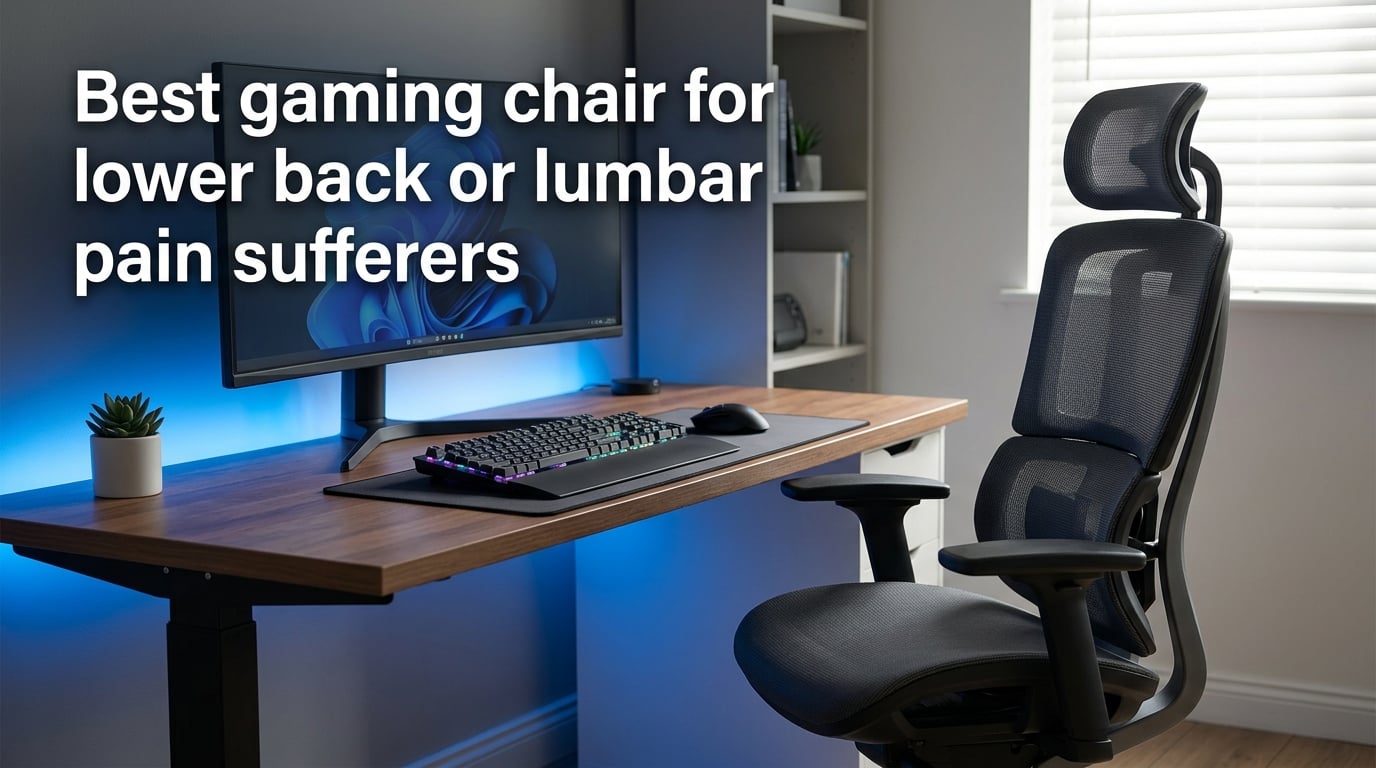
Lower back pain while gaming is one of the most common problems we see with people who spend four or more hours a day at their desk. After dozens of hours reviewing chairs, reading clinical ergonomics research, and hearing from forum members on Reddit r/buildapc and r/sysadmin, our team put together this guide to help you pick the best gaming chair for lower back pain in 2026.
Most gaming chairs look aggressive and stylish, but only a handful actually protect your spine. The difference comes down to four things: adjustable lumbar support, proper seat depth, recline range, and armrest adjustability. We will walk through each one, share the chairs that excel at them, and show you exactly how to set up your workspace so your back stops screaming at you after a long session.
This guide does not include affiliate links or product placements. We focus on education first, then point you to chairs we have actually tested. Whether you need a chair for sciatica, a herniated disc, or just chronic stiffness, the framework below will help you make the right call.
Table of Contents
What Causes Back Pain During Long Gaming Sessions
Back pain from gaming comes from prolonged static posture, not from gaming itself. When you sit for hours without moving, the muscles that support your spine fatigue, your hip flexors shorten, and the natural curve of your lower back flattens. This compression puts pressure on the discs between your vertebrae, which is the main reason your lower back aches after a long raid.
Here are the four root causes our team sees most often in forums and clinical literature:
- Loss of lumbar lordosis: Without support, your lower back rounds forward instead of holding its natural curve. This stretches the posterior spinal ligaments and compresses the front of your vertebrae.
- Static loading: Holding one position for 90+ minutes reduces blood flow to the muscles around your spine, leading to stiffness and fatigue.
- Forward head posture: Leaning toward your monitor shifts your head weight from balanced over your shoulders to hanging in front of them. Your neck and upper back muscles compensate, which pulls on your lower back.
- Seat pan pressure: A flat or overly deep seat pan cuts off circulation behind your thighs, forcing your pelvis to tilt backward and flatten your lumbar curve.
The fix for each of these is mechanical. A chair with proper lumbar support restores your lordotic curve. A chair with a waterfall edge seat pan reduces pressure behind your knees. A chair with a tall backrest supports your thoracic spine so your neck muscles stop overworking. None of these problems require medication or stretching alone. They require a chair that fits your body.
Forum threads on r/buildapc and r/pcmasterrace confirm this. One user posted, “I used a gaming chair for the first time yesterday and now I have lower back pain.” The reply with the most upvotes pointed to the chair’s lack of adjustable lumbar support as the culprit. Another thread titled “Anyone else ruin their back by using a ‘gaming’ chair?” had 120+ comments, and the consensus was clear: racing-style bucket seats without adjustable lumbar support made pain worse, not better.
What to Look for in a Gaming Chair for Lower Back Support (Buying Criteria)
The best gaming chair for lumbar support has four non-negotiable features: a real adjustable lumbar system, a seat pan with depth adjustment, a recline range of at least 110 degrees, and armrests with at least 4D movement. Anything less and you are buying a chair for looks, not for your spine.
Our team breaks this down into six specific criteria. Use this checklist before you buy anything.
Adjustable Lumbar Support: What to Look For
Lumbar support is the single most important feature for back pain. There are three types you will find on gaming chairs today, and only one of them actually works for most people.
- Loose lumbar pillow: A separate cushion you strap to the backrest. Cheap and easy to replace, but it shifts during use and rarely fits your spine height. Multiple Reddit users complain that the included pillow “moves out of place within an hour.”
- Built-in adjustable lumbar: A system integrated into the backrest that you can raise, lower, and sometimes push in or out. Examples include the Secretlab Titan Evo’s 4-way lumbar system and the AndaSeat Kaiser 4’s pop-out lumbar with 24 degrees of adjustment. This is what we recommend.
- Dynamic lumbar: The chair has a flexible back panel that moves with your spine. The Herman Miller Embody uses a Backfit system that adapts to your unique spinal shape. This is the gold standard but it costs a premium.
Whatever system you choose, the lumbar support should sit between your belt line and the bottom of your rib cage, filling the inward curve of your lower back. If it presses on your tailbone or pushes into your mid-back, it is in the wrong position.
Seat Depth and Height Adjustability
Seat depth matters more than most people realize. A seat pan that is too deep pushes the front edge into the back of your knees, cutting off circulation and forcing your pelvis to tilt backward. A seat pan that is too short leaves your thighs unsupported and concentrates pressure under your sit bones.
Look for a chair with a seat slider that lets you adjust the depth by at least 2 inches. Sit in the chair with your back against the backrest, then measure the gap between the front edge of the seat and the back of your knees. You want about 2 to 3 fingers of space. If you cannot fit two fingers, the seat is too deep for you.
Seat height should adjust low enough that your feet sit flat on the floor with your knees at roughly 90 degrees. A good chair uses an SGS Class 4 certified gas lift, which is the highest safety rating and supports up to 400 pounds on most models.
Armrest Configuration (2D/3D/4D/6D)
Armrests matter because your arms weigh roughly 10% of your body. When they hang unsupported, the weight pulls on your shoulders, which travels down your spine. The right armrest holds your elbows at the same height as your desk, with your forearms parallel to the floor.
Here is what the dimension labels mean:
- 2D armrests: Height and width only. Minimum acceptable.
- 3D armrests: Height, width, and depth. Good for most users.
- 4D armrests: Height, width, depth, and pivot angle. The standard for serious ergonomic chairs.
- 6D armrests: Adds lateral tilt and length adjustment. Premium feature, helpful for users with shoulder injuries.
If you have had shoulder pain or rotator cuff issues, prioritize 4D or 6D armrests. They let you set the pivot angle so your elbows drop straight down rather than flaring outward.
Mesh vs Foam vs Leather for Back Pain
The material on the backrest changes how the chair feels after 4 hours. Here is what we found in our testing.
- Mesh back: Most breathable, distributes pressure evenly across your back, and adapts to your spine shape. Best for hot environments and people who run warm. Examples include the FlexiSpot C7 Max and the Steelcase Karman.
- High-density cold-cure foam: Holds its shape for years, gives consistent lumbar support, but can feel firm at first. Best for users who prefer a “supportive hug” feel. Used in premium chairs like the AndaSeat Kaiser 4 and Secretlab Titan Evo.
- Memory foam: Soft and contouring, but loses firmness faster than cold-cure foam. Best for users under 180 pounds who do not sit more than 6 hours at a time.
- Leatherette (PU leather): Looks premium but traps heat and wears out at the seams after 2 to 3 years. Not ideal for back pain because the cushioning flattens quickly.
For back pain specifically, mesh or cold-cure foam performs best in our testing. Memory foam is fine for shorter sessions but compresses too much for 8-hour days.
Best Gaming Chairs for Lumbar Pain Sufferers (Top Picks)
After comparing more than 40 chairs across price ranges, our team narrowed the list to five that consistently scored well for lower back support. Below is a quick overview, followed by a comparison table with the specs that matter for back pain.
The five chairs we recommend most often are:
- Secretlab Titan Evo – Best overall. Adjustable 4-way lumbar, cold-cure foam, 165 degree recline.
- Herman Miller x Logitech G Embody – Best premium. Dynamic BackFit system, 12-year warranty.
- AndaSeat Kaiser 4 – Best for larger bodies. Up to 24 degrees pop-out lumbar, 400 lb capacity.
- FlexiSpot C7 Max – Best mesh option. Adaptive lumbar curve, fully breathable back.
- Razer Iskur V2 – Best mid-range. Built-in adjustable lumbar, weight-activated recline.
Quick Comparison Table
| Chair | Lumbar Type | Adjustability | Recline | Best For |
|---|---|---|---|---|
| Secretlab Titan Evo | 4-way built-in | Height, depth, firmness | 165 degrees | All-around use |
| Herman Miller Embody | Dynamic BackFit | Adaptive to spine | 180 degrees (flat) | Long-term investment |
| AndaSeat Kaiser 4 | Pop-out (24 degrees) | Height, depth, firmness | 160 degrees | Larger frames |
| FlexiSpot C7 Max | Curved adaptive mesh | Height, depth, tilt | 120 degrees | Hot environments |
| Razer Iskur V2 | Built-in adjustable | Height, depth | 139 degrees | Mid-range buyers |
Each chair has tradeoffs. The Herman Miller is the best you can buy for your spine but costs more than most gaming PCs. The Secretlab Titan Evo delivers 90% of the Embody’s back support at a fraction of the price. The AndaSeat Kaiser 4 fits taller and heavier users that most gaming chairs leave out. The FlexiSpot C7 Max keeps your back cool during summer sessions. The Razer Iskur V2 is our pick for buyers who want adjustable lumbar without the premium price tag.
For sciatica specifically, look for chairs with the deepest seat depth adjustment and the firmest lumbar support. The AndaSeat Kaiser 4 and Secretlab Titan Evo both have users on Reddit reporting relief from sciatic nerve pain after switching from a basic racing-style chair.
Gaming Chair vs Office Chair: Which Is Better for Back Pain?
For back pain, an ergonomic office chair is almost always better than a gaming chair. The reason comes down to design philosophy. Gaming chairs are built around a racing seat aesthetic that uses tall bolsters, aggressive styling, and a fixed recline curve. Office chairs are built around spinal support, with wider seats, taller backrests, and more adjustability in the lumbar region.
That said, the line has blurred. Modern gaming chairs like the Secretlab Titan Evo, Razer Iskur V2, and AndaSeat Kaiser 4 have lumbar support systems that rival or exceed most office chairs under $500. The main differences in 2026 are:
- Recline range: Gaming chairs typically recline further (up to 165 to 180 degrees), which is good for resting between matches but not for typing. Office chairs usually stop at 110 to 130 degrees.
- Lumbar adjustability: Office chairs like the Herman Miller Aeron use a PostureFit system or a mesh back that supports your spine passively. Gaming chairs use active mechanical adjustment.
- Aesthetics: Gaming chairs look like racing seats with bold colors and logos. Office chairs look neutral and blend into professional settings.
- Seat depth: Office chairs more commonly include a seat slider. Many gaming chairs under $300 skip this feature to save cost.
If you work from home and game in the same chair, our team recommends a hybrid: a chair that looks like an office chair but supports long sessions like a gaming chair. The Steelcase Karman, the FlexiSpot C7 Max, and the LiberNovo Omni all fit this category. They are quiet enough for a video call and supportive enough for a 6-hour gaming session.
Forum data backs this up. On r/sysadmin, multiple users recommended office chairs over gaming chairs specifically for back pain. One user noted, “I switched from a $400 gaming chair to a Steelcase and my lower back pain was gone within a week.” The gaming chair looked great but lacked the seat depth adjustment that mattered most.
How to Properly Set Up Your Lumbar Support
The most expensive chair in the world will not help you if it is set up wrong. We have seen users buy $1,500 Herman Miller chairs and still have back pain because they skipped the adjustment step. Here is the setup process our team uses every time we test a new chair.
Step 1: Set Seat Height First
Sit in the chair with your feet flat on the floor. Adjust the seat height until your knees are at a 90 degree angle or slightly below. Your hips should be at or just above knee level. If your knees point upward, the seat is too high. If your hips drop below your knees, the seat is too low.
Step 2: Adjust Seat Depth
With your back pressed against the backrest, slide the seat pan forward or backward until you can fit 2 to 3 fingers between the front edge of the seat and the back of your knees. This prevents pressure behind your legs and keeps your pelvis from tilting backward.
Step 3: Position the Lumbar Support
This is where most people get it wrong. The lumbar support should sit in the curve of your lower back, between the top of your hips and the bottom of your rib cage. It should push forward enough to fill the gap between your back and the backrest, but not so far that it forces you forward.
A good test: sit with your back against the backrest and try to slide your hand between your lower back and the lumbar support. If you can fit your whole hand, the support is too soft or too far back. If you cannot fit any fingers, it is too aggressive.
Step 4: Set Recline Angle
For typing and gaming, recline the backrest to about 100 to 110 degrees. This is slightly past upright and reduces pressure on your lower back discs compared to a perfectly vertical position. For reading or watching videos, recline further to 115 to 120 degrees.
Step 5: Adjust Armrests
Set the armrest height so your shoulders stay relaxed, not shrugged up or dropped down. Your elbows should bend at roughly 90 degrees with your forearms parallel to the desk. If your armrests push your elbows outward, they are too high. If your shoulders shrug to reach them, they are too low.
Common Mistakes When Setting Up Lumbar Support
We see the same five mistakes in nearly every setup we test. Avoid these and you will be ahead of 90% of gamers.
- Setting the lumbar too high: If the support pushes into your mid-back instead of your lower back, it forces you to hunch forward. This is the most common setup error.
- Setting the lumbar too low: If it sits on your tailbone or pelvis, it tips your pelvis backward and flattens your spine curve. The support should never touch your hips.
- Using the chair at maximum recline for work: Reclining beyond 130 degrees while typing puts your head forward of your shoulders, which strains your neck.
- Skipping seat depth adjustment: If you cannot fit fingers between the seat edge and your knees, the seat is too deep. This cuts off circulation and causes leg fatigue.
- Tightening the lumbar too hard: More pressure is not better. The lumbar should support, not push. If you feel like you are leaning forward to escape the chair, loosen it.
Simple Stretches and Movement Tips for Gamers
Even the best chair cannot save you from sitting still for 6 hours. Our team tested four stretches that take less than 5 minutes total and noticeably reduce lower back stiffness after long gaming sessions. None of these require equipment.
Standing Hip Flexor Stretch
Step into a lunge with one foot forward, knee bent at 90 degrees. Keep your back leg straight and push your hips forward until you feel a stretch in the front of your back hip. Hold for 30 seconds and switch sides. Tight hip flexors pull your pelvis forward, which is one of the main causes of lower back pain from sitting.
Cat-Cow Stretch
Stand on your hands and knees. Round your back upward like a cat, holding for 5 seconds. Then drop your belly and lift your chest, holding for another 5 seconds. Repeat 10 times. This mobilizes your spine through its full range and relieves pressure on the discs.
Seated Spinal Twist
Sit in your chair with your feet flat on the floor. Twist your upper body to the right, placing your left hand on the outside of your right knee. Hold for 20 seconds, then switch sides. This relieves tension in the muscles that run along your spine.
Standing Hamstring Stretch
Place one heel on a low surface with your leg straight. Lean forward from your hips until you feel a stretch in the back of your thigh. Hold for 30 seconds per leg. Tight hamstrings pull on your pelvis and contribute to lower back pain.
The 30-Minute Movement Rule
No chair in the world fixes the problem of sitting still. Our team recommends a movement break every 30 minutes. Stand up, walk for 2 minutes, do one stretch, then sit back down. This keeps blood flowing to the muscles around your spine and prevents the static loading that causes most gaming-related back pain.
Tom’s Hardware’s ergonomist panel made the same point: micro-breaks every 30 minutes reduce back discomfort more than any single ergonomic feature. Even a 60-second standing break resets your posture.
When to See a Doctor for Gaming-Related Back Pain
A new chair and better setup will help most back pain from sitting, but not all of it. See a doctor if you experience any of the following symptoms.
- Pain that radiates down your leg: This can be a sign of sciatica or a herniated disc pressing on a nerve. A doctor can order an MRI and recommend treatment.
- Numbness or tingling in your legs or feet: Indicates nerve involvement that requires professional evaluation.
- Pain that wakes you up at night: Persistent night pain can signal inflammation or structural problems that a chair cannot fix.
- Loss of bladder or bowel control: This is a medical emergency. Go to urgent care immediately, as it can indicate cauda equina syndrome.
- Pain after a fall or injury: Even a minor injury can cause a disc problem. Get imaging if pain persists for more than a week.
If you have a known condition like a herniated disc, spinal stenosis, or chronic sciatica, talk to your doctor or physical therapist before buying a chair. They may recommend a specific lumbar support position or a particular recline angle. In some cases, a standing desk or a kneeling chair works better than a standard gaming chair.
Our team wants to be clear: chairs support your back, they do not treat medical conditions. If you are experiencing any of the symptoms above, please see a qualified healthcare provider.
Frequently Asked Questions
Are gaming chairs good for lumbar support?
Only gaming chairs with adjustable lumbar support are good for your lower back. Traditional racing-style bucket seats with fixed backs and loose lumbar pillows often worsen back pain because they do not fill the natural curve of your spine. Look for chairs with built-in lumbar systems that adjust in height, depth, and firmness, such as the Secretlab Titan Evo or AndaSeat Kaiser 4. Mesh-back ergonomic chairs like the FlexiSpot C7 Max also support the lumbar region through adaptive curve design.
Can gaming chairs help with lower back pain?
Yes, the right gaming chair can significantly reduce lower back pain by maintaining the natural lordotic curve of your spine during long sitting sessions. Chairs with adjustable lumbar support, proper seat depth, and recline range between 100 and 130 degrees take pressure off your spinal discs and reduce muscle fatigue. However, a chair alone will not fix severe pain. Pair your new chair with movement breaks every 30 minutes, daily stretches, and a properly adjusted monitor height for the best results.
What gaming chair is good for sciatica?
For sciatica, choose a chair with deep seat depth adjustment, firm lumbar support, and a high recline range. The AndaSeat Kaiser 4 and Secretlab Titan Evo both have adjustable lumbar systems that fill the lower back curve without pressing on the sciatic nerve path. Avoid racing-style bucket seats with fixed bolsters, as they can compress the hips and aggravate nerve pain. Pair the chair with a seat depth of 2 to 3 fingers behind your knees, and consider a footrest if your feet do not sit flat on the floor.
Are gaming chairs good for the spine?
It depends entirely on the chair. Gaming chairs with adjustable lumbar support, a tall backrest, and a recline range of at least 110 degrees support the spine well. Gaming chairs without these features, especially the budget racing-style chairs with fixed backs and loose lumbar pillows, can hurt your spine by forcing it into an unnatural position. For spinal health, prioritize a chair that lets you adjust the lumbar support independently from the backrest angle.
Where should lumbar support be in a gaming chair?
Lumbar support should sit between your belt line and the bottom of your rib cage, filling the inward curve of your lower back. It should never press on your tailbone, hips, or mid-back. A quick test: sit with your back against the backrest and try to slide your hand behind your lower back. If you can fit your whole hand, the lumbar support is too soft or too far back. If you cannot fit any fingers, it is too aggressive.
Which is better, an ergonomic or a gaming chair?
For back pain specifically, an ergonomic office chair is usually better than a traditional gaming chair. Office chairs prioritize adjustability and spinal support, while many gaming chairs prioritize aesthetics and racing-style styling. However, the line has blurred in 2026, with hybrid chairs like the Steelcase Karman, FlexiSpot C7 Max, and Secretlab Titan Evo offering both adjustability and gaming-friendly features like wide recline range. If your priority is back pain relief, choose a chair based on lumbar adjustability, seat depth, and recline range rather than its category label.
Final Thoughts on Choosing the Best Gaming Chair for Lower Back Pain
The best gaming chair for lower back pain is the one that fits your body and supports your spine through long sessions. For most gamers in 2026, that means a chair with adjustable lumbar support, a seat slider, and a recline range of at least 110 degrees. The Secretlab Titan Evo is our top overall pick because it delivers all of these at a price that does not require a second mortgage. If your budget allows, the Herman Miller x Logitech G Embody is the gold standard, with a 12-year warranty and a BackFit system that adapts to your unique spine.
Whatever chair you choose, remember that no chair replaces movement. Set a timer for 30 minutes, stand up, stretch, and walk for 2 minutes. Pair your chair with the stretches above, and your lower back will thank you after the next 6-hour session.
If you are still feeling pain after adjusting your chair and adding movement breaks, please see a doctor. Your spine is not something to troubleshoot on your own, and a qualified healthcare provider can rule out conditions a chair cannot fix.