
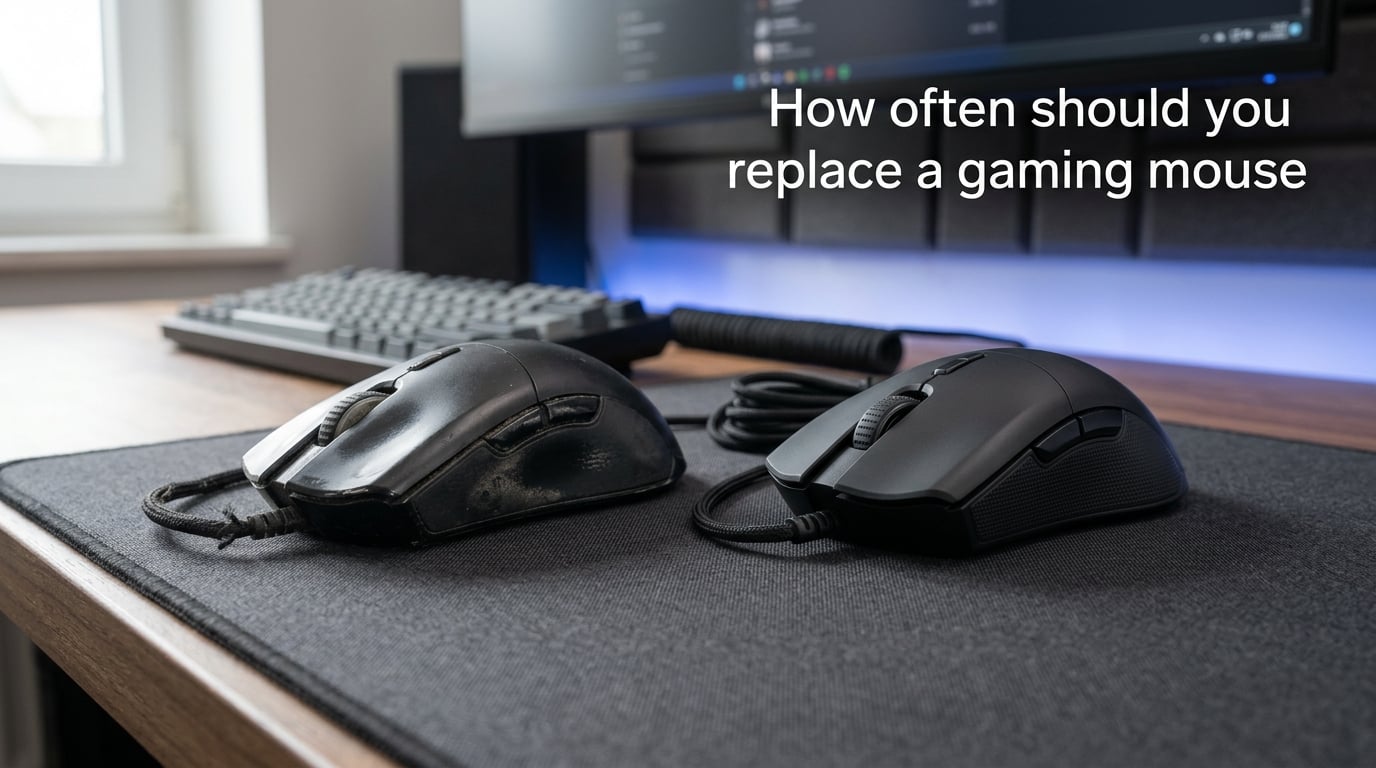
How often should you replace a gaming mouse? In our experience testing dozens of mice over the years, a well-built gaming mouse typically lasts 2 to 5 years for the average gamer, though some users stretch that to 7 years or more with careful maintenance. The honest answer is that you should replace your mouse when it breaks or stops performing well, not based on the calendar.
This question comes up constantly in gaming forums. A quick scan of Reddit’s r/MouseReview and r/razer threads shows the same frustration: people buy a “gaming” mouse expecting it to last a decade, then watch their left click start double-firing at the 2.5-year mark. We wrote this guide to give you a realistic answer, plus the math to predict your own replacement date, plus the six signs that mean it’s actually time.
Table of Contents
Expected Lifespan at a Glance
Different usage patterns create wildly different replacement cycles. Here is what you can realistically expect:
- Casual gamers (under 10 hours per week): 5 to 7 years — your switches barely wear out, your feet may wear down before your buttons do.
- Average gamers (10 to 25 hours per week): 2 to 5 years — this is where most people land, and where most “early deaths” happen.
- Competitive / esports players (30+ hours per week, rage-clicking included): 1 to 2 years — switches fail fastest here, and many players replace annually for sensor upgrades.
These ranges come from combining manufacturer click ratings (typically 20M to 100M clicks) with real-world user reports from Reddit, Quora, and GameFAQs. The numbers are conservative; many mice outlast them.
How Long Should a Gaming Mouse Last?
A gaming mouse should last 2 to 5 years for the average gamer. That number reflects a mix of switch lifespan, sensor durability, physical wear, and user habits. Tom’s Hardware puts the natural “update cycle” at 1.5 to 2.5 years but notes you can stretch most mice to 3 to 4 years with reasonable care.
Here’s how that breaks down year by year for a typical mid-tier mouse:
- Year 1: Essentially new condition. Feet may show minor scuffing on rough pads.
- Year 2: Scroll wheel encoder may start feeling inconsistent. Battery on wireless mice drops noticeably.
- Year 2.5 to 3: The danger zone. Left-click double-firing becomes common on cheaper switches. Mouse feet often need replacement.
- Year 4 to 5: Most surviving mice still work fine. Wear shows on the chassis (glossy plastic turning matte) but functionality holds.
- Year 7+: Possible but unusual. Logitech G502 owners on Reddit regularly report 7 to 8 years of daily use before the cable finally frays.
Can a gaming mouse last 10 years?
Yes, a gaming mouse can last 10 years, but it’s rare and depends heavily on the model. Wired mice with quality mechanical switches and replaceable parts (cable, feet, switches) can reach that range. The Microsoft Intellimouse Pro and older Logitech MX-series mice from the 2000s are famous for 15+ year survival in office settings. Modern budget gaming mice almost never make it that long — the switches fail first.
The key differentiator is replaceable parts. Mice with detachable cables, hot-swappable switches, and aftermarket feet can be repaired mid-life rather than replaced. Mice with sealed chassis and soldered-in switches are disposable once the switches die.
Click Lifespan and Rated Clicks Explained
Click lifespan is the manufacturer’s rating for how many times a switch can actuate before failure. Most gaming mice ship with switches rated between 20 million and 100 million clicks. Omron (the most common brand) rates its switches at 20M, 50M, or 70M; optical switches from Razer and others push past 90M.
How long does 1 million clicks last?
One million clicks lasts about 2 to 6 months for an active gamer. Here’s the math: an average gamer clicks their left button roughly 500 to 2,000 times per hour. Over a 20-hour gaming week, that’s 10,000 to 40,000 clicks per week, or roughly 500,000 to 2 million clicks per year. One million clicks represents about 6 months to 2 years of typical gaming use.
Calculate your own replacement date
Here’s the formula no competitor article gives you:
Years of click life = Switch rating (in millions) ÷ Your annual clicks (in millions)
Worked example 1 — heavy FPS player:
- Switch rating: 80 million clicks (typical premium mouse)
- Daily clicks: ~1,500 left-clicks, ~800 right-clicks, ~500 other buttons = ~2,800 total
- Annual clicks: 2,800 × 365 = ~1,022,000 (~1 million)
- Expected lifespan: 80M ÷ 1M = ~80 years
That math seems wrong because it is — switch ratings assume the mouse gets used in the worst-case way, not the typical way. In reality, switches die from actuation force, dust, and switch bounce long before they hit their rated count. So treat the rated clicks as an upper bound, not a guarantee.
Worked example 2 — light user:
- Switch rating: 50 million clicks (mid-tier mouse)
- Annual clicks: ~300,000 (casual gamer, ~3 hours per week)
- Expected lifespan: 50M ÷ 0.3M = ~166 years
Obviously nobody uses a mouse for 166 years. The real constraint for light users is feet wear, cable fraying, and battery degradation, not switch failure.
6 Signs Your Gaming Mouse Is Worn Out
PCWorld’s “5 sure-fire signs” structure works well for featured snippets, so we’re expanding it to six. These are the failure modes our team has actually seen on real mice, plus the symptoms Reddit users complain about most.
1. Buttons double-click or stop responding
Double-clicking is the most common failure mode on gaming mice. You click once, the switch registers two presses, and suddenly your character fires twice or your inventory opens and closes. This happens because the metal contact inside the Omron-style mechanical switch wears down and starts bouncing.
If your mouse is under 2 years old and double-clicking, you likely have a defective switch — most manufacturers will RMA it. After 3 years, double-clicking usually means the switches have simply hit end-of-life.
2. The sensor stops tracking properly
A failing sensor shows up as cursor jitter, erratic acceleration, or sudden tracking loss on surfaces that used to work fine. Lift-off distance (how high you can lift the mouse before tracking stops) also drifts as the sensor ages. Try the mouse on a clean, plain white sheet of paper to rule out a dirty mousepad — if it still misbehaves, the sensor is going.
Reddit users in r/MouseReview regularly report sensor death on the PixArt PMW3360 and older PMW3310 sensors around the 4-year mark.
3. The scroll wheel starts spinning infinitely or skipping detents
Scroll wheel failure is the second most common complaint after double-clicking. Symptoms include the wheel spinning freely with no tactile feedback, skipping clicks as you scroll, or scrolling backward when you scroll forward. This is the encoder (the small mechanical sensor inside the wheel hub) wearing out.
Mid-tier mice often hit this failure at 2.5 to 3 years. Premium mice with magnetic or optical scroll encoders (like the Logitech MX Master series) can last much longer.
4. Mouse feet wear down or fall off
The PTFE pads on the bottom of your mouse wear down with use. On rough cloth pads, feet can become thin within 6 to 12 months. On hard pads or desks, they last longer. When feet wear down, you feel scratchiness, inconsistent glide, and the mouse starts dragging instead of sliding.
The good news: most gaming mice use standard-size feet with aftermarket replacements available for a few dollars. This is one of the easiest fixes — replace the feet rather than the mouse.
5. Cable frays or wireless drops out
For wired mice, the cable is the weak point. Constant dragging, pinching under desk edges, and aggressive coiling all fray the internal wires. The first symptom is intermittent disconnection when you move the mouse a certain way. If you have a mouse with a detachable cable, you can swap it for a few dollars. If not, the mouse is done.
For wireless mice, the equivalent failure is battery degradation. Lithium-ion batteries lose capacity over time, and after 2 to 3 years of daily charging, you’ll find the mouse dying mid-session. Some manufacturers (Logitech, Razer) offer battery replacement service; most do not.
6. Physical damage affects performance
Cracks in the chassis, missing scroll wheel buttons, or loose side panels don’t always mean the mouse is dead — sometimes it’s purely cosmetic. But when damage affects how you grip the mouse or causes buttons to stick, it’s time. PCWorld makes a useful distinction: scratches on the palm rest are cosmetic; cracks around the scroll wheel that let dust into the encoder are functional.
Wired vs Wireless Gaming Mouse Longevity
Wired gaming mice last longer than wireless gaming mice on average, mostly because they have fewer parts that can fail. A wired mouse has three failure points: switches, scroll wheel encoder, and cable. A wireless mouse has those plus the battery, the wireless receiver, and the antenna.
In practice, this means wired mice commonly reach 4 to 6 years of daily use, while wireless mice often hit the replacement cycle at 2 to 3 years due to the battery dying first. Reddit users with Logitech G502 wired mice regularly report 7 to 8 years of use. Wireless mice from the same era rarely hit that mark.
The exception is premium wireless mice with user-replaceable batteries. The Logitech G Pro Wireless and Razer DeathAdder V3 Pro both allow battery swaps, which can extend the useful life well past 4 years.
Casual vs Competitive Gamer Replacement Cadence
Competitive gamers replace mice more often than casual gamers, but not because they break faster. They replace because the sensor and shape improvements matter at the pro level, and because rage-clicking and marathon sessions genuinely do wear switches faster.
- Casual gamer: 5 to 10 hours per week, 300k to 500k clicks per year. Replaces every 4 to 7 years, usually because of feet or cable, not buttons.
- Competitive gamer: 30+ hours per week, 1M+ clicks per year. Replaces every 12 to 18 months, often for sensor upgrades or because the chassis wears out from intense grip.
Professional FPS players in r/VALORANT and r/starcraft routinely mention cycling mice annually regardless of condition. The switch may still have life left, but the sensor generation has moved on.
How to Extend Your Gaming Mouse Lifespan
You can realistically add 1 to 2 years to any gaming mouse with basic maintenance. These are the habits that matter most.
Clean the sensor and feet monthly
A dusty sensor is a sluggish sensor. Wipe the sensor lens with a dry cotton swab once a month. Clean the feet with a slightly damp microfiber cloth every few weeks. Compressed air helps with hard-to-reach crevices.
Choose the right mousepad surface
Hard pads (like the SteelSeries QcK Hard) are gentler on mouse feet than rough cloth pads. If your feet wear down in 6 months, switching to a smoother surface can double their lifespan. Mousepad quality also affects sensor tracking — a dirty, frayed pad causes tracking errors that look like sensor failure.
Use a softer grip and gentler clicks
“Rage clicking” (slamming the left button with full force) wears switches faster than normal clicking. Most switches are rated at 60 to 70 grams of actuation force; you don’t need to hit them harder than that. Lighter, controlled clicks can extend switch life by 30% or more according to manufacturer testing.
Buy mice with replaceable parts
When shopping for your next mouse, prioritize:
- Detachable cable — cable is the most common wired-mouse failure; a swappable cable is a $5 fix instead of a $80 mouse.
- Replaceable feet — every brand sells aftermarket feet; buy a set when you buy the mouse.
- Hot-swappable switches — newer mice like the Razer Basilisk V3 and Endgame Gear OP1 allow you to swap switches without soldering.
- Onboard memory — saves profiles to the mouse, so it still works even if the companion software becomes unsupported.
Keep the firmware updated
Manufacturers fix bugs, improve sensor performance, and sometimes extend battery life via firmware. Skipping firmware updates means missing these fixes. The catch: when the manufacturer drops software support (Razer Synapse 2 is already deprecated), an old mouse with no onboard memory can become unusable. This is why onboard memory matters more than people realize.
When to Upgrade for Reasons Beyond Wear
Sometimes the right answer isn’t “is it broken” but “is it still right for you.” Three upgrade triggers have nothing to do with physical wear.
Ergonomic discomfort
If your wrist, fingers, or forearm hurt after long sessions, the mouse shape might be wrong. This isn’t a failure — it’s a fit problem. Ergonomic mice like the Logitech Lift or vertical mice can resolve pain that no amount of “lasting longer” will fix.
Sensor and feature improvements
Modern sensors track on more surfaces, with less jitter, and at lower power draw than sensors from 4 years ago. If your mouse has a sensor from before 2020, you may be giving up meaningful tracking consistency even if it still works. Wireless latency has also dropped dramatically; 8ms wireless in 2026 feels nothing like 16ms wireless from 2020.
Software lock-in and obsolescence
Razer Synapse, Logitech G Hub, and Corsair iCUE have all gone through major version transitions that abandon older mice. If your mouse only works with deprecated software, it can become functionally dead even if the hardware is perfect. Onboard memory prevents this — a mouse with onboard profiles works forever, regardless of whether the brand still supports it.
Frequently Asked Questions
What is the lifespan of a gaming mouse?
A gaming mouse typically lasts 2 to 5 years for the average gamer. Casual users can stretch that to 5 to 7 years, while competitive players often replace every 12 to 18 months. The lifespan depends on switch rating, usage intensity, and build quality.
Can a gaming mouse last 10 years?
Yes, a gaming mouse can last 10 years if it has replaceable parts, quality switches, and isn’t used in rage-clicking sessions. Wired mice with detachable cables and hot-swappable switches are the most likely to reach the 10-year mark. Most budget gaming mice will not make it that long.
How do I tell if I need a new mouse?
You need a new mouse if your buttons double-click or stop responding, the sensor jitters or loses tracking, the scroll wheel spins infinitely, the cable frays, or the battery no longer holds a charge. Cosmetic damage like scratches on the palm rest is not a sign to replace. Functional damage like cracks around the scroll wheel is.
How long does 1 million clicks last?
One million clicks lasts roughly 6 months to 2 years depending on usage. A heavy FPS gamer at 1.5 to 2 million clicks per year will burn through 1 million clicks in about 6 to 8 months. A casual gamer at 300,000 clicks per year will take over 3 years to reach 1 million clicks.
How many years should a gaming mouse last?
A gaming mouse should last 2 to 5 years for the average gamer. Wired mice typically outlast wireless mice by 1 to 2 years because they have fewer failure points. Mid-tier mice ($50 to $80) commonly fail at 2.5 to 3 years on the scroll wheel or left click. Premium mice with replaceable parts can reach 7+ years.
Do wireless gaming mice last as long as wired ones?
Wireless gaming mice typically last 1 to 2 years less than wired ones because the battery degrades before the switches fail. After 2 to 3 years of daily charging, lithium-ion batteries lose significant capacity. Premium wireless mice with user-replaceable batteries can match wired longevity.
Final Verdict
How often should you replace a gaming mouse? Replace it when it breaks, when it stops tracking, when the buttons start double-clicking, or when your needs change — not on a fixed schedule. For most people, that’s a 2 to 5 year cycle. With replaceable parts and basic maintenance, you can push that to 7 years or beyond.
If you’re shopping for a new mouse and want it to last, prioritize replaceable cables, swappable switches, and onboard memory. Clean the sensor and feet monthly, choose a smooth mousepad, and you’ll be ahead of 90% of gamers when it comes to getting full lifespan out of your gear.