
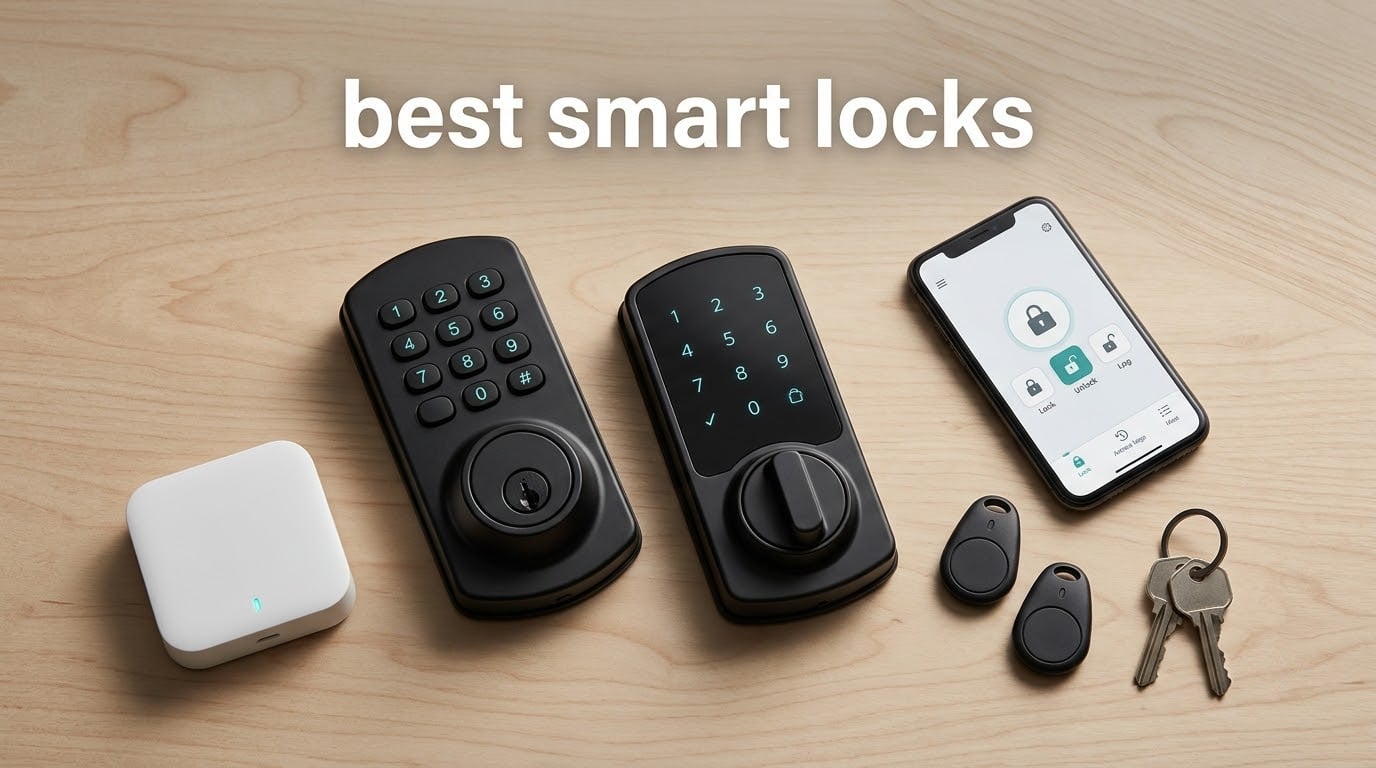
Short answer: the Schlage Encode Smart WiFi Deadbolt is the best smart lock overall in 2026, because it pairs built-in Wi-Fi and a 100-code capacity with the strongest mechanical security certification in this roundup, and it needs no hub. If you want fingerprint entry without an app, the TEEHO TE002 is the best value pick. If your home runs on Apple Home or Google Home, the ULTRALOQ Bolt SE covers both over Matter and Wi-Fi.
Smart locks solve one specific problem better than anything else: the door you forgot to lock. A traditional deadbolt only stops someone if you remember to turn it, and handing a spare key to a sitter, cleaner or dog walker means losing track of who still has access. A keypad or fingerprint lock replaces the key with a code that you can expire, and gives you a timestamped log of every entry.
What follows is our running list of the best smart locks in 2026, covering twelve deadbolts and handle sets we evaluated side by side on install time, door fit, battery behaviour, unlock speed and the cost of the extras each one demands. The list spans offline fingerprint locks that need nothing but AA batteries, connected locks with built-in Wi-Fi, and Matter over Thread models for Apple Home, Alexa, Google Home and SmartThings households.
Two things shaped the ranking more than any spec sheet. The first is total cost of ownership: several locks look affordable until you discover that remote access, voice control or remote code changes depend on a separately sold gateway, and those add-ons change the real value ranking. The second is what happens in month six, when a fingerprint sensor starts rejecting a valid print or an app update breaks an automation that worked fine last week. We weighted long-term owner reports alongside the headline features for that reason.
Table of Contents
Top 3 Best Smart Locks (October 2026)

Schlage Encode Smart WiFi
- Built-in Wi-Fi and no hub
- 100 access codes
- BHMA certified
- 4 AA batteries

TEEHO TE002 Fingerprint
- 20 prints and 20 codes
- 1-second fingerprint unlock
- Silent mode
- BHMA Grade 3

ULTRALOQ Bolt SE
- Wi-Fi plus Matter over Thread
- 50 prints and codes
- 18-month battery
- IP65 weather sealing
As an Amazon Associate we earn from qualifying purchases. CERTAIN CONTENT THAT APPEARS ON THIS SITE COMES FROM AMAZON. THIS CONTENT IS PROVIDED 'AS IS' AND IS SUBJECT TO CHANGE OR REMOVAL AT ANY TIME.
These three cover very different needs. The Schlage is the safe all-rounder for a homeowner who wants remote control without extra hardware. The TEEHO is for anyone who wants fingerprint entry and refuses to run an app. The ULTRALOQ is the only pick here that speaks Matter over Thread and plain Wi-Fi at the same time, which makes it the flexible choice if you are not ready to commit to one ecosystem.
Best Smart Locks at a Glance in 2026
| Product | Key Features | |
|---|---|---|
|
Schlage Encode Smart WiFi Deadbolt
|
|
Check Latest Price |
|
TEEHO TE002 Fingerprint Deadbolt
|
|
Check Latest Price |
|
ULTRALOQ Bolt SE Wi-Fi Smart Lock
|
|
Check Latest Price |
 Sifely Smart Lock with Handle Sifely Smart Lock with Handle
|
|
Check Latest Price |
 Veise KS02A Fingerprint Deadbolt Veise KS02A Fingerprint Deadbolt
|
|
Check Latest Price |
 eufy Security Smart Lock C220 eufy Security Smart Lock C220
|
|
Check Latest Price |
 Yamiry Fingerprint Handle Lock Yamiry Fingerprint Handle Lock
|
|
Check Latest Price |
 Aqara Smart Lock U100 Aqara Smart Lock U100
|
|
Check Latest Price |
 DESLOC B200 Fingerprint Deadbolt DESLOC B200 Fingerprint Deadbolt
|
|
Check Latest Price |
 Google Nest x Yale Lock Google Nest x Yale Lock
|
|
Check Latest Price |
 Philips Wi-Fi Smart Deadbolt Philips Wi-Fi Smart Deadbolt
|
|
Check Latest Price |
 Veise VE06-H Handle Set Smart Lock Veise VE06-H Handle Set Smart Lock
|
|
Check Latest Price |
We earn from qualifying purchases. CERTAIN CONTENT THAT APPEARS ON THIS SITE COMES FROM AMAZON. THIS CONTENT IS PROVIDED 'AS IS' AND IS SUBJECT TO CHANGE OR REMOVAL AT ANY TIME.
Read the features column as a warning as much as a sales pitch. Four of these twelve — the Sifely, Yamiry, DESLOC and Veise handle set — need a separately sold gateway before remote unlock or voice control works, so their real entry cost is higher than the lock alone. The TEEHO and the Veise KS02A sit at the opposite extreme: no app at all, and therefore nothing to break or pay for.
1. Schlage Encode Smart WiFi Deadbolt Review
Schlage Encode Smart WiFi Deadbolt Lock with Century Trim, Matte Black
- BHMA certified
- 4 AA batteries, about 6 months
- Up to 100 access codes
- Built-in Wi-Fi, no hub
Pros
- Built-in Wi-Fi gives real remote control with no hub
- Large touchscreen keypad is easy to program in the dark
- Solid mechanical feel and a long-established lock maker
- Encrypted connection with forced-entry and door-movement alarm
Cons
- Fit and install need care on thick or non-standard doors
- App and voice assistants want a stable 2.4 GHz network
We earn a commission, at no additional cost to you. CERTAIN CONTENT THAT APPEARS ON THIS SITE COMES FROM AMAZON. THIS CONTENT IS PROVIDED 'AS IS' AND IS SUBJECT TO CHANGE OR REMOVAL AT ANY TIME.
This is the lock I recommend to people who ask for one recommendation. It has 13,273 reviews behind it, the largest base in this roundup, and that number matters more than any feature line. A lock is a security device that has to work on the one night you are away, and a decade of owner reports is the only real evidence available on that.
The Wi-Fi radio is built into the interior escutcheon, so there is no bridge to buy, no bridge to power and no bridge to lose on a power cut. Codes, lock history and notifications live in the Schlage Home app, and up to 100 access codes means a busy household or a small rental portfolio fits comfortably under the cap.
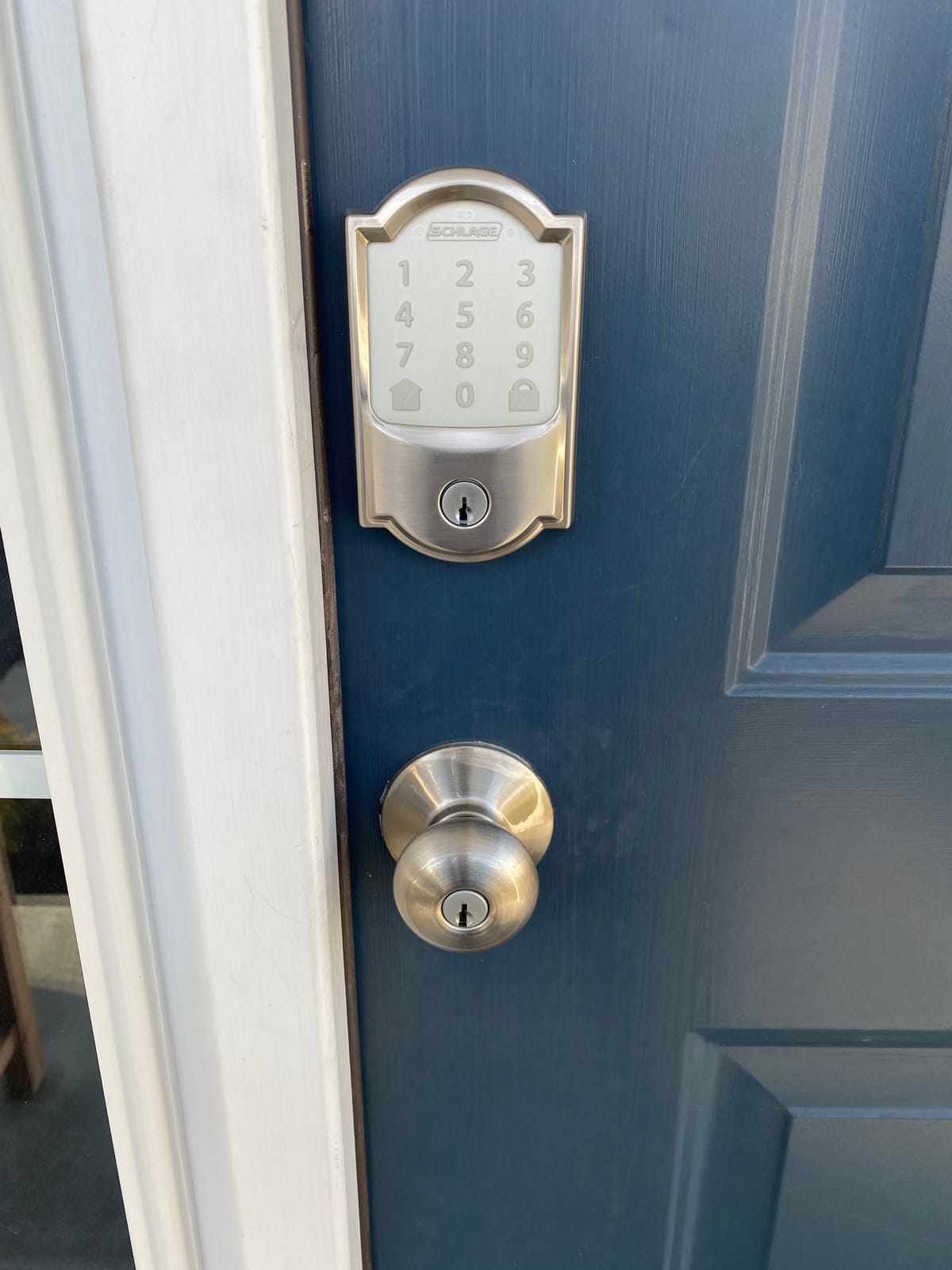
On the security side, Schlage uses a fingerprint-resistant touchscreen, an encrypted connection and a tamper alert for forced entry. A single physical backup key is included, which matters more than it sounds: a deadbolt with no mechanical override is one dead battery away from a problem.
Power comes from four AA batteries, stated at up to six months, and the lock reports low battery both on the keypad and in the app. The one-touch exterior locking means you can lock the bolt by touching the keypad instead of reaching for the thumbturn, which is the habit that stops the “did I lock it” spiral.
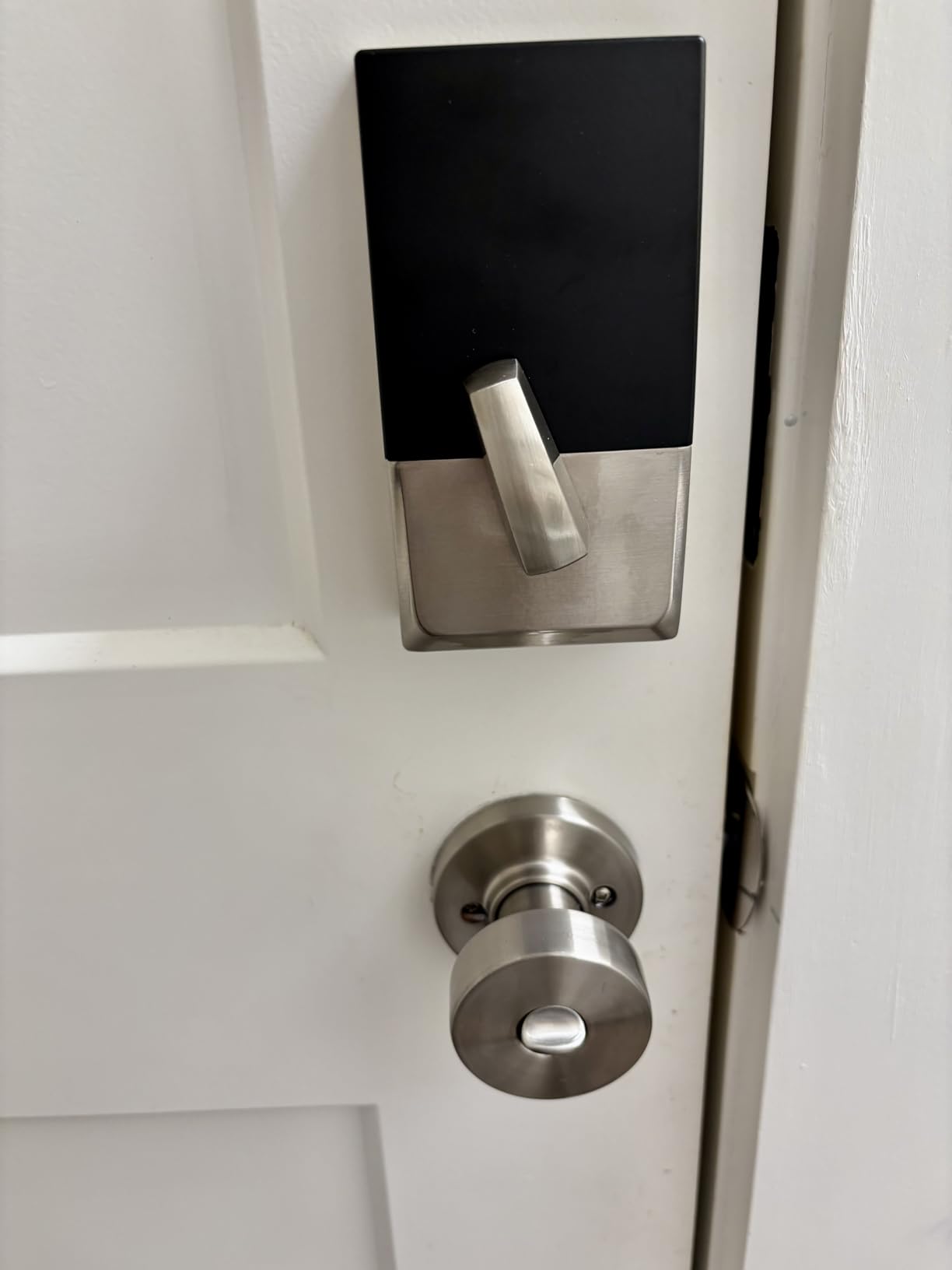
Is the Schlage Encode right for your door?
It fits doors from 1-3/8 inch to 1-3/4 inch thick, with a backset of 2-3/8 inch or 2-3/4 inch. Measure before you order, because resizing a door to fit a lock is the most common install complaint owners report with this model.
It suits households that want remote control from a phone, several family members on separate codes, and voice control through Alexa or Google Home. It is a full deadbolt replacement rather than a retrofit, so it is not the choice for a tenant who cannot change the door hardware.
Where the Schlage falls short
There is no fingerprint reader. The keypad is the fastest credential here, and a child carrying a backpack or a neighbour with wet hands will be slower than with a fingerprint lock. If fingerprint entry is the feature you care most about, look at the TEEHO or the Aqara instead.
Wi-Fi pairing is the other weak spot. Owners report occasional friction connecting to a 2.4 GHz network, and the app plus voice assistants both want that band rather than the faster 5 GHz one. A 5 GHz-only router is a reason to choose a Bluetooth or Matter lock rather than this one.
We earn a commission, at no additional cost to you. CERTAIN CONTENT THAT APPEARS ON THIS SITE COMES FROM AMAZON. THIS CONTENT IS PROVIDED 'AS IS' AND IS SUBJECT TO CHANGE OR REMOVAL AT ANY TIME.
2. TEEHO TE002 Fingerprint Deadbolt Review
TEEHO TE002 Fingerprint Deadbolt with Keypad for Front Door, Matte Black
- About 1-second fingerprint unlock
- 20 prints, 20 codes
- 4 AA, up to 365 days
- BHMA Grade 3, IP54
Pros
- Fingerprint reader is fast and forgiving for the price
- Silent mode keeps the motor quiet at night
- Screwdriver-only install on a standard 2-1/8 inch bore
- No app
- no hub and no subscription to think about
Cons
- Build feels lighter than a commercial-grade deadbolt
- Auto-lock delay can reset to the shortest setting
- Programming code sequences take practice to learn
We earn a commission, at no additional cost to you. CERTAIN CONTENT THAT APPEARS ON THIS SITE COMES FROM AMAZON. THIS CONTENT IS PROVIDED 'AS IS' AND IS SUBJECT TO CHANGE OR REMOVAL AT ANY TIME.
At 4.4 stars across 12,708 reviews, the TEEHO TE002 sits at the top of this roundup’s rating scale, and it carries a review base ten times larger than most locks in the same band. It is also the lock we hand to friends who ask for a smart lock and then spend an evening troubleshooting an app. There is no app.
You get four ways in: up to 20 fingerprints, 20 passcodes, two physical keys and one-time PINs that delete themselves after a single use. The sensor reads a print in about 0.3 seconds, and the self-learning algorithm adapts to your finger over time, which is the part that separates a good reader from a frustrating one.
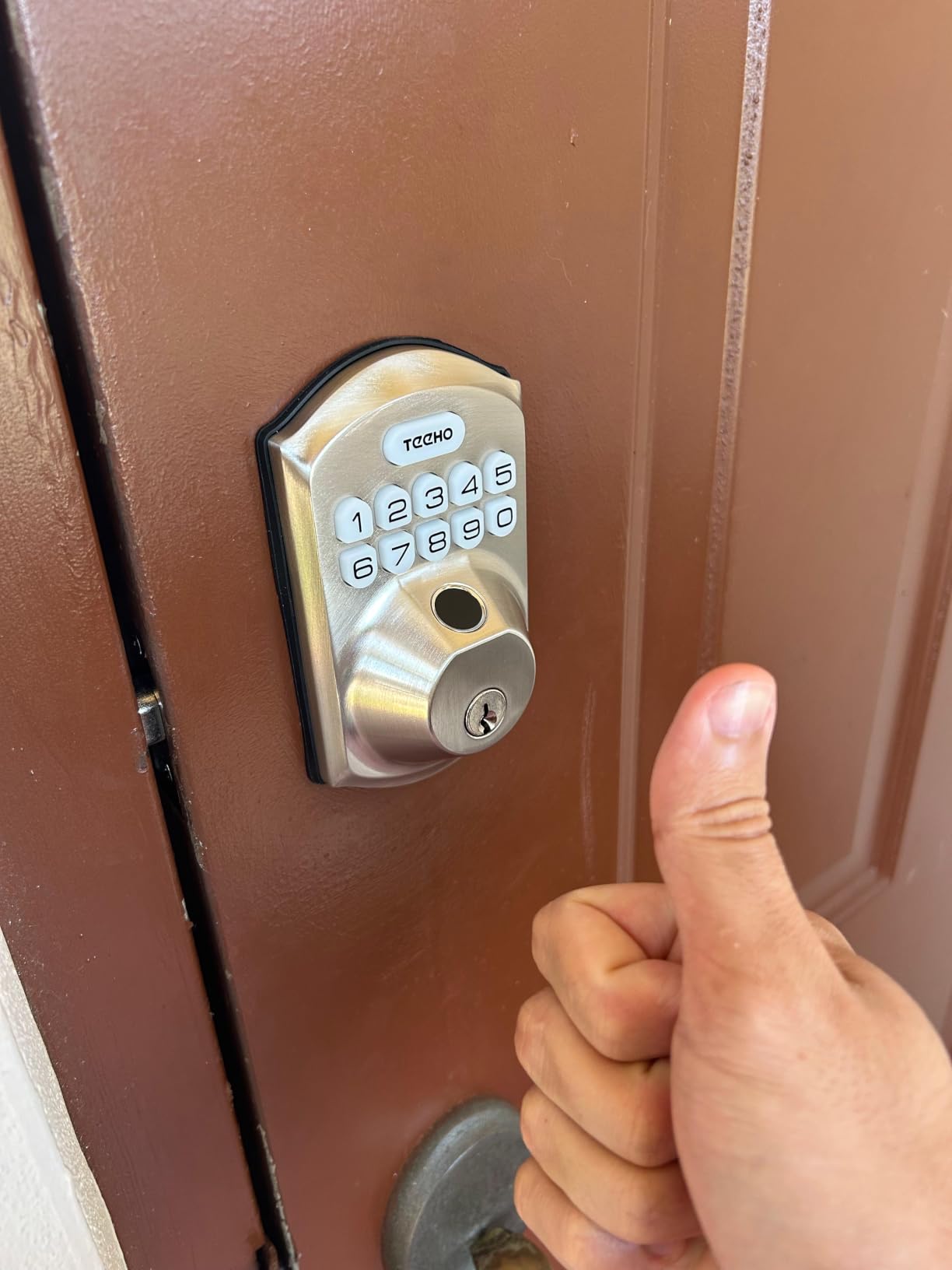
Battery life is the standout number: four AA batteries rated at up to 365 days, with a red alert below 15 percent. Early buyer concerns about drain did not hold up for most owners, which is unusual for a lock that has to power a fingerprint sensor and a motor.
Silent mode and away mode both live on the keypad. Silent mode softens the motor for night-time use, which matters in a house with a sleeping child or a thin bedroom wall next to the entry. Away mode suspends temporary access, so a sitter’s code stops working the moment they leave.
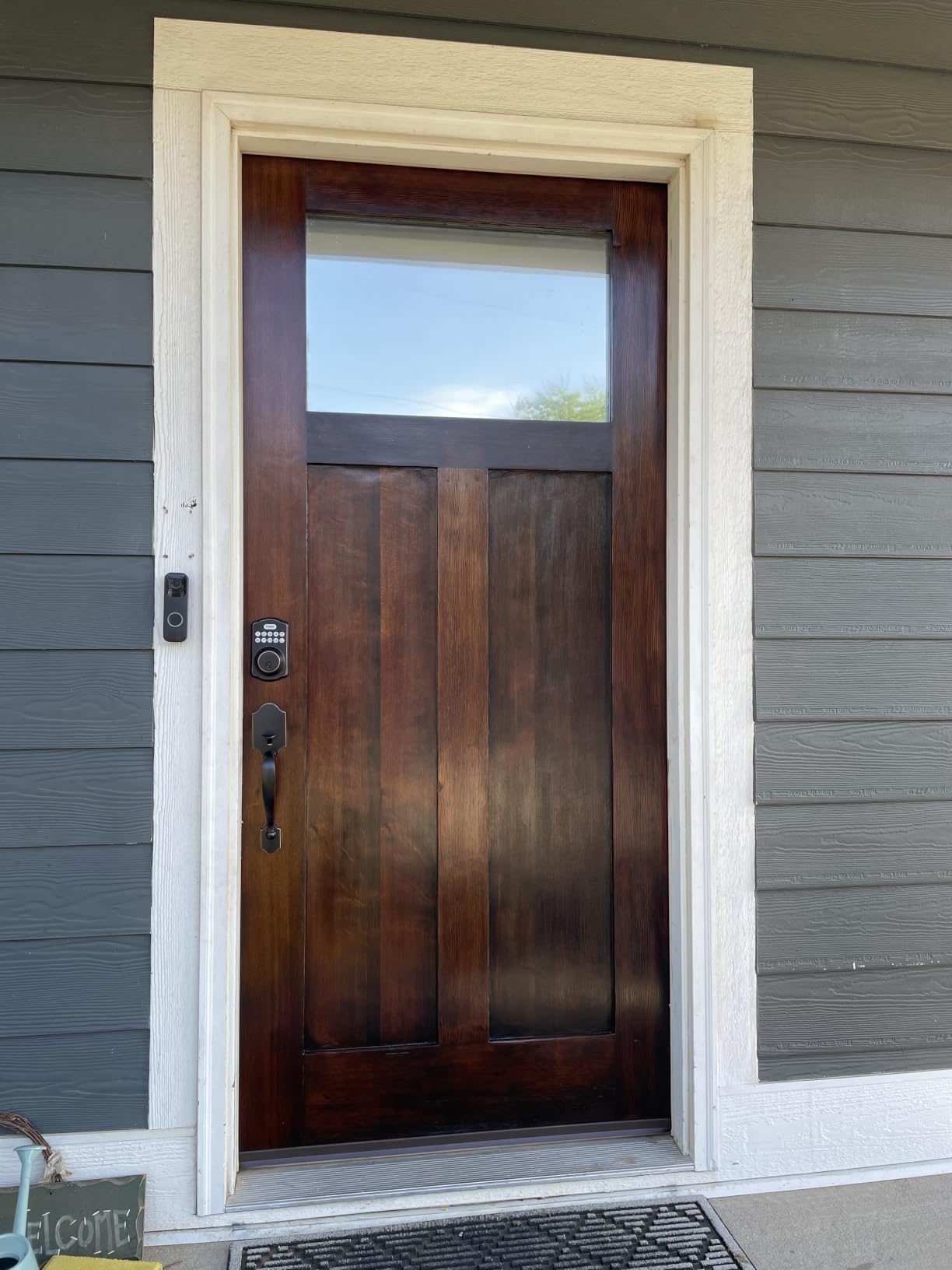
Who should buy the TEEHO TE002?
Buy it if your priority is getting through the door quickly with a finger, and you have no interest in smart home automation. Privacy is a genuine benefit here: with no radio and no cloud account, there is nothing to hack and no company holding a log of your comings and goings.
It also suits a landlord-controlled situation better than most, since it needs only a standard 2-1/8 inch bore and a screwdriver. Give a tenant a code instead of a key and you can revoke it the day they move out.
What you give up with this lock
You get no remote access of any kind. If you are not at the door, you cannot unlock it, check whether it is locked, or see who came in. That is the entire reason most people upgrade, so this is a deliberate trade rather than a compromise.
The build is noticeably lighter than a commercial deadbolt, and the auto-lock delay sometimes resets to the shortest setting after a battery change, which makes the bolt re-engage repeatedly for a few minutes. Both are minor, and neither is a safety issue, but if a heavy hand-feel matters to you, spend up.
We earn a commission, at no additional cost to you. CERTAIN CONTENT THAT APPEARS ON THIS SITE COMES FROM AMAZON. THIS CONTENT IS PROVIDED 'AS IS' AND IS SUBJECT TO CHANGE OR REMOVAL AT ANY TIME.
3. ULTRALOQ Bolt SE Wi-Fi Smart Lock Review
ULTRALOQ Bolt SE Wi-Fi Smart Lock, Matter Over Thread, App Remote Access
- Wi-Fi plus Matter over Thread
- 50 prints, 50 codes
- 18-month battery claim
- IP65 and ANSI certified
Pros
- Only pick here combining built-in Wi-Fi with Matter over Thread
- Large credential capacity suits families and rentals
- Self-healing mesh network reroutes dropped connections
- Works with Apple Home
- Alexa and Google Assistant
Cons
- Matter over Thread needs a Thread Border Router hub
- No door sensor bundled
- so auto-lock is timer-based
- Wi-Fi limited to the 2.4 GHz band
We earn a commission, at no additional cost to you. CERTAIN CONTENT THAT APPEARS ON THIS SITE COMES FROM AMAZON. THIS CONTENT IS PROVIDED 'AS IS' AND IS SUBJECT TO CHANGE OR REMOVAL AT ANY TIME.
The Bolt SE is one of the most flexible locks in this roundup, and the reason is that it speaks two languages at once. Built-in 2.4 GHz Wi-Fi gives you remote access today with no extra hardware, while Matter over Thread lets you fold it into Apple Home, Alexa, Google Assistant or SmartThings later without replacing the lock.
Seven entry methods are supported: 50 fingerprints, 50 passcodes, the app, a web portal, eKey and code sharing, voice control and two mechanical keys. Fifty of each credential is unusual at this size and it means a four-person household with a cleaner, a sitter and a contractor can all have their own entry without sharing a code.
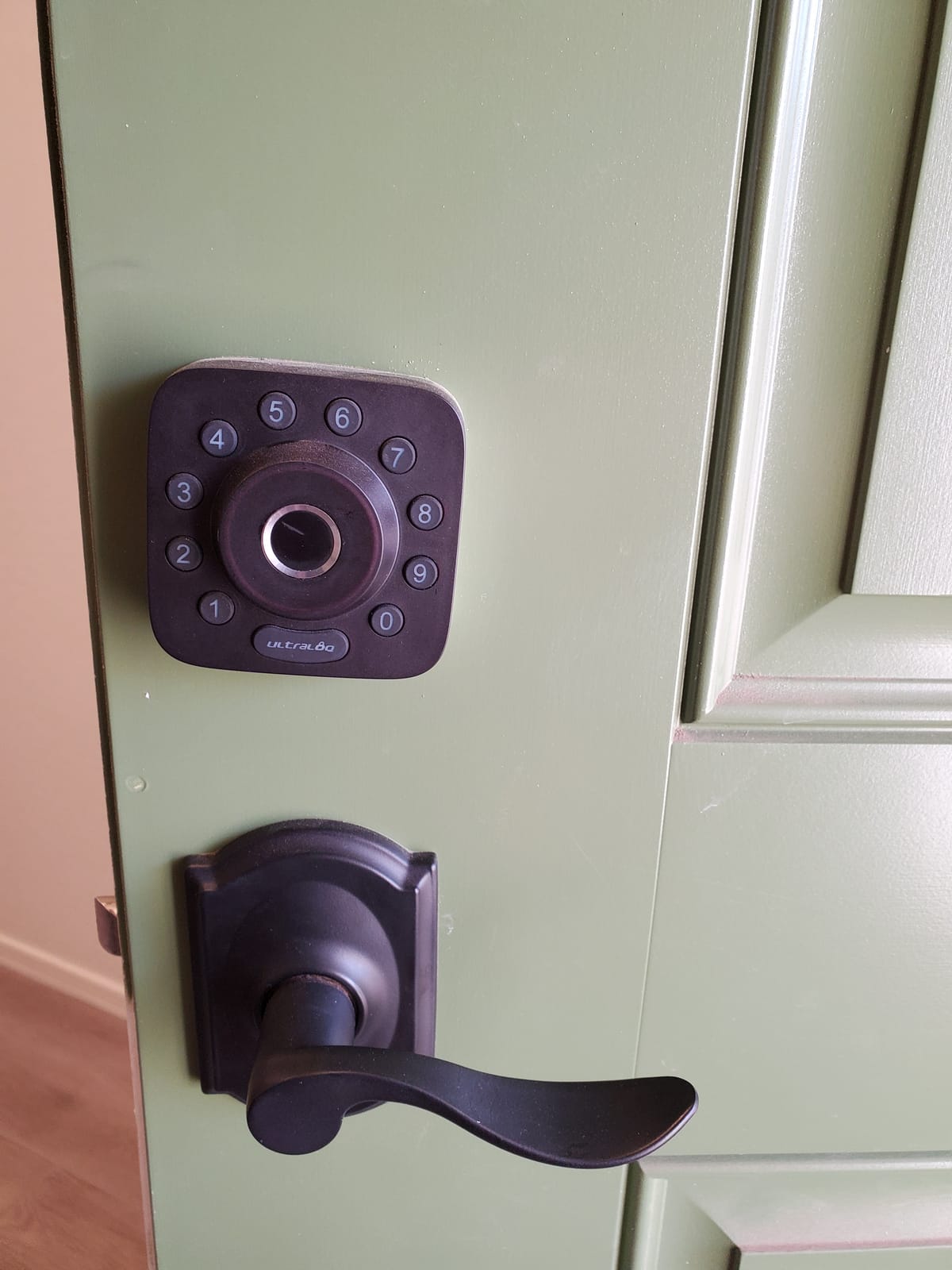
Battery life is claimed at up to 18 months on the Thread low-energy mesh, and the self-healing mesh network is a genuine engineering answer to the connectivity complaints that plague Wi-Fi locks. Installation is quoted at 10 minutes with a screwdriver, and the zinc alloy body carries ANSI/BHMA certification with IP65 sealing, matching the highest weather rating in this roundup.
There is a lifetime mechanical coverage promise and an 18-month electronics warranty behind it, with lifetime phone support. For a brand you may not recognise, that warranty length says more about intent than the marketing copy does.
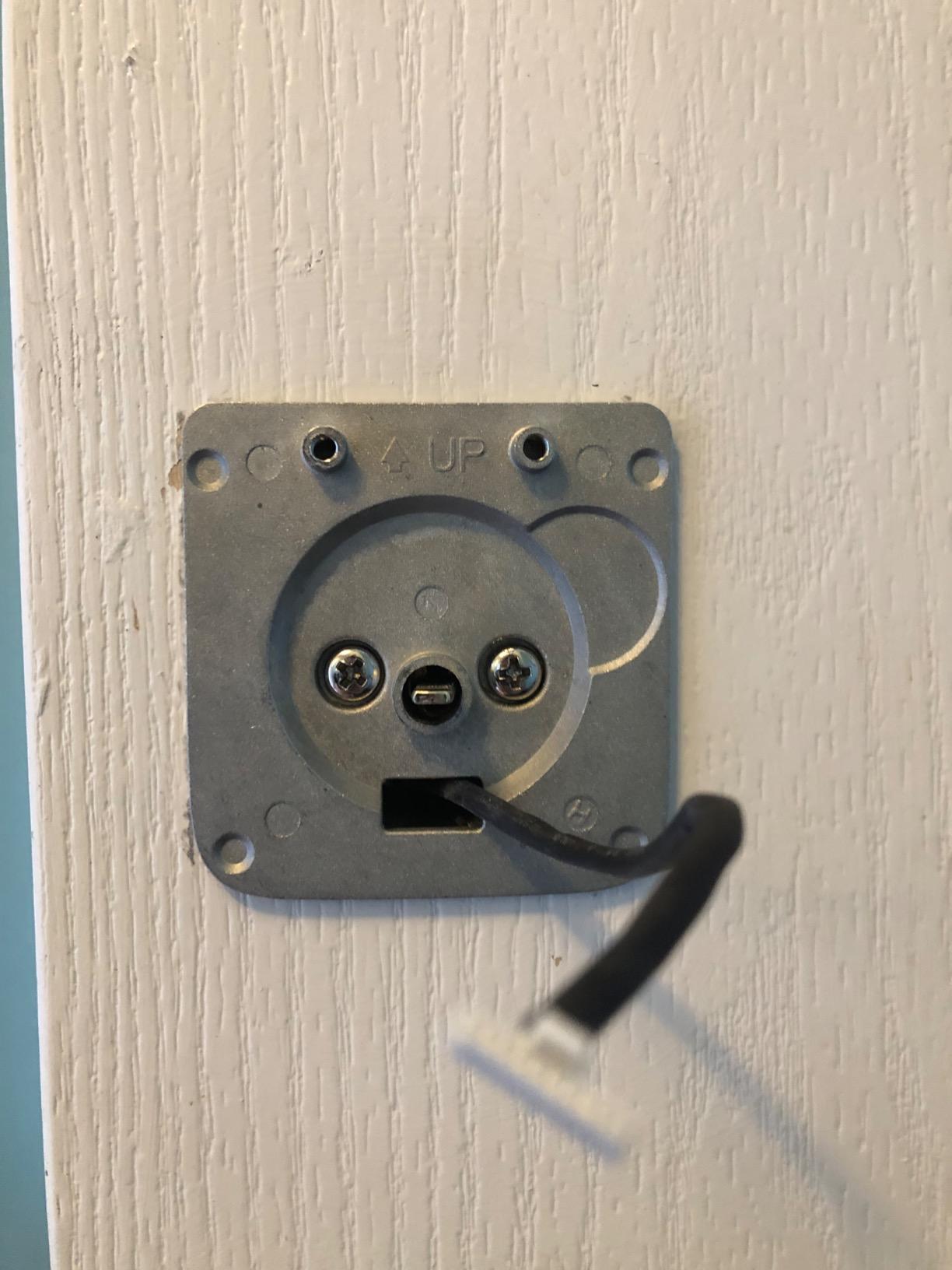
Is the ULTRALOQ Bolt SE the right ecosystem choice?
It is the right pick if you want a single deadbolt that works now and stays useful after the next protocol shift. Matter support means the lock keeps working with your ecosystem even if the brand changes hands, which addresses the support-longevity worry that small lock makers create.
It also suits a mixed-voice-assistant house, since Siri, Alexa and Google Assistant are all supported. Buy it if you are not ready to pick a platform, or if your household uses more than one.
What to watch out for
Matter over Thread is only as good as the Thread Border Router you already own or are willing to buy. If your home has no Matter controller, that half of the feature set sits dormant, and you are effectively paying for a Wi-Fi lock with extra potential.
No door sensor is included, so the lock cannot tell whether the door is actually closed. Auto-lock runs on a timer rather than on door position, which means it can re-engage while you are still standing in the doorway with a bag of shopping. The Wi-Fi radio also needs the router within about 70 feet.
We earn a commission, at no additional cost to you. CERTAIN CONTENT THAT APPEARS ON THIS SITE COMES FROM AMAZON. THIS CONTENT IS PROVIDED 'AS IS' AND IS SUBJECT TO CHANGE OR REMOVAL AT ANY TIME.
4. Sifely Smart Lock with Handle Review
Fingerprint Smart Door Lock with Handle & Keypad – No More Lost Keys, Keyless Entry & Remote Access for Home, Kids, Airbnb & Rental Property, DIY Install, Alexa & Google Compatible
- Six entry methods with fobs and cards
- Guest PINs and access logs
- Reversible handle
Pros
- Six entry methods
- and the only set here that includes key cards as well as fobs
- Guest PIN workflow and access logs suit rental hosting
- Reversible handle fits either door handing with no extra drilling
- One owner reports four years of service
Cons
- Touchscreen sometimes needs repeated taps to wake
- Not rekeyable
- so only the supplied keys work
- No lockout after repeated wrong entries
- Gateway required for true remote control
We earn a commission, at no additional cost to you. CERTAIN CONTENT THAT APPEARS ON THIS SITE COMES FROM AMAZON. THIS CONTENT IS PROVIDED 'AS IS' AND IS SUBJECT TO CHANGE OR REMOVAL AT ANY TIME.
If you host guests, the Sifely is the lock we would choose for the job. Creating an instant guest code takes seconds, the code is temporary by design, and the access log tells you when your guests actually arrived and left rather than making you ask.
Entry methods number six: fingerprint, keypad, app, key fob, physical key and voice. The two key cards in the box are the detail that wins it for us, because a card handed to a guest needs no app, no phone and no explanation, and a lost card is a smaller loss than a lost key.
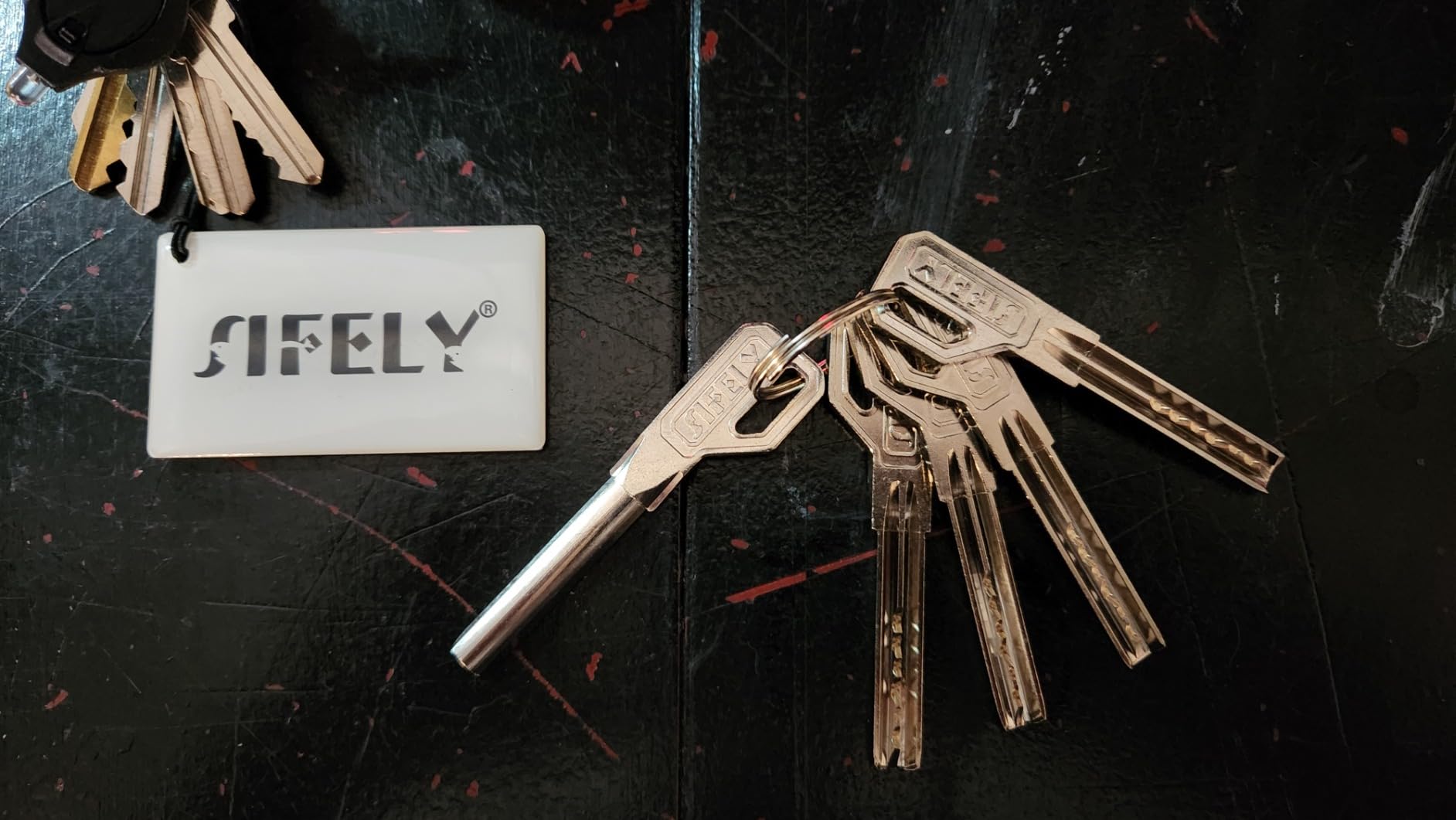
The reversible handle is the other quiet winner. One body fits either door handing without drilling new holes, which matters if you are moving between properties or ordering for a door you cannot measure perfectly. Auto-lock has an adjustable delay and scheduling, and the app manages permanent and temporary access from a phone.
Buyers should know that Bluetooth handles local control only. Remote access and Alexa or Google Assistant voice control require the Sifely WiFi Gateway, sold separately, and that gateway is not an optional extra if you plan to let someone in while you are at work.
Is the Sifely good for short-term rentals?
Yes, on the parts that matter for hosting. Temporary PIN generation, access logs and the key cards remove most of the friction of handing over access to a stranger, and the fob-plus-key combination means a guest without a smartphone is not stuck outside.
It is also a reasonable landlord pick for multi-unit doors, provided you budget for the gateway per property and accept the one-year warranty.
Where it disappoints
The touchscreen keypad is the weak point. Owners report it being slow to wake and needing repeated taps, which is annoying at 2am with a full suitcase. Several reviewers also report the fingerprint reader forgetting enrolled prints on some units, and there is no lockout after repeated wrong codes, though attempts are logged.
It is not rekeyable, so your existing keys do not work and the two supplied keys are the only ones. On a fully exposed door with no cover, water ingress shows up in the reviews, and some uPVC or undersized-bore doors need modification before it will fit.
We earn a commission, at no additional cost to you. CERTAIN CONTENT THAT APPEARS ON THIS SITE COMES FROM AMAZON. THIS CONTENT IS PROVIDED 'AS IS' AND IS SUBJECT TO CHANGE OR REMOVAL AT ANY TIME.
5. Veise KS02A Fingerprint Door Lock Review
Veise KS02A Fingerprint Door Lock, Keypad Deadbolt, Matte Black
- 0.2-second fingerprint unlock
- 20 prints, 20 passwords
- Up to 365 days on 4 AA
- ANSI Grade 3, IP54
Pros
- Among the fastest fingerprint readers we tested
- Self-learning accuracy improves with regular use
- Auto-detects door handing for a 15-minute install
- All-zinc alloy body with ANSI Grade 3 and BHMA certification
Cons
- No app or Wi-Fi
- so no remote access
- Four AA batteries are not included
- Panels must sit perfectly vertical for the lock to work
We earn a commission, at no additional cost to you. CERTAIN CONTENT THAT APPEARS ON THIS SITE COMES FROM AMAZON. THIS CONTENT IS PROVIDED 'AS IS' AND IS SUBJECT TO CHANGE OR REMOVAL AT ANY TIME.
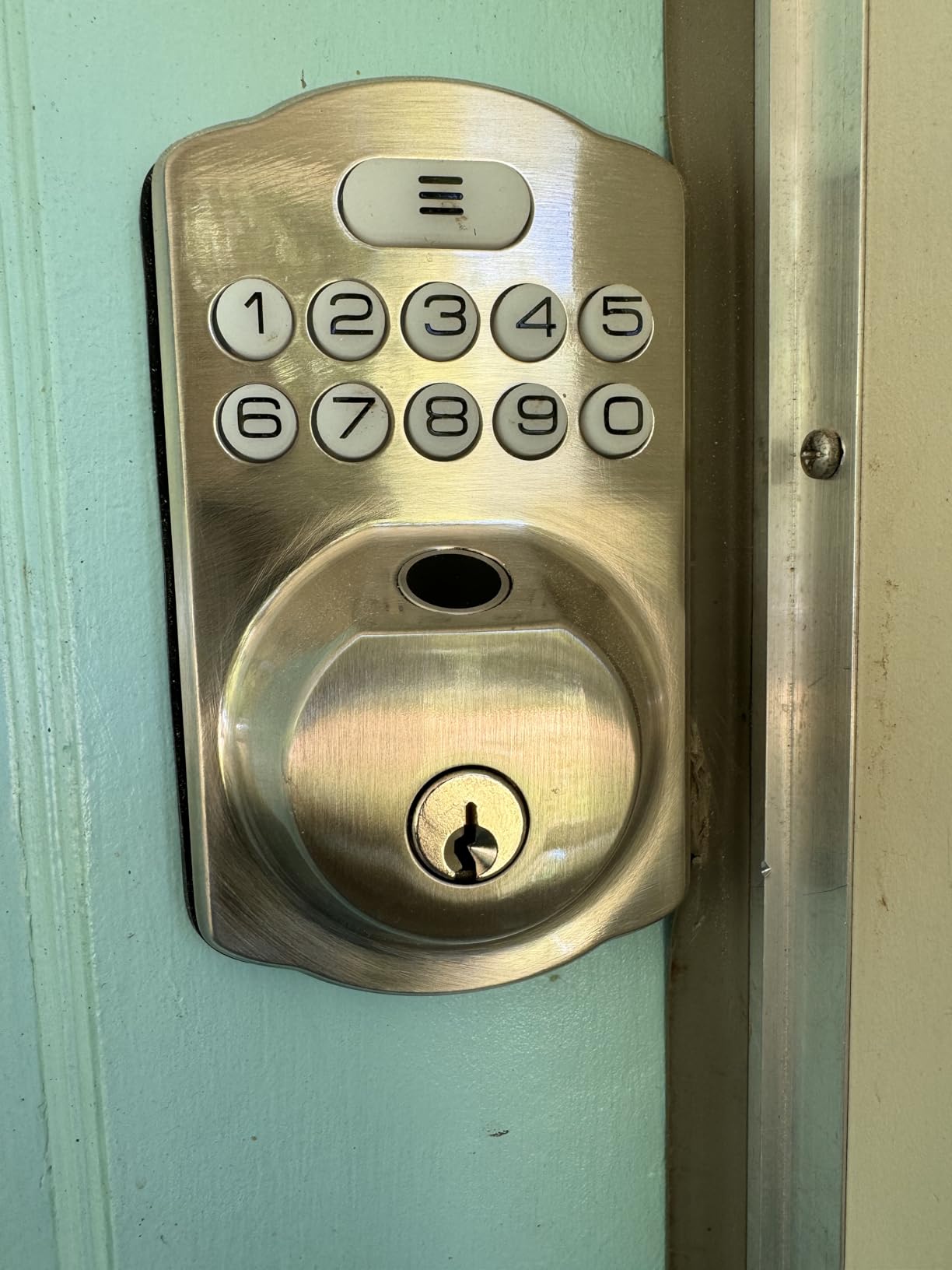
The KS02A shares a 4.4 average with the TEEHO and posts a 73 percent five-star share, close behind the Veise handle set. Where it beats the TEEHO is raw unlock speed: the on-device chip claims a 0.2-second read at 99.99 percent accuracy, and the self-learning recognition adapts as it goes.
Four ways in covers 20 fingerprints, 20 passwords, two mechanical keys and one-time guest codes. There is a master password, user passwords and an anti-peeping code that adds a random digit to an entry so a shoulder-surfer cannot copy a six-digit code from the keypad.
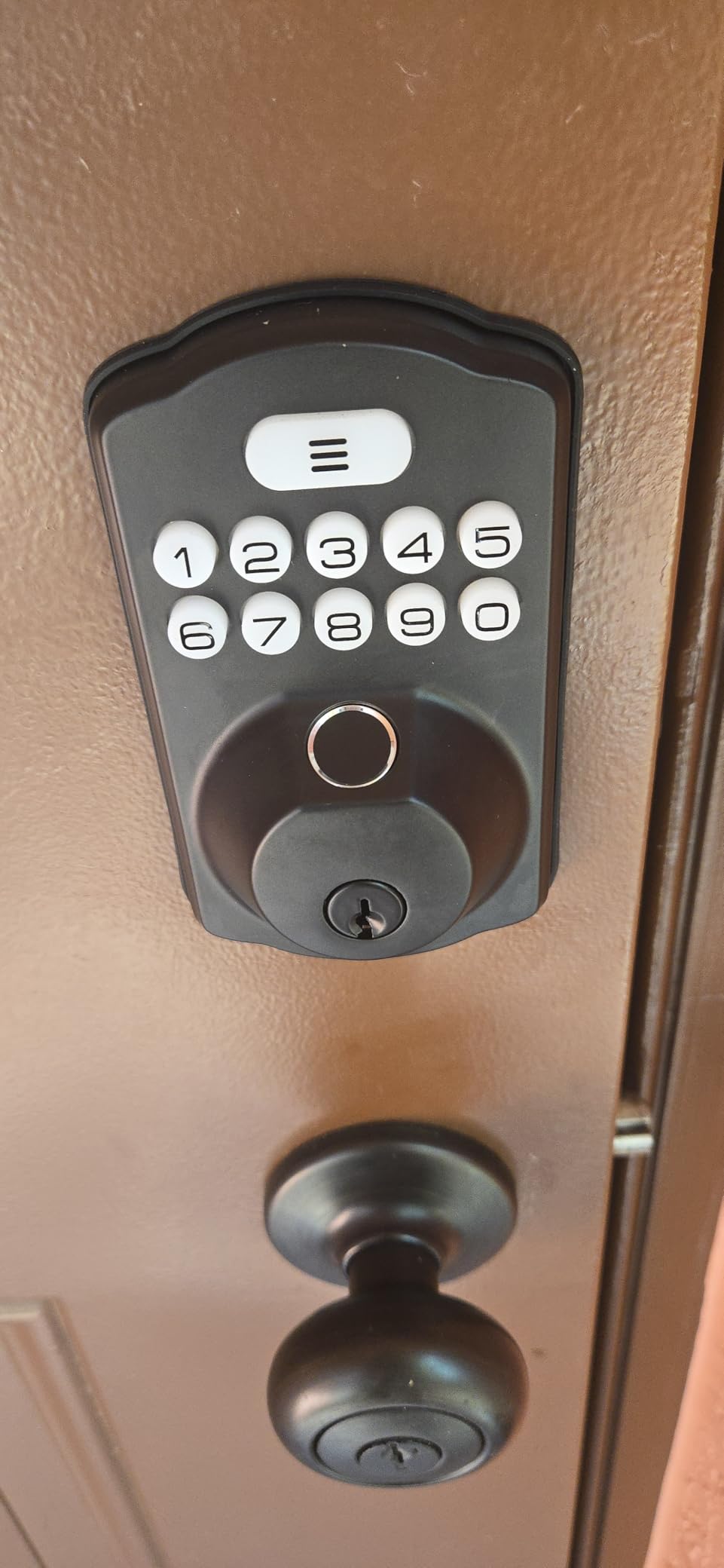
Weather protection is a cut above the price suggests, with IP54 sealing, ANSI Grade 3 and BHMA certification, and a stated operating range of -31F to 158F. Data is encrypted and stored locally, which matters if a lock is on your shortlist partly for privacy reasons.
The install is 15 minutes with a screwdriver on a 2-1/8 inch bore, and the lock auto-detects which way the door swings so you do not have to configure handing by hand. Doors from 1-3/8 inch up to 2 inches thick are supported, and the interior knob rotates for a one-second manual exit.
Who is the Veise KS02A built for?
It suits anyone who wants fingerprint entry and BHMA-grade hardware without spending much or opening an account with anyone. There is no radio in the lock, so there is no cloud, no subscription and nothing to update.
Silent mode and vacation mode cover the two situations that matter most in practice: a motor quiet enough for a night-time arrival, and temporary access that expires on its own when you return home.
What you should know before buying
No app means no remote access, so this is the same fundamental limit as the TEEHO, and for the same reason. If you want to unlock the door from the office, neither lock can do it.
Two smaller catches: the four AA batteries are not included, and the front and back panels have to mount perfectly vertical or the lock will not operate. There is also a one-year warranty with a free one-year extension if you register the unit.
We earn a commission, at no additional cost to you. CERTAIN CONTENT THAT APPEARS ON THIS SITE COMES FROM AMAZON. THIS CONTENT IS PROVIDED 'AS IS' AND IS SUBJECT TO CHANGE OR REMOVAL AT ANY TIME.
6. eufy Security Smart Lock C220 Review
eufy Security Smart Lock C220, Fingerprint Keyless Entry Door Lock
- Built-in Wi-Fi, no bridge
- Six unlock methods
- 8 AA batteries, about 8 months
- BHMA Grade 3, IP53
Pros
- Built-in Wi-Fi removes the need for a bridge
- Unlocks an Apple Watch directly from the wrist
- Self-learning fingerprint reader with sub-one-second response
- Eight batteries included for about eight months
- Slots into eufy routines alongside eufy doorbells
Cons
- Fingerprint accuracy drops with wet or very dry fingers
- eufy app permissions and account setup can feel intrusive
- Exterior body is larger than slim keypad deadbolts
We earn a commission, at no additional cost to you. CERTAIN CONTENT THAT APPEARS ON THIS SITE COMES FROM AMAZON. THIS CONTENT IS PROVIDED 'AS IS' AND IS SUBJECT TO CHANGE OR REMOVAL AT ANY TIME.
The C220 is the pick if your household already runs eufy doorbells and cameras. It joins the same app and the same automation routines, so a routine that lowers the camera and unlocks the front door for an arrival is a single setup rather than a project.
It also has the most convenient entry method among the Wi-Fi models here: tap an Apple Watch on the lock and it opens. No phone in hand, no code typed, no thumb on a sensor, and it works with wet hands because there is no fingerprint involved.
Six unlock methods in total: fingerprint, the eufy app, keypad, physical key, Apple Watch and voice through Alexa or Google Assistant. The Wi-Fi is built in, so again there is no bridge, and the lock is keyed differently, meaning it does not match an existing cylinder.
Durability is a real selling point. The lock is BHMA Grade 3 certified after more than 100,000 test cycles, rated IP53, and rated to operate from -22F to 158F. Eight AA batteries are included in the box and give roughly eight months of use, which is a rare convenience.
What works well about the C220?
The self-learning fingerprint reader improves with every touch rather than degrading, and returns a result in under a second in normal conditions. For a family with children, that responsiveness matters more than any spec number.
Installation is a 15-minute no-drill job that fits most standard deadbolts, and it will fit bores under 54mm by removing a spacer. That makes it one of the more forgiving options for an older or unusual door.
What holds it back
Fingerprint accuracy is noticeably weaker with wet or very dry fingers, which is the most common real-world rejection. Owners also mention that the eufy app permission prompts and account setup feel more intrusive than those of Schlage or Aqara.
The exterior body is bulkier than slim keypad deadbolts, so check the sightline on a door with a narrow frame before ordering. Eight batteries is also double the count of most rivals, which is convenient until you are replacing all eight at once.
We earn a commission, at no additional cost to you. CERTAIN CONTENT THAT APPEARS ON THIS SITE COMES FROM AMAZON. THIS CONTENT IS PROVIDED 'AS IS' AND IS SUBJECT TO CHANGE OR REMOVAL AT ANY TIME.
7. Yamiry Fingerprint Handle Lock Review
Smart Door Handle Lock with Keypad, Yamiry Fingerprint Knob for Front Door
- Pull handle and deadbolt combined
- Six entry methods
- 10-minute reversible install
Pros
- Handle and knob format suits doors needing a pull handle
- Six entry methods including two fobs and two keys
- Reversible handle covers either door handing
- 10-minute install into the existing bore
Cons
- Remote and voice features need the separately sold WiFi gateway
- Fingerprint and app performance are good rather than class-leading
- App is basic next to eufy
- Schlage or Aqara
We earn a commission, at no additional cost to you. CERTAIN CONTENT THAT APPEARS ON THIS SITE COMES FROM AMAZON. THIS CONTENT IS PROVIDED 'AS IS' AND IS SUBJECT TO CHANGE OR REMOVAL AT ANY TIME.
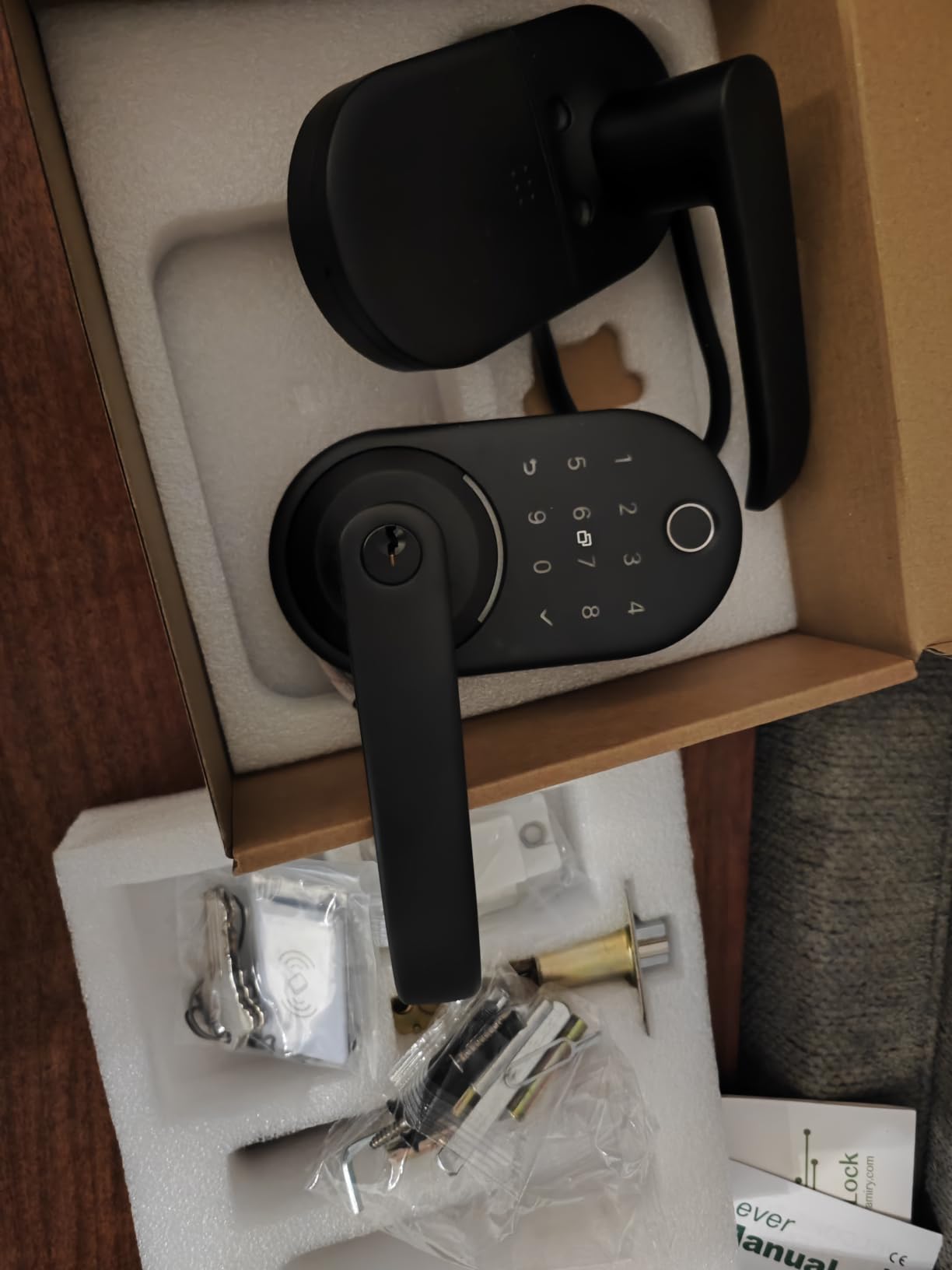
Some doors need a pull handle as well as a deadbolt, usually because the door opens inwards against a wall or because a screen or storm door sits in front of it. A standard deadbolt leaves you gripping nothing, and the Yamiry solves that in a single package.
Entry methods number six: fingerprint, the Bluetooth app, passcode, key fob, mechanical key and Alexa voice. Two key fobs and two mechanical keys are included, and the fobs are the useful part for a landlord handing out access without provisioning an app for every tenant.
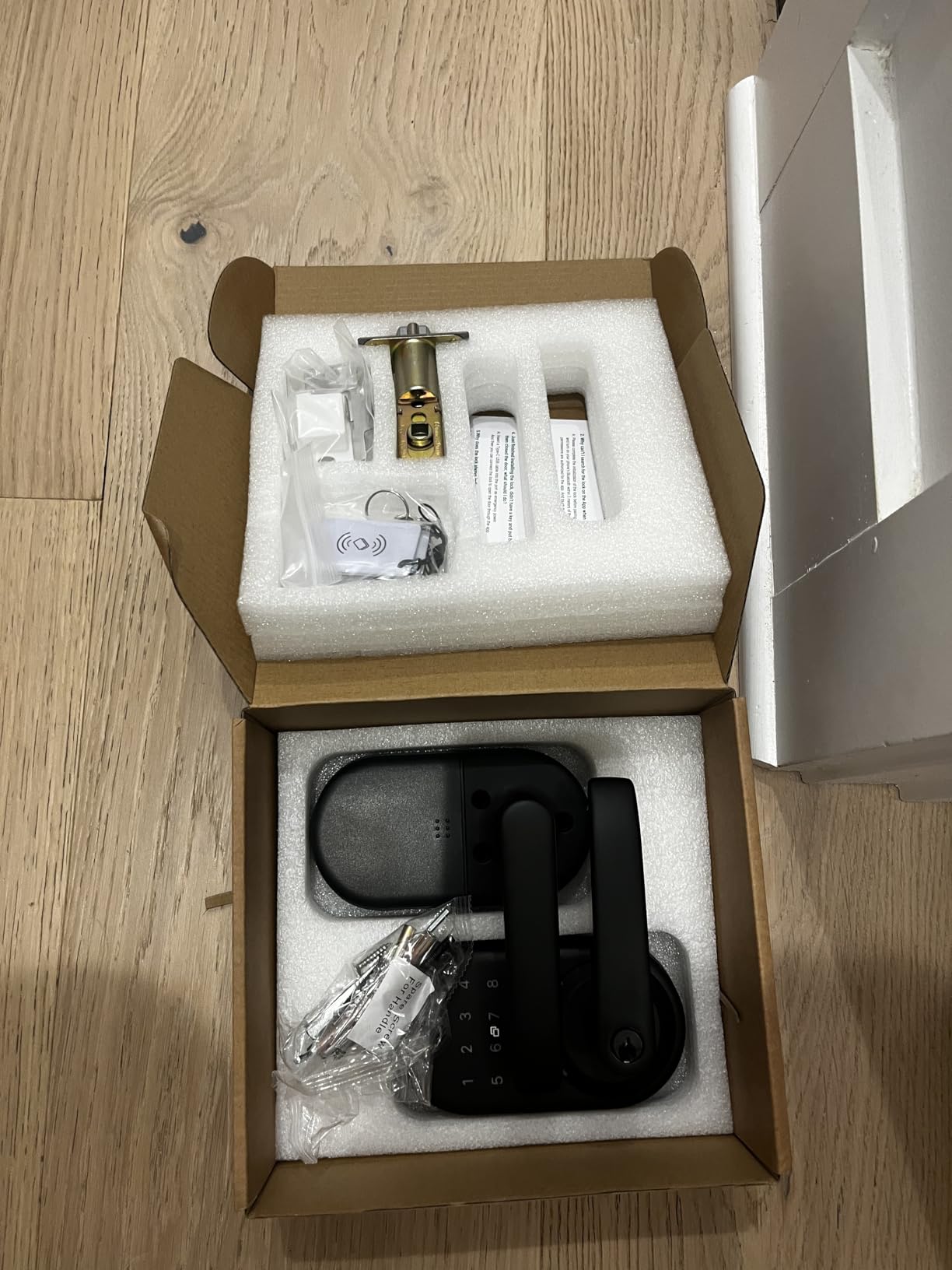
The install is quoted at 10 minutes on a standard American wooden front door, using the existing bore with no extra drilling, and the reversible handle covers either door handing from one product. Passage mode holds the bolt retracted for a house full of guests, and auto-lock re-engages it afterwards.
App access management covers permanent and temporary codes, remote one-time codes and unlock history. That is the feature set landlords care about, since it lets one property manager run several doors from a single app.
Is the Yamiry the right choice for a handle door?
If your door genuinely needs a handle, this is one of the few locks in the roundup that solves the problem in the box rather than through a separate purchase. It also works indoors, so it suits a home office or interior door with no weather exposure.
For landlords, the combination of fobs, keys and a reversible body means one SKU covers both door handings across multiple units, which simplifies ordering.
What the gateway requirement costs you
Remote unlock and voice control are not built in. They require the separately sold WiFi gateway, so if you want to open the door for a delivery driver while you are out, the lock on its own will not do it.
Fingerprint and app performance are described by owners as good rather than class-leading, and the app is basic next to eufy, Schlage or Aqara. Treat this as a capable handle lock with sensible extras, not a smart home platform.
We earn a commission, at no additional cost to you. CERTAIN CONTENT THAT APPEARS ON THIS SITE COMES FROM AMAZON. THIS CONTENT IS PROVIDED 'AS IS' AND IS SUBJECT TO CHANGE OR REMOVAL AT ANY TIME.
8. Aqara Smart Lock U100 Review
Aqara Smart Lock U100, Apple Home Key, Fingerprint Deadbolt, Gray
- Apple Home Key on iPhone and Watch
- 50 fingerprints
- 4 AA, about 8 months
- USB-C emergency port
Pros
- Apple Home Key works even with a flat phone battery
- Fast and accurate fingerprint reader per owners
- Network stability better than typical Wi-Fi locks
- Local AES encryption of fingerprint data
- Gyroscope auto-lock triggers on door close
Cons
- Zigbee features need an Aqara hub and the Aqara Home app is rough
- Several owners reported random beeping and locking loops
- Battery life often shorter than the stated 8 months
- Cannot be rekeyed to your existing key
We earn a commission, at no additional cost to you. CERTAIN CONTENT THAT APPEARS ON THIS SITE COMES FROM AMAZON. THIS CONTENT IS PROVIDED 'AS IS' AND IS SUBJECT TO CHANGE OR REMOVAL AT ANY TIME.
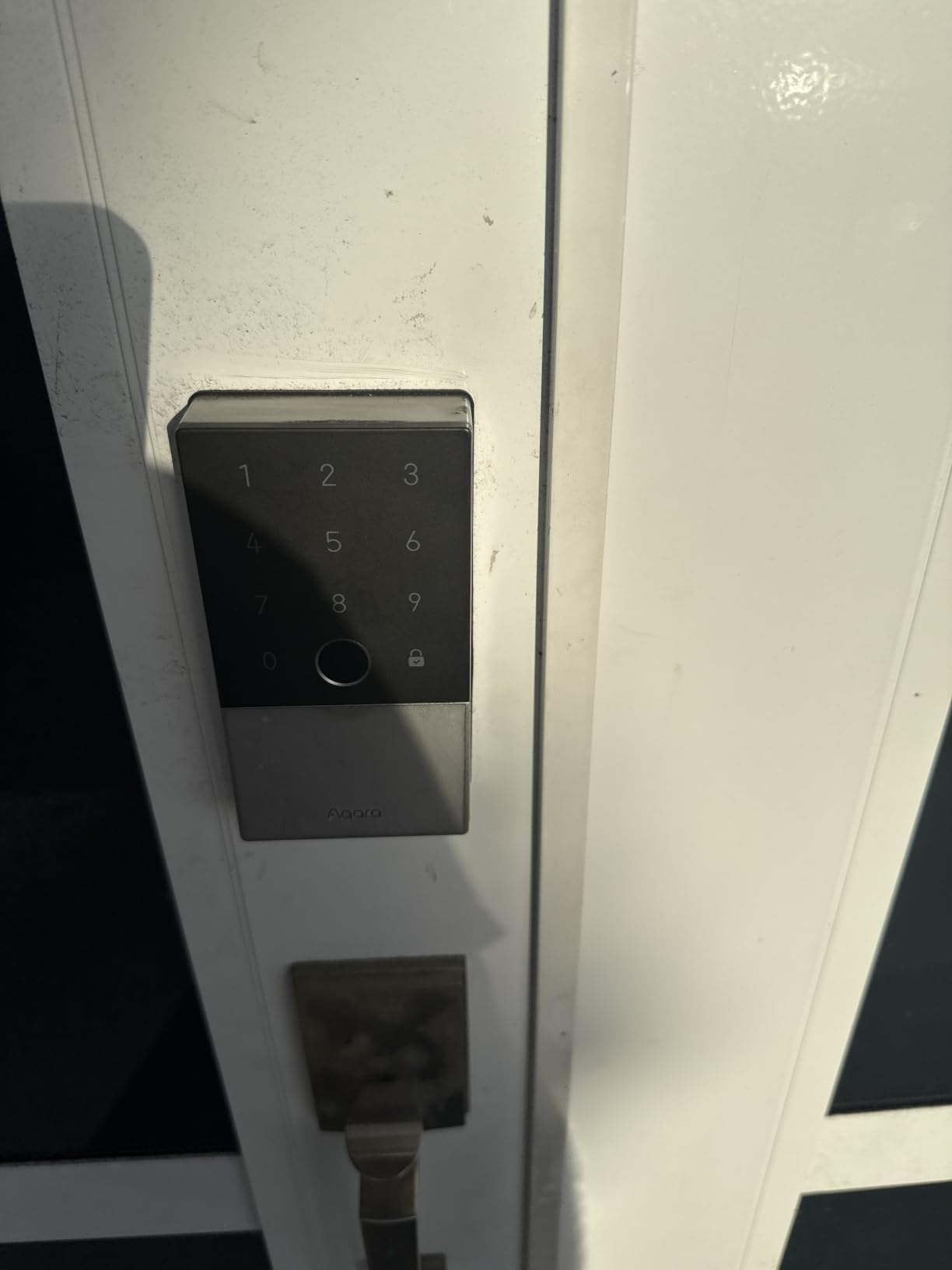
Apple Home Key is the feature that separates this lock. Tap an iPhone or Apple Watch on the keypad to unlock, and it still works when the device has no battery, which no PIN pad on this list can promise. The fingerprint reader stores up to 50 prints, and passwords can be configured remotely through the Aqara Home app.
Auto-lock is gyroscope-based rather than timer-based, so the bolt engages when the door actually closes. That is a small engineering decision with a large daily effect, and it is why this lock rarely leaves the door ajar. A Do Not Disturb mode mutes the keypad sounds on a schedule.
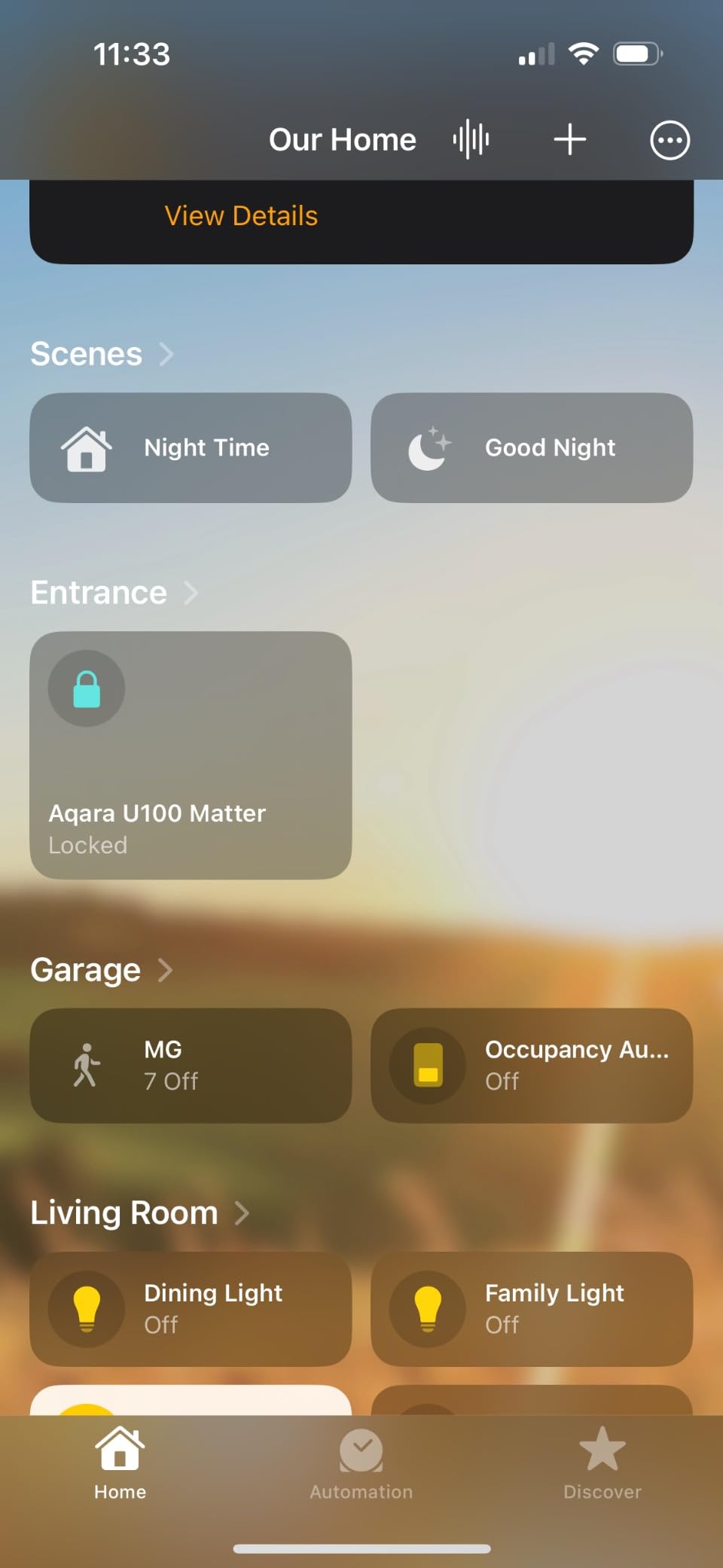
On the build side there is an IP65 rating, a zinc alloy body, a BHMA Level 3 standard, an operating range of -31F to 151F, and local AES-encrypted storage for biometric data. Four AA batteries are included for up to 8 months, and a USB-C emergency port on the interior covers the dead-battery case.
Here is the honest part. This lock has the lowest average score in the roundup at 4.1, and the 1-star share is double what the leaders carry. Owners who got a good unit praise the fingerprint accuracy and network stability; owners who got a bad one report random beeping, keypad glitches and endless locking loops within weeks of installation.
Who should consider the Aqara U100?
If your household is all-Apple and already runs an Apple Home hub, this is the most pleasant way in and out that we tested. Sharing Home Key with a family member or a sitter is a tap in the Family app, and the flat-battery behaviour removes the most common phone-as-key failure.
The non-Kwikset cylinder means the lock uses its own supplied keys, so plan to rekey or accept two new keys in circulation.
Where our confidence is lower
Consistency between batches is the real issue, and it is why this lock sits below our top three despite good hardware. If you buy it, check it thoroughly in the first weeks while the return window is open.
Zigbee features require an Aqara Zigbee 3.0 hub, and owners consistently describe the Aqara Home app as buggy and poorly written. Some also report real battery life falling well short of the stated 8 months. The Gray finish matches black hardware rather than the silver or nickel that most front doors carry.
We earn a commission, at no additional cost to you. CERTAIN CONTENT THAT APPEARS ON THIS SITE COMES FROM AMAZON. THIS CONTENT IS PROVIDED 'AS IS' AND IS SUBJECT TO CHANGE OR REMOVAL AT ANY TIME.
9. DESLOC B200 Fingerprint Smart Door Lock Review
DESLOC B200 Fingerprint Smart Door Lock, Keyless Entry Deadbolt
- 8 entry methods with fobs
- 0.3-second fingerprint
- 4 AA, 12 months
- USB-C emergency port
Pros
- Very fast fingerprint recognition
- Includes key fobs
- keys and PINs for non-phone users
- IP54 sealing holds up on exposed doors
- App scheduling works well for short-term visitors
- 12-month warranty with US-based phone support
Cons
- Remote access and voice need the separately sold G2 gateway
- Bluetooth only
- so there is no built-in Wi-Fi
- Fingerprint reliability depends on a clean sensor and careful enrolment
We earn a commission, at no additional cost to you. CERTAIN CONTENT THAT APPEARS ON THIS SITE COMES FROM AMAZON. THIS CONTENT IS PROVIDED 'AS IS' AND IS SUBJECT TO CHANGE OR REMOVAL AT ANY TIME.
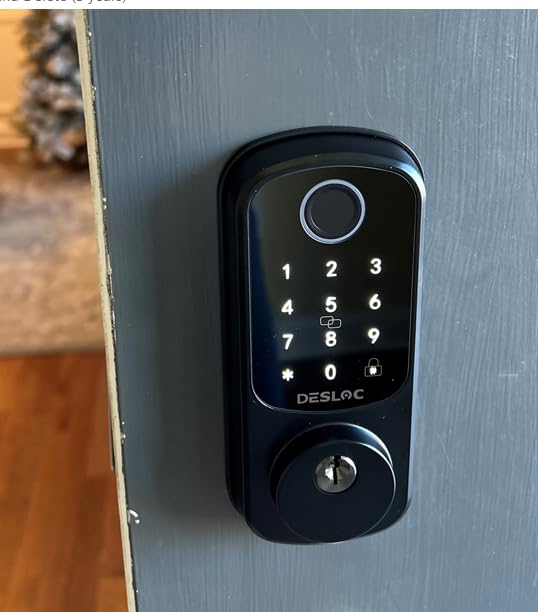
The B200 markets itself on entry methods and delivers eight: fingerprint, PIN, app control, eKeys, key fobs, physical keys, and voice through Alexa or Google via the optional G2 gateway. Two fobs in the box make it the pick for a household where not everyone has a phone.
The fingerprint sensor is a self-learning design with unlock claimed in under 0.3 seconds and capacity for 50 prints. In practice the accuracy is the strongest thing about this lock, provided you enrol each finger from several angles and keep the sensor wiped clean, which owners flag as the difference between reliable and frustrating.
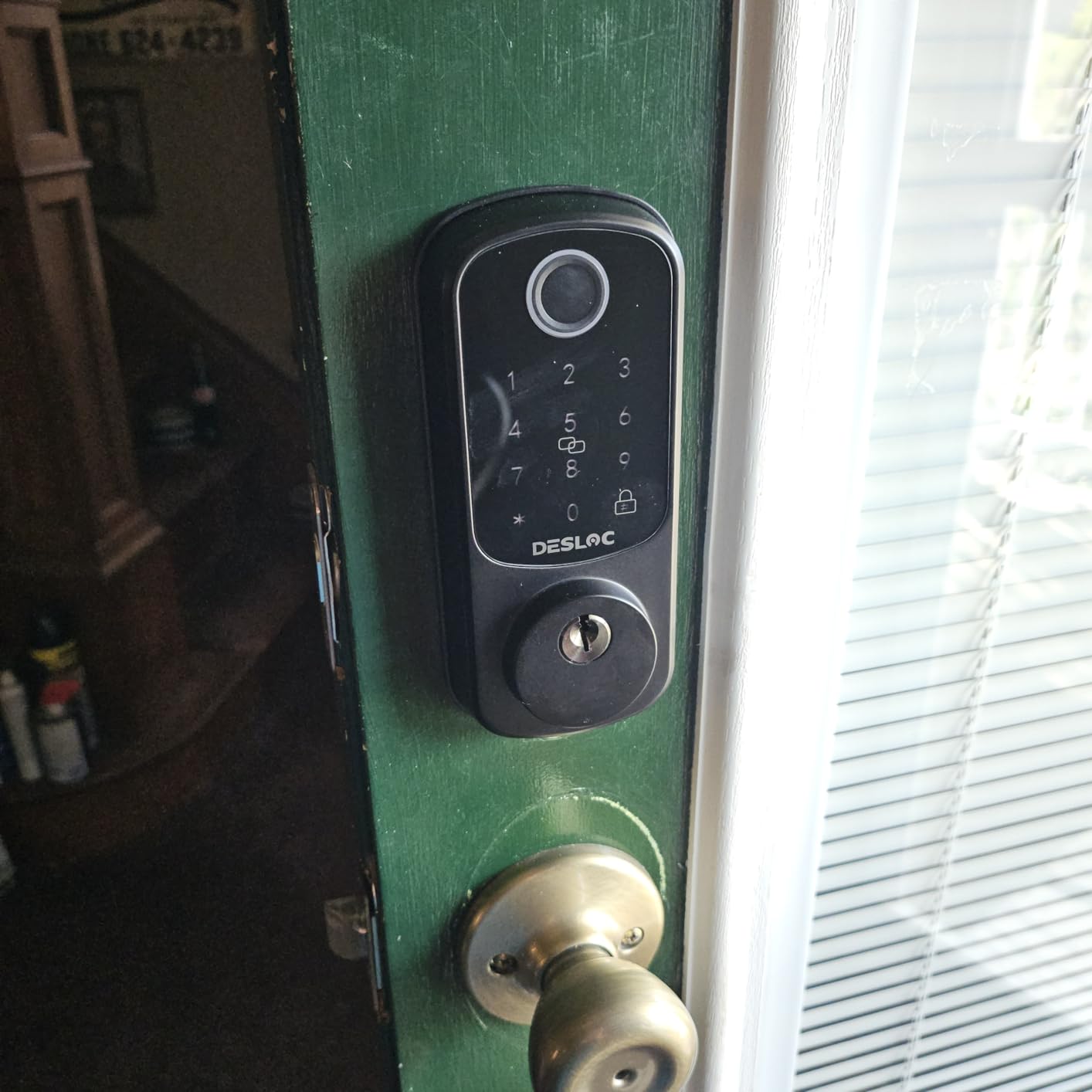
Power is four AA batteries for up to 12 months, with a low-battery indicator and a USB-C emergency port on the interior, so a flat battery no longer means calling a locksmith at midnight. Weather protection is IP54 with a -22F to 158F operating range and BHMA Grade 3 compliance.
The TTLock app over Bluetooth handles scheduled and temporary access codes, which is the feature that makes it useful for a contractor visiting once. Bluetooth range is enough for local control but not for remote unlock, and that distinction is where the G2 gateway comes in.
Is the DESLOC B200 a good budget smart lock?
It is one of the few mid-range locks that ships with key fobs rather than making them an extra purchase, and that is what earns it a place for families and small landlords. Installation is screwdriver-only on most standard US doors.
Support is US-based by phone with long weekday hours and a 12-month warranty, which is more reassuring than the norm in this price band and reduces the risk of buying from a brand that may not exist in five years.
What the gateway add-on means
There is no built-in Wi-Fi radio, so remote access and voice control cost extra with the G2 gateway. Budget for that before deciding this is a remote-access lock, because the headline feature list implies more connectivity than the hardware ships with.
Fingerprint reliability is conditional rather than automatic. A dirty sensor or a single-angle enrolment will produce rejections that look like a faulty lock, and the TTLock app is functional rather than polished.
We earn a commission, at no additional cost to you. CERTAIN CONTENT THAT APPEARS ON THIS SITE COMES FROM AMAZON. THIS CONTENT IS PROVIDED 'AS IS' AND IS SUBJECT TO CHANGE OR REMOVAL AT ANY TIME.
10. Google Nest x Yale Lock Review
Google Nest x Yale Lock – Tamper-Proof Smart Lock for Keyless Entry – Keypad Deadbolt Lock for Front Door – Satin Nickel
- LED keypad with chime confirmation
- Privacy Mode disables keypad
- Nest Connect included
Pros
- Keypad-only option from a major ecosystem brand
- Built-in tamper alert on lock
- unlock and forced entry
- Privacy Mode is genuinely useful for shared homes
- Smooth Google Home integration
- Mechanical feel from the Yale deadbolt core
Cons
- No fingerprint reader
- so entry is slower than most rivals
- Nest Connect and the Nest app add complexity
- Bulkier body than slim keypad deadbolts
- Only nickel and bronze finishes
We earn a commission, at no additional cost to you. CERTAIN CONTENT THAT APPEARS ON THIS SITE COMES FROM AMAZON. THIS CONTENT IS PROVIDED 'AS IS' AND IS SUBJECT TO CHANGE OR REMOVAL AT ANY TIME.
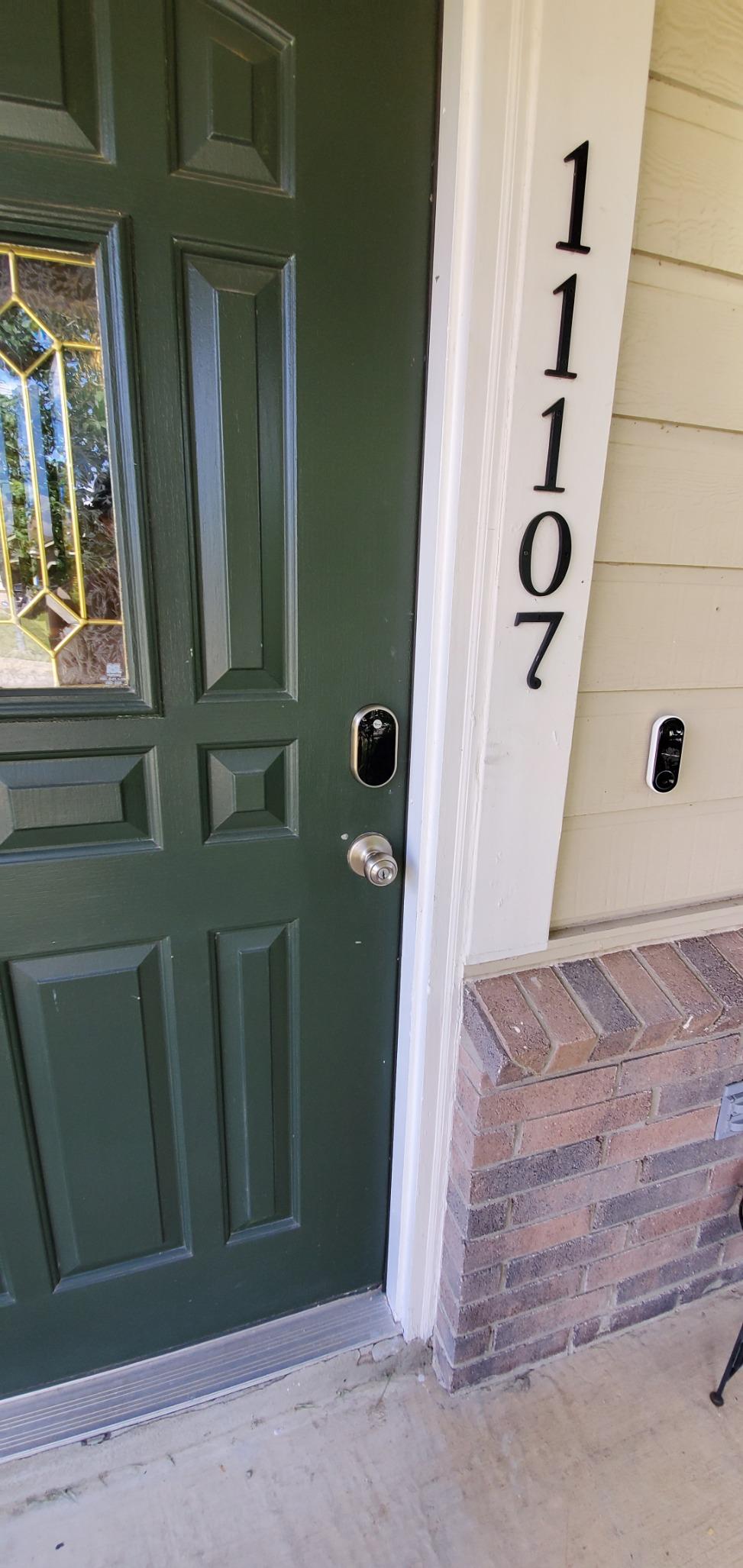
This is the most ecosystem-committed lock here, and that is both its appeal and its risk. If you are already deep in Google Home, the integration is smooth: passcodes, guest access, lock status and alerts all live in the Nest app, and the Nest Connect included in the box handles remote access.
It is also a retrofit by design, swapping in for an existing deadbolt. That is a genuine advantage over full replacements in a rental or a door you cannot remeasure, though you should still check backset, cross bore and thickness before ordering.
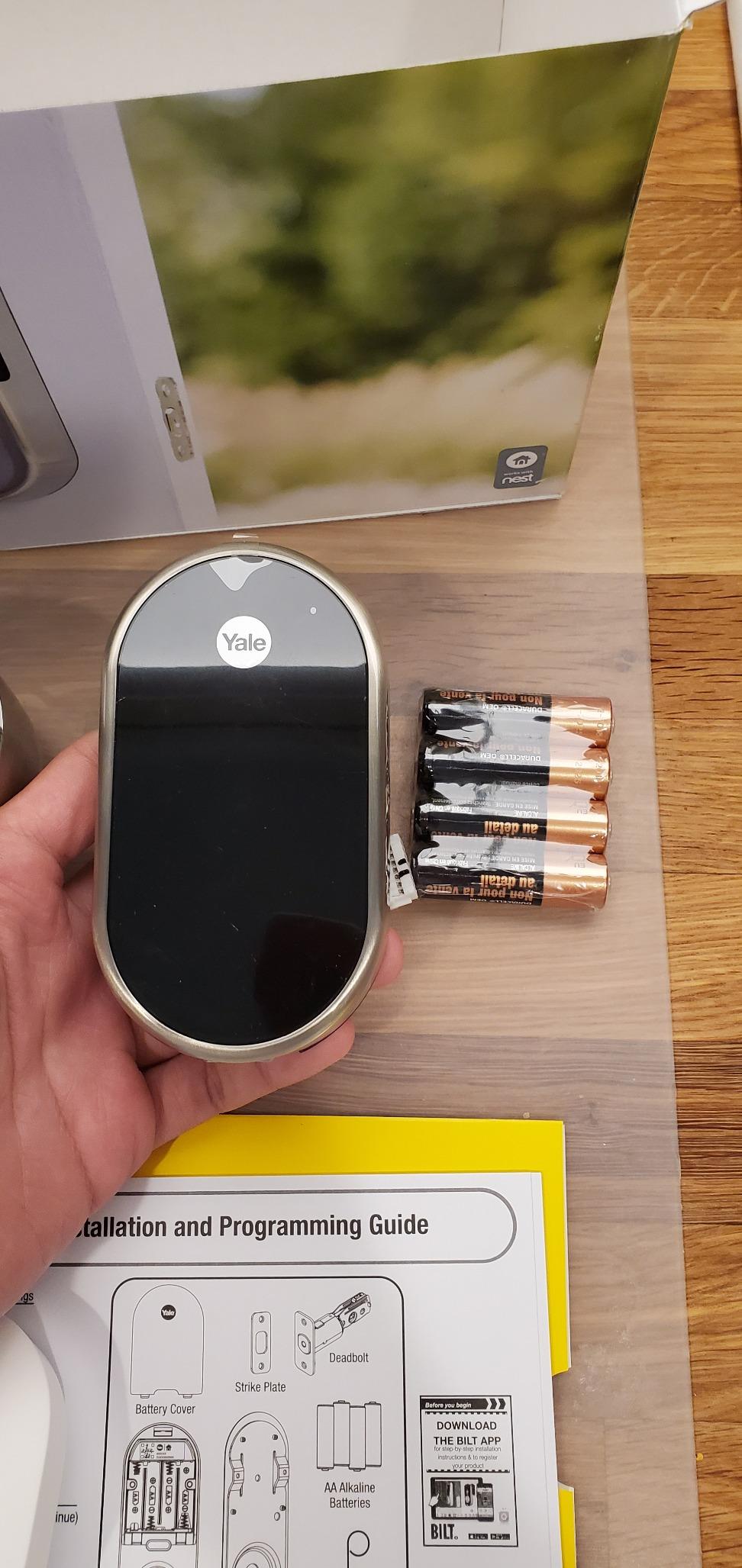
Two features stand out. The LED keypad chimes to confirm lock, unlock and mode changes, which is a real help in the dark. Privacy Mode disables the keypad entirely so the door cannot be opened with a passcode, which is the correct setting for a house occupied by someone you do not want entering while you are away.
Alerts fire on lock, unlock and tamper attempts, and auto-lock, one-touch locking and remote status check all work from the app. The Yale deadbolt core gives it a mechanical feel that lighter keypad locks cannot match.
Who should buy the Nest x Yale?
A Google Home household that wants a lock to exist rather than one to tinker with. There is no fingerprint reader, so everyone enters by code, and the chime confirms a correct digit as you go, which makes it easier for children and older visitors than a silent keypad.
It is also the sensible pick for a rental where a full deadbolt replacement is not permitted but an over-door retrofit is, provided your landlord agrees in writing.
What to be careful about
Google has wound down parts of the Nest platform, and long-term support for a product tied to a discontinued ecosystem is a fair concern. If you might move to Apple Home or a local platform later, this is the wrong lock to build around.
There is no fingerprint reader, so entry by code is slower than the fingerprint picks here, and the body is bulkier than slim keypad deadbolts. Finishes are limited to satin nickel, oil rubbed bronze and polished brass, with no matte black.
We earn a commission, at no additional cost to you. CERTAIN CONTENT THAT APPEARS ON THIS SITE COMES FROM AMAZON. THIS CONTENT IS PROVIDED 'AS IS' AND IS SUBJECT TO CHANGE OR REMOVAL AT ANY TIME.
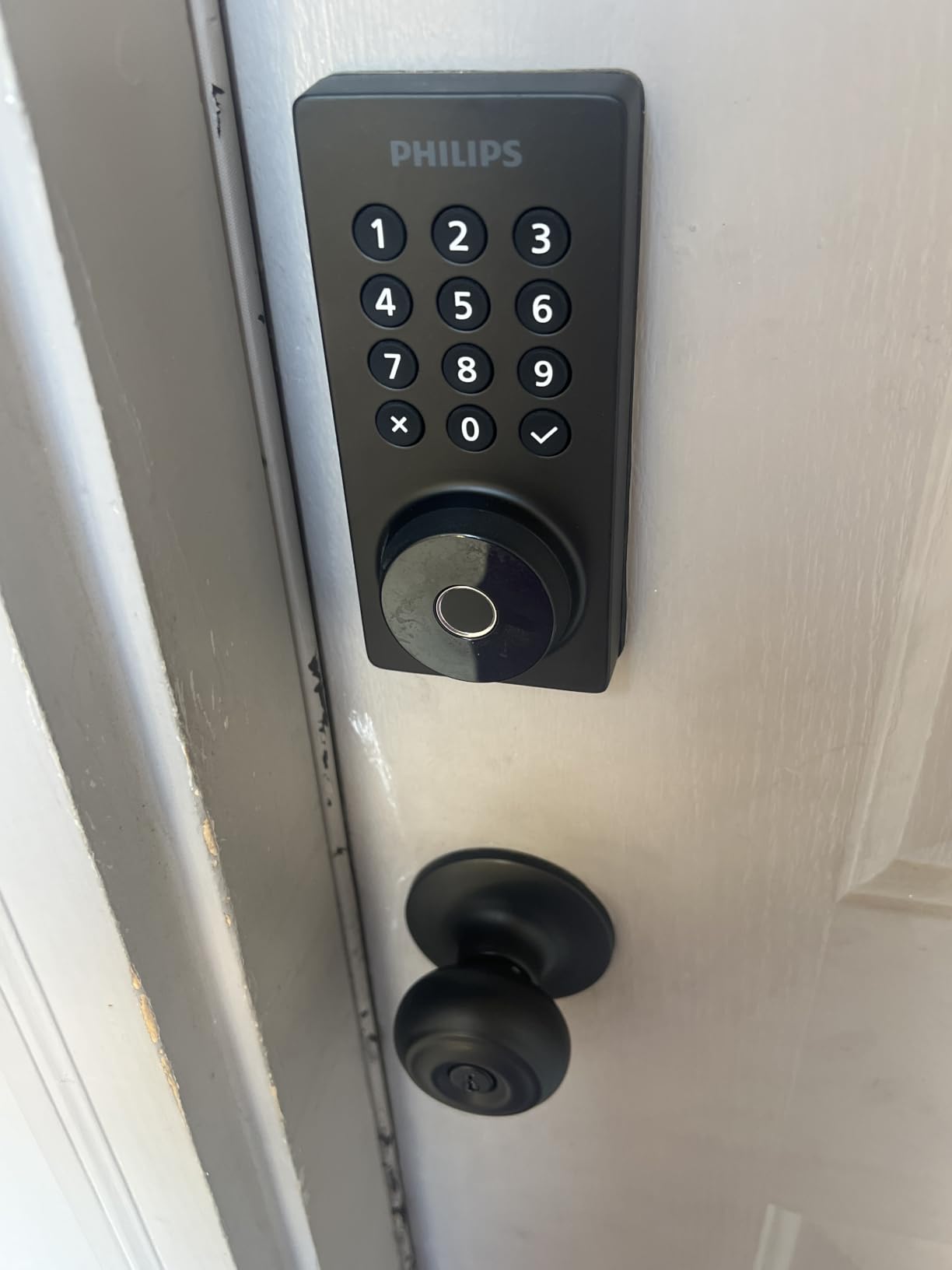
11. Philips Wi-Fi Smart Deadbolt Review
Philips Wi-Fi Smart Deadbolt Lock, Keyless Entry Door Locks for Front Door
- Built-in 2.4 GHz Wi-Fi, no hub
- Up to 100 passcodes
- Fingerprint, app, key, voice
Pros
- Remote Wi-Fi access at a lower cost than most connected deadbolts
- Large code capacity suits rentals and shared households
- Backlit touchscreen and one-touch fingerprint work well at night
- US-based phone support with long weekday hours
Cons
- Batteries are not included
- No door sensor
- so auto-lock is timer-based only
- Router must be within about 65 ft on the 2.4 GHz band
- Smaller review base than the category leaders
We earn a commission, at no additional cost to you. CERTAIN CONTENT THAT APPEARS ON THIS SITE COMES FROM AMAZON. THIS CONTENT IS PROVIDED 'AS IS' AND IS SUBJECT TO CHANGE OR REMOVAL AT ANY TIME.
The Philips is a straightforward way to get remote access without a hub at a modest outlay. Five unlock methods are supported: app, passcode, fingerprint, physical key and Alexa or Google voice, all over built-in 2.4 GHz Wi-Fi with no additional hardware.
Code capacity is the quiet strength: up to 100 custom passcodes plus unlimited one-time and scheduled sharing. For a house that takes short-term bookings or has a lot of contractors, that headroom removes a compromise most connected locks force on you.
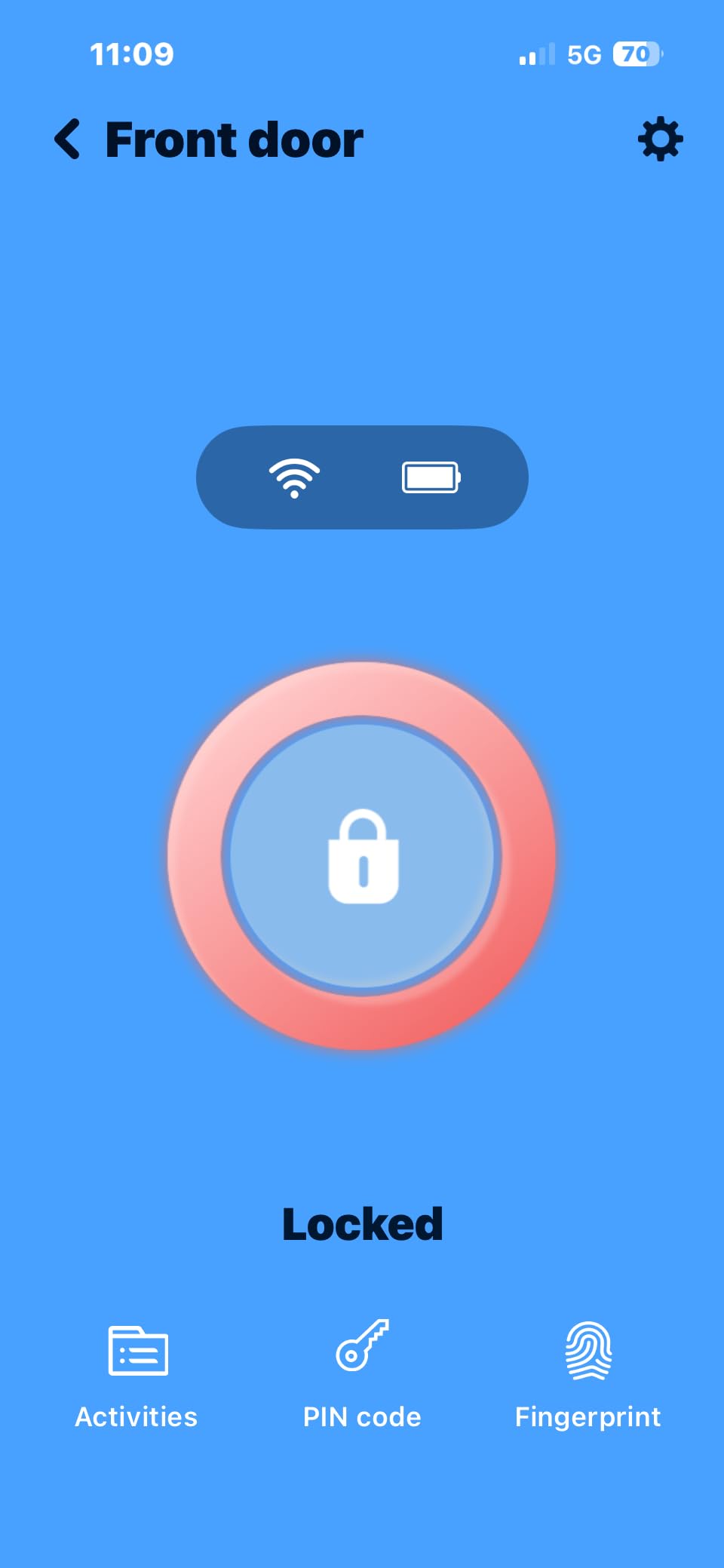
The backlit touchscreen and one-touch fingerprint entry both work well in the dark, which matters more than it sounds on a door approached at night. Auto-lock is adjustable from 10 to 180 seconds, and Away Mode disables every unlock method except the master code, which is the correct setting for a house sitting empty.
Access history and real-time open and lock notifications are in the app, and the lock fits doors from 1-3/8 inch to 2 inches thick with a screwdriver install. The listing carries roughly 1,172 reviews, so it is newer and less proven than the leaders.
Is the Philips deadbolt a good first smart lock?
It suits a first-time buyer who wants remote control, a keypad and app control without researching protocols. No hub, no account tier, no gateway, and voice control is available straight out of the box.
Away Mode and the large passcode limit also make it a reasonable pick for a holiday let or a shared house, where restricting access to a master code between stays is the whole point.
What the specification gaps mean in practice
Batteries are not included, so factor a set of AA alkaline cells into the first purchase. More importantly there is no door sensor, so auto-lock is purely timer-based and can re-engage while you are still in the doorway, and you cannot ask the app whether the door is currently open.
Wi-Fi is limited to the 2.4 GHz band and the router needs to be within about 65 feet. A smaller review base means less long-term evidence, so keep the return window in mind.
We earn a commission, at no additional cost to you. CERTAIN CONTENT THAT APPEARS ON THIS SITE COMES FROM AMAZON. THIS CONTENT IS PROVIDED 'AS IS' AND IS SUBJECT TO CHANGE OR REMOVAL AT ANY TIME.
12. Veise VE06-H Handle Set Smart Lock Review
Veise VE06-H Smart Front Door Lock Handle Set, App Control, Matte Black
- Pull handleset with smart deadbolt
- 250+ user codes
- Ansi Grade 3 and IP55
Pros
- Combines a smart deadbolt and matching pull handle in one package
- Highest five-star share of any lock here at 75 percent
- 250+ user codes with one-time
- permanent
- scheduled and recurring options
- Straightforward install and app setup
- Responsive US customer support
Cons
- Code programming has a learning curve and needs app pairing first
- Occasional brief offline periods after a few weeks
- Alexa and Google Home need the separately sold G2 gateway
- Requires three pre-drilled holes at the correct spacing
We earn a commission, at no additional cost to you. CERTAIN CONTENT THAT APPEARS ON THIS SITE COMES FROM AMAZON. THIS CONTENT IS PROVIDED 'AS IS' AND IS SUBJECT TO CHANGE OR REMOVAL AT ANY TIME.
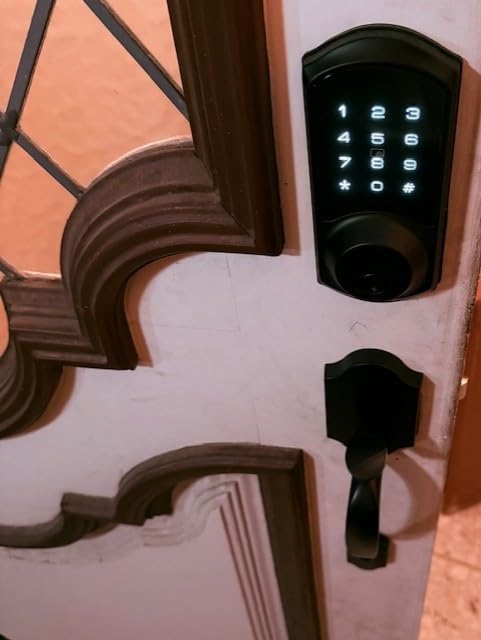
The VE06-H is the code-capacity champion, and for a specific situation that is decisive. More than 250 user codes with one-time, permanent, scheduled and recurring options means a large household, a house with several helpers, or a small property portfolio can all issue distinct credentials rather than sharing one PIN.
It is a full handleset: a pull handle and a smart deadbolt in one matte black package, weighing 5.1 pounds. Owners replacing Kwikset units report better finish durability, and the ANSI Grade 3 rating with IP55 sealing is the second-best weather protection in this roundup.
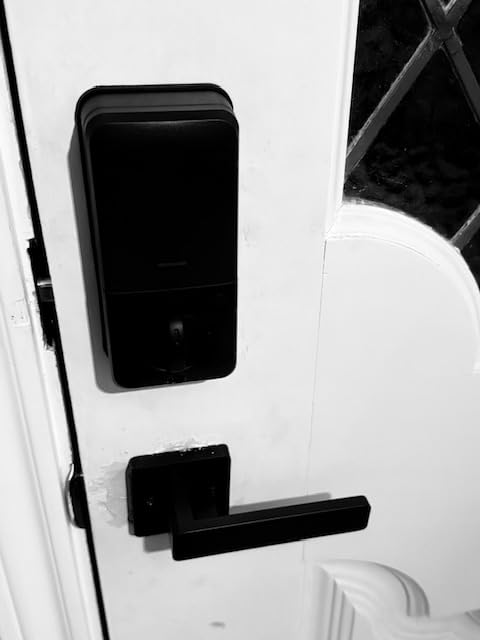
Access methods number five: app, code, fobs, mechanical key and thumb turn, and the box includes two backup keys and two fobs. Auto-lock, one-touch locking, privacy mode and passage mode cover the everyday cases, and the keypad has anti-peeping and anti-hacking behaviour that mangles the input if someone is trying to shoulder-surf it.
At 4.4 stars with 75 percent five-star reviews, this lock has the largest five-star share in the roundup, and support is a real differentiator: US-based, responsive, with two years of warranty coverage once the unit is registered.
When the Veise handle set is the right call
Choose it when a door needs a pull handle and a deadbolt together, and when credential count is the constraint. House sitters, cleaners, a shared office and a front door in the same household can each hold a different code that you revoke individually.
It fits either door handing on US standard doors from 1-3/8 inch to 2 inches thick, so one product covers both swings of the same model door.
What to check before you commit
It requires three pre-drilled holes at the correct spacing, so measure your door and confirm the template matches before ordering. A mismatch here is the difference between a 20-minute install and a return.
Programming codes takes practice, and you have to pair the app before changing the master password, which is a support call waiting to happen if you skip it. Some owners report brief offline periods after a few weeks, and Alexa plus Google Home require the separately sold Veise G2 gateway.
We earn a commission, at no additional cost to you. CERTAIN CONTENT THAT APPEARS ON THIS SITE COMES FROM AMAZON. THIS CONTENT IS PROVIDED 'AS IS' AND IS SUBJECT TO CHANGE OR REMOVAL AT ANY TIME.
How to Choose a Smart Lock in 2026
Start with retrofit or full replacement
This is the first decision, and getting it wrong ends the purchase. A retrofit lock sits on top of your existing deadbolt and keeps your cylinder, so your current keys keep working and you can remove it in ten minutes without touching the door. A full replacement installs a new deadbolt, gives you a cleaner look and a better bolt throw, and means new keys.
Renters should assume retrofit, because most landlords will not approve a full replacement and some will not approve drilling at all. Homeowners replacing a worn deadbolt are usually better served by the full replacement, since a retrofit adds a second mechanism to a lock you were already planning to change.
Measure the door before you order
Compatibility is the top source of returns, and it takes four measurements with a tape measure. First, door thickness from face to face, including any door frame detail. Second, the backset, measured from the edge of the door to the centre of the bore or the edge of the strike. Third, the bore diameter, which is usually 2-1/8 inch but can be smaller on older or uPVC doors. Fourth, the handing, meaning which way the door swings and which way the hinges sit.
Compare those numbers against each product’s specification before checkout, and check whether the door is thicker than 2 inches. A few models in this roundup cap out at 1-3/4 inch, and a thicker door means buying a separate kit that is not always sold in the same listing.
Understand what a hub or gateway actually costs
Most confusion in this category comes from a word: hub. A hub is a piece of hardware that bridges a lock to a network or a smart home platform, and it is only sometimes required. Built-in Wi-Fi locks such as the Schlage Encode, the eufy C220 and the Philips deadbolt need nothing extra. Matter over Thread locks such as the ULTRALOQ Bolt SE need a Thread Border Router, which many owners already have. Zigbee locks such as the Aqara U100 need a specific brand hub.
A gateway is the same idea sold as an accessory rather than a platform requirement, and this is where the hidden cost sits. The Sifely, the Yamiry, the DESLOC B200 and the Veise handle set all need a separately sold gateway before remote unlock or voice control works. Add that to each product’s cost before comparing, because it moves the value ranking more than the lock price does. For anyone committed to local control and no subscription, a Bluetooth-only or offline lock is the cleaner path, and the TEEHO and Veise KS02A have nothing to pay for at all.
Matter, Thread, Aliro and Apple Home Key in plain terms
Matter is a shared standard for smart home devices, so a lock that supports it can join Apple Home, Google Home, Alexa or SmartThings without being designed for each one separately. Thread is the low-power radio standard that carries Matter traffic, and it needs a Thread Border Router, which is usually a smart speaker or hub you may already own.
Aliro is a newer standard aimed squarely at locks, covering secure digital credentials and key sharing for access, rather than general device control. Support is still arriving across ecosystems, so treat Aliro as something to watch rather than something to buy a lock for today. Apple Home Key is different in kind: a credential stored in your Apple wallet that unlocks by tapping an iPhone or Watch, and on locks that support it, even with a flat battery. UWB, ultra-wideband, is the proximity technology that makes tap-to-unlock feel automatic rather than targeted.
Decide how much connectivity you actually need
Unlock a door remotely and you have solved a real problem, and it is the reason most people upgrade. But connectivity brings costs: a cloud account, an app that can change under you, and a battery drain that offline locks avoid entirely. An offline fingerprint lock runs for up to 365 days on four AA cells because it never wakes a radio.
Wi-Fi models trade battery life for remote access, landing in the range of roughly six to twelve months on four to eight batteries. Thread and Zigbee models extend that further because the low-power mesh radio sleeps most of the time. Whatever you choose, check that a low-battery alert appears both on the lock and in the app, and prefer a lock with a physical key override so a flat battery is an inconvenience rather than a locksmith.
What you lose when the power or Wi-Fi goes out
A battery-powered mechanical deadbolt keeps working in a power cut, and a smart lock does too, because the motor runs off AA batteries rather than mains power. What fails is connectivity, so remote unlock and voice control stop working while the door itself stays secure and openable by key, code or fingerprint.
For the rare total battery failure, look for a USB-C emergency port on the interior escutcheon, which several picks here include, or a mechanical key override, which all of them do. Keep a physical key somewhere sensible. The one thing to avoid is a lock with no key cylinder and no emergency power input, because that is a genuine lockout.
How secure are smart locks, really?
Separate two different things that get conflated: mechanical security and cybersecurity. Mechanically, a good deadbolt still resists a determined attacker far better than any amount of app sophistication, which is why ANSI/BHMA grading matters. Grade 1 is the top residential grade, Grade 2 is the common residential standard, Grade 3 is basic and is what most locks in this roundup carry. Weather sealing matters almost as much on an exposed door, since water and corrosion weaken a bolt faster than wear does.
On the software side, the realistic risks are a compromised account, a weak password and a missing second factor, not a sophisticated remote attack. Turn on two-factor authentication, use a unique password for the lock account, and keep the app and firmware current. A lock with local encryption and no required subscription, such as the offline fingerprint models or the Aqara with locally stored biometric data, simply has less surface to attack.
Locks to approach carefully
Skip any lock that hides a subscription behind basic functions like lock history or notifications, since you should not have to pay monthly to find out who used your key. Treat with suspicion any product whose remote access is only available through a paid plan or a gateway that is hard to find in the box.
We would also be cautious with any lock whose only long-term evidence is a small review base combined with unverified claims, and with locks that report frequent fingerprint rejections after a few months. Check the one-star share of the reviews, not just the average, because a 4.3 with a large one-star cluster means inconsistent production batches.
Frequently Asked Questions
Which smart door lock brand is best?
For most households, Schlage is the safest overall answer, because it combines a built-in Wi-Fi radio, a 100-code capacity, an encrypted connection and a mechanical key override in one lock with the largest review base in the category. If you want no app at all, TEEHO and Veise offer fingerprint deadbolts that need nothing but batteries. For Apple homes, Aqara leads on Apple Home Key, and ULTRALOQ leads on Matter over Thread alongside plain Wi-Fi.
Which is the best smart lock for home?
The Schlage Encode Smart WiFi Deadbolt is our best smart lock for home this year, because built-in Wi-Fi means remote lock and unlock with no hub to buy, while BHMA certification and a physical backup key keep it a real security device. It fits doors from 1-3/8 inch to 1-3/4 inch thick with a 2-3/8 inch or 2-3/4 inch backset, so measure your door before ordering.
Is Schlage or Yale better?
Schlage leads on mechanical quality, keypad feel and a built-in Wi-Fi radio, while Yale’s strength has historically been retrofit locks and ecosystem flexibility. Neither brand determines quality on its own, since a well-supported model from a smaller maker can outperform a poorly supported one from a major brand. Judge the specific model by certification, battery reporting, whether a physical key override is included, and how many years of owner reports exist.
What are the downsides of smart locks?
The main downsides are battery drain, dependence on an app and account, added cost for gateways or hubs, and motor noise at night. Remote access often needs extra hardware: the Sifely, Yamiry, DESLOC and Veise handle set all need a separately sold gateway before remote unlock or voice control works. Fingerprint sensors can also begin rejecting valid prints after months of use, so a keypad and a physical key backup are worth having.
How secure are smart locks?
A smart lock is as secure as its mechanical core, and no app makes a weak deadbolt strong. Look for ANSI/BHMA Grade 2 or better, a fingerprint-resistant keypad, an encrypted connection, a tamper alert and a physical key override for dead batteries. On the software side, the realistic risks are weak passwords and accounts without two-factor authentication rather than remote attacks, so enable 2FA and keep firmware current.
Do smart locks support physical keys?
Yes, and that is the single most important fail-safe to check. Every lock in this roundup includes a mechanical key override, two keys in most cases, so a flat battery does not mean a locksmith call. Note that some models are not rekeyable, including the Aqara U100 and the Sifely, so they use only their supplied keys and will not match your existing cylinder.
Can smart locks be hacked?
The practical risks are stolen credentials, reused passwords and accounts left without two-factor authentication, not sophisticated remote intrusion. Choose locks with encrypted connections and locally stored data, turn on two-factor authentication, use a unique password for the lock account, and update the app promptly. Locks with no radio at all, such as the TEEHO TE002 and the Veise KS02A, have no attack surface because they are offline.
Do I need a hub for a smart lock?
It depends on the radio. Locks with built-in Wi-Fi, such as the Schlage Encode, the eufy C220 and the Philips deadbolt, need no hub. Matter over Thread locks such as the ULTRALOQ Bolt SE need a Thread Border Router, which many homes already have. Zigbee locks such as the Aqara U100 need a specific Aqara Zigbee 3.0 hub, and a few models need a separately sold gateway for remote access.
What happens if a smart lock battery dies?
The door still opens, because a smart lock runs its motor on AA batteries rather than mains power, and every lock here includes a physical key. What stops working is the app, remote unlock and voice control, since those need a network rather than a battery. Several picks also include a USB-C emergency charging port on the interior, so a 9V battery or a power bank can revive a flat lock in a few minutes.
Is it hard to install smart locks?
Most are screwdriver-only jobs on a standard 2-1/8 inch bore and take 10 to 20 minutes. The complications are measurement and door type, not skill: check thickness, backset, bore diameter and handing first, and confirm whether the model needs three pre-drilled holes, as the Veise handle set does. Doors thicker than 2 inches or with an undersized bore may need modification, which is worth checking before ordering rather than after.
Which Smart Lock Should You Buy?
Buy the Schlage Encode Smart WiFi Deadbolt if you want one recommendation that covers most front doors: built-in Wi-Fi, no hub, 100 access codes, an encrypted connection with a forced-entry alarm, a mechanical key and the largest body of long-term owner reports in the category. It is the best smart lock in 2026 for a mainstream homeowner who wants remote control without extra hardware.
Pick the TEEHO TE002 or the Veise KS02A if you want fingerprint entry and no app at all, and the ULTRALOQ Bolt SE if you want one lock that covers Apple Home, Alexa, Google Home and SmartThings through Matter over Thread while also offering plain Wi-Fi today. For guest-heavy doors, the Sifely wins on key cards and temporary codes, and the Veise VE06-H wins on credential capacity with more than 250 user codes.
Before any of them, spend five minutes with a tape measure. Check thickness, backset, bore diameter and handing, and add the cost of any gateway the model needs for remote access. Those two steps prevent nearly every return in this category.