
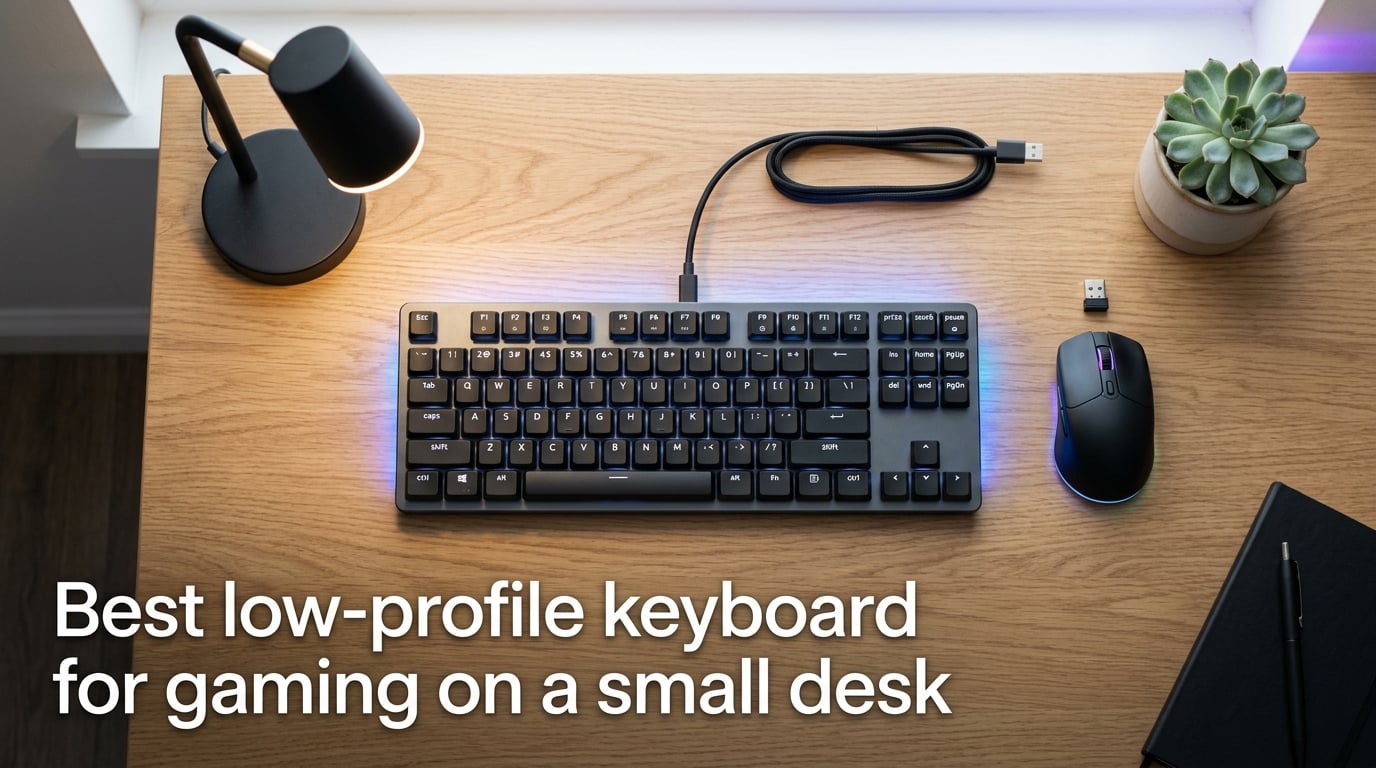
Finding the best low-profile keyboard for gaming on a small desk can feel like solving a puzzle with too many pieces. You need something slim enough to leave room for your mouse, responsive enough for competitive play, and comfortable enough for marathon sessions — all without hogging your already-limited desk space. After spending months testing and comparing low-profile boards in cramped apartment setups and shallow dorm desks, I’ve put together this guide to walk you through every factor that actually matters.
Below, I’ll cover what “low-profile” actually means, why these boards are uniquely suited for tight setups, which layout size and switch type will work best for your gaming style, and the real-world ergonomic and performance trade-offs you should know about before buying. If you’re tired of your standard mechanical keyboard eating up your desk and forcing your wrist into an awkward angle, this one’s for you.
Table of Contents
What Is a Low-Profile Keyboard?
A low-profile keyboard is a mechanical, magnetic, or scissor-switch keyboard whose switches and keycaps sit roughly half the height of a standard MX mechanical keyboard — typically with keycap tops only 25–35 mm above the desk surface instead of the standard 40–50 mm. The entire board is often under 25 mm thick at the front edge, which changes how your hands sit and how much desk real estate you actually get back.
The height difference is the single biggest selling point. Here’s what that looks like in real numbers:
| Measurement | Low-Profile | Standard Mechanical | Difference |
|---|---|---|---|
| Front height (keycap top to desk) | 25–35 mm (~1.0–1.4 in) | 40–50 mm (~1.6–2.0 in) | 15–20 mm shorter |
| Switch housing height | 10–12 mm | 18–22 mm | ~50% shorter |
| Total board thickness (front) | 17–25 mm | 30–42 mm | 30–40% slimmer |
| Keycap profile | Low-profile / Cherry / KSA | OEM / SA / Cherry | Flatter, shorter |
That 15–20 mm might not sound like much, but on a shallow desk it’s the difference between your palm resting flat on the surface and hovering awkwardly above it. It also means your mouse hand gets more vertical clearance when you’re swiping across the pad — critical for FPS players who use a low sensitivity.
Why Low-Profile Keyboards Are a Game-Changer for Small Desks
Standard mechanical keyboards were designed for spacious setups. If your desk is under 30 inches deep (roughly 76 cm), every millimeter of height and width matters. Low-profile boards solve three problems at once: they shrink the vertical footprint, reduce the horizontal spread with compact layouts, and let your wrists adopt a more natural resting position.
Forum users across Reddit’s r/keyboards and r/LowProfileKeyboards consistently report that switching to a low-profile board relieved wrist extension strain they’d been dealing with for years. One common observation: low-profile boards sit flush enough that you can type with your palms resting flat on the desk surface rather than hovering above it. That change alone reduces the tension in your forearm extensors and makes long sessions noticeably more comfortable.
For competitive gamers specifically, a slimmer board means your mouse has more room to glide. On a 24-inch desk with a full-size keyboard, you might have 8–10 inches of usable mouse space. Swap that full-size for a 65% or 75% low-profile board and you immediately reclaim 4–6 inches of lateral room — enough to lower your sensitivity and still hit a 180-degree turn without running off the pad.
Layout Sizes: Finding the Right Fit for Your Desk
The physical width of your keyboard directly determines how much space you have left for your mouse, and the right layout depends on your desk depth and the games you play. Here’s a breakdown of the most common sizes with real measurements:
| Layout | Key Count | Typical Width | Best Desk Depth | Mouse Space Saved vs Full-Size |
|---|---|---|---|---|
| 60% | 61 keys | 295–305 mm (~11.6–12.0 in) | Under 24 in (61 cm) | 6–7 inches |
| 65% | 66–68 keys | 310–320 mm (~12.2–12.6 in) | 24–28 in (61–71 cm) | 5–6 inches |
| 75% | 81–84 keys | 325–340 mm (~12.8–13.4 in) | 28–32 in (71–81 cm) | 4–5 inches |
| TKL (80%) | 87–88 keys | 355–370 mm (~14.0–14.6 in) | 32+ inches (81+ cm) | 3–4 inches |
| Full-size | 104–108 keys | 440–450 mm (~17.3–17.7 in) | 36+ inches (91+ cm) | Baseline |
For most small-desk gamers, a 75% layout hits the sweet spot. You keep the function row for quick access to media and system controls, you get arrow keys (which 60% boards sacrifice), and the total width stays under 340 mm. Multiple Reddit users who own boards like the NuPhy Air75 and Lofree Flow specifically highlight that 75% layouts balance the function row with a compact enough width for desks under 30 inches deep.
If you play FPS titles and rarely use function keys, a 65% board frees up even more room. You sacrifice the F-row but keep dedicated arrow keys and a few navigation keys. For the absolute smallest footprint, a 60% board drops the arrow cluster entirely and relies on function layers — that takes some adjustment but saves the most space.
Low-Profile Switch Types Explained
Switch choice is the single most important feel-related decision you’ll make. Low-profile keyboards use a different switch ecosystem than standard MX boards, and each family has its own character. Here are the four main families you’ll encounter:
Kailh Choc (V1 and V2)
Kailh Choc switches are the most widely used low-profile switches, found in Keychron, Lofree, and many custom boards. Choc V1 has a unique stem shape and requires specific keycaps, while Choc V2 uses a standard MX-style cross stem so you can swap in more keycap sets. Travel distance is typically 3.0 mm with actuation around 1.5–2.0 mm, and force ranges from 40–55g depending on the variant.
Low-Profile Gateron
Gateron’s low-profile switches — used in many NuPhy and Keychron boards — feel closest to standard MX switches in their travel and sound. They come in familiar linear (Red), tactile (Brown), and clicky (Blue) variants with around 3.2 mm of total travel. If you’re coming from a standard mechanical board, these will feel the most natural.
Low-Profile Cherry MX
Cherry’s own low-profile switches appear in boards from Corsair and Cherry’s own lineup. They use a standard MX cross-stem for keycap compatibility and have a slightly shorter travel of 3.2 mm. The feel is crisp and consistent, though the selection of compatible keycap profiles is more limited than with standard MX switches.
Magnetic / Hall Effect Switches
Magnetic Hall Effect switches are the newest family and the most exciting for competitive gaming. Instead of a physical contact point, they use a magnetic sensor to detect key position, which enables features like Rapid Trigger (the key resets the instant you start lifting your finger) and adjustable actuation points (you can set the trigger depth anywhere from 0.1 mm to 4.0 mm). Keychron’s K2 HE, NuPhy’s Air60 HE, and SteelSeries Apex Pro boards use this technology.
The catch: hot-swapping on magnetic boards only works with compatible Hall Effect switches, not with standard mechanical ones. If you like to experiment with switch feel, check whether the board you’re considering supports universal hot-swap or magnetic-only hot-swap.
Here’s a quick comparison table for reference:
| Switch Family | Travel Distance | Actuation Force | Best For | Hot-Swap? |
|---|---|---|---|---|
| Kailh Choc V1 | 3.0 mm | 40–55g | Typing, general use | Yes (Choc-specific) |
| Kailh Choc V2 | 3.0 mm | 45–55g | MX keycap compatibility | Yes (MX-style) |
| LP Gateron | 3.2 mm | 45–55g | Mechanical feel lovers | Yes (MX-style) |
| LP Cherry MX | 3.2 mm | 45–55g | Consistency, brand trust | Yes (MX-style) |
| Magnetic / Hall Effect | 3.0–4.0 mm (adjustable) | 35–50g | FPS / competitive gaming | HE-compatible only |
Connectivity: 2.4GHz vs Bluetooth vs USB-C for Gaming
Your connection type directly affects latency, and for competitive gaming, the differences are real. Here’s what each option actually delivers:
2.4GHz wireless uses a USB dongle and typically achieves 1 ms or less of latency — indistinguishable from wired for most players. Premium boards like the Logitech G515 Lightspeed and NuPhy Air75 V3 use proprietary 2.4GHz protocols that maintain stable 1000 Hz polling rates. Multiple Reddit users report that 2.4GHz wireless latency on these premium boards is indistinguishable from wired in FPS games.
Bluetooth 5.x is more convenient for switching between devices but adds 8–15 ms of latency depending on the implementation. That’s fine for productivity and casual gaming, but competitive FPS and rhythm games will feel noticeably less responsive. If you’re buying a board with Bluetooth, look for one that also supports 2.4GHz so you can game on the dongle and work on Bluetooth.
USB-C wired remains the gold standard for zero-latency input. On a small desk, a detachable USB-C cable is a huge plus — you can unplug it when not gaming, route it behind a monitor arm, and swap to a right-angle connector if your desk setup requires it. Many low-profile boards now ship with a detachable USB-C port, which also makes them more portable.
The ideal setup for a small-desk gamer: tri-mode connectivity (USB-C + 2.4GHz + Bluetooth) so you can game on the dongle, switch to Bluetooth for your laptop, and plug in for charging without interrupting your workflow.
Polling Rate, Rapid Trigger, and Gaming Performance
Polling rate — how often your keyboard reports its state to the computer — is one of the most misunderstood specs in gaming keyboards. A 1000 Hz polling rate means the keyboard checks for input every 1 millisecond. Going beyond 1000 Hz (some boards now advertise 4000 Hz or 8000 Hz) theoretically reduces input lag by fractions of a millisecond, but in practice, most players cannot perceive the difference. For gaming on a small desk, a 1000 Hz board is the practical floor and the sweet spot for 99% of players.
Rapid Trigger, on the other hand, is a genuinely meaningful feature — but only on magnetic/Hall Effect boards. On a standard mechanical switch, the key has to travel back past a fixed reset point before it can register a new press. Rapid Trigger eliminates that fixed reset point: the key resets the instant you begin lifting your finger, even by 0.1 mm. For FPS players who rapidly strafe-peek or counter-strafe in games like Valorant or CS2, this shaves off precious milliseconds on every movement.
Snap Tap (SOCD resolution) is a related feature found on some magnetic boards. It prioritizes the most recently pressed key when two opposing directions are held simultaneously — for example, if you’re holding A (left) and tap D (right), the keyboard sends only the D input. This matters for counter-strafing in tactical shooters and is becoming a standard feature on competitive-grade boards.
Ergonomics and Wrist Health on a Small Desk
On a standard-height mechanical keyboard, your wrists are forced into extension — angled upward — which compresses the carpal tunnel and strains the forearm extensor muscles over time. Low-profile keyboards reduce that extension angle by 10–15 degrees, letting your hands sit closer to a neutral position.
The practical effect: on a low-profile board, you can rest your palms flat on the desk surface and type with minimal wrist lift. Reddit users in r/LowProfileKeyboards and r/keyboards consistently describe this as the single biggest comfort improvement after switching from a standard board. One user noted that after two weeks with a low-profile 75% board, the chronic wrist fatigue they’d experienced during long gaming sessions “completely disappeared.”
If you do a lot of typing alongside gaming, consider adding a thin palm rest — 10–15 mm tall — to bridge the remaining gap between your palms and the keycap tops. Avoid thick wrist rests designed for standard mechanical boards; those will push your wrists into a worse position than using no rest at all.
On cramped desks, the reduced front height also means your board is less likely to interfere with a monitor arm clamp. Standard mechanical keyboards at 40+ mm height can push the arm’s base forward, but a low-profile board at 25–30 mm clears most clamp bases without issue.
Buying Guide: How to Choose the Best Low-Profile Keyboard for a Small Desk
Before you hit “add to cart,” walk through these decision points. Each one directly affects whether the board you pick will actually work on your specific desk.
Step 1: Measure Your Desk
Grab a tape measure and record three numbers: total desk depth (front edge to wall or back edge), usable keyboard width (accounting for monitor stands, speakers, or other items), and available mouse-space width. If your desk depth is under 24 inches, you’ll almost certainly want a 60% or 65% board. At 28–32 inches, a 75% layout gives you the function row without crowding your mouse. Beyond 32 inches, you can consider a TKL or even a full-size low-profile board.
Step 2: Calculate Your Mouse-Pad Clearance
This is a step most guides skip, and it matters more than people realize. Take your desk width and subtract the width of your keyboard — what’s left is your available mouse-pad width. For FPS gaming at a competitive sensitivity (40–60 cm per 360-degree turn), you need at least 10 inches (25 cm) of usable pad width for comfortable swiping. If the math is tight, go one layout size smaller than you think you need.
Step 3: Choose Your Switch Type
For competitive FPS gaming, magnetic / Hall Effect switches with Rapid Trigger offer the most responsive feel. For general gaming and typing, low-profile Gateron or Kailh Choc V2 switches in a linear variant provide smooth, fast keypresses with good keycap compatibility. If you live in an apartment or share your space, look for boards with dampened or silent switch options — low-profile linear switches are already quieter than standard MX switches, but silent variants reduce the sound further.
Step 4: Decide on Connectivity
If you game competitively, a 2.4GHz wireless connection with 1000 Hz polling or a direct USB-C wired connection is mandatory. Bluetooth alone adds enough latency to matter in fast-paced games. Tri-mode boards (USB-C + 2.4GHz + Bluetooth) offer the most flexibility for a setup that doubles as a workstation and gaming station.
Step 5: Check Hot-Swap Support
Hot-swappable switches let you change the feel of your board without soldering. On standard mechanical boards, universal hot-swap means you can use any MX-compatible switch. On magnetic boards, hot-swap is limited to other Hall Effect switches. If you like to experiment, look for a board with universal hot-swap and a switch sample pack. If you know what you want and plan to stick with it, hot-swap is nice to have but not essential.
Step 6: Think About Cable Management
On a cramped desk, a thick cable running from your keyboard to your PC can take up valuable surface area. Look for boards with a detachable USB-C port — then grab a right-angle USB-C adapter or a slim braided cable and route it along the back edge of your desk or through a monitor arm’s cable channel. This keeps your main desk surface clear and eliminates cable drag during gaming.
Step 7: Consider the Noise Factor
If you game in an apartment, a dorm, or a shared room, switch sound matters. Low-profile linear switches (Red/Speed) produce a softer, lower-pitched bottom-out sound than standard MX switches because the shorter travel distance means less impact energy. Tactile switches add a noticeable bump sound. Clicky switches on low-profile boards are still audible across a quiet room. For the quietest setup, look for boards marketed as “silent” or add o-ring dampeners to compatible keycaps.
Step 8: Verify Keycap Compatibility
Low-profile boards have more limited keycap options than standard MX boards. Kailh Choc V1 switches use a unique stem and require Choc-specific keycaps. Kailh Choc V2, low-profile Gateron, and low-profile Cherry MX switches all use the standard MX cross-stem, so they accept a much wider range of keycap sets. If you care about customizing the look or feel of your board, make sure the switch family supports standard MX keycaps.
Small-Desk Pre-Purchase Checklist
Before you buy, confirm each of these:
Desk depth measured and layout size selected (60% / 65% / 75% / TKL)
Mouse-pad clearance calculated (at least 10 inches for FPS gaming)
Front height under 30 mm for comfortable flat-palm typing
Polling rate at 1000 Hz or higher for gaming-grade input
2.4GHz or USB-C wired connection available (not Bluetooth-only)
Detachable USB-C cable for easy cable management
Hot-swappable switches if you plan to customize later
Keycap stem type verified (MX-compatible preferred for future upgrades)
Noise level acceptable for your living situation
Frequently Asked Questions
What is the best low-profile keyboard for gaming on a small desk?
For most small-desk gamers, a 75% layout with low-profile switches hits the best balance of compact width and functional keys. Boards like the Keychron K3 Max, NuPhy Air75 V3, and Logitech G515 Lightspeed TKL consistently rank among the top picks because they combine slim profiles, 2.4GHz wireless with 1000 Hz polling, and hot-swappable switches — all in a footprint that leaves room for a full-sized mouse pad.
Are low-profile keyboards better for gaming?
Low-profile keyboards can be better for gaming on small desks because their reduced height lets your wrists sit in a more neutral position, reducing fatigue during long sessions. The shorter key travel (3.0–3.2 mm vs 4.0 mm on standard MX) can also mean slightly faster actuation. For competitive FPS gaming, magnetic Hall Effect low-profile switches with Rapid Trigger offer an edge that standard mechanical switches can’t match.
What size keyboard is best for a small desk?
A 65% or 75% keyboard is best for most small desks. A 65% board measures about 12.2–12.6 inches wide and frees up 5–6 inches of mouse space compared to a full-size keyboard. A 75% board adds a function row at about 12.8–13.4 inches wide. If your desk is under 24 inches deep, go with a 60% or 65%. For desks 28–32 inches deep, a 75% layout gives you the most versatility.
How much desk space does a low-profile keyboard save?
A low-profile keyboard saves space in two ways: vertically, it reduces palm height by 15–20 mm compared to standard mechanical boards, and horizontally, compact layouts (60%–75%) cut 4–7 inches off the width of a full-size keyboard. The vertical savings mean your wrists rest flat on the desk, and the horizontal savings mean your mouse has room for full swipes — both critical for small-desk setups.
Do low-profile keyboards have mechanical switches?
Yes, most low-profile keyboards use mechanical switches — just shorter ones. Common low-profile mechanical switch families include Kailh Choc (V1 and V2), low-profile Gateron, and low-profile Cherry MX, all with housings roughly half the height of standard MX switches. Some premium low-profile boards use magnetic Hall Effect switches instead, which provide the same mechanical feel with additional features like adjustable actuation and Rapid Trigger.
Are low-profile keyboards better for your wrists?
Low-profile keyboards reduce wrist extension by 10–15 degrees compared to standard mechanical boards, which helps maintain a more neutral hand position and reduces strain on the forearm extensor muscles. On a small desk where you’re typing with your palms close to your body, the slimmer profile means you can rest your palms flat on the desk surface instead of hovering — a change that many users report eliminates chronic wrist fatigue within a couple of weeks.
Can low-profile keyboards be used for competitive FPS gaming?
Absolutely. Many competitive gamers use low-profile keyboards with 2.4GHz wireless connections that deliver 1 ms or less of latency — indistinguishable from wired. Magnetic Hall Effect low-profile switches with Rapid Trigger are particularly popular for FPS games like Valorant and CS2 because they allow instant key resets on finger lift, enabling faster counter-strafing and strafe-peeking than standard mechanical switches.
Are low-profile keyboards loud?
Low-profile keyboards are generally quieter than standard mechanical keyboards because the shorter travel distance means less impact energy when bottoming out. Low-profile linear switches (Red/Speed variants) produce the least noise, while tactile and clicky variants are slightly louder. For apartment or shared-room gaming, look for boards with dampened or silent switch options, or add o-ring dampeners to further reduce bottom-out sound.
Conclusion
Choosing the best low-profile keyboard for gaming on a small desk comes down to understanding your space constraints and matching them with the right layout, switch type, and connectivity. Start by measuring your desk and calculating your mouse-pad clearance, then narrow down to a 65% or 75% board with 2.4GHz wireless and low-profile switches that fit your gaming style. Whether you go with a magnetic Hall Effect board for competitive FPS or a hot-swappable mechanical board for versatility, the slim profile will transform how your hands and your desk feel during long gaming sessions.