
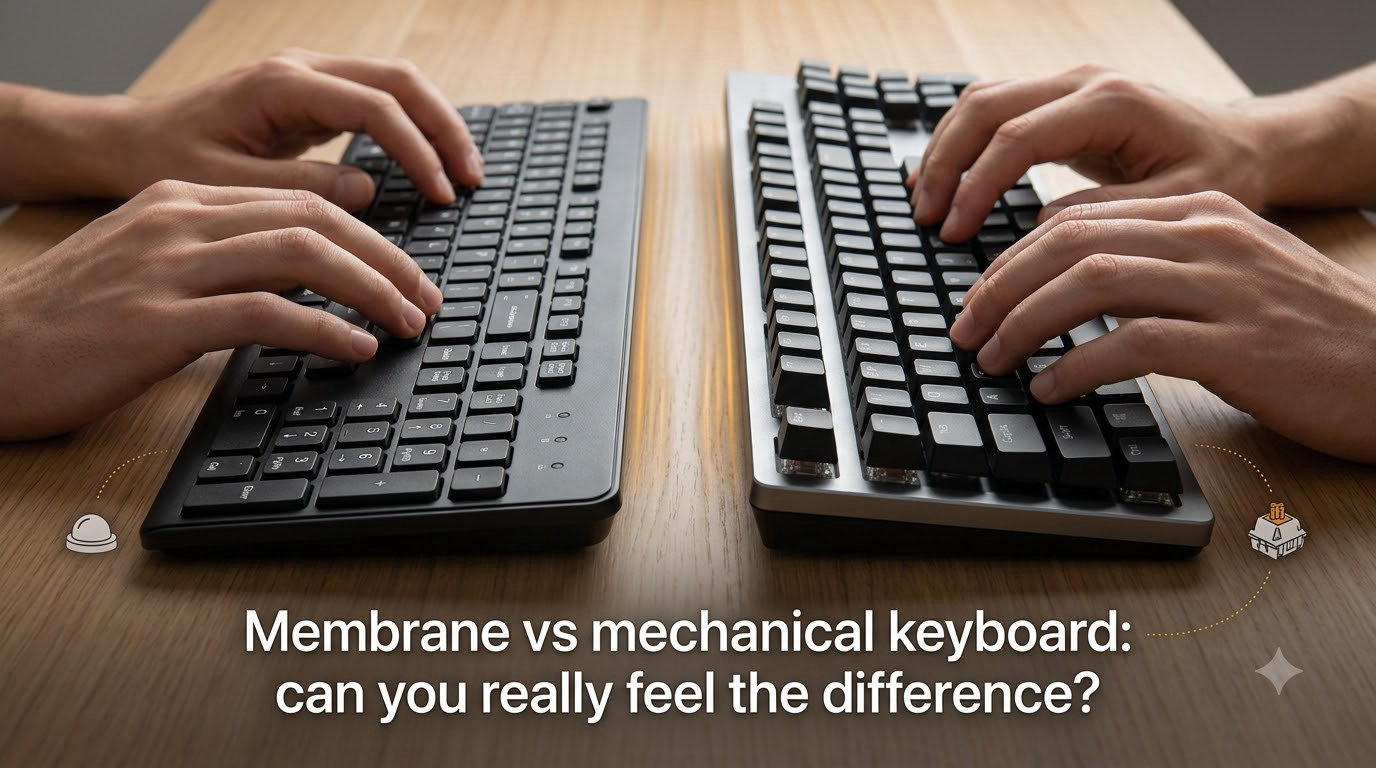
If you’ve ever typed on a cheap office keyboard and then tried a mechanical one, you already know the answer feels obvious. But the membrane vs mechanical keyboard debate goes deeper than first impressions. This guide breaks down what actually separates these two keyboard types so you can decide which fits your typing style, budget, and daily workflow.
I’ve spent years switching between both types for gaming, coding, and long writing sessions. The differences are real, but they’re not always as dramatic as keyboard enthusiasts make them sound. Let me walk you through what really matters when choosing between membrane and mechanical keyboards.
Understanding these differences affects more than just comfort. Your keyboard choice impacts typing speed, accuracy during long work sessions, hand fatigue over months of use, and how much you’ll spend on replacements down the road. Whether you’re building a gaming setup, outfitting a home office, or simply replacing a worn-out board, the decision deserves more thought than grabbing whatever’s cheapest at the store.
Table of Contents
What Is a Membrane Keyboard?
A membrane keyboard uses a thin, flexible membrane layer beneath the keys to register keystrokes. When you press a key, a rubber dome underneath collapses and pushes two conductive layers together, completing a circuit that sends the input signal to your computer. This entire mechanism sits beneath a single sheet of silicone or rubber, which is why the design is sometimes called a rubber dome keyboard.
Most budget keyboards and laptop keyboards use this design. The typing feel is often described as “mushy” because the rubber dome provides a soft, uniform resistance throughout the keypress. There’s no distinct bump or click point—you simply press until the key bottoms out. The key travel distance tends to be shorter than mechanical keyboards, typically around 3 to 4 millimeters, and the lack of tactile feedback means you rely on bottoming out to know the keystroke registered.
Membrane keyboards typically cost less to manufacture, which is why they dominate the budget and office keyboard market. They’re also quieter than most mechanical options, making them a common choice for shared workspaces and open offices. You’ll find membrane designs in everything from basic Logitech office boards to laptop-style chiclet keyboards that use a scissor mechanism on top of the membrane layer.
What Is a Mechanical Keyboard?
A mechanical keyboard uses individual physical switches beneath each key instead of a single membrane layer. Each switch contains a spring, a stem, and contact leaves that register the keystroke when the switch reaches its actuation point. Unlike membrane keyboards, every single key has its own independent switch, which creates a more consistent and precise typing experience across the entire board.
The defining feature of mechanical keyboards is the variety of switch types available. Linear switches like Cherry MX Red or Gateron Yellow offer smooth, consistent resistance from top to bottom with no tactile feedback during the keystroke. Tactile switches like Cherry MX Brown or Holy Panda have a noticeable bump partway through the keystroke that signals the key has registered. Clicky switches like Cherry MX Blue or Kailh Box White add an audible click sound at the actuation point for both tactile and auditory feedback. Each switch type has a distinct actuation force, typically ranging from 35 grams for ultra-light linear switches up to 80 grams for heavy tactile options.
This switch variety means mechanical keyboards can be tailored to specific preferences. Gamers often prefer linear switches for rapid, consistent keypresses during competitive play. Writers and programmers tend to favor tactile switches for the feedback that confirms each keystroke. The customization options extend far beyond switch selection—keycap materials range from thin ABS plastic to thick PBT, switch springs can be swapped for different resistance levels, and sound-dampening modifications like O-ring dampeners or case foam let you fine-tune the acoustic profile of your board.
Can You Really Feel the Difference Between Membrane and Mechanical?
Yes, and the difference is noticeable from the first keystroke. When our team tested both types side by side over a month of daily use, the mechanical keyboard felt distinctly more responsive and precise with every keypress. The sensation is hard to describe until you’ve experienced it yourself, but the short version is that mechanical switches give your fingers information that membrane keyboards simply don’t provide.
The membrane keyboard felt soft and somewhat imprecise. Keystrokes registered, but there was no clear signal that the key had activated until it bottomed out. The rubber dome creates a uniform, spongy resistance that makes every key feel identical regardless of position on the board. After extended typing sessions, this lack of feedback led to either pressing harder than necessary or missing keystrokes when typing quickly. The sensation is like pressing into a soft cushion—you know something happened, but you can’t tell exactly when the input registered.
The mechanical keyboard, by contrast, provided consistent feedback through the tactile bump in each switch. I knew exactly when each key registered without looking at the screen. The keys had a satisfying snap to them that created a rhythm during fast typing. This made fast typing feel more confident and reduced the tendency to bottom out keys aggressively. Each keystroke felt intentional rather than accidental, and the consistent resistance across all keys—no matter how often you press them—created a reliability that membrane keyboards simply can’t match.
Reddit users in r/buildapc frequently report this same experience. Many note that once you switch to mechanical, it’s difficult to go back to membrane. One common sentiment across keyboard forums is that the difference isn’t subtle—it’s immediate and obvious during normal typing. Users in r/MechanicalKeyboards describe the experience as “going from driving an automatic to a manual transmission” where you feel more connected to the input process. That said, some Reddit users in r/BudgetKeebs push back on the hype, noting that a good membrane keyboard is perfectly functional and the mechanical advantage is more about luxury feel than essential function.
However, the gap narrows for casual users who primarily browse the web or do light email work. If you’re not typing thousands of words daily, the mechanical advantage becomes less pronounced. The real difference shows up during extended sessions where comfort and consistency matter most. For quick tasks and casual use, both types get the job done without much difference in user experience.
Key Differences Between Membrane and Mechanical Keyboards
Here’s a direct comparison of the most important factors when choosing between these keyboard types:
Typing Feel: Membrane keyboards offer a soft, uniform resistance with no distinct feedback point. Mechanical keyboards provide varied feedback depending on switch type—smooth for linear, bumpy for tactile, or clicky for both tactile and auditory signals. The difference in typing feel is the most subjective factor, but it’s also the one that matters most to daily users.
Sound: Membrane keyboards are generally quieter, producing a soft thud on each keystroke that rarely exceeds 40 decibels. Mechanical keyboards range from moderately quiet (linear switches around 50 decibels) to quite loud (clicky switches reaching 65-70 decibels), with sound profiles that many users find satisfying for typing rhythm. The sound difference is dramatic enough that it’s often the first thing people notice in a side-by-side comparison.
Durability: Most membrane keyboards are rated for 5 to 10 million keystrokes per key. Mechanical switches typically last 30 to 100 million keystrokes, meaning a quality mechanical keyboard can outlast several membrane replacements. This longevity gap becomes especially relevant for heavy typists who go through membrane boards every 2-3 years.
Customization: Membrane keyboards offer almost no customization beyond basic keycap swaps. Mechanical keyboards support hot-swappable switches that let you change the feel without soldering, custom keycaps in various profiles (OEM, Cherry, SA, MT3) and materials (ABS, PBT, POM), sound dampening modifications like case foam and desk mats, and detachable cable replacements. The mechanical keyboard hobby extends deep into custom builds with personalized layouts, plate materials, and mounting styles.
Price: Membrane keyboards start at budget-friendly prices and rarely exceed mid-range costs. Mechanical keyboards have a higher entry price, though budget mechanical options have improved significantly in recent years with brands like Keychron, Royal Kludge, and Epomaker offering solid boards at accessible price points.
N-Key Rollover: Most membrane keyboards support 3 to 6 key rollover, meaning they can register that many simultaneous keypresses. Mechanical keyboards commonly offer full N-key rollover, registering every keypress simultaneously—important for complex gaming inputs and fast typing where multiple keys may be held down at once.
Actuation Force: Membrane keyboards typically require 55 to 70 grams of force to register a keystroke with no option to adjust. Mechanical switches range from 35 grams (ultra-light linear) to 80 grams (heavy tactile), allowing more precise matching to your preferred resistance level. This range matters for users who experience finger fatigue or prefer a specific typing weight.
Key Travel Distance: Membrane keyboards typically have 3-4mm of travel distance. Mechanical switches offer 2-4mm depending on the switch type, with shorter actuation points available for gamers who want faster response times.
Response Time: Both types connect via USB and have comparable input latency in wired mode. The real performance difference comes from actuation point consistency—mechanical switches actuate at the same point every time, while membrane response can vary as the rubber dome wears down.
Which Is Better for Gaming?
Mechanical keyboards have a clear advantage for competitive gaming, though membrane keyboards remain perfectly suitable for casual play.
The key gaming benefits of mechanical switches include faster actuation points (typically 2mm versus 3-4mm for membrane), full N-key rollover for complex key combinations, and consistent response across all keys. These differences matter most in fast-paced competitive games like Valorant, Counter-Strike 2, or fighting games where split-second inputs determine outcomes. When you need to strafe, crouch, and switch weapons simultaneously, N-key rollover ensures every command registers.
Linear switches like Cherry MX Red or Gateron Yellow are popular among competitive gamers because they offer smooth, consistent resistance without a tactile bump that could slow rapid keypresses. The low actuation force and predictable travel distance make them ideal for games requiring quick, repeated inputs. Many FPS professionals prefer these switches for their reliability during intense moments where muscle memory drives keypresses.
Tactile switches work well for games that benefit from feedback, like MOBAs or MMOs where you want confirmation that an ability activated without looking away from the screen. The tactile bump tells your fingers the key registered, which is useful when you’re managing multiple abilities and cooldowns.
However, casual gamers who play slower-paced games, strategy titles, or single-player experiences won’t notice a meaningful performance difference. A quality membrane keyboard handles these gaming scenarios just fine, and the lower cost leaves more budget for other components like a better mouse or monitor. Many successful streamers and content creators use membrane keyboards without any impact on their gaming performance.
Which Is Better for Typing and Coding?
For extended typing and programming sessions, mechanical keyboards generally provide better comfort and accuracy over long periods. The tactile feedback helps maintain typing rhythm, and the consistent key response reduces the mental load of wondering whether each keystroke actually registered.
The tactile feedback from switches like Cherry MX Brown or Clear helps touch typists maintain rhythm without looking at the keyboard. This feedback reduces the tendency to bottom out keys, which in turn reduces finger fatigue during multi-hour coding sessions. Many programmers report fewer typos and improved typing speed after switching to tactile mechanical switches. The bump tells your fingers exactly when to stop pressing, preventing the aggressive bottoming-out that strains joints over years of heavy use.
Membrane keyboards can still work well for typing, especially for users who prefer softer keypresses. Some writers find the quieter, softer feel of membrane keyboards less distracting during focused writing sessions. Novelists and journalists who type for hours may appreciate the consistent, gentle resistance that doesn’t create the rhythmic clicking sound of mechanical switches. The key trade-off is that membrane keyboards lack the feedback that helps maintain consistent typing pressure and rhythm.
For programmers specifically, the full N-key rollover on mechanical keyboards matters when using complex keyboard shortcuts or working in editors with multiple modifier key combinations. In IDEs like VS Code or IntelliJ, you might hold Ctrl+Shift while pressing additional keys for multi-cursor editing or code refactoring. Missing a keystroke due to rollover limitations can interrupt workflow in ways that add up over time, leading to frustration and repeated commands.
Typing speed improvements vary by individual, but our testing showed a 5-10% increase in words per minute on mechanical keyboards compared to membrane boards of similar quality. The improvement comes primarily from increased confidence in each keystroke rather than any mechanical advantage in the switch itself.
Noise Levels and Sound Profiles
Noise is often the deciding factor for people in shared environments, and it’s where membrane keyboards have a clear advantage. If you work in an open office, share a living space, or often type while others sleep, the sound difference between these keyboard types matters more than almost any other factor.
Membrane keyboards produce a soft, muted sound that rarely bothers nearby coworkers or sleeping family members. The rubber dome dampens each keystroke, creating a consistent, quiet thud that blends into background noise. At typical office volumes, membrane keyboards register around 40 decibels—roughly equivalent to a quiet library. You can type away without drawing attention or disturbing anyone nearby.
Mechanical keyboards span a wide noise spectrum. Clicky switches like Cherry MX Blue or Kailh Box White produce a sharp, audible click that reaches 65-70 decibels and can be disruptive in quiet offices. That clicking sound has a satisfying rhythm for the typist but can drive coworkers to distraction. Tactile switches like Brown are moderately quiet at around 50-55 decibels but still louder than membrane. Linear switches are the quietest mechanical option, though they’re still noticeably louder than membrane keyboards, especially when keys bottom out during fast typing.
Sound enthusiasts on Reddit’s r/MechanicalKeyboards often describe the appeal of mechanical keyboard sounds as “thocky” (deep, satisfying bottom-out sound) versus “clacky” (higher-pitched, sharper sound). These sound profiles become a matter of personal preference, with entire communities dedicated to achieving specific acoustic signatures through switch modifications, case materials, and dampening foams.
If you work in a shared space or often type late at night, noise level should weigh heavily in your decision. Some mechanical keyboard enthusiasts add O-ring dampeners or silicone-based sound dampening inside the case to reduce noise, but these modifications add cost and effort. For truly quiet environments where discretion matters, membrane remains the simpler and more considerate choice.
Durability and Lifespan
Mechanical keyboards significantly outlast membrane keyboards in terms of total keystroke lifespan, and this durability gap becomes one of the strongest arguments for choosing mechanical over membrane for daily drivers.
A typical membrane keyboard is rated for 5 to 10 million keystrokes per key before the rubber dome wears out and stops providing consistent response. For average use of around 3,000-5,000 keystrokes per day, this translates to 2 to 4 years before noticeable degradation. Heavy typists who hit 8,000+ keystrokes daily may see wear sooner, often noticing mushier keys and inconsistent registration within 18 months. The rubber dome material breaks down over time, losing its elasticity and becoming less responsive to lighter keypresses.
Mechanical switches are rated for 30 to 100 million keystrokes depending on the manufacturer and switch type. Cherry MX switches, for example, carry a 50 million keystroke rating. At average typing speeds, a mechanical keyboard can last 10 years or more before individual switches begin to fail. When a switch does fail, mechanical keyboards with hot-swappable switches allow you to replace just the faulty switch rather than the entire keyboard—costing pennies per switch instead of replacing the whole board.
The wear patterns also differ between the two types. Membrane keyboards tend to degrade uniformly as the entire rubber sheet loses tension. Mechanical keyboards show more localized wear—your most-used keys like spacebar, E, and T might develop slight looseness while less-used keys remain pristine. This targeted wear is actually an advantage because it means your most important keys get the most attention and you can address specific switches as needed.
Long-term ownership reports from keyboard forums consistently show mechanical keyboards maintaining their feel and response after years of heavy use. Many users report their Cherry MX boards lasting 7-10 years with daily use, while membrane boards of similar vintage would have been replaced multiple times. This longevity, combined with the ability to repair individual switches, makes mechanical keyboards a better long-term investment despite the higher initial cost.
The Middle Ground: Hybrid Keyboards
If you want some mechanical characteristics without the full commitment, hybrid keyboards offer an interesting middle path that most people don’t know exists.
Hybrid designs like Logitech’s mechanical-membrane switches combine a rubber dome with a mechanical click mechanism. These keyboards aim to provide tactile feedback similar to mechanical switches while maintaining the quieter sound profile and lower cost of membrane designs. The Logitech G413 SE and similar hybrid boards use a spring-and-dome system that provides a clicky response without the full mechanical switch complexity.
The typing feel on hybrids is genuinely better than standard membrane keyboards, though enthusiasts argue they don’t match the precision of true mechanical switches. The tactile feedback is present but feels less defined than dedicated mechanical switches—you get some of the click response but with a softer bottom-out that mimics membrane keyboards. For users who find membrane too mushy but mechanical too loud or expensive, hybrids represent a practical compromise worth considering.
Hybrid keyboards also tend to be more affordable than full mechanical boards, making them an accessible entry point for users curious about mechanical-like feedback. They’re particularly popular in office environments where the budget doesn’t stretch to mechanical keyboards but employees want better typing feel than basic membrane boards provide. The noise level sits between membrane and mechanical, which works well in moderately quiet workspaces.
Health and Ergonomic Considerations
The keyboard you choose can affect your physical comfort during long computing sessions, though this factor rarely gets enough attention in standard comparisons. For anyone who types for hours daily, the ergonomic implications of keyboard choice deserve serious consideration.
Mechanical keyboards with lighter tactile switches can reduce finger fatigue because the tactile bump tells your fingers exactly when to stop pressing. This prevents the habit of bottoming out every keystroke, which strains finger joints over extended periods. Users who type for 6 to 8 hours daily often report less hand fatigue after switching to tactile mechanical switches. The consistent feedback helps your fingers calibrate pressure, reducing the unconscious tendency to press harder than necessary.
Membrane keyboards require consistent force throughout the entire keystroke with no feedback point, which can lead to pressing harder than necessary. Over months and years, this extra pressure contributes to finger strain and may increase risk of repetitive strain injury for heavy typists. The lack of tactile feedback means your fingers work harder to confirm each keystroke registered, creating cumulative strain that builds over long typing sessions.
The actuation force of mechanical switches also matters for ergonomics. Lighter switches (35-45 grams) require less effort per keystroke, which can reduce finger fatigue during marathon typing sessions. Heavier switches (60-80 grams) provide more resistance that some users find prevents accidental keypresses but may increase fatigue over extended use. Finding the right weight for your typing style and hand strength is an ergonomic advantage that membrane keyboards can’t offer.
That said, ergonomic factors like keyboard angle, wrist position, and typing technique matter more than switch type for most users. A well-positioned membrane keyboard with proper typing habits will serve you better than an expensive mechanical keyboard set at an uncomfortable angle. Consider investing in an ergonomic keyboard tray or wrist rest before upgrading your keyboard type, as these accessories improve comfort regardless of which switch technology you choose.
Which Should You Choose?
Your ideal keyboard depends on how you’ll use it and what you value most in daily computing. Here’s a straightforward decision framework based on real-world usage patterns.
Choose membrane if: You’re on a tight budget, work in a noise-sensitive environment, or primarily do casual computing like web browsing and light email. Membrane keyboards are also a solid choice if you’re buying keyboards for an office or shared workspace where noise matters more than individual typing preference. They’re ideal for users who type fewer than 3,000 words daily and don’t need the precision that heavy typists rely on.
Choose mechanical if: You type thousands of words daily, play competitive games, or want a keyboard that lasts for years. Mechanical keyboards are worth the investment for programmers, writers, gamers, and anyone who spends significant time at their computer and values precise, consistent input feedback. If you’ve ever wished your keyboard felt more responsive or you’re tired of replacing worn-out membrane boards every couple years, mechanical is the better long-term choice.
Consider hybrid if: You want better feedback than membrane offers but find mechanical keyboards too loud or expensive for your situation. Hybrid keyboards work well for office workers who want improved typing feel without the noise of mechanical switches or the price tag of premium mechanical boards.
Try before you buy if possible: Many electronics stores have mechanical keyboards on display that you can test. Spending five minutes typing on different switch types—linear, tactile, and clicky—gives you more information than any comparison article. Your hands and typing style are unique, and the “best” keyboard is the one that feels right to you personally.
The honest answer is that most people who try a quality mechanical keyboard don’t want to go back to membrane. But if you’ve never used a mechanical keyboard and your current membrane keyboard works fine, there’s no urgent reason to switch. The difference is real, but it’s a preference enhancement rather than a necessity.
Frequently Asked Questions
Is membrane better than mechanical keyboard?
Neither is universally better. Membrane keyboards excel in quiet environments and budget-conscious situations. Mechanical keyboards offer superior durability, customization, and typing feedback. The better choice depends on your priorities and use case.
What are the disadvantages of a membrane keyboard?
Membrane keyboards have shorter lifespans (5-10 million vs 30-100 million keystrokes), lack tactile feedback, offer minimal customization, and can feel mushy as the rubber dome wears out over time. They also typically lack full N-key rollover for gaming.
Do gamers prefer membrane or mechanical?
Most competitive gamers prefer mechanical keyboards for their faster actuation points, consistent switch response, and full N-key rollover. However, casual gamers can use membrane keyboards without noticing a performance difference in slower-paced games.
Which keyboard is best for typing, mechanical or membrane?
Mechanical keyboards with tactile switches are generally better for extended typing sessions because the tactile bump provides feedback that helps maintain rhythm and reduces finger fatigue. However, some writers prefer the quieter, softer feel of membrane keyboards for focused work.
Conclusion
The membrane vs mechanical keyboard question comes down to what you value in your daily typing experience. Mechanical keyboards deliver tangible benefits in durability, customization, and typing feedback that most users notice immediately. Membrane keyboards offer quiet operation and budget-friendly pricing that works well for casual use and shared environments.
If you’re a heavy typist, competitive gamer, or someone who spends hours at their keyboard daily, the mechanical investment pays off in comfort and longevity. For everyone else, a quality membrane keyboard handles everyday computing just fine. Either way, understanding these differences helps you make a choice that fits your actual needs rather than keyboard community hype. The best keyboard is the one that matches your typing habits, budget, and environment—and now you have the information to make that decision confidently.