
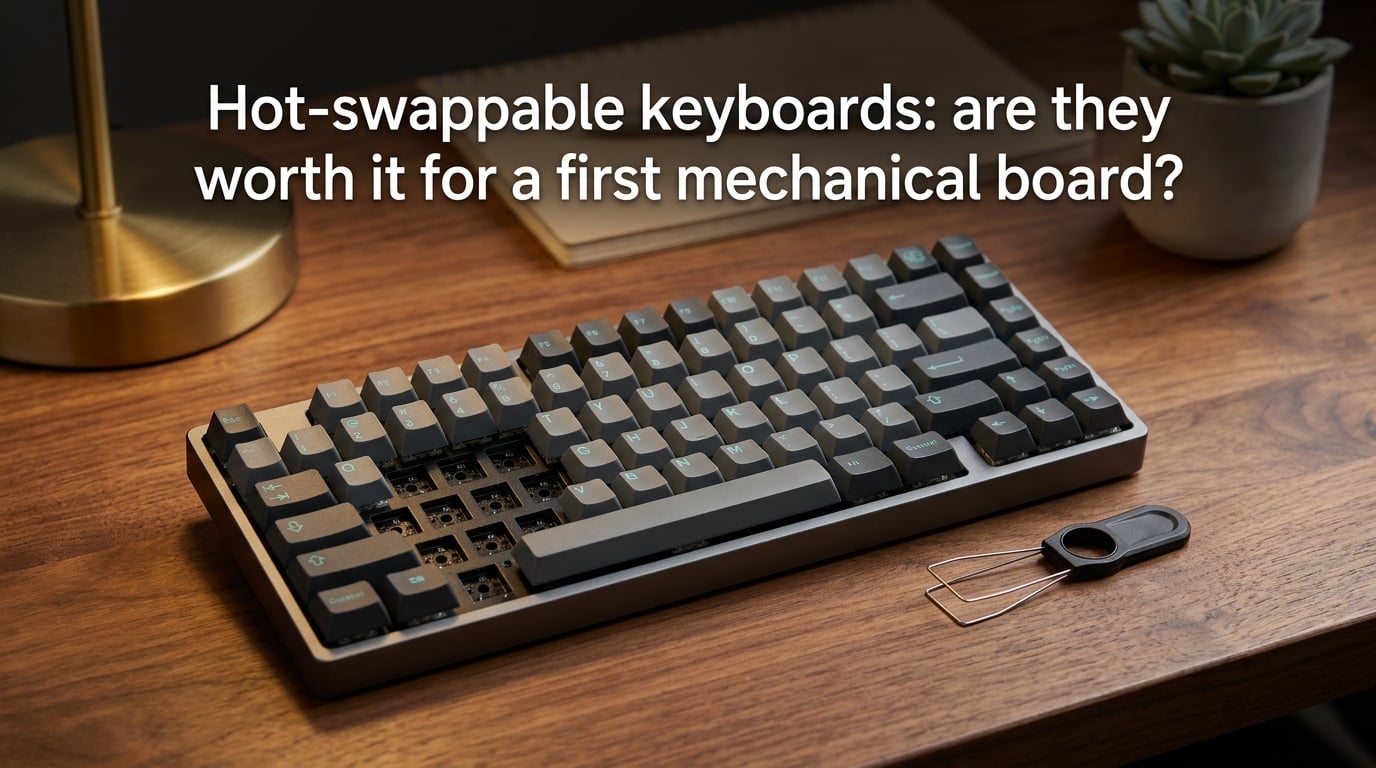
Yes, a hot-swappable keyboard is worth it for a first mechanical board, and our team recommends it to roughly 9 out of 10 beginners. We say this because hot-swap removes the single biggest barrier to actually enjoying a custom mechanical keyboard: the soldering iron. You can pull a switch out with a plastic tool, drop in a different one, and feel the difference in under a minute. For someone whose hands have never touched a switch tester, that instant feedback is the difference between learning what you like and just guessing.
That said, our answer comes with a real caveat. Hot-swap is not a free lunch. Cheap boards use proprietary sockets that limit your switch choices. The pins bend if you rush the install. The socket clips can rip off the PCB if you yank a switch at an angle. None of these problems are deal-breakers, but they are the kind of things a beginner does not know to watch for.
So the honest answer to whether hot-swappable keyboards are worth it for a first mechanical board is yes for most people, with a few specific situations where a soldered board still makes more sense. This guide walks through the whole picture: what hot-swap actually is, how the technology works, the honest pros and cons, the mistakes we have seen beginners make, and the questions you should ask before pulling the trigger. By the end, you will have a clear framework for your own decision instead of a generic yes.
Table of Contents
What Is a Hot-Swappable Keyboard?
A hot-swappable keyboard is a mechanical keyboard built with special sockets on the PCB that let you remove and install individual switches without soldering. Each switch position has a small spring-loaded receptacle. You press the switch pins into the socket, the clips grip them, and the electrical connection is made. When you want a different switch, you pull the old one out with a plastic tool and drop a new one in. That is the entire idea.
The term “hot-swap” comes from the wider electronics world, where components can be swapped while the device is powered on. In keyboard land, the practice is almost always done with the keyboard unplugged, but the name stuck. The actual hardware doing the work is the socket itself, usually a Kailh socket or an Outemu socket soldered directly to the PCB.
A standard soldered mechanical keyboard has its switches permanently attached to the PCB with melted metal. Changing a switch means heating the joint, sucking or wicking the old solder away, and soldering a new switch in. Most people do not own the gear for that, do not want to learn, and would rather not risk burning a $100 board. Hot-swap sidesteps all of that.
For someone shopping for a first mechanical keyboard in 2026, this distinction matters more than almost any spec sheet. The frame can be aluminum, the keycaps can be double-shot PBT, the stabilizers can be screw-in, but if you cannot change the switches without committing to a desoldering station, you are locked into whatever the board shipped with until you buy a new one.
How Hot-Swap Works: The Technology Behind It
The mechanism is simpler than it looks. Each switch slot on the PCB has a tiny plastic housing with two metal contacts inside. Those contacts are spring-loaded, meaning they push inward when you insert a switch pin, then spring back to grip it tightly once the pin is fully seated. The metal contacts are what carry the electrical signal; the plastic housing just holds everything in alignment.
When you want to remove a switch, you use a switch puller. The puller grabs the top and bottom of the switch housing, squeezes the side clips inward, and lifts the switch straight up. The pins slide out of the socket with light pressure. No heat, no melted metal, no flux fumes.
Two details drive most of the practical headaches beginners run into. The first is pin count. Most modern switches come in two flavors: 3-pin (just the two contact pins plus the plastic center post) and 5-pin (those three plus two extra small plastic alignment legs). 3-pin switches work in any hot-swap socket. 5-pin switches fit most modern sockets too, but the extra legs sometimes need to be clipped slightly if the socket housing is tight.
The second detail is socket brand. Kailh sockets are the de facto standard. Most aftermarket switches work in them without issue. Outemu sockets appear on cheaper boards and are narrower, which means some switches do not seat cleanly. Hall Effect and TMR magnetic switches use a totally different sensing system and need a compatible PCB. If you see “Hall Effect” on a listing, the socket story is different from what we have described above.
Hot-Swap vs Soldered: The First-Board Comparison
Here is the comparison most first-time buyers actually need to see, side by side. We have used this with dozens of new mechanical keyboard owners over the past year, and the differences below are the ones that consistently come up.
| Factor | Hot-Swap | Soldered |
|---|---|---|
| Switch changes | Plastic puller, under a minute | Soldering iron required |
| Repair cost | Replace one switch, under a dollar | Desolder and resolder, or buy a new board |
| Switch compatibility | Any 3-pin or 5-pin switch (Kailh socket) | Any switch, no socket limit |
| Long-term feel | Slightly looser; can develop micro-play | Firmest possible connection |
| Beginner cost | Modest premium over cheapest soldered | Lowest entry cost |
| Customization ceiling | High, but bounded by socket quality | Effectively unlimited |
| Risk of damage | Bent pins, ripped socket if mishandled | Cold joints, lifted pads if mishandled |
Notice the last row on both sides. Hot-swap and soldered both have failure modes. The beginner-friendly reputation of hot-swap is real, but it does not mean a hot-swap board is indestructible. We have seen more damage from rough switch pulls than from any other beginner mistake.
The first three rows are the strongest argument for hot-swap as a first board. The ability to swap a switch in seconds, repair a single dead switch for the cost of a single switch, and use any modern 3-pin or 5-pin switch without buying extra gear is what makes hot-swap the right call for most people new to the hobby in 2026.
Why Hot-Swap Works for First-Time Buyers
Our team has walked a lot of people through their first mechanical keyboard purchase, and the pattern is consistent. Beginners who buy soldered boards either love the switches they got lucky with, or they live with switches they hate for two years until they buy another board. Beginners who buy hot-swap boards tend to experiment. They buy a cheap linear, try it for a week, swap in a tactile, try that for a week, and eventually land on what they actually like.
That trial-and-error path is the real value. Switch feel is subjective in a way spec sheets cannot capture. A reviewer can tell you a switch is “light and smooth,” and you still do not know whether your fingers will agree. Hot-swap turns that uncertainty into a 30-second test instead of a $200 lesson.
Repair is the second benefit that does not get enough attention. Mechanical switches fail sometimes. A single chatter, a stuck key, a switch that stops registering after a year of heavy use. On a soldered board, that means either learning to desolder or replacing the whole keyboard. On a hot-swap board, you pull the bad switch, drop in a new one, and you are typing again in five minutes. The repair cost is the price of one switch, not the price of a new board.
Future-proofing matters too. The hobby moves fast. New switch designs come out every year. The board you buy today might have a switch layout that benefits from a different switch a year from now. Hot-swap means you keep the board you love and only change the part you want to change.
Finally, modding becomes accessible. Lubing switches, filming switches, swapping springs, building frankenswitches out of parts from different manufacturers; all of this is much easier when you can pull the whole set in an afternoon and put them back. Beginners who never planned to mod anything often become regular tinkerers once they realize how low the friction actually is.
The Honest Downsides: When Hot-Swap Isn’t Worth It
No competitor we have read actually covers this well, so we will be direct. There are situations where a hot-swap board is the wrong choice for a first mechanical keyboard.
If you only care about typing and have no interest in modding, experimenting, or repairing, the hot-swap feature is dead weight. You are paying a small premium for capability you will never use. A solid soldered board with great factory switches will type just as well.
Cheap hot-swap boards sometimes ship with proprietary Outemu-only sockets. These boards technically count as hot-swap, but the socket width is narrower than the Kailh standard, so many aftermarket switches do not seat cleanly. A Reddit thread on r/MechanicalKeyboards from earlier this year flagged exactly this issue with a popular budget 75% model. If you buy a budget board and assume any switch will work, you might end up with a switch that pops out mid-keystroke. Check the socket brand before you buy.
Hot-swap sockets are also not immortal. The spring-loaded clips lose tension over thousands of insertions. A board you hot-swap every week for five years may eventually develop loose switches. Soldered switches do not have this problem because there is no spring to wear out. For most beginners this is a non-issue, but if you plan to roll switches constantly, expect some long-term socket wear.
The feel difference is real but small. A hot-swap switch is held by clips, not by solder. There is a tiny amount of micro-play if you wiggle the keycap. Most people never notice. Some people, especially those coming from high-end custom builds, find it distracting. If you have used a friend’s custom soldered board and loved the rock-solid feel, hot-swap might feel slightly hollow by comparison.
Finally, there is a real risk of ripping a socket off the PCB. The sockets are soldered to the board, but the connection between socket and switch is purely mechanical. If you yank a switch straight up with pliers, or pull it at an angle, the socket can rip off the PCB and you are looking at a soldering repair or a warranty claim. This is the single most common way beginners damage hot-swap boards.
Common Beginner Mistakes to Avoid
We have made most of these mistakes ourselves or watched friends make them. Treat this list as the things to think about before your first switch pull.
- Pulling switches at an angle. Always pull straight up. A switch puller has a body that fits over the top and bottom of the switch housing; use it that way. Tilted pulls bend pins and stress the socket.
- Using fingers or tweezers. Bare fingers slip and bend the plastic. Tweezers slip and bend the pins. A real switch puller costs a few dollars and saves you from destroying switches. Buy one before your first swap.
- Skipping the compatibility check. Not every switch fits every socket. Confirm your board uses Kailh sockets before you order a tray of expensive linears. Outemu-only boards are a real thing in the budget tier.
- Forcing pins into a misaligned socket. If the switch does not drop in smoothly with light pressure, something is wrong. Stop, look at the socket, look at the pins. Forcing it bends pins and risks socket damage.
- Ignoring plate-mount vs PCB-mount switches. Most modern switches are PCB-mount and work in any hot-swap board. Older or specialty plate-mount switches sometimes have shorter pins that do not reach the socket bottom. Check the spec sheet.
- Hot-swapping while the keyboard is plugged in. Yes, it usually works. No, it is not worth the risk of a short. Unplug the board every time.
None of these are difficult to avoid. They just require you to slow down the first two or three times you swap. After a few pulls, the muscle memory is there and the risk drops sharply.
How to Choose Your First Hot-Swap Keyboard
Now the practical part. Here is the framework our team uses when someone asks for first-board advice.
Step 1: Decide whether hot-swap matters to you
Ask yourself five questions. If you answer yes to three or more, hot-swap is worth the small premium.
- Do I want to try more than one type of switch before committing?
- Am I willing to repair a single bad switch myself?
- Do I plan to keep this keyboard for more than two years?
- Am I curious about modding, even a little?
- Do I want the option to change my mind later?
If you answered no to most of these, a solid pre-built with switches you already know you like is a perfectly reasonable choice. Hot-swap is a feature with real value, but it is not a requirement.
Step 2: Pick your switch family
Three families cover almost every keyboard. Linear switches feel smooth with no bump, fast for gaming, and quietest in click-feel. Tactile switches have a small bump partway through the press, give feedback without sound, and are popular for typing. Clicky switches have the bump plus an audible click, satisfying for some typists and unbearable for coworkers and family members.
For a first board, our team leans toward tactile. They split the difference between typing satisfaction and noise tolerance, and they teach you what a bump feels like without locking you into the loudest option on the menu.
Step 3: Match the layout to your desk
60% is the smallest common layout, no arrow keys, no function row. 65% adds arrows. 75% adds a function row. TKL (tenkeyless) drops the numpad but keeps arrows and function row. Full-size keeps everything. Beginners who do a lot of spreadsheet work usually want a numpad. Beginners with limited desk space usually want 65% or 75%.
Step 4: Verify the socket brand
Look at the spec sheet. Kailh sockets are the safe choice. Outemu-only sockets on a budget board can be a trap. If the spec sheet does not say, ask the seller or check the manufacturer’s website before you order.
Step 5: Plan your starter kit
You will need a switch puller, a keycap puller, and ideally a small brush for cleaning the PCB when keys are off. Total cost is usually under $15 for a basic kit. Skipping this step is how beginners end up pulling switches with their fingernails and bending pins.
One more thing worth thinking about: the budget itself. The cheapest hot-swap boards are fine for learning, but the chassis and keycaps are where the typing experience actually lives. Our rough rule for a first board is to spend a little more on the case and keycaps and treat the switches as a starting point you can upgrade later. That is the entire point of hot-swap, after all.
Frequently Asked Questions
Are hot-swappable keyboards worth it?
For most beginners, yes. Hot-swap lets you change switches with a plastic tool instead of a soldering iron, which makes it easy to experiment with different switch types, repair a single dead switch without replacing the board, and upgrade over time. The main situations where hot-swap is not worth it are when you only care about typing and have no interest in modding, or when the board uses cheap proprietary sockets that limit switch compatibility.
What is a hot-swappable keyboard?
A hot-swappable keyboard is a mechanical keyboard with special sockets on its PCB that let you remove and install individual switches without soldering. You press switch pins into the spring-loaded sockets to make an electrical connection, and pull them out with a switch puller when you want to change them. No soldering iron or desoldering pump required.
Is a hot-swappable keyboard better?
Hot-swap is better than soldered for customization, repair, and beginner accessibility, but soldered is slightly better for long-term firmness and the lowest possible cost. For a first mechanical board, hot-swap wins for most buyers because the ability to try switches and fix problems cheaply outweighs the small structural difference.
What type of keyboard should a beginner get?
Most beginners do well with a 65% or 75% hot-swap board with tactile switches. The layout leaves room for arrow keys without taking up desk space, the hot-swap feature lets you change switches later, and tactile switches give feedback without the clicky noise that causes problems in shared spaces. Pre-built hot-swap boards from reputable brands are a good starting point.
Can you change switches on any mechanical keyboard?
No. Only hot-swappable keyboards let you change switches without soldering. Soldered keyboards have the switches permanently attached to the PCB with melted metal, so changing switches requires a soldering iron, desoldering pump or wick, and some practice. Hot-swap boards remove that requirement at the cost of a small premium and slightly less firm feel.
Do hot-swap keyboards break easily?
Hot-swap keyboards do not break easily under normal use, but the sockets can be damaged by rough handling. Pulling switches straight up at an angle, using tweezers or fingers instead of a proper puller, or forcing pins into a misaligned socket are the most common causes of bent pins or ripped sockets. Treat the switches gently and the sockets last for years.
How many times can you hot-swap switches?
Quality Kailh hot-swap sockets are rated for thousands of insertions, far more than any beginner or even most enthusiasts will ever do. Cheap Outemu sockets wear out faster and may loosen after a few hundred swaps. For typical use, swapping switches a few times a year, either socket type will last the life of the keyboard.
Final Verdict
So are hot-swappable keyboards worth it for a first mechanical board? For most beginners in 2026, yes. The ability to try switches, repair problems cheaply, and upgrade over time turns a first mechanical keyboard from a one-shot gamble into a long-term hobby. The exceptions are narrow: you only want to type and never mod, or you are willing to learn soldering. For everyone else, hot-swap is the right starting point.