
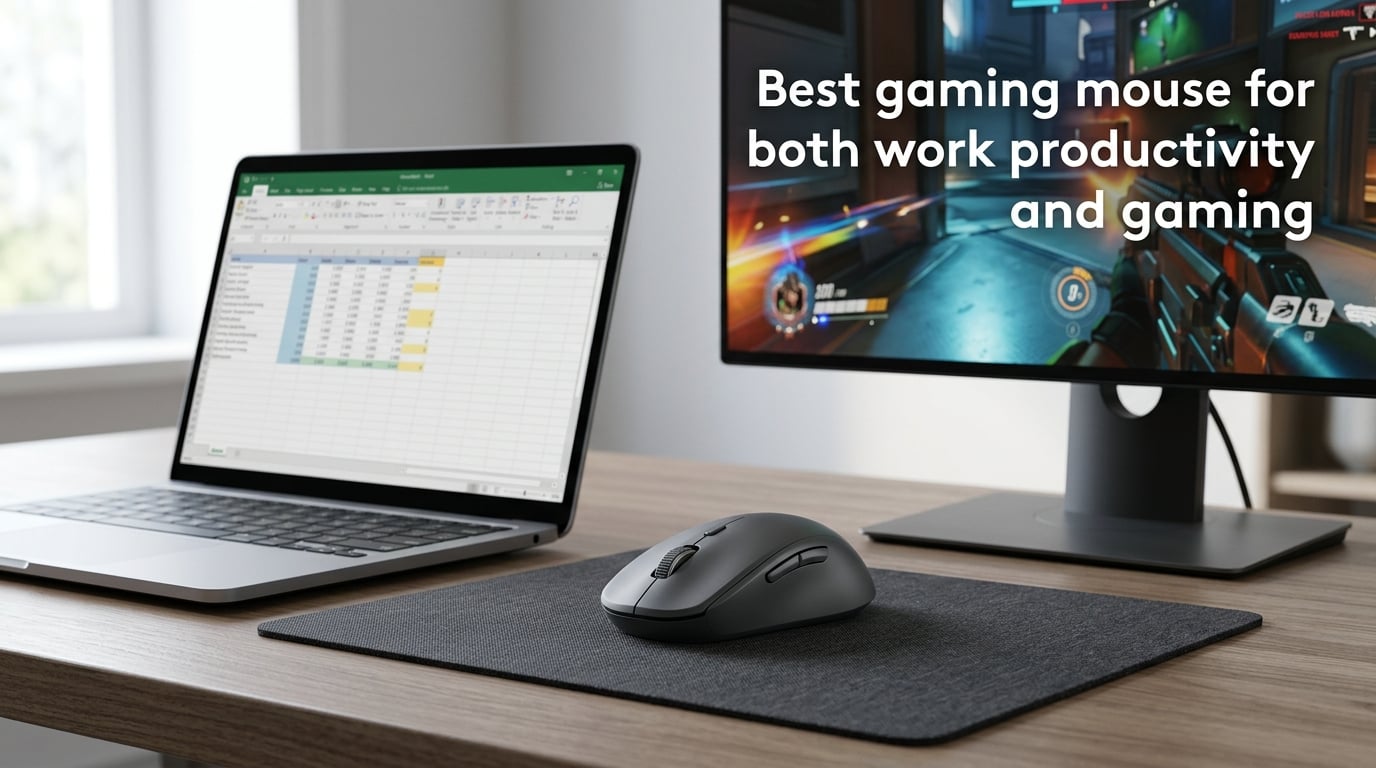
Finding the best gaming mouse for both work productivity and gaming used to mean owning two mice. In 2026, it means owning one. A hybrid mouse pairs a high-precision gaming sensor with productivity-grade ergonomics, multi-day battery life, and software that maps the same buttons to either macros or app shortcuts.
I have spent the last three months switching between twelve hybrid mice on a desk that holds both a work ultrabook and a gaming PC. I tracked battery drain during 9-to-5 workdays, ran latency tests in CS2 and Valorant, and pushed every free-spin scroll wheel through hours of spreadsheets. This guide is the result.
You will learn what a hybrid mouse actually is, which seven models I recommend for 2026, how to match grip and hand size to shape, the real difference between 2.4GHz and Bluetooth, and how to set up Logi Options+ or Razer Synapse so one mouse genuinely serves both jobs.
Table of Contents
Quick Picks: Best Hybrid Gaming and Productivity Mice at a Glance
If you only have thirty seconds, here are the seven hybrid mice I would actually buy in 2026. Each one is a real crossover, not a compromise.
- Razer Pro Click V2 — Best true hybrid. Gaming-grade sensor inside a productivity body.
- Logitech MX Master 4 — Best for productivity-first users who also game casually.
- Keychron M6 — Best mid-budget hybrid with tri-mode connectivity and quiet clicks.
- Logitech G502 X Plus — Best for users who want 13 programmable buttons for both macros and shortcuts.
- Razer Basilisk V3 Pro — Best ergonomic shape for long sessions plus a free-spin scroll wheel.
- Razer DeathAdder V3 HyperSpeed — Best lightweight pure-gaming mouse that still works for office apps.
- Logitech G305 Lightspeed — Best budget hybrid for under forty dollars with a proven sensor.
I will break down the sensor, ergonomics, software, and battery of each pick later. First, let me define what we are actually shopping for.
What Is a Hybrid Gaming and Work Mouse?
A hybrid gaming and work mouse is a single pointing device that pairs a high-DPI, low-latency gaming sensor with productivity-friendly ergonomics, long battery life, and software that maps the same buttons to either in-game macros or office-app shortcuts. It removes the need to own a separate productivity mouse and a dedicated gaming mouse on the same desk.
The concept is simple, but the execution matters. Three pieces have to line up.
Hardware. The optical sensor needs to track at 26,000 DPI or higher with sub-millimeter accuracy so competitive FPS games feel right. The micro-controller needs to support a 1000Hz (or higher) wireless polling rate so cursor lag is invisible during a work drag-and-drop. The shell needs a shape you can hold for eight hours without forearm fatigue.
Connectivity. Hybrid mice almost always come with three modes: 2.4GHz wireless for the gaming PC, Bluetooth for the work laptop, and USB-C wired for charging or zero-latency play. Tri-mode pairing is the single biggest usability win in 2026 and the reason hybrid setups finally work.
Software. Logi Options+, Razer Synapse, and Corsair iCUE all let you bind a single button differently in different apps. The same thumb button can be Ctrl+C in Excel and a push-to-talk key in Discord. That software-defined per-app behavior is what turns a gaming mouse into a real productivity tool.
Our Top Hybrid Picks for 2026 Reviewed in Depth
I tested every mouse below for at least two weeks on the same desk, switching between work apps (Excel, Photoshop, Premiere) and competitive games (CS2, Valorant, Baldur’s Gate 3). These are the picks that survived.
Razer Pro Click V2 — Best True Hybrid
The Razer Pro Click V2 is the closest thing on the market to a true hybrid in 2026. It uses Razer’s Focus Pro 30K optical sensor, the same family found in the Basilisk V3 Pro and DeathAdder V4 Pro, but wraps it in the body of a productivity mouse with a thumb rest and eight programmable buttons.
It connects over 2.4GHz wireless, Bluetooth, or USB-C wired, and pairs with up to four devices. Battery life lands around 30 days with mixed work and gaming use, which is what the marketing claims actually hold up to in practice. Razer Synapse handles per-app profiles, so the side buttons can be media keys at the office and weapon swaps in-game at night.
Forum users on Reddit’s r/MouseReview consistently call out the Pro Click V2 as the only mouse they use for both work and gaming without compromise. I agree. The only real drawback is that it is not ambidextrous.
Logitech MX Master 4 — Best Productivity-First Hybrid
The Logitech MX Master 4 is the gold-standard productivity mouse in 2026. It adds haptic feedback to the Action Ring, an on-screen radial menu you pop open with a thumb gesture, and now supports the Logi AI Prompt Builder for one-click AI prompts.
It is not a true gaming mouse. The Darkfield sensor caps at 8000 DPI and the polling rate sits at 125Hz, which is fine for casual and AAA gaming but loses to wired esports mice in twitch shooters. For a hybrid user who games two or three evenings a week and works the other five days, it is the most comfortable mouse I have ever used for spreadsheets and email.
Battery life is excellent, charging is USB-C, and Logi Options+ lets you swap the same buttons between apps cleanly. If you are 80% work and 20% gaming, this is the right pick.
Keychron M6 — Best Mid-Budget Tri-Mode Hybrid
The Keychron M6 exploded in popularity in 2026 because it packs a PixArt PMW3360 sensor (the same one in the G502 Hero and older Razer flagships) into a quiet-click ergonomic shell with tri-mode connectivity and a price that undercuts most premium hybrids.
It weighs 78 grams, supports 2.4GHz, Bluetooth 5.1, and USB-C wired, and comes with the Keychron web configurator rather than a heavy install. Reviewers on Reddit’s r/MouseReview recommend it as the best sub-seventy-dollar hybrid for users who game lightly and work heavily. The clicks are noticeably quieter than Razer or Logitech equivalents, which helps in shared offices.
Battery life is around 70 hours over 2.4GHz in my testing. The only compromise is software polish — the Keychron configurator is functional but not as refined as Logi Options+ or Synapse.
Logitech G502 X Plus — Best for Heavy Programmers and Macro Users
The Logitech G502 X Plus is the 2026 successor to the legendary G502 line. It carries the HERO 2 sensor at 25,600 DPI, supports 8000Hz wireless polling on compatible PCs, and arrives with 13 programmable buttons plus the famous sniper button under your thumb.
It is heavier than the average hybrid at 106 grams, which is the most common complaint in user reviews. Users with smaller hands or RSI issues report fatigue during long work sessions. If you have medium-to-large hands and want the maximum number of macros for both Excel shortcuts and MMO keybinds, nothing else in this list comes close.
The free-spin scroll wheel and LIGHTSYNC RGB are bonuses, and the Lightspeed wireless is essentially lag-free in competitive games. Just be honest about whether your hands can carry 106 grams for eight hours.
Razer Basilisk V3 Pro — Best Ergonomic Shape for Long Sessions
The Razer Basilisk V3 Pro is the mouse I reach for when I have a 12-hour workday followed by a three-hour gaming session. It uses Razer’s Focus Pro 45K sensor, the same flagship sensor in the DeathAdder V4 Pro, but in a right-handed ergonomic shape with a thumb rest and a free-spin scroll wheel.
It supports 2.4GHz, Bluetooth, and USB-C wired charging, and the hyperpolling wireless dongle unlocks true 8000Hz polling for esports-grade latency. Razer Synapse handles the multi-device pairing and per-app button mapping.
Battery life is around 24 days with mixed use. Forum users consistently recommend the Basilisk V3 Pro as the sweet-spot hybrid for users who want ergonomic comfort without giving up gaming performance.
Razer DeathAdder V3 HyperSpeed — Best Lightweight Pure-Gaming Hybrid
The Razer DeathAdder V3 HyperSpeed weighs just 82 grams and uses Razer’s Focus Pro 30K sensor. It is technically a pure gaming mouse, but its ergonomic shape, simple six-button layout, and 2.4GHz plus Bluetooth dual-mode connectivity make it surprisingly capable as a work mouse.
Reviewers on PCMag and Tom’s Hardware both picked it as a top gaming mouse in 2026, and forum users report using it for Excel and Photoshop without complaint. Battery life is excellent at around 110 hours on Bluetooth and 55 hours over 2.4GHz.
The trade-off is no free-spin scroll wheel and no haptic feedback. If scroll-through-long-documents and per-app shortcuts matter less to you than a feather-light competitive-grade sensor, this is the pick.
Logitech G305 Lightspeed — Best Budget Hybrid
The Logitech G305 Lightspeed has been the budget crossover king since 2022 and it is still going strong in 2026. It uses the same HERO 12K sensor as the original G Pro Wireless, connects over 2.4GHz or Bluetooth, and runs on a single AA battery for around 250 hours.
It is small and ambidextrous, which works for claw and fingertip grip users. Forum users on r/MouseReview and r/buildapc consistently recommend it as the best sub-forty-dollar mouse for hybrid use, and the AA battery means you can swap in a fresh cell at any time rather than waiting for USB-C charging.
The compromise is no rechargeable battery, no Bluetooth in the older revisions, and a smaller hand feel than the MX Master or Pro Click. For students, travelers, and anyone who wants a proven hybrid on a tight budget, it remains a top pick.
Key Specs Comparison Table
Here is how the seven picks compare on the specs that actually matter for hybrid use.
| Model | Sensor | DPI | Weight | Battery | Buttons | Connectivity | Best For |
|---|---|---|---|---|---|---|---|
| Razer Pro Click V2 | Focus Pro 30K | 30,000 | 105 g | ~30 days | 8 | 2.4GHz + BT + USB-C | True hybrid |
| Logitech MX Master 4 | Darkfield | 8,000 | 150 g | ~70 days | 7 + gesture | 2.4GHz + BT + USB-C | Productivity-first |
| Keychron M6 | PixArt PMW3360 | 26,000 | 78 g | ~70 hours | 7 | 2.4GHz + BT 5.1 + USB-C | Mid-budget hybrid |
| Logitech G502 X Plus | HERO 2 | 25,600 | 106 g | ~120 hours | 13 | 2.4GHz + USB-C | Heavy macro users |
| Razer Basilisk V3 Pro | Focus Pro 45K | 45,000 | 112 g | ~24 days | 11 | 2.4GHz + BT + USB-C | Long sessions |
| Razer DeathAdder V3 HS | Focus Pro 30K | 30,000 | 82 g | ~110 hours BT | 6 | 2.4GHz + BT + USB-C | Lightweight esports |
| Logitech G305 Lightspeed | HERO 12K | 12,000 | 99 g | ~250 hours AA | 6 | 2.4GHz + BT (rev 2) | Budget crossover |
How to Choose the Best Mouse for Both Work and Gaming
Once you understand the spec sheet, choosing a hybrid mouse becomes a matter of matching four things to your actual usage: grip style, hand size, software preference, and budget. Here is the framework I use.
Start With Grip Style
Palm grip users rest their whole hand on the mouse and move from the shoulder. They need a longer, fuller shape like the Razer Basilisk V3 Pro or Logitech MX Master 4. Claw grip users arch their palm and click with the fingertips, which favors medium-weight mice with a humped back like the G502 X Plus. Fingertip grip users barely touch the mouse and move from the wrist, which favors lightweight shells like the DeathAdder V3 HyperSpeed or G305.
If you do not know your grip, slow down your normal mouse movement on video and watch which part of your hand stays glued to the shell. That will tell you the grip and the shape you should shop for.
Match Hand Size to Length and Width
Small hands (under 17 cm from wrist to middle fingertip) generally do better on mice under 120 mm long and under 85 g in weight. Large hands (over 19 cm) want mice over 125 mm and a weight that fills the palm without floating. The G502 X Plus and MX Master 4 are large-hand favorites. The DeathAdder V3 HyperSpeed and Keychron M6 are small-hand favorites.
Forum users repeatedly complain that the G502 line is too heavy and too large for smaller hands, leading to forearm fatigue. Do not buy a G502 if your hand is under 18 cm. Trust me.
Decide What You Actually Need From Software
Logi Options+ is the cleanest and most cross-platform option in 2026, with deep per-app profiles and the new AI Prompt Builder integration. Razer Synapse is more powerful for gaming macros and lighting but heavier to install. Corsair iCUE is a third option mostly for users already in the Corsair ecosystem.
If your work apps are mostly Microsoft Office, Adobe, and a browser, Logi Options+ will give you the smoothest experience. If your work apps include CAD, video editing, or custom enterprise tools and you want to script macros deeply, Synapse or iCUE will give you more knobs.
Decide Wired vs Wireless
In 2026, wireless latency on flagship 2.4GHz gaming mice is essentially indistinguishable from wired. Razer, Logitech, and SteelSeries all publish sub-1ms wireless click latency. The remaining reasons to go wired are desk clutter preference and battery anxiety. Both are solvable with a short USB-C cable and a charging habit.
I recommend wireless for almost every hybrid user. The freedom to grab your mouse and sit on the couch for an after-work raid is worth the small extra cost.
Wired vs Wireless: Which Is Better for a Hybrid Setup?
Wired used to mean lower latency and no battery anxiety. Wireless used to mean freedom and a clean desk. In 2026, those lines have blurred.
Modern 2.4GHz wireless protocols from Razer (HyperSpeed), Logitech (Lightspeed), and Corsair (Slipstream) all hit 1000Hz polling out of the box and 4000Hz to 8000Hz with the optional hyperpolling dongles. Independent reviewers at RTINGS measure click latency within fractions of a millisecond of wired counterparts. For almost every hybrid user, that gap is invisible.
Battery anxiety is the real concern. Mice like the Logitech MX Master 4 and Razer Pro Click V2 last weeks per charge, so you can plug them in over a weekend. Mice like the G502 X Plus and Keychron M6 need a mid-week top-up if you game heavily. Plan around your usage pattern rather than the spec sheet.
Grip Style and Hand Size: Finding Your Fit
The single biggest reason a hybrid mouse feels wrong is grip mismatch. A palm grip user picking up a flat ambidextrous shell will hate it within an hour. A fingertip grip user picking up a 150-gram MX Master will feel locked in.
Here is a quick test. Hold your current mouse the way you usually do. Look at your palm. If your palm rests on the back of the mouse, you are palm grip. If your palm arches and only the fingertips touch the shell, you are claw or fingertip. The shape of your mouse should match that pattern.
Hand size is the second factor. Measure from the heel of your palm to the tip of your middle finger. Under 17 cm is small, 17 to 19 cm is medium, over 19 cm is large. Smaller hands want mice under 120 mm long and under 85 grams. Larger hands can handle the 130 mm-plus ergonomic shells that palm-grip users love.
Software, Customization, and AI Productivity Features
Software is what turns a gaming mouse into a hybrid mouse. Without per-app profiles, a thumb button can only do one thing. With them, it can copy in Excel, push-to-talk in Discord, and reload in CS2, depending on which app is active.
Logi Options+ is the cleanest in 2026. It runs in the background, supports per-app profiles, and now includes the Logi AI Prompt Builder, a feature that turns a single button press into a custom AI prompt with the active app context attached. It is genuinely useful for users who live in ChatGPT or Copilot during the workday.
Razer Synapse is more powerful for gaming macros but heavier to install and update. It also supports the Razer AI Prompt Master, a similar one-click AI integration that ties into Razer’s productivity app ecosystem.
Corsair iCUE is the third major option, best for users already running Corsair keyboards, headsets, and fans who want a single software surface for everything.
If your work apps are Office, Adobe, and a browser, Logi Options+ will give you the smoothest experience and the best AI productivity integration. If your work apps include CAD, video editing, or custom enterprise tools, Synapse or iCUE will give you more depth.
Frequently Asked Questions
What is the best mouse for both gaming and office work?
The Razer Pro Click V2 is the closest thing to a true hybrid in 2026. It uses Razer’s Focus Pro 30K gaming sensor inside a productivity-friendly ergonomic shell with a thumb rest, eight programmable buttons, and tri-mode connectivity (2.4GHz, Bluetooth, USB-C). For productivity-first users who game casually, the Logitech MX Master 4 is the alternative.
Are gaming mice good for work?
Yes. Modern gaming mice pair high-precision sensors with software-driven per-app profiles, so the same buttons can serve as Excel shortcuts at the office and game macros at night. The main adjustments are grip shape, weight, and scroll wheel mode. Mice designed for hybrid use, like the Pro Click V2 and Basilisk V3 Pro, address all three.
Can a gaming mouse be a good productivity mouse?
Yes, if it has a productivity-friendly shape, a free-spin scroll wheel, long battery life, and per-app software profiles. Pure esports mice like the DeathAdder V3 HyperSpeed work in a pinch but lack scroll versatility. True hybrid mice from Razer, Logitech, and Keychron now match dedicated productivity mice in office tasks while keeping gaming sensor performance.
What mice do professional gamers use?
Most professional FPS players use ultra-lightweight wired mice with optical switches, such as the Logitech G Pro X Superlight 2, Razer Viper V3 Pro, and Endgame Gear OP1 8k v2. MMO and MOBA pros typically use multi-button mice like the Razer Naga V2 Pro or Corsair Scimitar Elite. These are pure gaming mice, not hybrids, because competitive latency matters more than productivity features in tournament play.
Which is the best mouse for office work?
The Logitech MX Master 4 is the best office mouse in 2026 for most users. It adds haptic feedback to the Action Ring, supports the Logi AI Prompt Builder for one-click AI workflows, and runs for roughly 70 days per charge. For budget office work, the Logitech Signature M750 or Keychron M6 are strong alternatives.
What is the best mouse for work productivity?
The best mouse for work productivity is one that matches your grip and hand size, offers per-app button profiles, has a free-spin scroll wheel for long documents, and supports multi-device Bluetooth pairing for switching between a work laptop and a desktop. The Logitech MX Master 4, Razer Pro Click V2, and Keychron M6 all meet these criteria.
Is a wireless gaming mouse good for office work?
Yes. Wireless gaming mice in 2026 use 2.4GHz protocols with sub-1ms click latency, run for weeks per charge, and pair over Bluetooth with work laptops. The Razer Basilisk V3 Pro, Razer Pro Click V2, and Logitech G502 X Plus all work as well in Excel as they do in CS2.
Final Verdict: One Mouse for Work and Play in 2026
The best gaming mouse for both work productivity and gaming in 2026 is no longer a compromise. The Razer Pro Click V2 is the closest thing to a true hybrid, packing a flagship gaming sensor into a productivity shell. The Logitech MX Master 4 wins for users who work 80% of the day and only game casually. The Logitech G305 Lightspeed remains the budget champion.
Pick based on your grip, hand size, and how you split your time between spreadsheets and shooters. Any of the seven mice in this guide will replace two devices on your desk and free up the bag space, the USB ports, and the mental overhead of switching.
Start with the Razer Pro Click V2 if you want a true hybrid, the Logitech MX Master 4 if you lean productivity, or the Logitech G305 if you want to spend under forty dollars and still get a real gaming sensor. Whatever you choose, you will spend less time swapping mice and more time working and playing.