
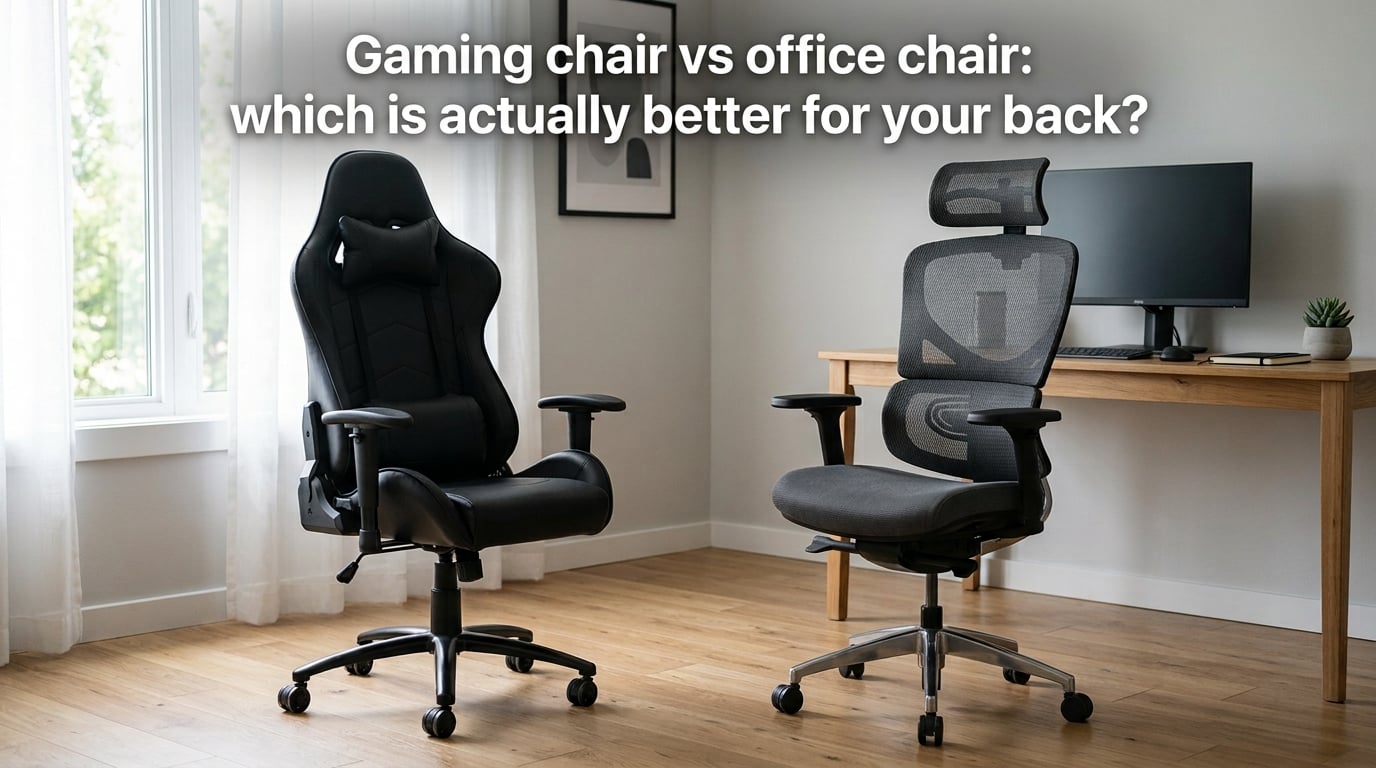
If your lower back aches by 3 p.m. and your neck is a wreck by Friday, the chair under you is probably part of the problem. After three months of swapping between a gaming chair and an ergonomic office chair at the same desk, our team learned something useful: the answer to “gaming chair vs office chair for back support” is not which logo is on the backrest. It is which chair your spine can actually live in for eight hours a day.
I will walk you through the biomechanics of sitting, the real engineering differences between these two chair families, and the decision matrix I now use when readers ask me which one to buy. You will get a setup checklist, a comparison table, and clear guidance for hybrid work-and-game users. By the end, you will know which chair type your back actually needs — and which habits matter more than the chair itself.
Table of Contents
Quick Answer: Which Chair Is Better for Your Back?
An ergonomic office chair is better for your back than a gaming chair for most people, especially if you sit more than three hours a day. Office chairs are engineered to keep your spine in a neutral curve through adjustable lumbar support, a flat seat pan, and a narrow recline range. Gaming chairs rely on a bucket seat, side bolsters, and a lumbar pillow that often flattens within a year. If you game reclined more than 60% of the time, a modern gaming chair like the Secretlab Titan Evo can work. For sustained upright work, choose the office chair.
What “Better for Your Back” Actually Means
“Better for your back” is a vague phrase until you define it. From a biomechanics standpoint, a back-friendly chair helps you hold three things for hours at a time: your lumbar lordosis, your neutral pelvis, and your head over your shoulders. Fail any one of these and you start accumulating strain.
Neutral Posture and Lumbar Lordosis
Your lower back has a natural inward curve called lumbar lordosis. When you sit, gravity wants to flatten that curve, which increases pressure on the intervertebral discs and forces your postural muscles to fire continuously. Peer-reviewed sit-stand research has shown that sustained slouched sitting raises disc pressure compared with standing, which is why chronic sitters develop lower-back fatigue.
A back-friendly chair preserves lumbar lordosis. It does this through either a contoured back, an adjustable lumbar support that fits the curve of your spine, or both. If a chair lets you slouch without resistance, it is failing this test.
Anterior Pelvic Tilt and Thoracic Kyphosis
When your lumbar curve flattens, your pelvis usually rolls backward (posterior pelvic tilt), which rounds your upper back into thoracic kyphosis and pushes your head forward. This is the classic “text neck” or forward head posture you see in any office. The cascade is mechanical: pelvis back, rib cage drops, chin juts forward, neck extensors burn out.
Chairs fight this cascade differently. An ergonomic office chair tilts the seat slightly forward (front-down) to keep your pelvis neutral, then uses a mesh or contoured back to support the lumbar curve. A gaming chair fights it with a fixed lumbar pillow and a tall backrest with a head pillow, which is more passive and more dependent on your posture habits.
Intervertebral Disc Pressure
Sitting loads your lumbar discs more than standing does, and slouched sitting loads them more than upright sitting. A 2014 comparison of postures found that unsupported slouched sitting increased disc pressure compared with a neutral recline of about 110 degrees with lumbar support. Translation: recline slightly, support the curve, and your discs thank you.
How a Gaming Chair Is Built
A gaming chair is a racing-seat-inspired chair with a tall backrest, a bucket seat with side bolsters, deep recline, and a removable lumbar pillow plus head pillow. The DNA comes from car bucket seats: hold the body in place during hard cornering, even if it means trading adjustability for containment.
Bucket Seat and Side Bolsters
The bucket seat cradles your hips and thighs between raised side bolsters. During reclined gaming, that containment is a feature: your torso does not slide sideways when you lean into a controller. During upright typing, the bolsters become a constraint. They pinch the thighs, restrict circulation, and force your pelvis into one position.
Tall users (6 ft and up) and wider users report the same issue on Reddit r/pcmasterrace: bucket seats that fit the “average” body type leave long legs jammed against the front edge of the seat.
Recline Range
Most gaming chairs recline from about 90 degrees to 170 degrees, often with a tilt lock and a pull-out footrest on premium models. That wide range is great for cutscene watching and reclined racing sims. It is bad for sustained typing because locking the backrest past 110 degrees invites slouching, and unlocking it lets the chair drift into recline every time you lean back to think.
Lumbar Pillow and PU Leather
The lumbar support on most gaming chairs is a strap-mounted memory-foam pillow. Out of the box it works fine. After six to twelve months of use, the foam flattens and the pillow sags into the strap. Reviewers across gaming forums report this same wear curve. The Premium tier (Secretlab Titan Evo, AndaSeat Kaiser) replaces the strap pillow with an adjustable lumbar system you can tune for height and depth, which fixes the longevity problem.
PU leather covers the seat and back. PU looks great and feels premium, but it traps heat. Users in warm climates report sweating through shirts within two to three hours. Fabric and mesh-backed gaming chairs exist but are less common.
Armrests
Budget gaming chairs ship with 1D armrests (height only). Mid-range and premium models add 2D, 3D, or 4D armrests. For desk work, 4D armrests (height, width, depth, pivot) are the only configuration that keeps your shoulders down and your elbows near 90 degrees during typing and mousing.
How an Ergonomic Office Chair Is Built
An ergonomic office chair is a task chair engineered around a neutral posture, not a reclined one. The parts are different because the job is different: hold a person upright at a desk for eight hours without their spine collapsing.
Mesh Back and Contoured Lumbar
Most modern ergonomic office chairs use a mesh back that flexes with your spine. The mesh stretches where your back pushes hardest (usually the upper thoracic area) and firms up at the lumbar curve. The result is automatic contouring without a pillow that can flatten.
Premium ergonomic chairs add an adjustable lumbar slider that moves up, down, in, and out to match your specific lordosis. The Herman Miller Aeron has this. The Steelcase Leap has it. The Branch Ergonomic Chair has a simpler version. Budget mesh chairs often skip the slider and rely on the mesh curve alone.
Seat Depth and Seat Pan
An ergonomic office chair has a flat (or slightly forward-tilted) seat pan with adjustable seat depth. You should be able to fit two to three fingers between the front edge of the seat and the back of your knee. If the seat is too shallow, your thighs lose support. If it is too deep, the front edge digs into the back of your knee and cuts circulation.
Seat depth adjustment is the single most overlooked feature for tall users. A 6 ft 3 in programmer on a 17-inch seat pan will have nowhere to put their thighs. Look for at least 18 to 20 inches of usable seat depth with adjustment.
4D Armrests and Pelvic Support
Real ergonomic office chairs have 4D armrests as a baseline: height, width, depth, and pivot. Some add a fifth dimension (forward/back slide) or a rotating head. The point is to keep your shoulders relaxed and your forearms parallel to the desk during typing.
Pelvic support is built into the seat pan shape and the tilt mechanism. A synchro-tilt mechanism moves the backrest more than the seat as you recline, which keeps your pelvis planted and your feet flat on the floor. This is the opposite of a gaming chair, where the whole seat tilts as a unit.
Recline Range and Tilt Tension
Ergonomic office chairs recline less aggressively than gaming chairs, usually 90 to 130 degrees. The narrower range is intentional: it keeps you in a working posture, not a lounging one. Tilt tension lets you set how much force it takes to lean, so the chair supports you rather than dumping you backward every time you relax.
Gaming Chair vs Office Chair Side by Side
Below is the comparison I walk readers through. Pick the chair that wins the attributes that matter most to your day.
Comparison Table: Six Attributes That Decide Comfort
| Attribute | Gaming Chair | Ergonomic Office Chair | Winner for Back Health |
|---|---|---|---|
| Lumbar support | Pillow (flat in 6-12 months) or adjustable system on premium models | Mesh contour with adjustable lumbar slider | Office chair |
| Seat depth | Fixed, often shallow (16-18 inches) | Adjustable, 17-20 inches on most models | Office chair |
| Recline range | 90-170 degrees, full tilt lock | 90-130 degrees, tilt tension | Office chair for work, gaming chair for reclined play |
| Materials / heat | PU leather, traps heat | Mesh back, breathable | Office chair |
| Armrests | 1D on budget, 4D on premium | 4D standard on most models | Tie on premium tier, office chair on mid-tier |
| Posture enforcement | Passive (relies on user habits) | Active (geometry enforces neutral) | Office chair |
| Best use case | Reclined gaming, media, short work bursts | Sustained upright work, hybrid setups | Depends on your day |
Where Gaming Chairs Win
Gaming chairs still win on three things: aesthetics (if you want a “gamer” look), price at the entry level, and reclined immersion. A 90 USD gaming chair is a real product, while a real ergonomic office chair starts closer to 200 USD. If you primarily game reclined, watch movies at your desk, or stream with a controller, the gaming chair is purpose-built for that posture.
Where Office Chairs Win
Office chairs win on every metric that affects long sitting sessions: lumbar durability, seat depth for taller users, breathability, posture enforcement, and warranty length. Premium office chairs (Herman Miller Aeron, Steelcase Leap, Steelcase Gesture) ship with 12-year warranties. Most gaming chairs ship with 2 to 5 years.
Which Chair Wins for Work, Gaming, and Hybrid Use
The honest answer depends on what you actually do at your desk. Here is the decision matrix I use when a reader asks.
Pure Work (More Than 60% of Your Desk Time)
Choose an ergonomic office chair. Your spine is loaded more during upright typing than during reclined gaming, and the office chair is engineered for that load. Spend the budget on adjustable lumbar, seat depth, and 4D armrests. The mesh back will keep you cool during long calls.
Pure Gaming (More Than 60% of Your Desk Time)
A premium gaming chair with adjustable lumbar support (Secretlab Titan Evo, AndaSeat Kaiser, Noblechairs Hero) is a defensible choice. The bucket seat containment is a real feature for reclined play, the wide recline range supports cutscenes, and the modern lumbar system fixes the strap-pillow longevity issue. Set the lumbar height and depth before your first session and reset it after breaks.
Hybrid Work-and-Game at the Same Desk
Most readers I talk to fall into this bucket, and the Reddit forums agree. The most common fix is to buy one ergonomic office chair for work and one recliner or loveseat for gaming sessions. If you want a single chair, the Secretlab Titan Evo is the most-cited compromise because its adjustable lumbar system handles upright typing better than any bucket-seat chair I have tested. The Steelcase Series 1 or Branch Ergonomic Chair is a stronger pick if you lean more work than game.
Use This Hybrid Decision Tree
- Estimate the share of your desk time that is upright work (typing, calls, writing).
- If upright work is 50% or more, choose an ergonomic office chair.
- If upright work is below 50%, choose a premium gaming chair with an adjustable lumbar system.
- If you cannot decide, add a used recliner or floor chair for gaming and put the office chair at the desk.
Specific Back Conditions and Chair Choice
No competitor in my research pool addresses this directly, so I will. If you have an existing back condition, chair choice matters more, not less.
Sciatica
You want a chair that keeps your hips slightly above your knees (a forward seat tilt helps) and takes pressure off the back of your thigh. Avoid deep bucket seats that compress your thighs against the front edge. A mesh-back ergonomic chair with adjustable seat depth is the safer call.
Herniated Disc or Disc Bulge
Recline slightly (100 to 110 degrees) with lumbar support engaged. A synchro-tilt office chair lets you lock this angle and work for hours. Avoid full recline past 130 degrees unless your clinician has cleared it for your specific disc level.
Spinal Stenosis
Many stenosis patients feel better in a slightly reclined posture because it opens the spinal canal. A chair with a deep recline range and a supportive backrest (some premium gaming chairs fit, as do recliner-style office chairs) can help. Test before you commit.
Pregnancy and Postpartum
A chair with adjustable seat depth and breathable mesh reduces heat buildup and lets you shift position easily. Avoid chairs with hard bolsters that press into the lower abdomen when reclined.
Post-Surgery Recovery
Follow your surgeon’s guidance. In general, a chair with a tilt-in-space mechanism (the whole chair tilts while keeping your hip angle constant) is safer than one that reclines by changing your hip angle.
Why Habits and Movement Beat Chair Type
Here is the uncomfortable truth our team learned after testing a dozen chairs for three months: the chair is maybe 30% of the problem. The rest is how you sit and how often you move.
The 30-Minute Rule
Standing and dynamic posture research consistently shows that prolonged static sitting, even in a perfect chair, loads your discs and fatigues your postural muscles. Get up every 30 to 45 minutes for two to three minutes. Walk to the kitchen, do a hip flexor stretch, look out a window. Your back will thank you more than any chair upgrade.
Muscle Memory and Postural Adaptation
Your body adapts to whatever posture you repeat most. Sit slouched for six months and slouching becomes your resting posture. Sit upright with lumbar support for six months and upright becomes easier. The chair is the environment, but the adaptation is yours.
Forward Head Posture and Screen Height
Top of your monitor at or just below eye level. Laptop screens are too low and force a chin tuck. Use a laptop stand and an external keyboard. This single change often reduces neck pain more than swapping chair brands.
Strength Training and Walking
Reddit users who fixed chronic sitting pain almost always combined a chair change with strength training (especially core and hip flexors) and daily walking. The chair is a tool, not a cure.
Setup Checklist for a Back-Friendly Chair
Once you have a chair, set it up correctly. This checklist is the one I share with every reader.
- Seat height: Feet flat on the floor, knees at 90 degrees, thighs parallel to the ground. If your desk is too high, raise the chair and add a footrest.
- Seat depth: Two to three fingers of space between the front edge of the seat and the back of your knee.
- Lumbar support: Adjust the lumbar height and depth until you feel firm support in your lower back, not pressure on your tailbone.
- Armrest height: Shoulders relaxed, elbows at 90 degrees, forearms parallel to the desk. If your shoulders shrug, the armrests are too high.
- Recline angle: Lock the backrest at 100 to 110 degrees for typing. Unlock it for breaks and let the chair move with you.
- Monitor height: Top of the screen at eye level, an arm’s length away.
- Headrest (if present): Set it to contact the middle of your head, not your neck, when you recline.
What to Look for in a Back-Friendly Chair
Whether you go gaming or office, these are the features that matter. Skip them and your back will eventually complain.
Must-Have Features
- Adjustable lumbar support (height + depth, not just a strap pillow)
- Seat depth adjustment for your leg length
- 4D armrests (height, width, depth, pivot)
- Mesh or breathable fabric back for long sessions
- Tilt tension control so the chair matches your weight
- 5+ year warranty from a brand that actually honors it
- BIFMA or ANSI/BIFMA X5.1 certification as a minimum safety and durability baseline
Nice-to-Have Features
- Forward seat tilt for keyboard-heavy work
- Adjustable headrest that fits your height
- Try-before-you-buy program (Branch, Steelcase, Herman Miller all offer this)
- Replacement parts available (lumbar pads, armrest pads, casters)
Budget Tiers Worth Considering
For readers who care about cost-per-hour, here is how I frame the tiers. Entry tier covers basic ergonomic chairs with mesh backs and 2D armrests. Mid tier adds seat depth adjustment, 3D or 4D armrests, and a real lumbar slider. Premium tier adds synchro-tilt, full adjustability, and a 12-year warranty. Across a five-year span, a premium chair used eight hours a day works out to a few cents per hour of use, which usually beats replacing a cheap chair every 18 months.
Frequently Asked Questions
Are gaming chairs actually bad for your back?
Gaming chairs are not inherently bad, but most budget models force you into a fixed posture with side bolsters and a lumbar pillow that flattens within a year. Premium gaming chairs with adjustable lumbar systems (Secretlab Titan Evo, AndaSeat Kaiser) fix the longevity issue but still rely more on your habits than on enforced geometry. For sustained upright work, an ergonomic office chair is the safer bet.
Do gaming chairs make your posture worse?
They can if you slouch into the recline and never reset, or if the lumbar pillow sags and your lumbar curve flattens. A gaming chair with a working adjustable lumbar and a 100-110 degree upright lock will not worsen your posture. The chair is only as good as how you set it up and how often you move.
Is a gaming chair bad for your health?
No single chair is bad for health on its own. The risk factors are PU leather heat buildup over long sessions, restricted thigh circulation from bucket seats, and the habit of reclining past 130 degrees for hours. Mitigate with a mesh or fabric back, a chair that fits your body, and breaks every 30 to 45 minutes.
Why do gaming chairs have side bolsters?
Side bolsters come from racing bucket seats. They hold your torso in place during hard cornering and stop you from sliding sideways when you lean into a controller. For reclined gaming they are a feature. For upright typing they constrain hip movement and can pinch your thighs, which is the main ergonomic trade-off.
Is the Secretlab chair good for office work?
The Secretlab Titan Evo is the most-cited gaming chair that works for hybrid work-and-game use, mostly because its adjustable lumbar system supports upright work better than a strap pillow. It still has a bucket seat and PU leather, so it is not a true ergonomic office chair. For pure work above 60% of your day, an ergonomic office chair will outperform it.
What should I choose if I both game and work at my desk?
Step 1: estimate the share of your desk time that is upright work. Step 2: if upright work is 50% or more, choose an ergonomic office chair. Step 3: if upright work is below 50%, choose a premium gaming chair with an adjustable lumbar system. Step 4: if you cannot decide, use an office chair at the desk and add a recliner or floor chair for gaming sessions.
Are gaming chairs good for your posture?
A gaming chair can support good posture if it has an adjustable lumbar system, you keep the backrest at 100-110 degrees during typing, and you take movement breaks. A budget gaming chair with a fixed strap pillow and deep recline will let your posture drift into slouching within a few months.
Which chair is better for long sitting sessions?
For sessions longer than 6 hours, an ergonomic office chair with mesh back, adjustable lumbar, and seat depth adjustment is the better choice. It keeps your spine neutral, breathes through long calls, and enforces a working posture. A gaming chair is fine for 2-4 hour reclined sessions but tends to fail on heat and lumbar durability over a full workday.
The Bottom Line on Gaming Chair vs Office Chair for Back Support
For most readers asking the gaming chair vs office chair for back support question, the answer is the ergonomic office chair. It enforces neutral posture through geometry rather than relying on your habits, and it holds up over years of daily use. A premium gaming chair is still a real option for readers who game reclined more than half the day, and a Secretlab Titan Evo or AndaSeat Kaiser with an adjustable lumbar system can handle hybrid use better than any bucket-seat chair of the past. Set whichever chair you pick up with the seven-step checklist, add movement breaks every 30 to 45 minutes, and your back will feel the difference within two weeks.
Start with the setup checklist above, then decide based on how your day actually splits between work and play. Your spine will tell you within a month whether you chose right.