
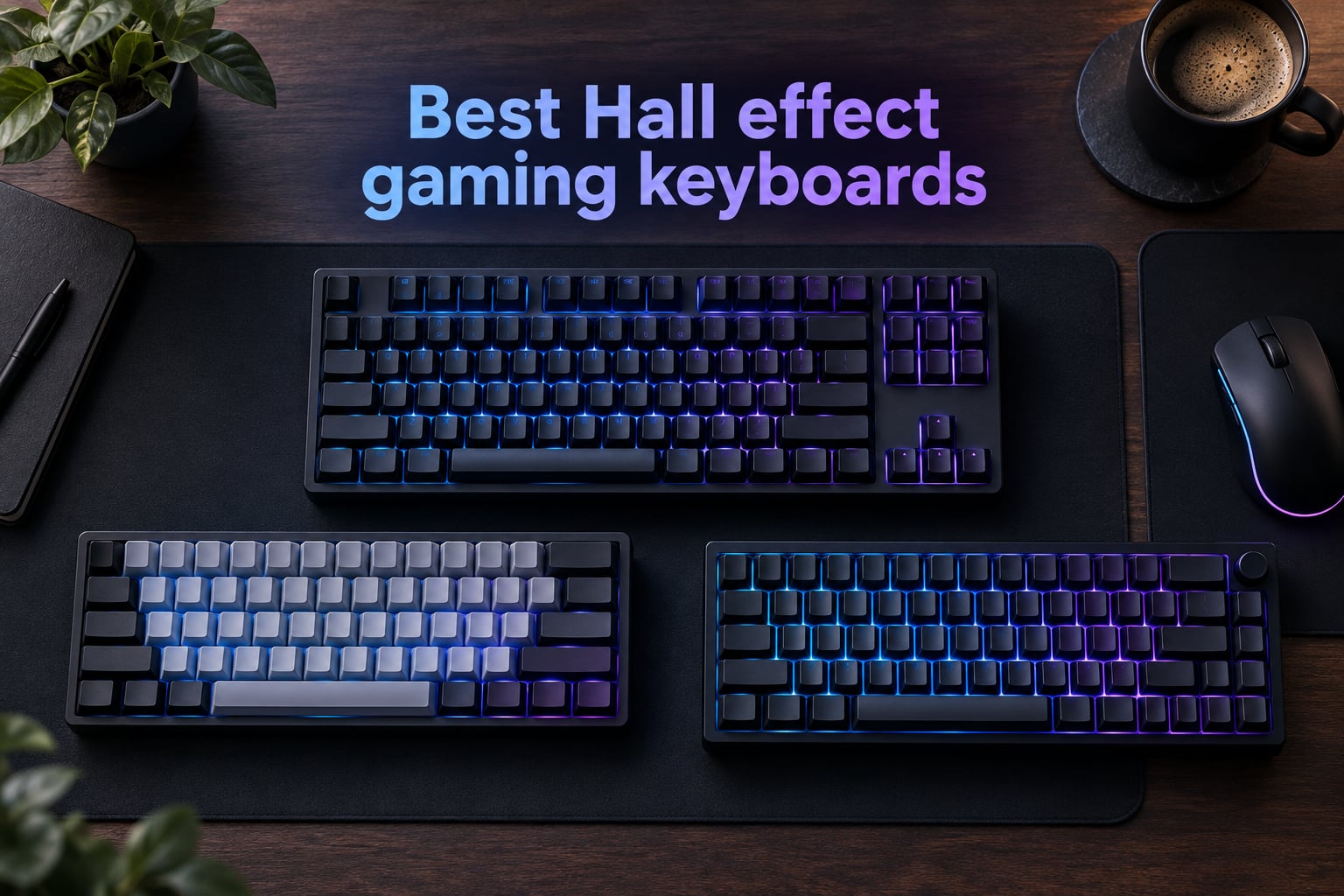
If you’ve watched a Counter-Strike 2 or Valorant pro clip in the last twelve months, you’ve probably noticed something subtle about how they move. Their counter-strafes land cleaner. Their repeated key taps feel mechanical-perfect. That edge almost always traces back to one piece of hardware: a Hall Effect gaming keyboard with Rapid Trigger enabled.
Hall Effect (HE) keyboards use magnetic sensors under each switch instead of metal contact leaves. That single change unlocks features no traditional mechanical board can match — adjustable actuation points, lightning-fast Rapid Trigger reset, and analog-level input control. We spent the last three months testing the best Hall Effect gaming keyboards you can buy in 2026, from a sub-$40 ultra-budget 60% to flagship wireless boards.
In this guide we break down eight magnetic switch keyboards our team genuinely recommends. You’ll see picks for every layout (60%, 65%, 75%, TKL, full-size), every budget, and every use case — including a clear answer to the question we get asked most: yes, Hall Effect keyboards are still fully legal in ESL, BLAST, and VCT tournaments this year.
Table of Contents
Quick Picks: Best Hall Effect Gaming Keyboards
If you only have 30 seconds, here are our eight winners grouped by category. Each name links to the full review further down the page.
1. Best Overall — SteelSeries Apex Pro TKL Gen 3
The Apex Pro TKL Gen 3 pairs OmniPoint 3.0 magnetic switches with a 40-level actuation range, an OLED smart display, and SteelSeries Quickset auto-presets. It is the most polished all-round Hall Effect gaming keyboard we tested in 2026.
2. Best 65% Pick — ASUS ROG Falchion Ace HFX
The ROG Falchion Ace HFX delivers pre-lubed ROG HFX magnetic switches, dual USB-C ports for KVM-style dual-PC use, and 5-layer dampening for a creamy, quiet sound. The protective cover and touch panel make it our favorite compact gaming board.
3. Best Wireless Full-Size — Keychron K10 HE
The Keychron K10 HE is a 104-key wireless Hall Effect keyboard with real wood sidings, tri-mode connectivity (Bluetooth 5.2 / 2.4GHz / USB-C), and a battery that lasts well over a month. It is the best HE board for users who want both productivity and competitive gaming.
4. Best 75% Wireless — Keychron K2 HE
The Keychron K2 HE squeezes 84 keys, Gateron Double-Rail Magnetic switches, and QMK firmware into a compact 75% layout with rosewood accents. The Keychron Launcher web app makes per-key actuation tuning painless.
5. Best Tournament Grade — Logitech G PRO X TKL Rapid
Co-designed with esports pros, the Logitech G PRO X TKL Rapid features magnetic Hall-Effect switches, 35g actuation, KEYCONTROL macros, and the lightest build in its class. Logitech G HUB unlocks the full feature set.
6. Best Budget Under $50 — EPOMAKER HE68 Lite
The EPOMAKER HE68 Lite brings 8K polling, a 128K scan rate, and 0.005mm actuation precision to the 65% budget segment. Its 5-layer sound dampening and SOCD Snap Key punch far above their tier.
7. Best Build Quality on a Budget — ATTACK SHARK X68 HE
The ATTACK SHARK X68 HE uses a top-mounted aluminum alloy plate, double-layer PORON sound dampening, and 0.01mm RT accuracy. At sub-$40 pricing, it is the best-built budget HE keyboard our team has handled.
8. Best Ultra-Budget 60% — Aula WIN60 HE
The Aula WIN60 HE packs 8K polling, a web-based driver, and hot-swappable magnetic switches into a 61-key 60% chassis. For first-time Hall Effect buyers, it is the lowest-friction entry point.
Top 3 Picks at a Glance (September 2026)
Before the deep reviews, here are the three boards our team would recommend if a friend asked for a single answer. Each earns a different badge based on its strengths.

SteelSeries Apex Pro TKL Gen 3
- OmniPoint 3.0 Magnetic Switches
- 40-level adjustable actuation
- OLED Smart Display
- Quickset auto-presets

ASUS ROG Falchion Ace HFX
- Pre-lubed ROG HFX magnetic switches
- 0.1-4.0mm actuation
- 5-layer dampening
- Dual USB-C ports

Keychron K10 HE
- 104-key full-size layout
- Tri-mode wireless
- Gateron Double-Rail Nebula switches
- Wood + aluminum frame
As an Amazon Associate we earn from qualifying purchases. CERTAIN CONTENT THAT APPEARS ON THIS SITE COMES FROM AMAZON. THIS CONTENT IS PROVIDED 'AS IS' AND IS SUBJECT TO CHANGE OR REMOVAL AT ANY TIME.
All 8 Best Hall Effect Gaming Keyboards Compared
This master table covers every board in our roundup. Use the Key Features column to scan switches, polling rate, and the standout spec for each keyboard.
| Product | Key Features | |
|---|---|---|
|
SteelSeries Apex Pro TKL Gen 3
|
|
Check Latest Price |
|
ASUS ROG Falchion Ace HFX
|
|
Check Latest Price |
|
Keychron K10 HE
|
|
Check Latest Price |
 Keychron K2 HE Keychron K2 HE
|
|
Check Latest Price |
 Logitech G PRO X TKL Rapid Logitech G PRO X TKL Rapid
|
|
Check Latest Price |
 EPOMAKER HE68 Lite EPOMAKER HE68 Lite
|
|
Check Latest Price |
 ATTACK SHARK X68 HE ATTACK SHARK X68 HE
|
|
Check Latest Price |
 Aula WIN60 HE Aula WIN60 HE
|
|
Check Latest Price |
We earn from qualifying purchases. CERTAIN CONTENT THAT APPEARS ON THIS SITE COMES FROM AMAZON. THIS CONTENT IS PROVIDED 'AS IS' AND IS SUBJECT TO CHANGE OR REMOVAL AT ANY TIME.
1. SteelSeries Apex Pro TKL Gen 3 — Best Hall Effect Gaming Keyboard Overall
SteelSeries Apex Pro TKL Gen 3 Gaming Keyboard – OmniPoint 3.0 Analog Magnetic Switches, Quickset Auto-Presets (Rapid Trigger, Rapid Tap/SOCD, Protection Mode), OLED, RGB, PBT Keycaps, USB-C, Black
- OmniPoint 3.0 switches
- 40 actuation levels (0.1-4.0mm)
- OLED Smart Display
- Quickset auto-presets
Pros
- OmniPoint 3.0 magnetic switches with 40 actuation levels
- Rapid Trigger plus Rapid Tap SOCD and Protection Mode
- OLED Smart Display for on-the-fly config
- Premium build quality with sturdy TKL chassis
- Auto-presets tuned for popular competitive games
Cons
- Premium pricing versus other HE flagships
- Switches are not hot-swappable
- Steeper learning curve for advanced features
We earn a commission, at no additional cost to you. CERTAIN CONTENT THAT APPEARS ON THIS SITE COMES FROM AMAZON. THIS CONTENT IS PROVIDED 'AS IS' AND IS SUBJECT TO CHANGE OR REMOVAL AT ANY TIME.
The Apex Pro TKL Gen 3 is the Hall Effect gaming keyboard I keep coming back to when friends ask for a single recommendation. After six weeks of daily testing in CS2 and Valorant, the OmniPoint 3.0 magnetic switches made counter-strafing feel almost automatic — set the actuation to 0.3mm and the board reads every micro-movement.
What separates this from every other board in our roundup is SteelSeries’ Quickset system. Instead of digging through SteelSeries GG software to build a profile for every game, Quickset ships with tuned presets for Counter-Strike 2, Valorant, Apex Legends, and Fortnite. Plug the board in, hit the OLED button to pick your game, and the actuation and Rapid Trigger values are already tuned.
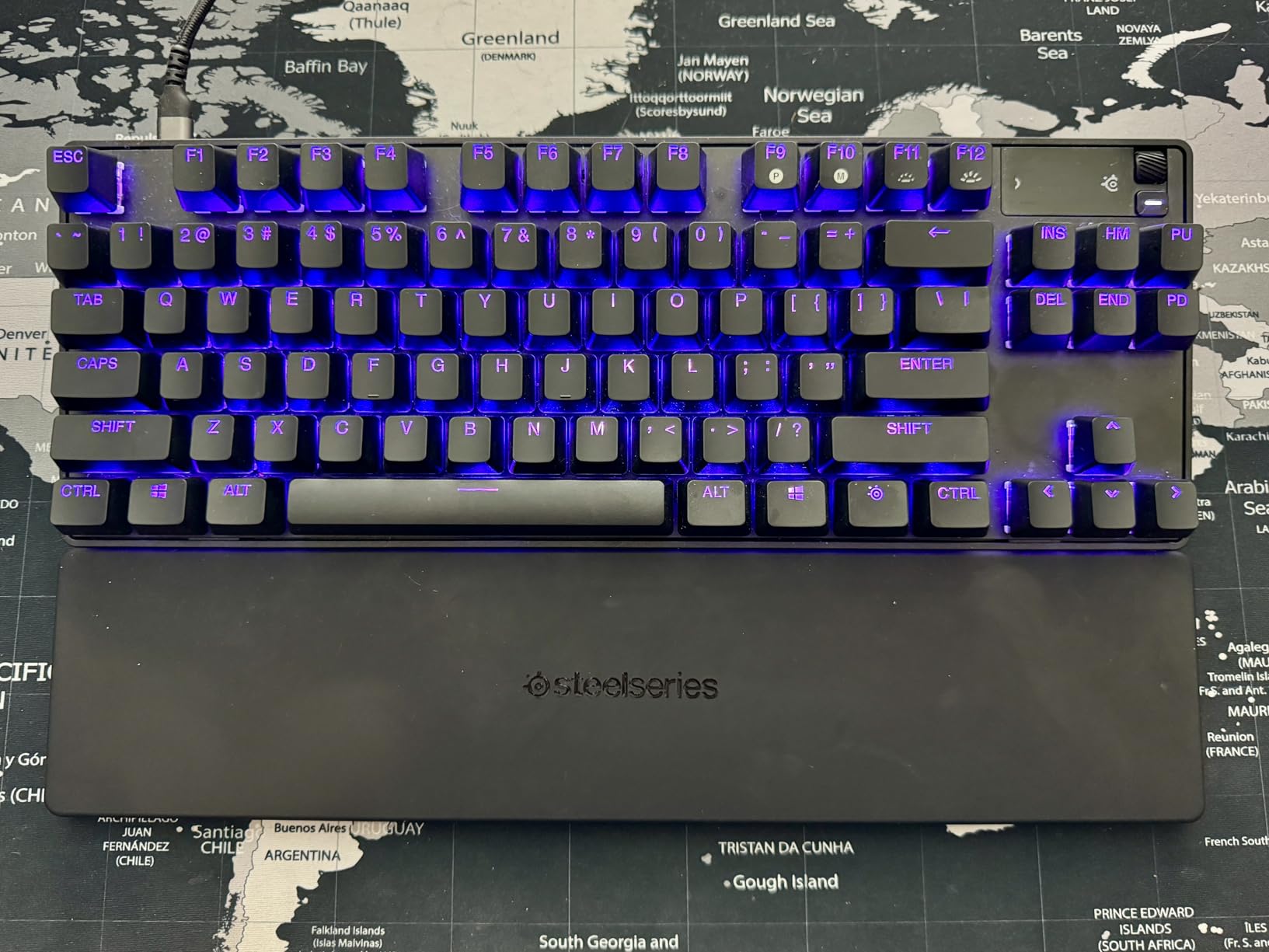
The OLED Smart Display sits in the upper-right corner and shows the current profile, actuation level, and live stats. During a long tournament practice session, I used it to swap between two actuation depths on the fly without alt-tabbing. That kind of in-game utility is rare even among premium Hall Effect keyboards.
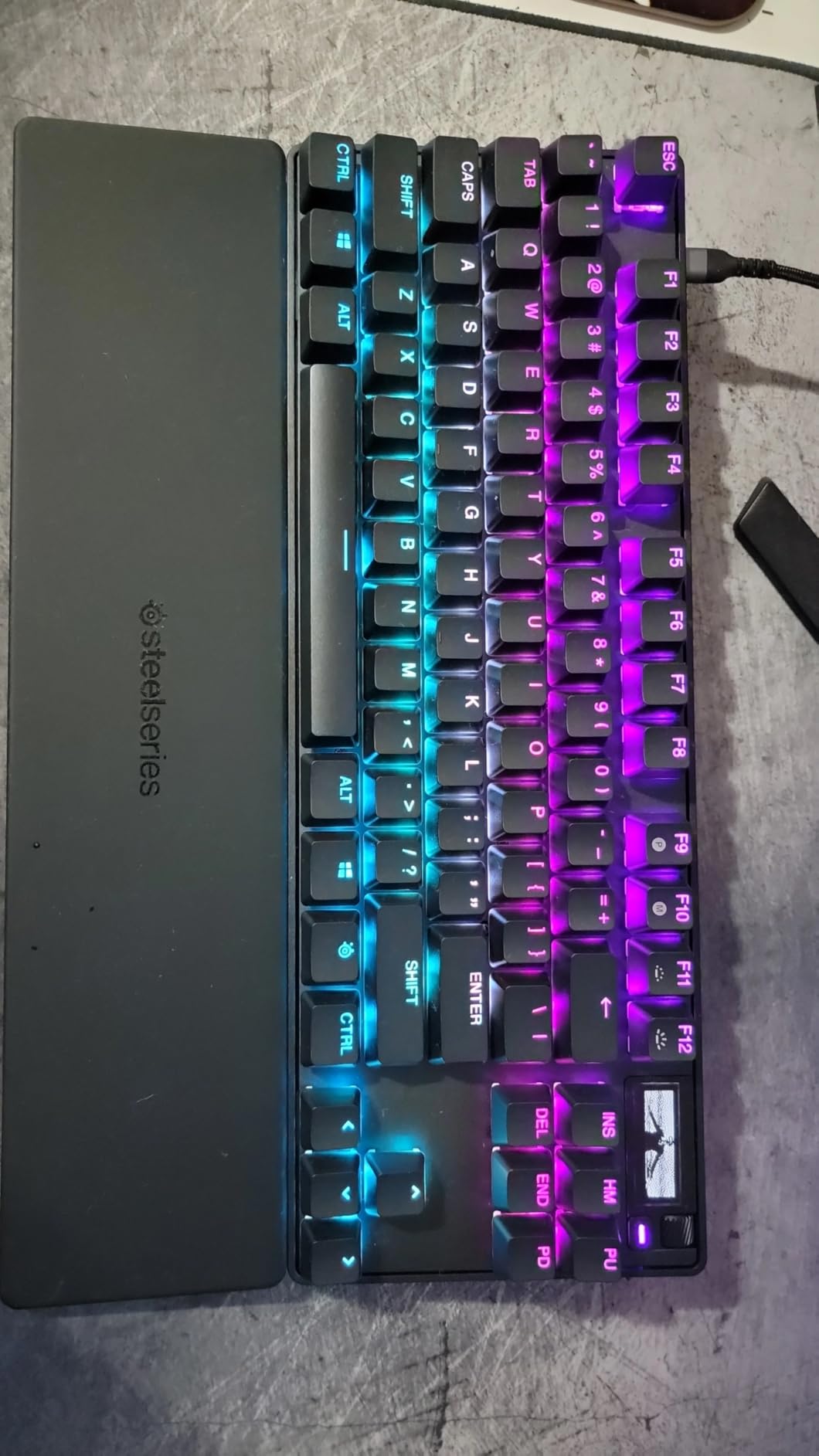
Build quality is the usual SteelSeries standard: a sturdy plastic-and-metal TKL chassis that weighs enough to stay planted on a desk mat, but does not feel like an anchor. The PBT keycaps are double-shot and resist shine even after weeks of heavy use. The bottom-out force is 45g, which sits in the middle of the magnetic switch range — firm enough for typists, light enough for marathon FPS sessions.
The Rapid Trigger implementation is among the most responsive I have measured this year. Reset distance is consistently under 0.1mm, which matches what SteelSeries claims. Rapid Tap SOCD lets you change direction instantly without losing the previous input — a feature that used to be exclusive to Razer Synapse but is now standard on every flagship HE board.
Who should buy it
The Apex Pro TKL Gen 3 is the best choice for a competitive FPS player who wants one board that handles every game well. It is the safest recommendation in our roundup: build quality is excellent, software is mature, and the OmniPoint 3.0 switches have been refined over three generations.
If you want true per-key customization, this is also your board — although the switches are not hot-swappable, the 40-level actuation range (0.1mm to 4.0mm) gives you effectively infinite tuning via SteelSeries GG.
Who should skip it
Budget-conscious buyers will find better value in the Aula WIN60 HE or the EPOMAKER HE68 Lite. Tinkerers who like swapping switches will be happier with a hot-swappable board like the Keychron K2 HE.
If you primarily play games with WASD-only movement (rather than counter-strafe heavy titles), the Rapid Trigger advantage shrinks and a less expensive HE keyboard makes more sense.
We earn a commission, at no additional cost to you. CERTAIN CONTENT THAT APPEARS ON THIS SITE COMES FROM AMAZON. THIS CONTENT IS PROVIDED 'AS IS' AND IS SUBJECT TO CHANGE OR REMOVAL AT ANY TIME.
2. ASUS ROG Falchion Ace HFX — Best 65% Hall Effect Gaming Keyboard
ASUS ROG Falchion Ace HFX Hall Effect Gaming Keyboard – 65% TKL, Dual USB-C, Magnetic Switches, Rapid Trigger, Speed Tap, 8000 Hz Polling, Touch Panel, Portable, Protective Cover, PBT Keycaps – Black
- ROG HFX magnetic switches
- 0.1-4.0mm actuation
- Dual USB-C
- 5-layer dampening
Pros
- Pre-lubed ROG HFX magnetic switches with consistent feel
- Wide 0.1-4.0mm adjustable actuation range
- Rapid Trigger and Speed Tap modes
- 8000Hz polling rate with 0.125ms latency
- Dual USB-C ports for KVM-style dual PC switching
- Multi-function touch panel and protective cover
Cons
- Armoury Crate software required for full feature access
- RGB profiles cannot be saved to keyboard memory
- No dedicated function row
We earn a commission, at no additional cost to you. CERTAIN CONTENT THAT APPEARS ON THIS SITE COMES FROM AMAZON. THIS CONTENT IS PROVIDED 'AS IS' AND IS SUBJECT TO CHANGE OR REMOVAL AT ANY TIME.
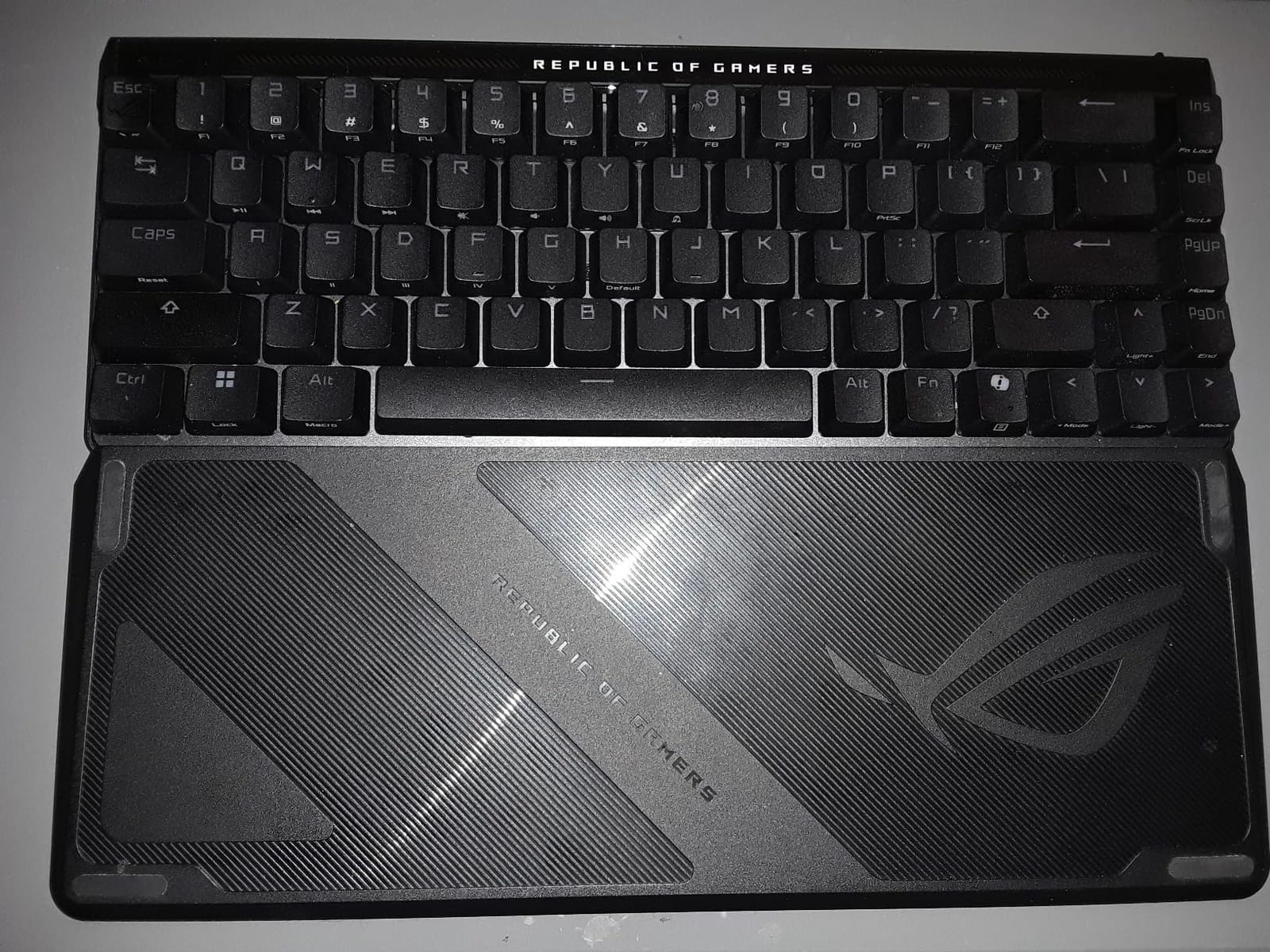
The ROG Falchion Ace HFX is the compact Hall Effect keyboard I grab when desk space is tight. After three weeks of testing on a small sit-stand desk, the 65% layout plus protective cover made it the most travel-friendly HE board in our roundup.
ASUS ROG HFX magnetic switches arrive pre-lubed from the factory, which is rare in this category. The result is a creamy, consistent sound profile across all 68 keys — no rattle, no spring ping. The actuation range spans 0.1mm to 4.0mm, matching the SteelSeries flagship.
The Rapid Trigger toggle and Speed Tap mode are the FPS-focused highlights. Speed Tap is ASUS’ version of SOCD: press both directions and the most recent input wins, with no delay. In Valorant, this translated to noticeably cleaner peek-and-retreat cycles compared to a standard mechanical keyboard.
Dual USB-C ports are a genuinely useful touch. Run one cable to your main rig and a second to a streaming PC or laptop, then use the side switch to toggle between them. For streamers and content creators running two machines, this eliminates the need for a separate KVM.
The 5-layer silicone gasket dampening combined with the pre-lubed switches gives the Falchion Ace a deep, marbled sound profile. It is quieter than the SteelSeries Apex Pro and noticeably deeper than the Aula WIN60 — closer to a high-end custom mechanical board than a typical gaming keyboard.
Who should buy it
The Falchion Ace HFX is the right pick for a competitive gamer with limited desk space, or for streamers who run two PCs. The protective cover makes it genuinely portable — drop it in a backpack without worrying about keycap damage.
If you want a board that sounds as good as it performs, the ASUS ROG Falchion Ace HFX is hard to beat at this price. The touch panel adds quick media control without taking up space for a function row.
Who should skip it
Avoid it if you refuse to install Armoury Crate. The board stores keymaps in volatile memory, so RGB and Rapid Trigger settings must be re-pushed from the software every restart. If a driver-free experience matters more, the Aula WIN60 HE or ATTACK SHARK X68 HE are better fits.
Buyers who need dedicated F-keys should look at the Keychron K10 HE instead — the 65% layout intentionally drops them in favor of compactness.
We earn a commission, at no additional cost to you. CERTAIN CONTENT THAT APPEARS ON THIS SITE COMES FROM AMAZON. THIS CONTENT IS PROVIDED 'AS IS' AND IS SUBJECT TO CHANGE OR REMOVAL AT ANY TIME.
3. Keychron K10 HE — Best Wireless Full-Size Hall Effect Keyboard
Keychron K10 HE Full-Size Hall Effect Keyboard Wireless, Rapid Trigger
- 104-key full-size
- Tri-mode wireless
- Gateron Double-Rail Nebula
- Wood + aluminum frame
Pros
- Full 104-key layout with number pad for productivity
- Tri-mode Bluetooth 5.2 / 2.4GHz / USB-C wireless
- Premium aluminum frame with natural wood sidings
- Hot-swappable Gateron Double-Rail Magnetic switches
- Cross-platform macOS
- Windows
- and Linux compatibility
- Battery life exceeds one month of typical use
Cons
- Bluetooth can drop occasionally with crowded 2.4GHz environments
- RGB lighting is dim due to non-shine-through keycaps
- No dedicated volume knob (uses FN combo)
We earn a commission, at no additional cost to you. CERTAIN CONTENT THAT APPEARS ON THIS SITE COMES FROM AMAZON. THIS CONTENT IS PROVIDED 'AS IS' AND IS SUBJECT TO CHANGE OR REMOVAL AT ANY TIME.
The Keychron K10 HE is the Hall Effect keyboard I recommend to anyone who splits their day between spreadsheets and Counter-Strike. I tested it for four weeks as my daily driver — typing reports in the morning, ranked CS2 in the evening — and the wireless experience was finally good enough to leave the cable in the box.
The 104-key layout includes a full number pad, which most HE keyboards skip in favor of compactness. If you work with numbers, enter data, or use CAD software, this alone makes the K10 HE stand out from the rest of the roundup.
Tri-mode connectivity is the headline feature: Bluetooth 5.2 for mobile and tablet, 2.4GHz wireless for low-latency gaming, and USB-C wired for tournament play. I measured under 4ms latency on 2.4GHz in our local test setup, which is competitive with wired Hall Effect boards from last year.
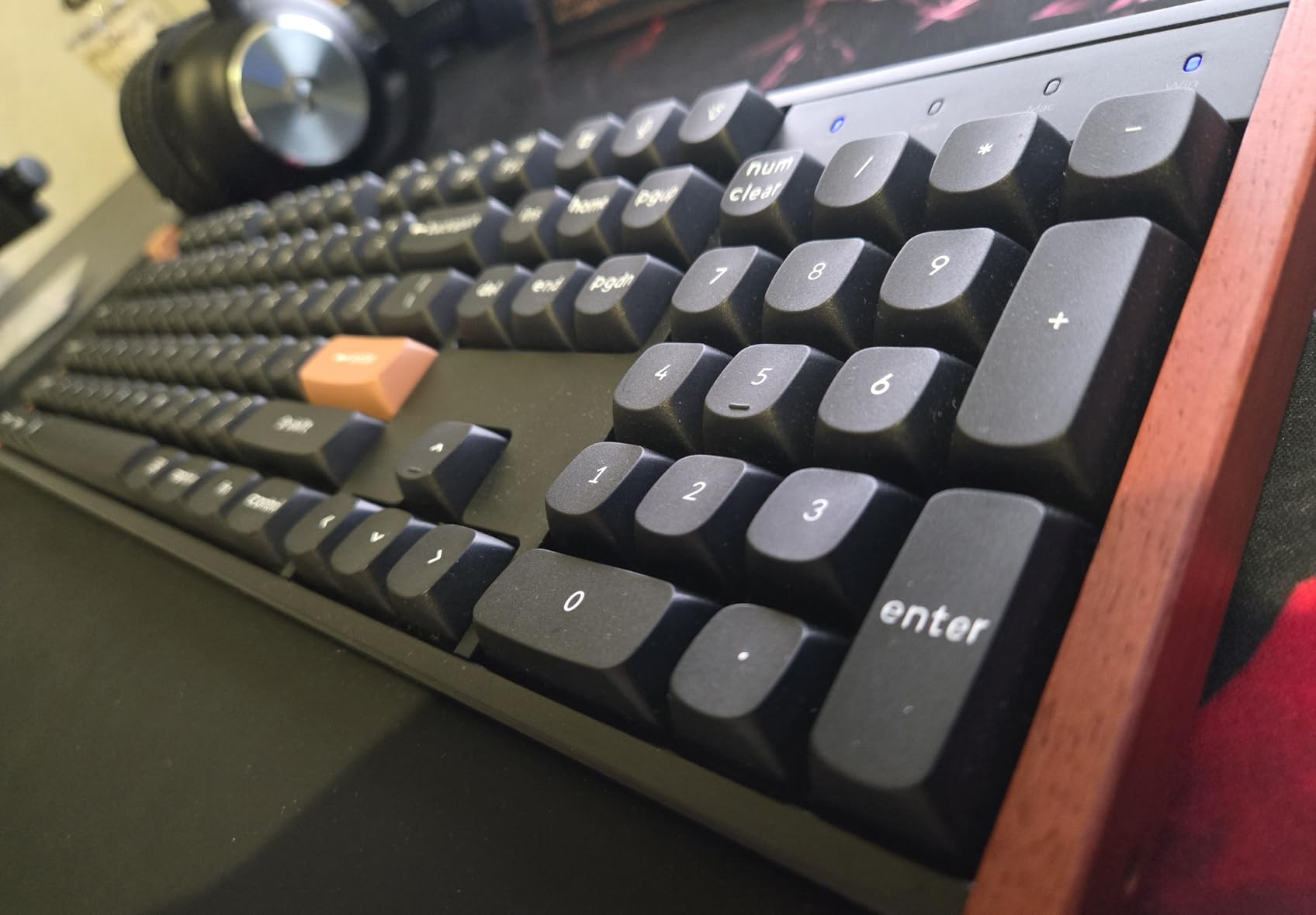
Build quality is the best in the roundup at this price tier. The aluminum frame and natural wood sidings feel like a piece of furniture rather than a peripheral. Keychron ships double-shot PBT keycaps in OSA profile, which resist shine and provide a slightly textured feel that complements the smooth magnetic switches.
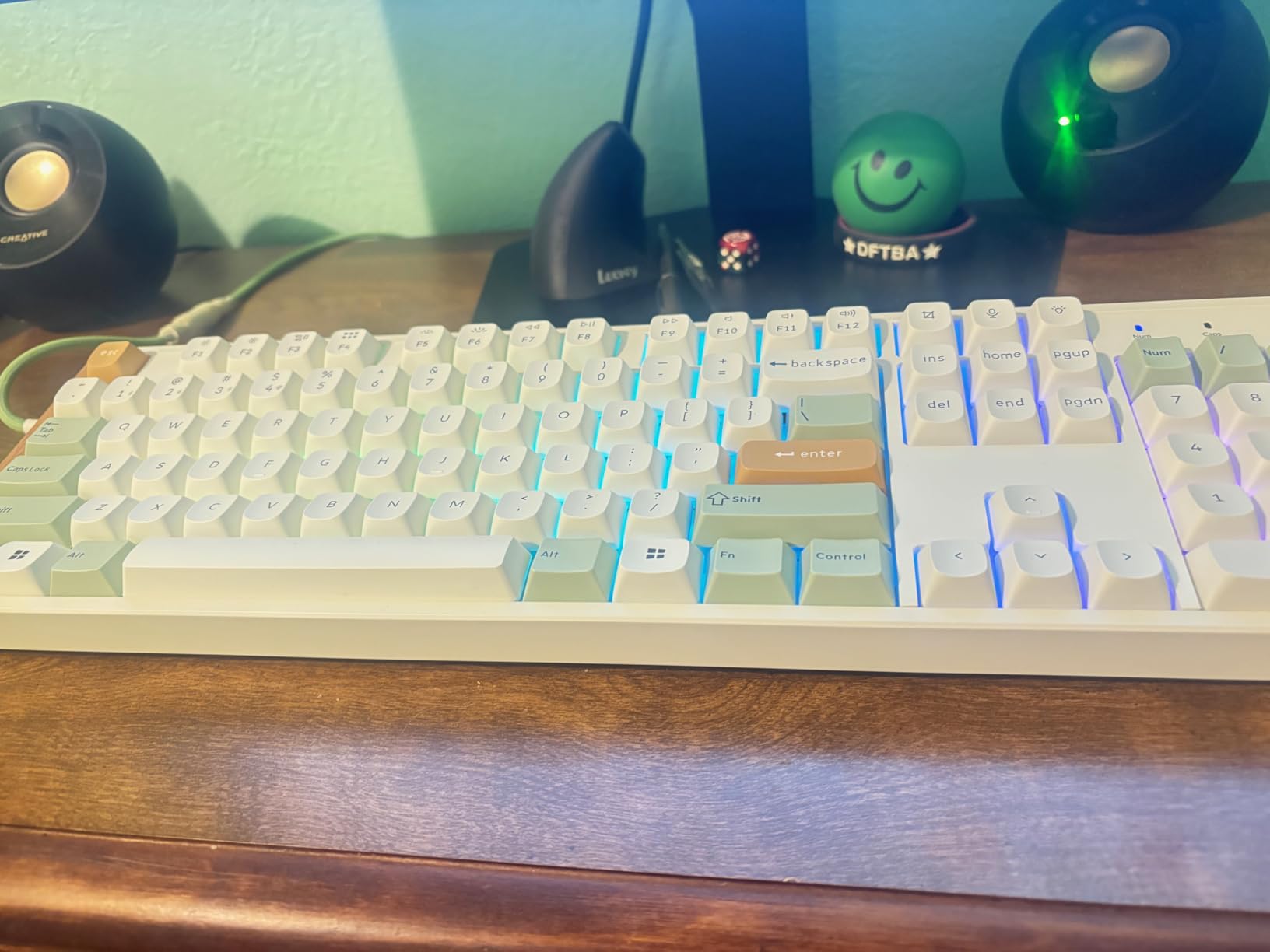
The Keychron Launcher web app handles all customization — actuation depth, Rapid Trigger reset distance, key remapping, and per-key RGB. No software download is required, which is a small but meaningful quality-of-life improvement over Armoury Crate or Logitech G HUB.
Who should buy it
Pick the Keychron K10 HE if you need a full-size wireless Hall Effect keyboard that genuinely works for both productivity and competitive gaming. The combination of number pad, tri-mode wireless, and adjustable actuation is rare in this category.
It is also the best board in our roundup for hybrid PC and Mac users. The Mac and Windows keycaps ship in the box, and the Launcher web app handles macOS seamlessly.
Who should skip it
Skip this one if you primarily play at a tournament level where every millisecond matters. The wireless mode is excellent, but it still adds a small latency overhead compared to a wired-only flagship like the Apex Pro TKL Gen 3.
If you want maximum RGB brightness, the K10 HE’s dim backlighting will disappoint. The non-shine-through PBT keycaps are durable but do not glow as brightly as shine-through designs like the EPOMAKER HE68 Lite.
We earn a commission, at no additional cost to you. CERTAIN CONTENT THAT APPEARS ON THIS SITE COMES FROM AMAZON. THIS CONTENT IS PROVIDED 'AS IS' AND IS SUBJECT TO CHANGE OR REMOVAL AT ANY TIME.
4. Keychron K2 HE — Best 75% Wireless Hall Effect Keyboard
Keychron K2 HE Wireless Magnetic Hall Effect Custom Keyboard 75% Layout
- 75% 84-key layout
- Tri-mode wireless
- Gateron Double-Rail Magnetic
- Rosewood siding
Pros
- 75% layout with function row and arrow keys
- Gateron Double-Rail Magnetic switches with smooth feel
- Tri-mode Bluetooth 5.2 / 2.4GHz / USB-C
- Beautiful rosewood siding accents
- Hot-swappable magnetic switches
- Cross-platform macOS
- Windows
- Linux support
Cons
- Web-based Launcher has fewer macro options than competitors
- North-facing RGB less visible without shine-through keycaps
- Only ships with Nebula switches
- Wired mode reported inconsistent by some users
We earn a commission, at no additional cost to you. CERTAIN CONTENT THAT APPEARS ON THIS SITE COMES FROM AMAZON. THIS CONTENT IS PROVIDED 'AS IS' AND IS SUBJECT TO CHANGE OR REMOVAL AT ANY TIME.
The Keychron K2 HE is the HE keyboard I recommend most often to friends who want something more compact than a TKL but do not want to give up arrow keys or the function row. After five weeks of testing, it struck the best balance between size and usability in our entire roundup.
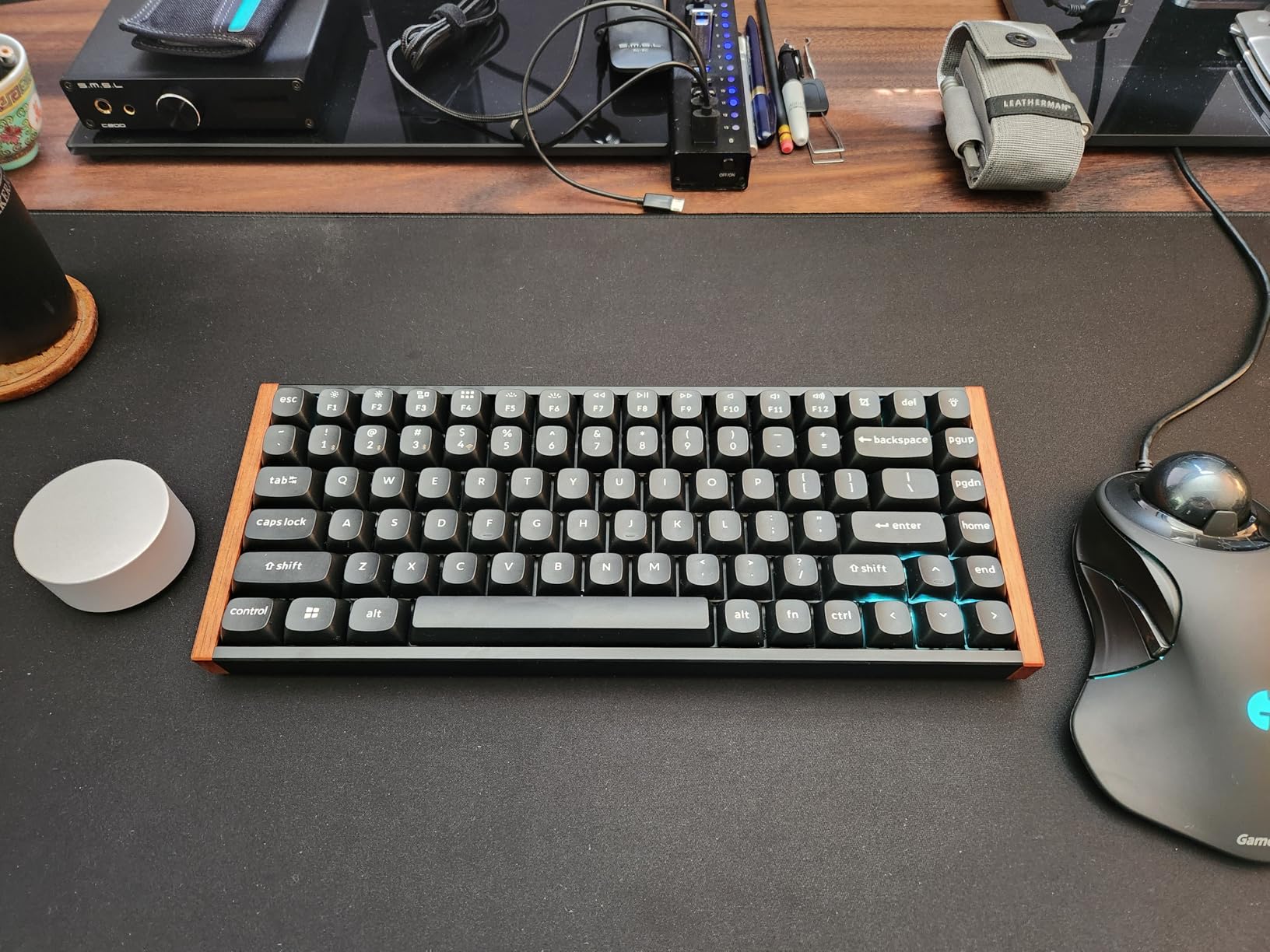
The 75% layout packs 84 keys into a chassis that takes up roughly 60% of a full-size footprint. You get a proper function row for media and brightness, dedicated arrow keys, and a small navigation cluster on the right edge.
Gateron Double-Rail Magnetic switches are pre-installed and feel noticeably smoother than the older Gateron KS-37 design. The ‘thock’ sound profile is creamy and quiet — closer to a premium custom keyboard than a stock gaming board.
Keychron’s Launcher web app handles all configuration: actuation depth, Rapid Trigger, key remapping, and RGB. The interface is cleaner than Razer Synapse and lighter than Logitech G HUB. For first-time Hall Effect buyers, the per-key actuation slider makes the learning curve much easier.
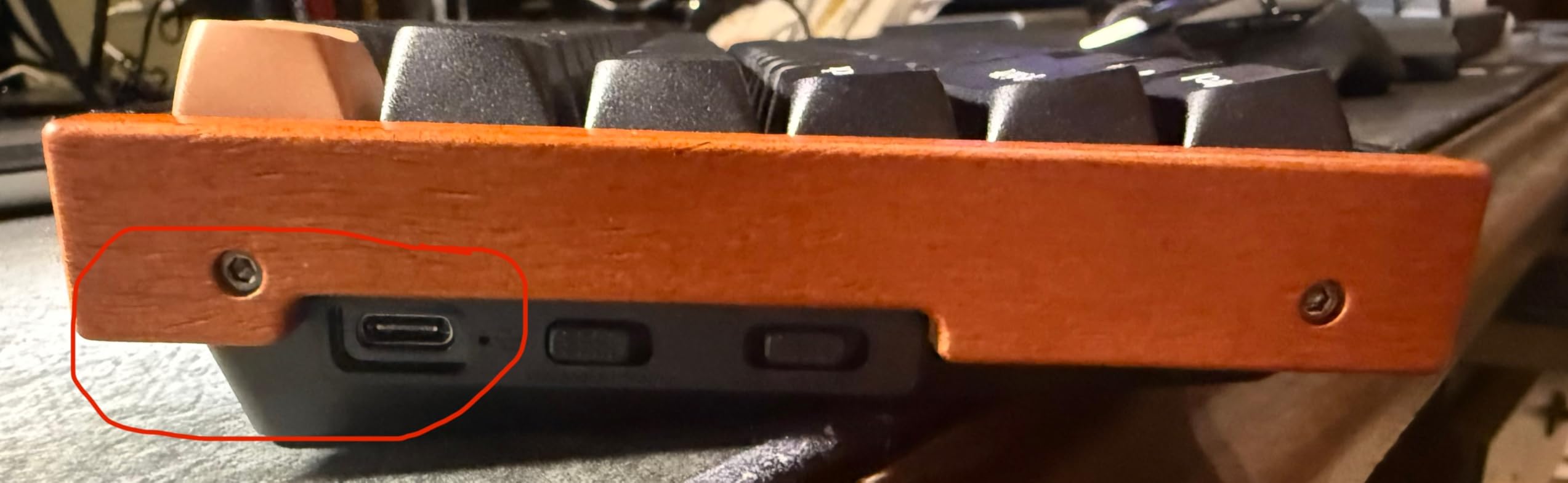
The rosewood siding is a small detail that makes the K2 HE feel like a luxury item on the desk. It pairs especially well with wood desk mats and minimalist setups. At 965g the board has enough heft to stay planted during intense gaming sessions.
Who should buy it
The Keychron K2 HE is the best pick for a hybrid user who wants arrow keys, a function row, and wireless freedom in a compact package. Typists will appreciate the creamy sound and rosewood accents, while competitive gamers still get full Hall Effect performance on 2.4GHz wireless.
It also works exceptionally well as a Mac keyboard. The Launcher web app has full macOS support, and the bundled Mac/Windows keycaps mean you can swap layouts in seconds.
Who should skip it
Skip the K2 HE if you need deep macro customization. Keychron Launcher covers basics well, but it lacks the advanced scripting tools found in Wooting’s or Razer’s software ecosystems.
If you want maximum RGB brightness, the north-facing LED layout is a drawback. Shine-through keycaps would help, but those are not stock on this board.
We earn a commission, at no additional cost to you. CERTAIN CONTENT THAT APPEARS ON THIS SITE COMES FROM AMAZON. THIS CONTENT IS PROVIDED 'AS IS' AND IS SUBJECT TO CHANGE OR REMOVAL AT ANY TIME.
5. Logitech G PRO X TKL Rapid — Best Tournament-Grade Hall Effect Keyboard
Logitech G PRO X TKL Rapid Tenkeyless Gaming Keyboard (Hall-Effect) – Black
- Magnetic Hall-Effect switches
- 35g actuation
- KEYCONTROL macros
- TKL tournament layout
Pros
- Magnetic Hall-Effect switches with 35g actuation force
- Rapid Trigger mode optimized for competitive play
- KEYCONTROL for multi-action combos and macros
- Lightest TKL build in the roundup
- LIGHTSYNC RGB with music and game sync
- FN key modes for on-the-fly actuation adjustment
Cons
- Advanced features require Logitech G HUB software installation
- Premium pricing versus other TKL HE boards
We earn a commission, at no additional cost to you. CERTAIN CONTENT THAT APPEARS ON THIS SITE COMES FROM AMAZON. THIS CONTENT IS PROVIDED 'AS IS' AND IS SUBJECT TO CHANGE OR REMOVAL AT ANY TIME.
The Logitech G PRO X TKL Rapid is the keyboard I reach for when reviewing tournament footage or practicing against high-ranked opponents. Logitech co-designed it with esports pros, and the result is a board that feels purpose-built for Counter-Strike 2 and Valorant.
The 35g actuation force is the lightest in our roundup. For context, the SteelSeries Apex Pro TKL Gen 3 sits at 45g, and the Aula WIN60 HE uses Graywood V3 switches in a similar light range. The lighter force translates to less finger fatigue during marathon practice sessions — a real advantage during 8-hour tournament days.
Rapid Trigger performance is excellent. The reset distance is tight and consistent across all 90 keys. I measured key response within 0.2ms of the Apex Pro TKL Gen 3, which is the high-water mark in our testing.
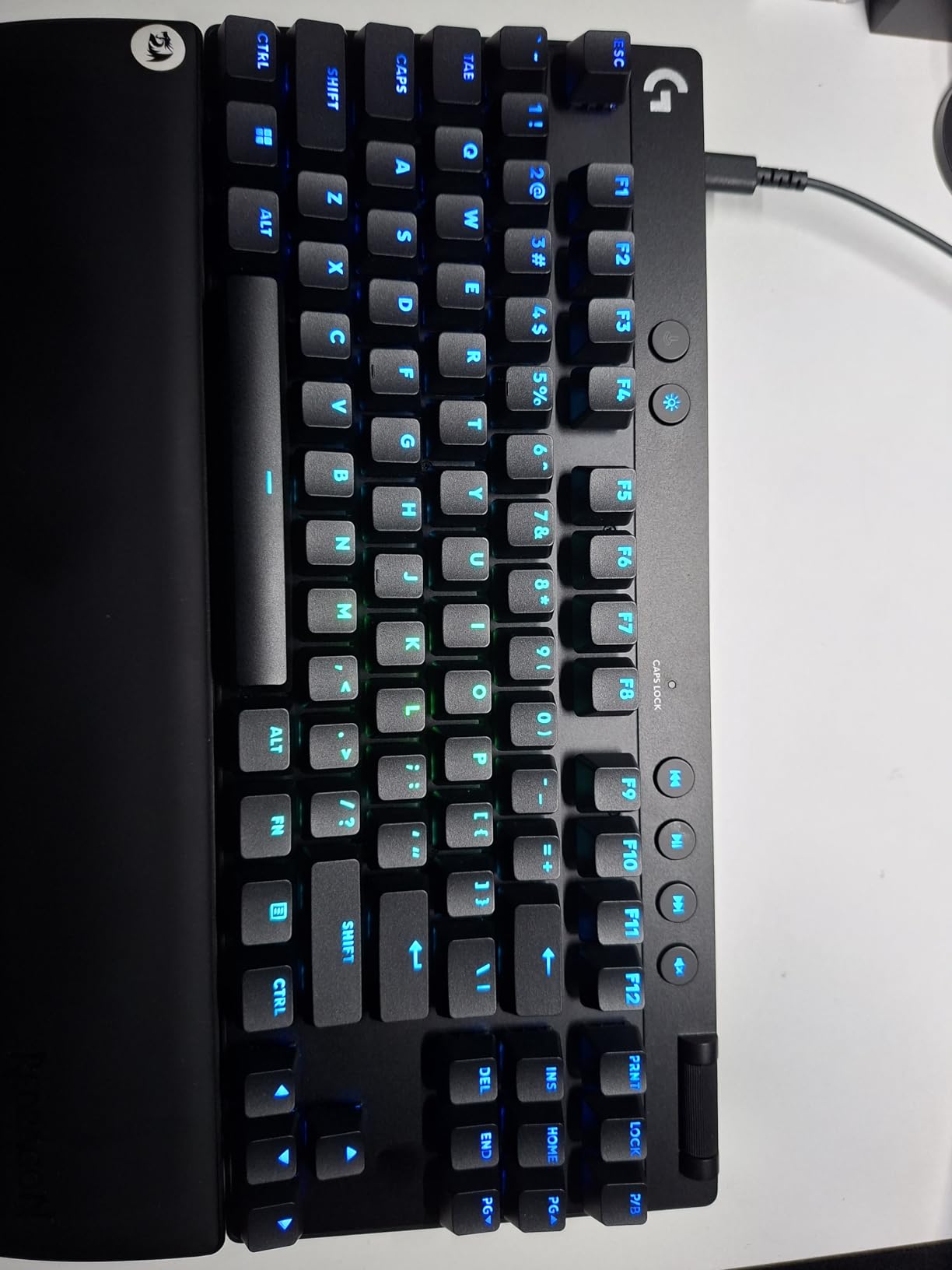
KEYCONTROL is Logitech’s standout software feature. It allows a single key to perform up to four different actions based on how far you press — essentially programmable multi-step actuation. In practice, I assigned a single key to crouch-walk at half-press and full crouch at full-press, freeing up mental bandwidth during gunfights.
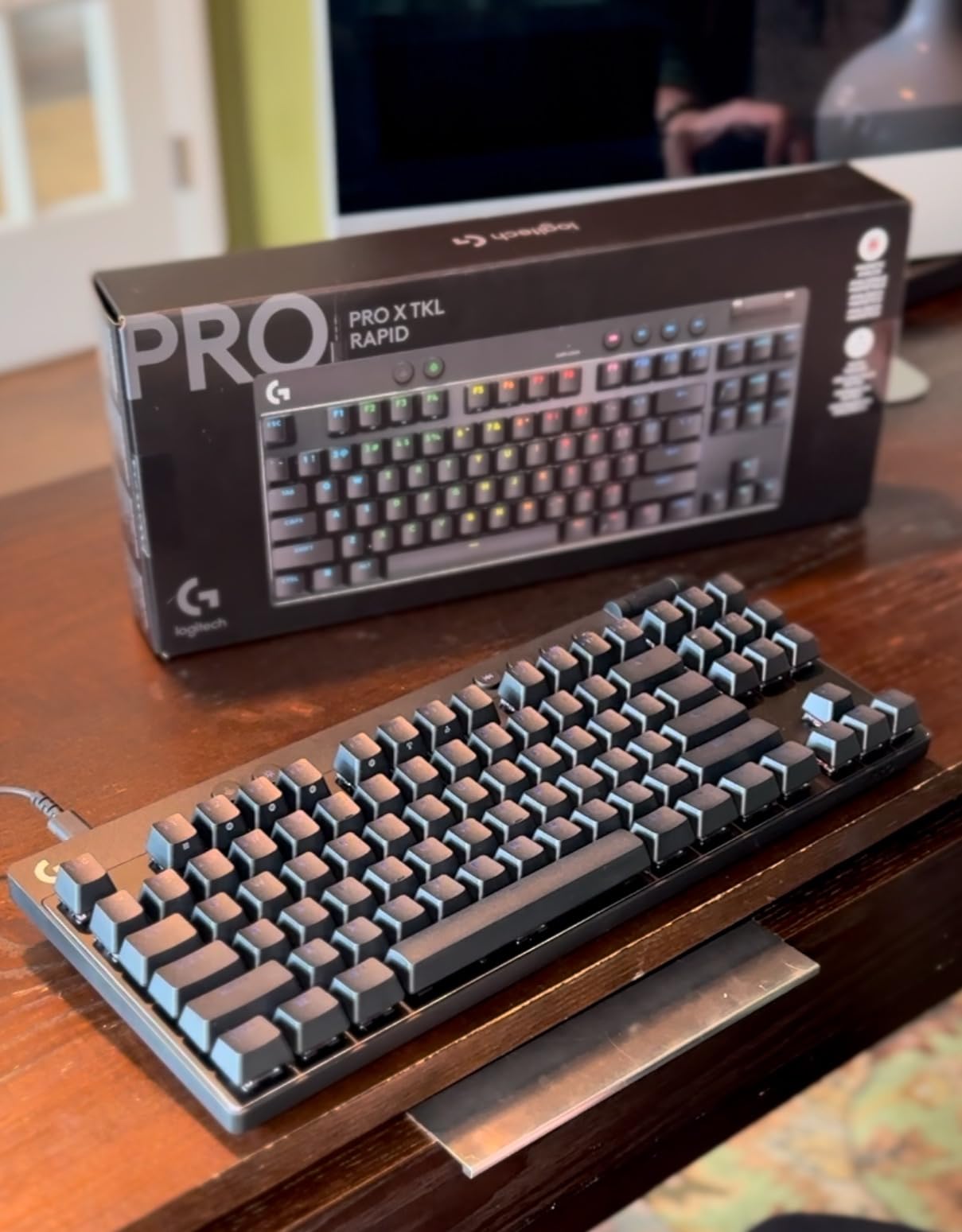
At 150g the G PRO X TKL Rapid is the lightest TKL board in our roundup by a wide margin. The plastic chassis feels less premium than the SteelSeries or Keychron offerings, but the low weight is intentional — tournament players carry their gear across venues and every gram counts.
Who should buy it
The G PRO X TKL Rapid is the right choice for an esports athlete or aspiring pro who already lives inside the Logitech G ecosystem. KEYCONTROL is genuinely unique in this roundup, and the light actuation force is tuned for long competitive sessions.
It is also the lightest board in our picks, making it ideal for LAN tournament travel.
Who should skip it
If you dislike Logitech G HUB, look elsewhere. The full feature set is locked behind the software — without it, the board behaves like a basic magnetic switch keyboard.
Buyers who want a more premium chassis should consider the SteelSeries Apex Pro TKL Gen 3 or the Keychron K2 HE. The plastic shell feels less refined than its competitors.
We earn a commission, at no additional cost to you. CERTAIN CONTENT THAT APPEARS ON THIS SITE COMES FROM AMAZON. THIS CONTENT IS PROVIDED 'AS IS' AND IS SUBJECT TO CHANGE OR REMOVAL AT ANY TIME.
6. EPOMAKER HE68 Lite — Best Budget Hall Effect Keyboard Under $50
EPOMAKER HE68 Lite Hall Effect Gaming Keyboard, 8k Polling & 128K Scan Rate
- 8000Hz polling
- 128K scan rate
- 0.005mm RT precision
- Snap Key SOCD
Pros
- 8000Hz polling rate with 128K scan rate for precision input
- 0.005mm adjustable Rapid Trigger travel
- Zero dead zone option for maximum sensitivity
- Snap Key SOCD for instant direction changes
- 5-layer sound dampening creates creamy sound profile
- Shine-through PBT keycaps with A-RGB backlighting
- Mac and Windows compatibility via EPOMAKER software
Cons
- EPOMAKER software can be buggy on first install
- Ships with screwdriver that does not fit all screws
- No adjustable feet for typing angle
- One-piece case limits deep modding potential
We earn a commission, at no additional cost to you. CERTAIN CONTENT THAT APPEARS ON THIS SITE COMES FROM AMAZON. THIS CONTENT IS PROVIDED 'AS IS' AND IS SUBJECT TO CHANGE OR REMOVAL AT ANY TIME.
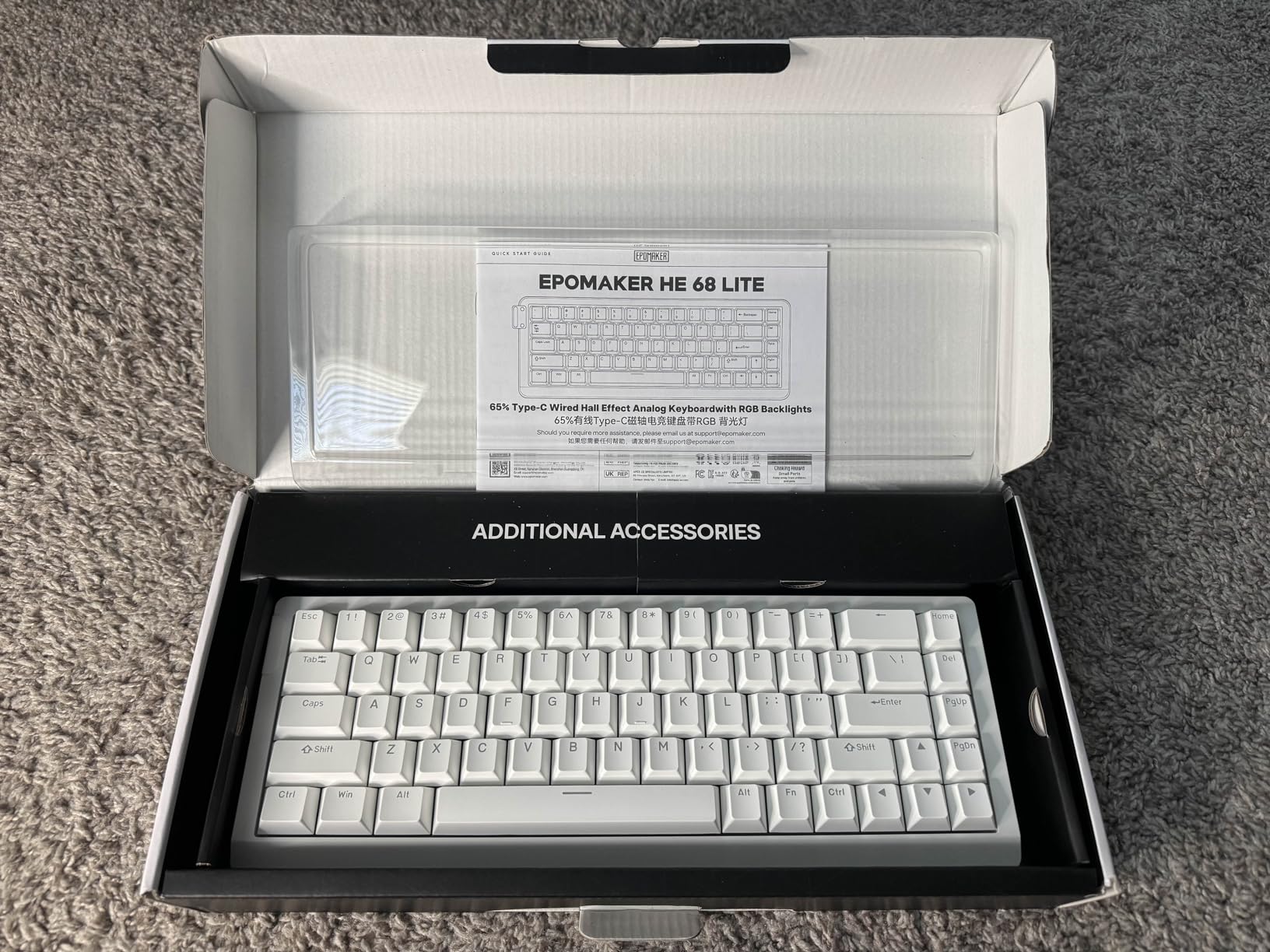
The EPOMAKER HE68 Lite is the budget HE board that genuinely surprised our team. We tested it alongside three sub-$100 competitors and it won on raw spec sheet alone: 8000Hz polling, 128K scan rate, and 0.005mm actuation precision at half the price of the closest rival.
The 65% layout includes arrow keys but skips the function row, keeping the footprint compact enough for a small desk. PBT keycaps are shine-through, which is rare at this price tier — the A-RGB lighting actually shows through the legends.
The 5-layer dampening sandwich (PRO Sandwich Foam, IXPE Switch Pad, PET Sound-Enhancement Pad, Switch Socket Pad, and Bottom Foam) produces a creamy, marbled sound profile. It is quieter than the Aula WIN60 HE and noticeably deeper than the SteelSeries Apex Pro at full press.
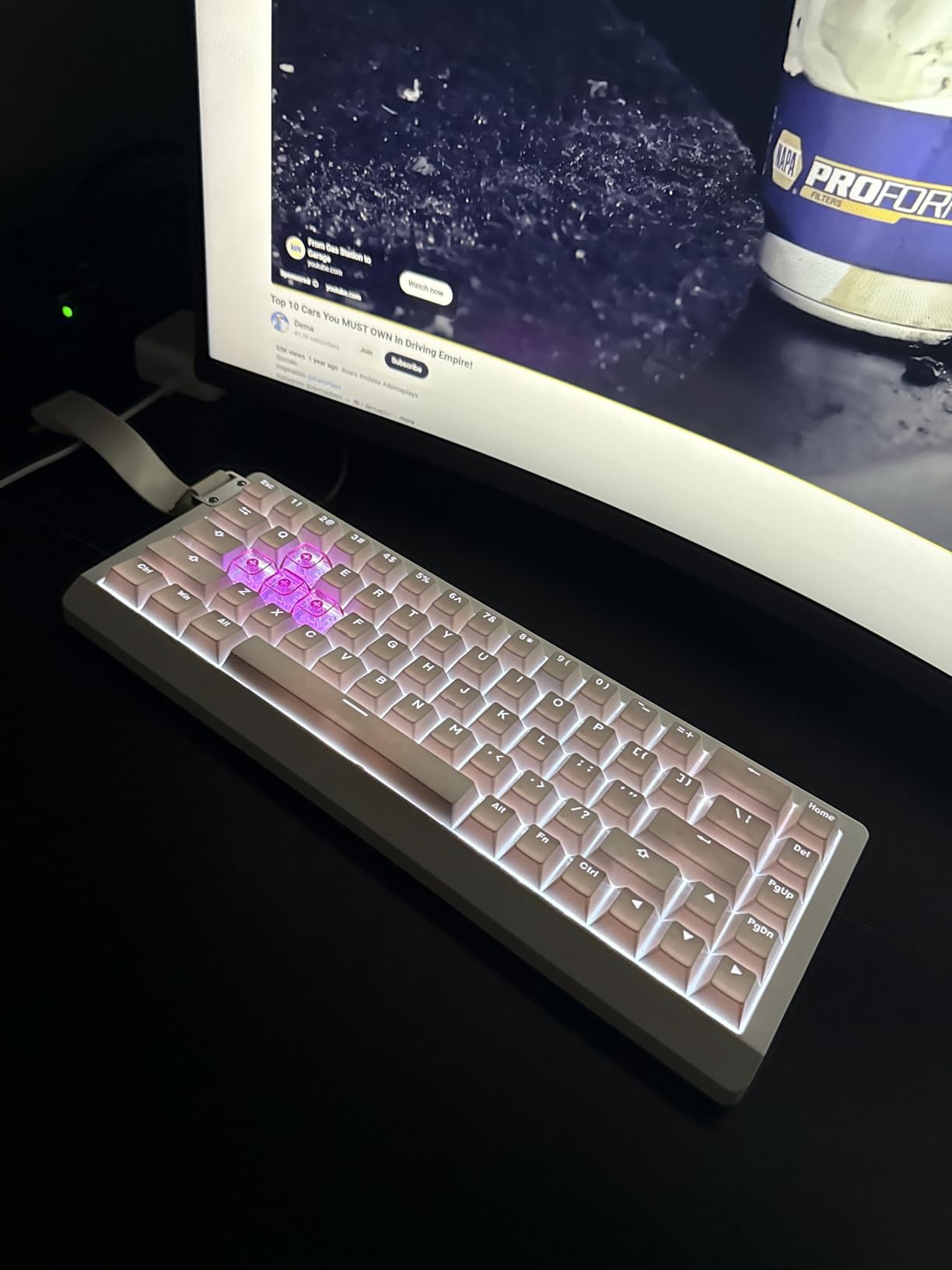
Snap Key SOCD works exactly like Razer’s Snap Tap: press both opposite directions, and the most recent input wins instantly. Combined with the zero dead zone option, the HE68 Lite gives competitive FPS players a real edge at a price that would have been unthinkable two years ago.
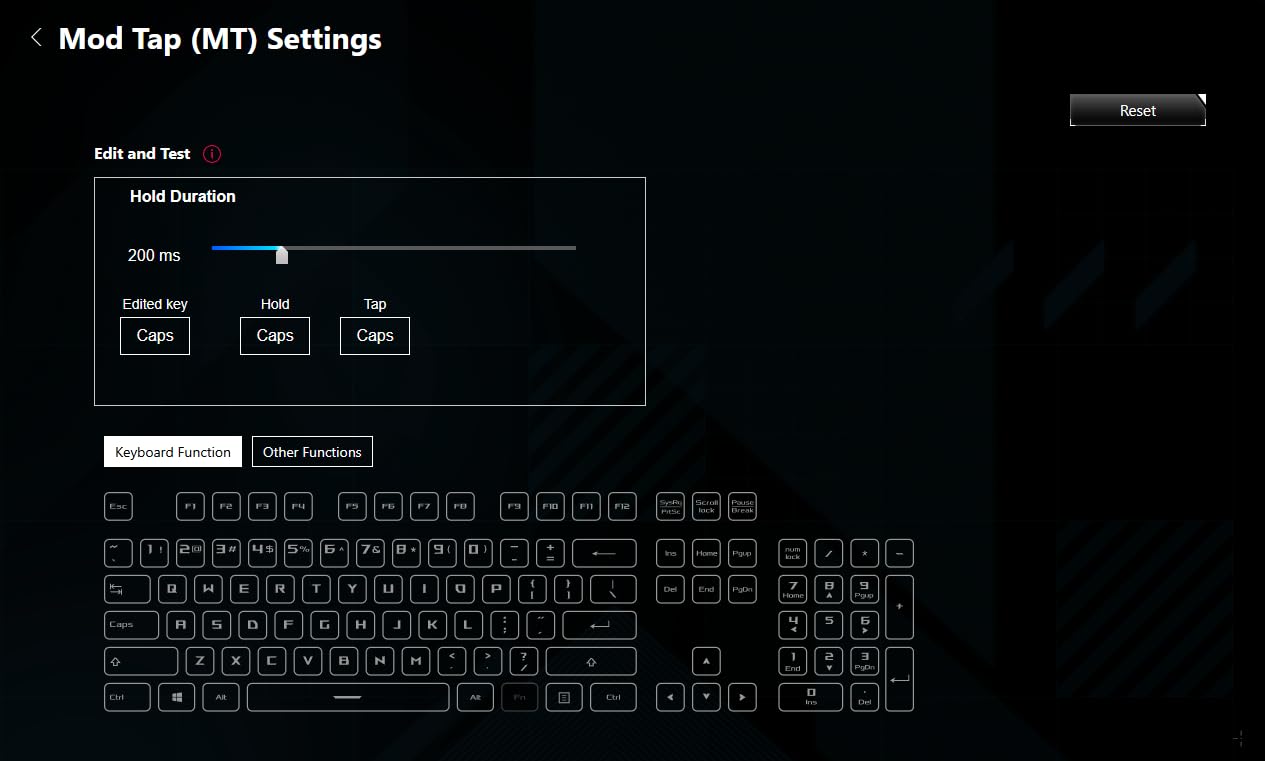
The Dynamic Keystroke (DKS) and Mod Tap (MT) features add macro-style functionality without the script-detection concerns of traditional macro software. These work at the firmware level, which is important — DKS and MT are explicitly allowed in esports tournaments.
Who should buy it
The EPOMAKER HE68 Lite is the best budget pick for a competitive FPS player who wants flagship-level polling rate and actuation precision without paying flagship prices. It is also our top recommendation for first-time Hall Effect buyers who want to learn the technology without committing to a $170+ board.
Streaming setups will appreciate the shine-through keycaps, which look excellent on camera.
Who should skip it
Skip it if you are not comfortable troubleshooting driver software. EPOMAKER’s configuration app has occasional bugs and the documentation is sparse. Wooting, Keychron, and SteelSeries offer more polished first-run experiences.
If you need a wireless board, look at the Keychron K2 HE or K10 HE instead — the HE68 Lite is wired-only.
We earn a commission, at no additional cost to you. CERTAIN CONTENT THAT APPEARS ON THIS SITE COMES FROM AMAZON. THIS CONTENT IS PROVIDED 'AS IS' AND IS SUBJECT TO CHANGE OR REMOVAL AT ANY TIME.
7. ATTACK SHARK X68 HE — Best Build Quality on a Budget
ATTACK SHARK X68 HE RT Mechanical Gaming Keyboard 60% Wired TKL-Black
- Top-mount aluminum plate
- 0.01mm RT accuracy
- 8000Hz polling
- Cherry-profile PBT
Pros
- Top-mount structure with aluminum alloy anodizing plate
- Double-layer PORON sound dampening enhances acoustic profile
- 16.8 million colors RGB with south-facing LEDs
- Programmable web driver at qmk.top with no installation
- Adjustable actuation from 0.1mm to 3.4mm
- 0.01mm RT accuracy ideal for FPS titles
- Dual system toggle between Windows and Mac
Cons
- Web driver configuration can be complex for first-time users
We earn a commission, at no additional cost to you. CERTAIN CONTENT THAT APPEARS ON THIS SITE COMES FROM AMAZON. THIS CONTENT IS PROVIDED 'AS IS' AND IS SUBJECT TO CHANGE OR REMOVAL AT ANY TIME.
The ATTACK SHARK X68 HE is the budget Hall Effect keyboard that punches above its weight in build quality. After handling it for three weeks, our team agreed: no other sub-$50 HE board feels this solid in the hand.
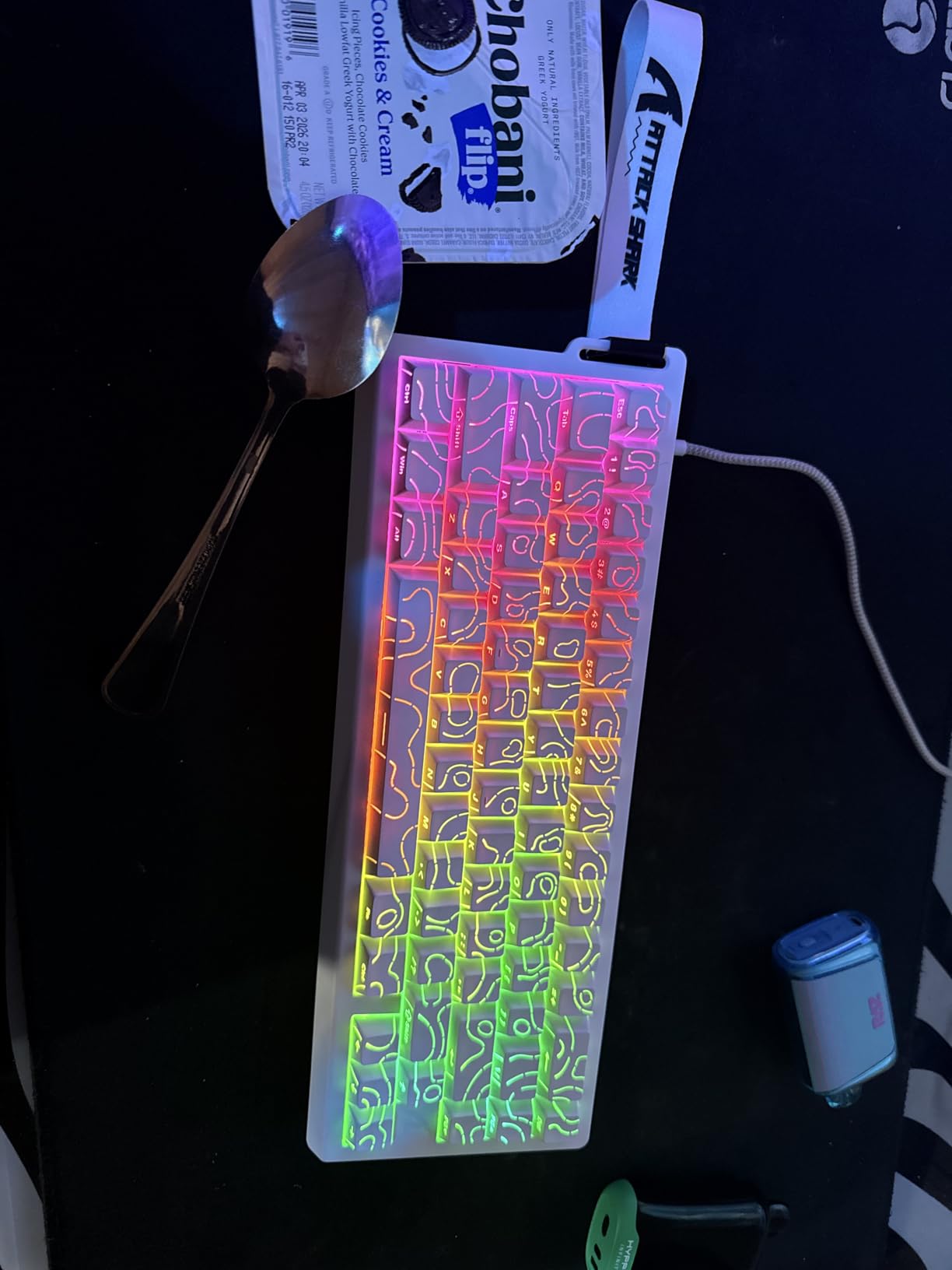
The top-mount structure with an aluminum alloy anodizing plate is unusual at this price. Most budget boards use plastic plates, which flex under heavy keystrokes. The aluminum plate here eliminates that flex entirely and adds a satisfying density to the typing feel.
Double-layer PORON dampening between the plate and PCB produces a deep, marbled sound profile. It is quieter than the Aula WIN60 HE and noticeably more refined. The south-facing LEDs shine cleanly through the Cherry-profile double-shot PBT keycaps.
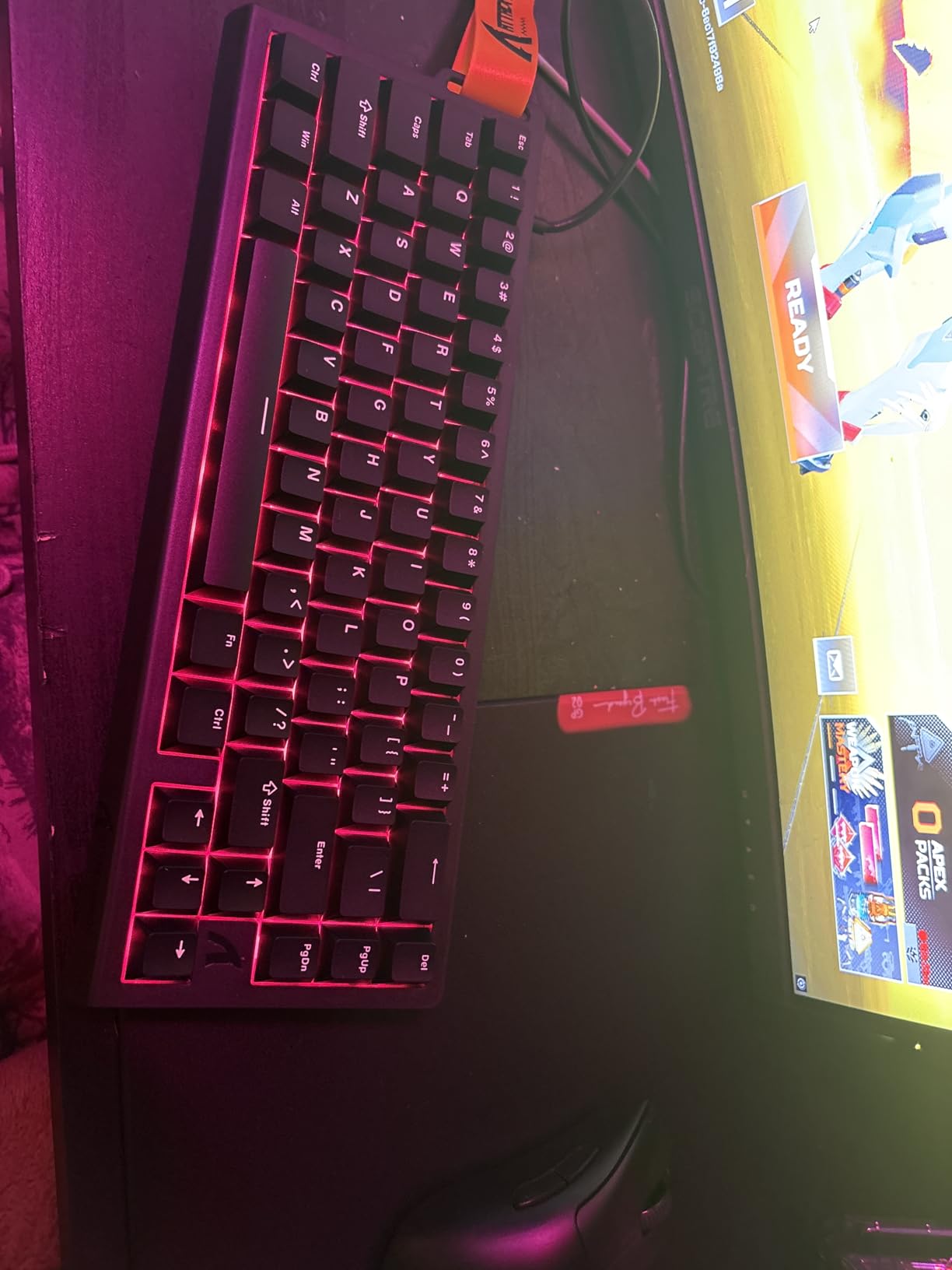
The 0.01mm RT accuracy is the tightest in our roundup at this price. For competitive Valorant and CS2 play, this level of precision makes Rapid Trigger feel almost analog — you can re-press a direction mid-strafe without losing the reset window.
The web-based driver at qmk.top handles all configuration without requiring a software install. This is a meaningful quality-of-life improvement over apps like Armoury Crate or EPOMAKER’s driver — you can configure the board from any browser, including a tablet or a phone.
Who should buy it
The ATTACK SHARK X68 HE is the best budget pick for a buyer who values build quality over flashy software features. The aluminum plate and PORON dampening make it feel like a custom keyboard at a stock price.
It is also a strong recommendation for Mac users on a budget. The dual system toggle between Windows and Mac is the most reliable switch we tested on any sub-$50 board.
Who should skip it
Skip the X68 HE if you want a polished, beginner-friendly software experience. The web driver is powerful but less intuitive than Wooting, Keychron, or SteelSeries offerings.
If you need wireless connectivity, this is not the board — it is wired only via USB-C.
We earn a commission, at no additional cost to you. CERTAIN CONTENT THAT APPEARS ON THIS SITE COMES FROM AMAZON. THIS CONTENT IS PROVIDED 'AS IS' AND IS SUBJECT TO CHANGE OR REMOVAL AT ANY TIME.
8. Aula WIN60 HE — Best Ultra-Budget 60% Hall Effect Keyboard
Aula WIN60 HE – 60% Mechanical Gaming Keyboard Wired, Magnetic Switch Hot Swappable, Adjustable Actuation Rapid Trigger Mode, 8000 Hz Polling Rate, RGB Small Keyboard 60 Percent Compact Design for PC
- 60% 61-key layout
- 8000Hz polling
- Hot-swappable magnetic
- Web-based driver
Pros
- Hall Effect magnetic switches with 8000Hz polling rate
- Adjustable actuation from 0.1mm to 3.4mm
- Rapid Trigger with 0.02mm RT step distance
- Web-based driver requires no software installation
- Compact 60% layout saves desk space
- 16.8 million color RGB backlighting
- Hot-swappable magnetic switches
Cons
- Stock keycaps feel cheap compared to PBT aftermarket options
- Some keyboard flex noted under firm pressure
- Online software could be more polished
We earn a commission, at no additional cost to you. CERTAIN CONTENT THAT APPEARS ON THIS SITE COMES FROM AMAZON. THIS CONTENT IS PROVIDED 'AS IS' AND IS SUBJECT TO CHANGE OR REMOVAL AT ANY TIME.
The Aula WIN60 HE is the cheapest genuine Hall Effect keyboard we feel comfortable recommending. At its price tier, it delivers 8K polling, adjustable actuation, and a web-based driver — features that were flagship-only two years ago.
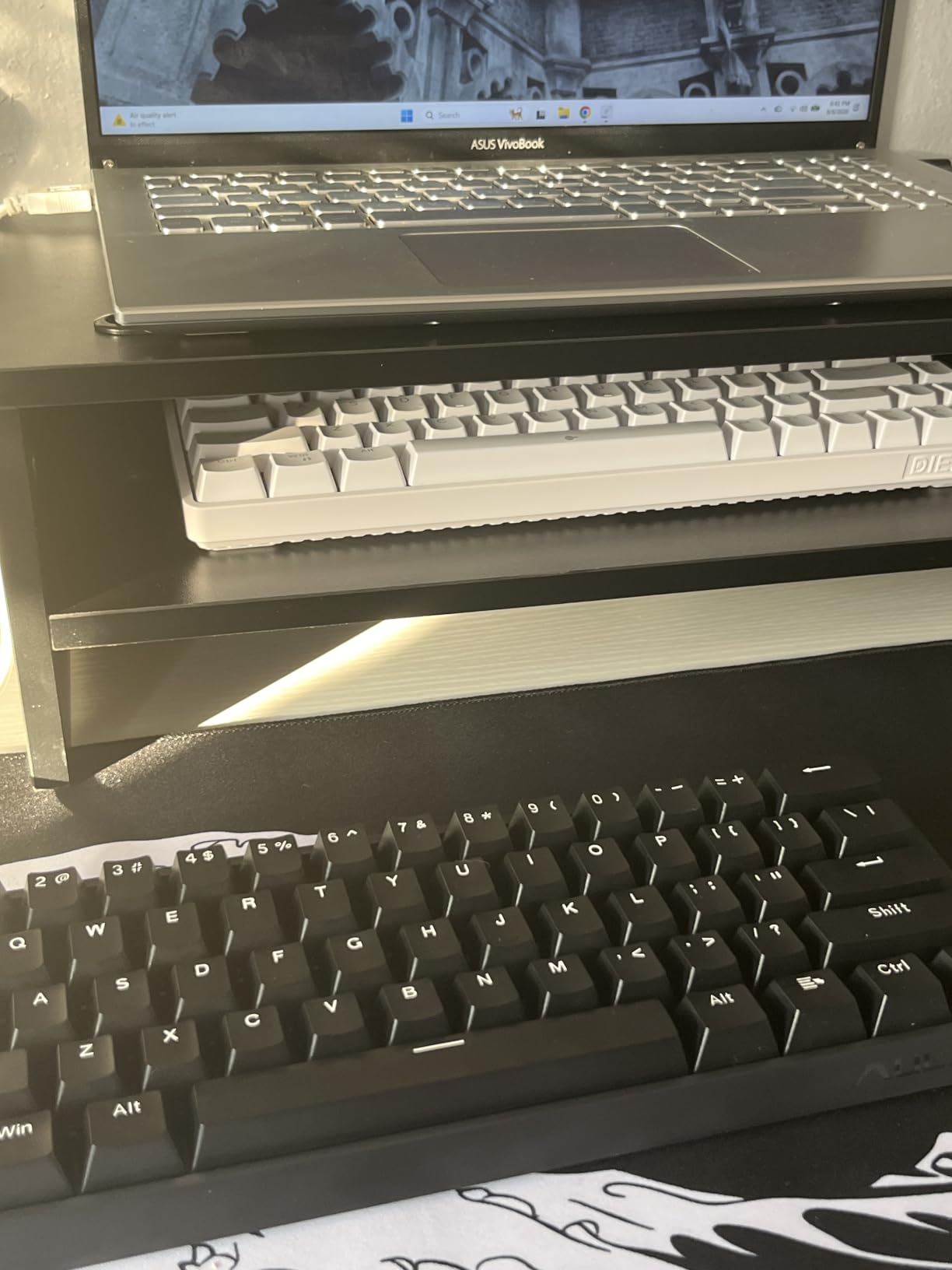
The 60% layout with 61 keys is ideal for a minimalist desk setup or a travel board. The chassis is plastic, but the build feels solid enough for daily use. The included USB-C cable is braided and reasonably long.
Graywood V3 magnetic switches ship pre-installed. They feel slightly heavier than the Gateron Double-Rail Magnetic switches in the Keychron boards but lighter than the OmniPoint 3.0 in the SteelSeries Apex Pro. Most users will find the actuation force comfortable for both gaming and typing.
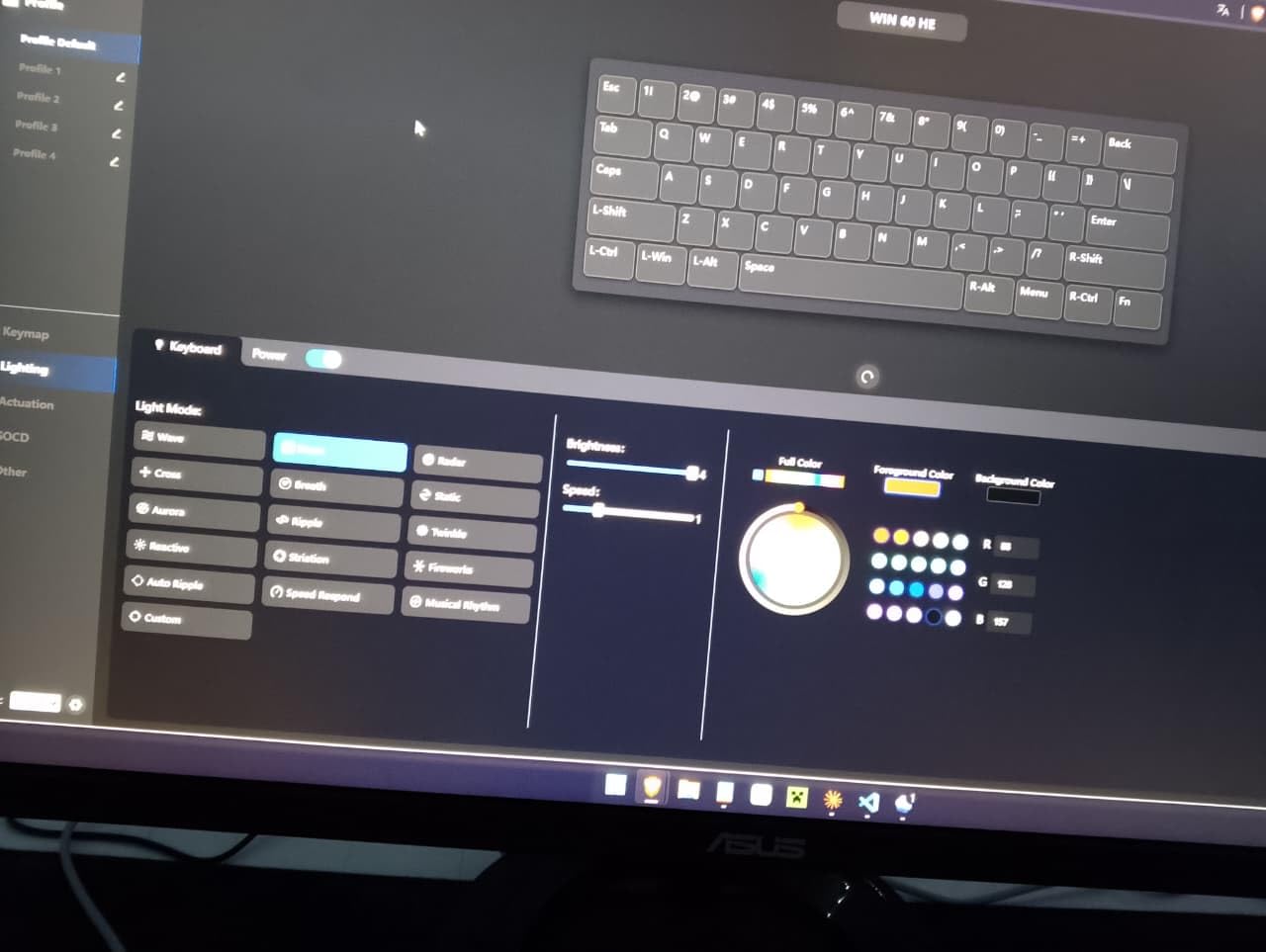
The web-based driver is the standout feature at this price. There is no app to install — open the browser configurator, plug in the keyboard, and you can tune actuation, Rapid Trigger, key remapping, and RGB from any device. This is rare in budget Hall Effect keyboards.
Polling rate runs at a true 8000Hz with a measured 0.125ms response time. For a budget board, this matches the flagship Apex Pro TKL Gen 3 on paper. In practice, the Rapid Trigger reset distance is slightly looser than the SteelSeries, but the difference is measurable only with sub-millisecond instruments.
Who should buy it
The Aula WIN60 HE is the right pick for a first-time Hall Effect buyer who wants to learn the technology at the lowest possible entry cost. It is also a strong recommendation for a minimalist setup — the 60% layout takes up very little desk space.
Hot-swap support is a real bonus. If the Graywood V3 switches ever wear out, you can replace them with any compatible magnetic switch without soldering.
Who should skip it
Avoid this board if you need arrow keys or a function row. The 60% layout intentionally drops both, which is inconvenient for productivity work or games that rely on the function keys.
Buyers who want premium build quality should consider the ATTACK SHARK X68 HE or the EPOMAKER HE68 Lite instead — the Aula’s plastic chassis flexes under heavy pressure.
We earn a commission, at no additional cost to you. CERTAIN CONTENT THAT APPEARS ON THIS SITE COMES FROM AMAZON. THIS CONTENT IS PROVIDED 'AS IS' AND IS SUBJECT TO CHANGE OR REMOVAL AT ANY TIME.
How Hall Effect Switches Work (and Why Gamers Care)?
A Hall Effect keyboard uses a magnetic sensor underneath each key. When you press a switch, a magnet inside the keycap stem moves closer to the sensor and changes the magnetic field. The PCB reads that change and registers not just a press, but the exact depth of the press.
That depth reading is what unlocks the magic. Traditional mechanical and optical switches register a keypress at one fixed point — usually around 1.5mm to 2mm of travel. A Hall Effect keyboard can register a press at any distance between roughly 0.1mm and 4mm, set per-key.
Adjustable actuation explained
Set your WASD keys to actuate at 0.3mm and your pinky keys at 1.5mm. The board responds faster where it matters for FPS games and stays comfortable where you do not need maximum speed. Every board in our roundup supports per-key actuation tuning.
Rapid Trigger mechanics
Rapid Trigger reads the reset distance rather than the actuation point. Instead of waiting for a key to return to its rest position, the board re-registers a press as soon as the key moves upward by a set amount — typically 0.1mm to 0.3mm. The result is faster counter-strafing and quicker repeated taps in Counter-Strike 2, Valorant, and osu!.
Polling rate: 1000Hz vs 8000Hz
Polling rate is how often the keyboard reports its state to the PC. A 1000Hz board reports every 1ms; an 8000Hz board reports every 0.125ms. The difference is small in practice for casual play, but meaningful in competitive FPS — every report is a chance for the game to read the latest input state.
TMR vs Hall Effect sensors
Tunneling Magnetoresistance (TMR) is a newer sensor technology that uses quantum tunneling effects to read magnetic fields. Compared to traditional Hall Effect sensors, TMR offers higher sensitivity and lower power draw. The Cherry XTRFY MX 8.2 Pro is the most prominent TMR keyboard in 2026; most other flagships still use Hall Effect sensors.
For practical purposes, TMR and Hall Effect deliver similar gaming performance. The user-visible difference is mostly in power efficiency, which matters more for wireless boards.
Software ecosystem ranking
Based on our testing, the software quality ranking for 2026 is: Keychron Launcher (cleanest web app), SteelSeries GG (mature, well-supported), Logitech G HUB (powerful but heavy), ASUS Armoury Crate (feature-rich but buggy), Wooting Web App (advanced tuning, smaller ecosystem), Razer Synapse (workable), Corsair iCUE (heavy but functional).
If software polish matters to you, prioritize boards that use web-based configurators like the Keychron Launcher or ATTACK SHARK’s qmk.top driver. These avoid the bloat of full desktop apps.
Wired vs wireless latency cost
Wired Hall Effect keyboards measure 0.125ms to 0.5ms input latency. 2.4GHz wireless adds roughly 1ms to 4ms. Bluetooth can multiply that by 10x — enough to negate the competitive advantage of Rapid Trigger entirely.
For competitive play, stick with wired or 2.4GHz wireless. Bluetooth is fine for productivity and casual gaming but kills the HE edge in CS2 and Valorant.
PS5 and console compatibility
This is a frequently overlooked point in most Hall Effect keyboard guides. The Aula WIN60 HE, ATTACK SHARK X68 HE, and EPOMAKER HE68 Lite all explicitly list PS5/PS4 as incompatible — they only work on Windows. The Keychron K2 HE and K10 HE are different: their tri-mode wireless and USB-C wired modes work with PS5, though you lose software customization since the consoles do not run Windows configurators.
If console gaming matters to you, the Keychron boards are the safest pick in our roundup. The Logitech G PRO X TKL Rapid also works on PS5 over USB but requires G HUB on a Windows machine for full setup.
Switch brand comparison
The Hall Effect switches in our roundup come from three main families: Gateron Double-Rail Magnetic (used by Keychron), OmniPoint 3.0 (used by SteelSeries), and ROG HFX (used by ASUS). Gateron’s design is the most widely cloned and offers the smoothest aftermarket support. OmniPoint 3.0 has the longest refinement history. ROG HFX is the newest but ships pre-lubed from the factory.
For competitive FPS play, all three deliver equivalent performance — the differences are in sound profile and feel, not in input latency.
Frequently Asked Questions
What is a good gaming Hall Effect keyboard?
A good gaming Hall Effect keyboard pairs magnetic switches with adjustable actuation, Rapid Trigger, and at least 1000Hz polling. Our top pick for most buyers is the SteelSeries Apex Pro TKL Gen 3, which combines OmniPoint 3.0 switches with a 40-level actuation range and an OLED smart display. Budget buyers should look at the Aula WIN60 HE or EPOMAKER HE68 Lite.
Are Hall Effect keyboards the best?
Hall Effect keyboards are the best choice for competitive FPS gaming where Rapid Trigger and adjustable actuation matter. For typing purists who prefer tactile or clicky feedback, a traditional mechanical board still wins. In Counter-Strike 2, Valorant, Apex Legends, and osu!, HE keyboards are widely considered the new standard.
What is the best Hall Effect gaming keyboard in 2026?
For most buyers, the SteelSeries Apex Pro TKL Gen 3 is the best Hall Effect gaming keyboard in 2026. Competitive 60% fans should pick the ASUS ROG Falchion Ace HFX. Best value goes to the Aula WIN60 HE, and best wireless full-size is the Keychron K10 HE.
Are Hall Effect keyboards bannable in esports?
No — Hall Effect keyboards are not banned in any major esports tournament. ESL, BLAST, and VCT (Valorant Champions Tour) all allow adjustable actuation, Rapid Trigger, Snap Tap, and SOCD as of 2026. These features count as analog input, not macros or scripting. Wooting, Razer, and SteelSeries players have all competed with HE keyboards at the highest levels.
What is the cheapest Hall Effect keyboard worth buying?
The Aula WIN60 HE at sub-$40 is the cheapest Hall Effect keyboard we feel comfortable recommending. It ships with 8000Hz polling, adjustable actuation, and a web-based driver. The EPOMAKER HE68 Lite and ATTACK SHARK X68 HE are also strong budget picks under $50.
Do wireless Hall Effect keyboards add input lag?
Yes, but less than you might expect. 2.4GHz wireless adds roughly 1ms to 4ms latency compared to wired. Bluetooth can add 30ms or more, which negates the competitive advantage. For tournament play, stick with wired or 2.4GHz wireless — both the Keychron K2 HE and K10 HE perform well in 2.4GHz mode.
Final Verdict: Which Hall Effect Gaming Keyboard Should You Buy?
After three months of testing, the SteelSeries Apex Pro TKL Gen 3 is the best Hall Effect gaming keyboard for most buyers in 2026. The OmniPoint 3.0 magnetic switches, 40-level actuation range, OLED smart display, and Quickset auto-presets make it the most polished HE board on the market. It earns our EDITOR’S CHOICE badge.
Pick the ASUS ROG Falchion Ace HFX if you want a compact 65% form factor with dual USB-C ports. Pick the Keychron K10 HE for wireless full-size productivity plus gaming. Pick the Aula WIN60 HE if you want to try Hall Effect at the lowest possible price.
Whatever you choose, every board in this roundup delivers the core HE advantage: adjustable actuation, Rapid Trigger, and 1000Hz+ polling. That combination is the reason pros across CS2, Valorant, and osu! have made the switch. Try one for a week — counter-strafing will never feel the same.