
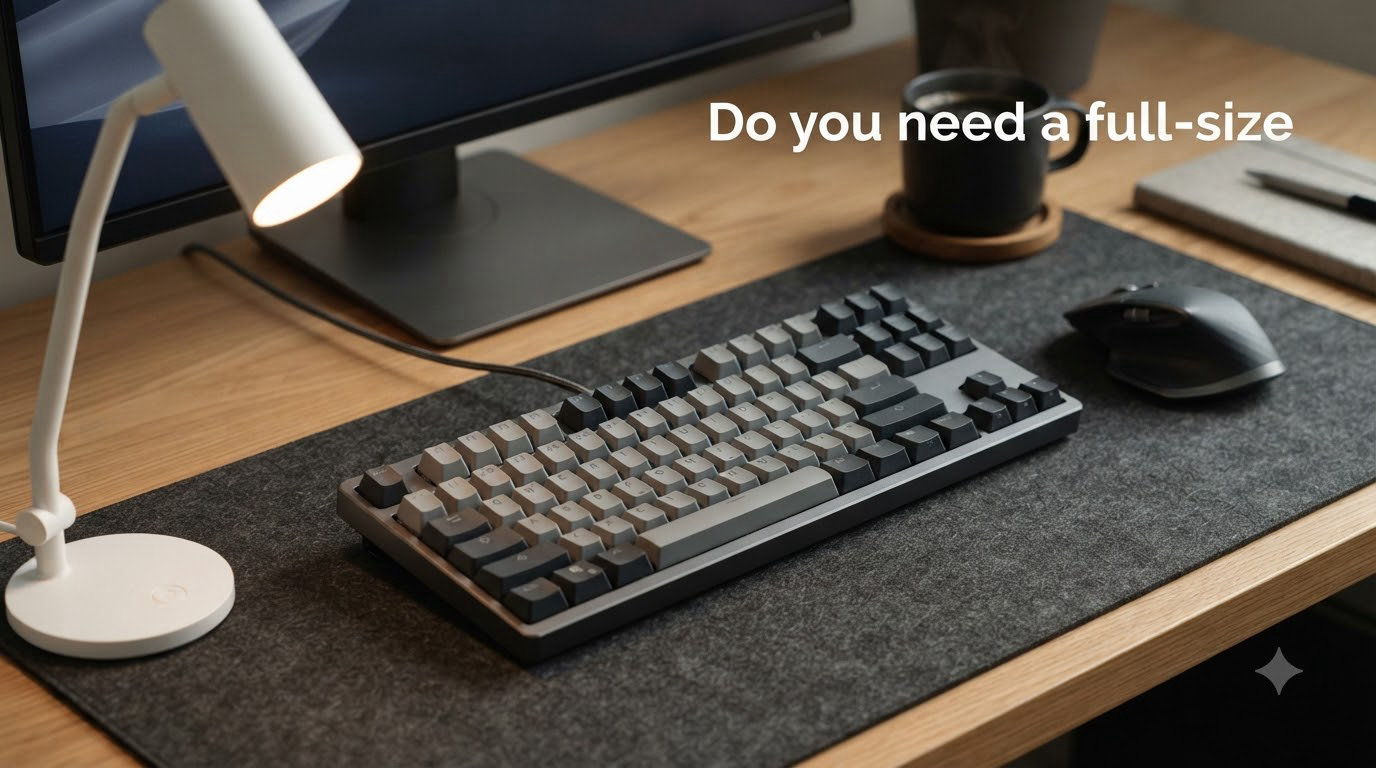
If you’re building a gaming setup, the keyboard size debate is one you can’t avoid. Full-size vs 60% keyboard for gaming is a question that splits the community right down the middle, and the answer depends entirely on the games you play and how you use your desk space.
A full-size keyboard gives you every key you could ever need. A 60% strips away the extras and gives you more room to aim. But neither is automatically “better” for gaming.
In this guide, I’ll break down exactly which layout works best for different gaming scenarios. We’ll look at real competitive data, ergonomics, desk space math, and what it actually feels like to switch between the two.
Table of Contents
Quick Answer: Full-Size vs 60% for Gaming
For most FPS and competitive gamers, a 60% keyboard is the better choice. It frees up roughly 60% more desk space for mouse movement, which matters enormously if you play with low mouse sensitivity. Competitive players in CS2 and Valorant overwhelmingly favor 60% or 65% layouts.
However, full-size keyboards are better for gamers who also do productivity work, play MMOs with heavy macro usage, or simply don’t want to relearn key placements. If you use your numpad for in-game binds or spreadsheet work, stick with full-size.
What Do Keyboard Percentages Actually Mean?
Keyboard percentages describe how many keys a layout retains compared to a standard full-size board. A full-size keyboard has 104 keys and serves as the baseline (100%).
Here’s how the common sizes break down:
- Full-size (100%) — 104 keys. Includes numpad, function row, arrow keys, and full navigation cluster.
- TKL (Tenkeyless, ~80%) — 87 keys. Removes the numpad only. Everything else stays.
- 75% — Around 84 keys. Compact version of TKL with tighter spacing.
- 65% — Around 68 keys. Drops the function row but keeps arrow keys.
- 60% — 61 keys. Removes function row, arrow keys, and navigation cluster. Those keys move to an Fn layer.
The “percentage” isn’t an exact measurement. It’s a rough estimate of how much of the full-size layout remains. Different manufacturers may vary by a few keys, but the categories are well-established in the mechanical keyboard community.
Full-Size Keyboard for Gaming: Pros, Cons, and Best Use Cases
A full-size keyboard is the layout most people grew up using. It includes every standard key, which means zero learning curve and maximum versatility.
Pros of Full-Size for Gaming
- Every key is physically present. No Fn-layer hunting. Function keys, arrows, Delete, and the numpad are all one press away.
- Great for MMOs and strategy games. Games like World of Warcraft, Final Fantasy XIV, and Civilization benefit from dedicated macro keys and the numpad.
- Productivity crossover. If you game and work at the same desk, the numpad is invaluable for data entry, spreadsheets, and shortcuts.
- No adaptation period. You already know where every key is. There’s zero muscle memory to rebuild.
Cons of Full-Size for Gaming
- Takes up a lot of desk space. A full-size board is typically 17-18 inches wide. That’s space your mouse hand can’t use.
- Forces a wider arm stance. Your right arm sits further from your body, which can strain shoulders during long sessions.
- Not ideal for low-sensitivity aiming. If you play FPS games at 400 DPI with a large mousepad, the numpad physically blocks your mouse movement range.
Best For
MMO and MOBA players who use the numpad for abilities. Gamers who also do heavy productivity work. Anyone who doesn’t want to relearn key placements.
60% Keyboard for Gaming: Pros, Cons, and Best Use Cases
A 60% keyboard is the enthusiast gamer’s favorite form factor. It strips away everything except the alphanumeric cluster and modifier keys, putting missing functions on an Fn layer.
Pros of 60% for Gaming
- Massive desk space savings. A typical 60% board is around 11-12 inches wide. That gives you 5-6 extra inches of mousepad real estate.
- Better ergonomics for aiming. Your arms stay closer together, reducing shoulder strain. Competitive FPS players with low sensitivity benefit enormously.
- Highly portable. Easy to throw in a backpack for LAN parties, tournaments, or travel.
- Clean, minimalist aesthetic. Many 60% boards feature premium build quality and hot-swappable switches.
Cons of 60% for Gaming
- Steep learning curve. You’ll need Fn combinations for arrow keys, function keys, Delete, and navigation. Forum users on r/MechanicalKeyboards report it takes 1-2 weeks to feel natural.
- Fn-layer hunting slows you down initially. Reaching for Fn + number for F-keys can cause accidental inputs during the adjustment period.
- Non-standard bottom rows on some models. Replacing keycaps can be frustrating if the layout uses unusual key sizes.
- Poor for heavy productivity work. Spreadsheets, coding, and data entry feel cramped without dedicated arrow and navigation keys.
Is a 60% Keyboard Enough for Gaming?
Absolutely, yes. Pro players in CS2, Valorant, and Fortnite regularly use 60% keyboards at the highest competitive levels. The keys you actually press during gameplay — WASD, Shift, Ctrl, Space, a few number keys — are all physically present. You don’t lose any gaming functionality; you just access some keys differently.
Best For
FPS gamers with low mouse sensitivity. Competitive players who want maximum mouse space. Minimalists and LAN party regulars.
Gaming-Specific Verdict: Which Layout Wins by Game Type?
The best keyboard size for gaming depends on what you’re playing. Here’s a direct breakdown by genre:
FPS Games (CS2, Valorant, Apex Legends)
Winner: 60% — Extra mousepad space directly improves your aim range. If you play at low sensitivity (400-800 DPI), the freed-up desk space is a genuine competitive advantage. Most professional FPS players use 60% or 65% boards.
MOBA Games (League of Legends, Dota 2)
Winner: Tie — MOBAs mostly use the left side of the keyboard (QWER, items on number keys). Both layouts work equally well. The numpad on full-size is useful for some players who bind abilities there.
MMO Games (WoW, FFXIV, ESO)
Winner: Full-size — MMOs often use function keys, numpad, and extensive keybinds. Having every key physically accessible without layer switching matters for complex rotations and macros.
Battle Royale (Fortnite, PUBG, Warzone)
Winner: 60% — Same logic as FPS. Mouse space matters for tracking and flicking. Building binds in Fortnite typically use the left-hand cluster anyway.
Casual and Single-Player Games
Winner: Full-size — When competitive edge doesn’t matter, comfort and familiarity win. Full-size lets you alt-tab to a browser or chat without Fn-layer gymnastics.
Desk Space, Mouse Movement, and Ergonomics
This is where the 60% vs full-size debate gets practical. The physical difference is measurable and affects your gameplay.
The Math
A full-size keyboard measures roughly 17-18 inches wide. A 60% measures about 11-12 inches. That’s a 5-6 inch difference — enough space for a large mousepad extension or a completely different mouse movement style.
If you play FPS games at 400 DPI with a 14-inch mousepad, a full-size keyboard leaves you only about 8-9 inches of usable mouse space. A 60% gives you the full 14 inches.
Ergonomics Over Long Sessions
Your shoulder width determines the ideal keyboard-mouse gap. With a full-size board, your right arm extends further outward, which can cause shoulder fatigue over 3-4 hour sessions. A 60% lets both arms stay at a more natural, narrower angle.
Wrist angle also matters. Competitive gamers often tilt their keyboard at 30-45 degrees for WASD comfort. A smaller board makes this easier without encroaching on mouse space.
Console Gaming: PS5, PS4, and Xbox Considerations
Most competitors skip this topic, but it’s a real question — especially with the growing search interest in “full-size vs 60% keyboard for gaming PS5.”
Here’s the thing: console games that support keyboard input generally expect a standard layout. On PS5 and PS4, some games don’t properly recognize Fn-layer key combinations from 60% boards. If a game needs F1-F12 or arrow keys, a 60% might not register those inputs correctly through its Fn layer.
For console gaming with a keyboard, a full-size or TKL is the safer bet. Console gamers also tend to sit further from their screen, making a full-size board more comfortable at a desk or lap setup. If you’re specifically gaming on PS5 with a keyboard and mouse, stick with TKL or full-size to avoid Fn-layer compatibility headaches.
Adapting from Full-Size to 60%: What to Expect
If you’re switching from full-size to 60%, here’s a realistic timeline based on community feedback from r/MechanicalKeyboards and competitive gaming forums:
Day 1: Frustration
You’ll instinctively reach for arrow keys that aren’t there. Delete, Home, End, and Page Up/Down all require Fn combinations. You’ll make mistakes constantly.
Week 1: Adjustment
Most people adapt to Fn + IJKL for arrows within a few days. F-keys take longer. You’ll still occasionally hit wrong combinations, but basic gameplay is unaffected.
Month 1: Natural
By the end of the first month, the Fn layer becomes second nature. Many users report they actually prefer the compact layout because their hands move less. Forum users confirm that “once adapted, you stop missing the keys entirely.”
The gaming impact during adaptation is minimal. Your WASD cluster, Shift, Ctrl, and Space are identical on both layouts. It’s the auxiliary keys that take time to relearn.
How to Choose: A Simple Decision Framework
Ask yourself these questions:
- Do you primarily play FPS or competitive games? → Go 60%.
- Do you play MMOs or use extensive keybinds? → Go full-size or TKL.
- Do you work at the same desk (data entry, coding, spreadsheets)? → Go full-size or TKL.
- Is mouse space tight on your desk? → Go 60%.
- Do you travel to LAN events or tournaments? → Go 60%.
- Do you want the safest first mechanical keyboard? → Go TKL (the middle ground).
If you’re still undecided, a TKL (tenkeyless) is the consensus “safe pick” in the enthusiast community. You keep arrow keys, function row, and navigation keys while dropping only the numpad. It’s the most popular compromise for a reason.
Frequently Asked Questions
Is a 60% keyboard better for gaming?
A 60% keyboard is better for competitive FPS gaming because it frees up significant desk space for mouse movement. However, it’s not universally better — MMO players and productivity users often prefer full-size layouts for their dedicated function keys and numpad.
Are full-size keyboards better for gaming?
Full-size keyboards are better for gamers who need numpad binds, play MMOs with extensive keybinds, or use their setup for both gaming and productivity. They offer zero learning curve and every key at your fingertips.
What size keyboard is best for gaming?
For competitive FPS gaming, 60% or 65% is best due to the extra mouse space. For MMOs and productivity, full-size or TKL is ideal. For a safe all-around choice, TKL is the most popular compromise among gamers.
What are the disadvantages of a 60% keyboard?
The main disadvantages are a steep learning curve for the Fn layer, lack of dedicated arrow and function keys, non-standard bottom rows on some models that complicate keycap replacement, and poor suitability for heavy productivity work like spreadsheets.
Is 60% keyboard enough for gaming?
Yes, a 60% keyboard is absolutely enough for gaming. Professional players in CS2, Valorant, and Fortnite regularly use 60% boards at tournament level. All the keys you need during gameplay — WASD, Shift, Ctrl, Space — are physically present.
Do pros use 60% keyboards?
Yes, many professional and competitive players use 60% or 65% keyboards. In CS2 and Valorant especially, 60% boards are common at the highest levels because the extra mousepad space benefits low-sensitivity aiming.
What are the downsides of a 60% keyboard?
Downsides include losing dedicated arrow keys, function row, and navigation cluster. You’ll need Fn combinations for these keys, which creates a learning curve. Some games and console platforms may not properly recognize Fn-layer inputs.
Is a 60% keyboard worth it?
A 60% keyboard is worth it if you play competitive FPS games, have limited desk space, or want a portable board for LAN events. It’s not worth it if you heavily use a numpad, prefer zero learning curve, or primarily play MMOs with complex keybinds.
Final Verdict
The full-size vs 60% keyboard for gaming debate comes down to your playstyle. If you’re a competitive FPS player who values mouse space and clean ergonomics, the 60% is the clear winner. If you’re an MMO player, productivity user, or someone who hates relearning key layouts, full-size or TKL is the smarter pick.
There’s no wrong answer — just the right tool for your specific needs. Try both if you can, and remember: the best gaming keyboard is the one that feels right in your hands.