
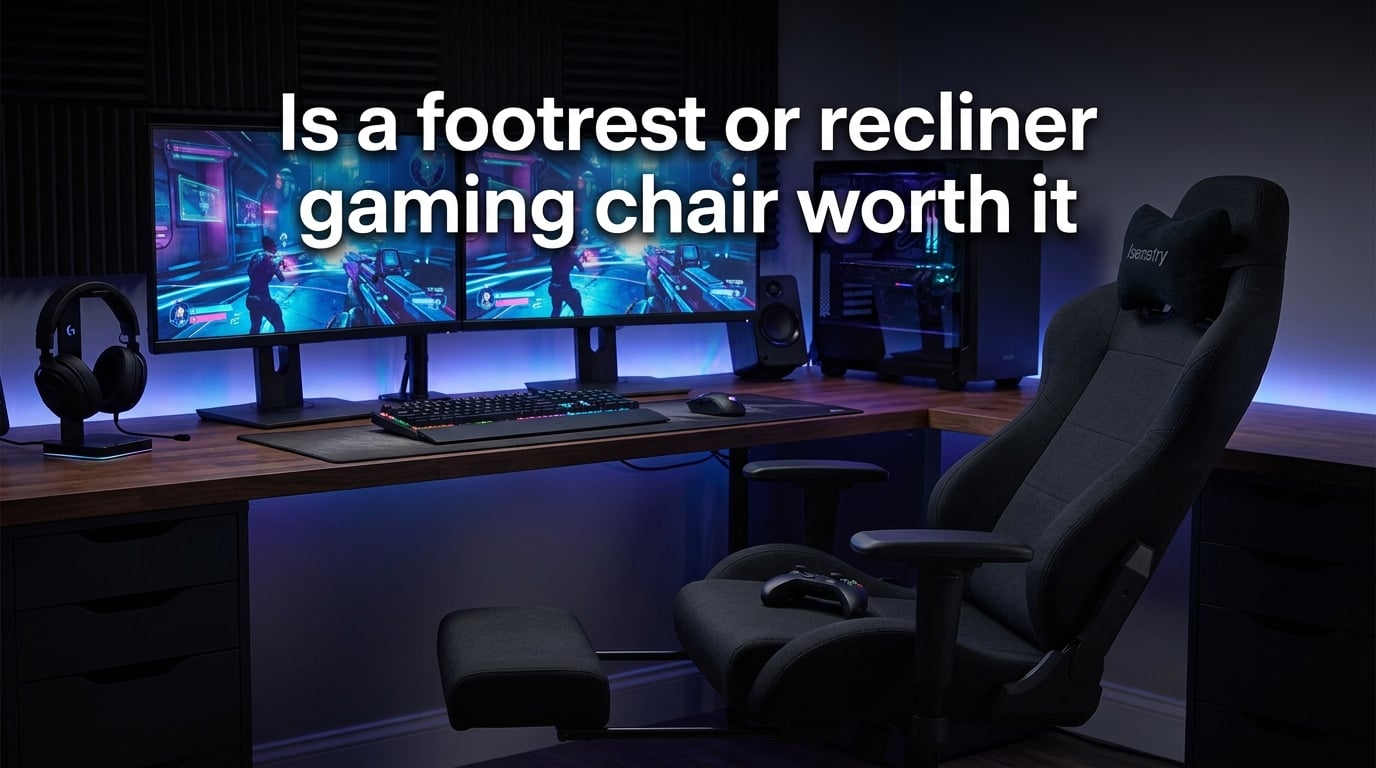
A footrest or recliner gaming chair is worth it if you regularly recline, play for hours at a time, or use your setup for media consumption and passive gaming. It is not worth it if you sit upright for competitive PC play, type for extended periods, or need precise keyboard and mouse positioning. The footrest feature delivers real ergonomic value for the right user, but it becomes a gimmick if your primary activity demands an upright, locked posture.
I spent weeks researching this question by analyzing forum threads, ergonomic studies, and real user feedback. What I found surprised me: the answer is not a simple yes or no. It depends entirely on how you game, how long you sit, and what your body needs.
Table of Contents
Buy It If / Skip It If: A Quick Decision Matrix
Before diving into the details, here is a quick framework to help you decide. This covers the most common scenarios people ask about.
Buy a footrest gaming chair if:
- You play console games on a TV and want to recline comfortably
- Your sessions run three hours or longer and your legs fatigue
- You mix gaming with watching streams, movies, or YouTube
- You want a break position between competitive matches
- You experience lower back pain from dangling feet
Skip the footrest gaming chair if:
- You play competitive PC games that require upright posture
- You spend most of your time typing or using a keyboard and mouse
- You are over 6’2″ and most footrests feel too short for your legs
- You weigh over 275 pounds and need verified heavy-duty support
- You already own a quality ergonomic chair and just need leg support
How a Footrest Actually Affects Your Posture and Circulation
A footrest is not just a comfort feature. It addresses a real biomechanical problem. When your feet dangle without support, gravity pulls blood into your lower legs, reducing circulation and creating pressure on the underside of your thighs against the seat edge.
Research published in Applied Ergonomics found that elevating the feet to a slight angle reduces pelvic tilt and decreases lower back strain during seated activities. The Cleveland Clinic recommends foot support for anyone sitting for more than 90 minutes at a stretch, noting that proper leg elevation helps blood return to the heart more efficiently.
The practical effect is straightforward. With a footrest engaged, your thighs rest fully on the seat instead of bearing pressure at the front edge. Your lower back maintains a more natural curve. And your calves get active support that prevents the numb, tingling feeling many gamers know well.
That said, a footrest does not fix poor posture by itself. If you slouch forward or hunch over your screen, adding a footrest just means you are slouching with better leg support. The footrest works as part of a complete ergonomic setup, not as a standalone solution.
Built-In Footrest vs Separate Under-Desk Footrest
You have two main options for adding foot support to your gaming setup. Each has clear advantages depending on your situation.
Built-in (integrated) footrests come as part of the chair. They typically slide out from under the seat or fold down from the front. The main advantage is convenience: you do not need extra floor space, and the footrest moves with the chair when you recline.
The downside is mechanical reliability. Forum users on Reddit’s r/gamingchairs consistently report that the slide mechanism is often the first component to fail on budget chairs. Footrests on chairs under the budget tier tend to feel wobbly within months of regular use.
Separate under-desk footrests are standalone platforms you place on the floor. They are typically more adjustable, more stable, and far cheaper to replace if they wear out. An ergonomic mesh office chair paired with a quality footrest often outperforms a gaming recliner for eight-hour desk sessions, according to multiple threads on r/OfficeChairs.
Choose a built-in footrest if you recline frequently and want a seamless lounging experience. Choose a separate footrest if you sit upright most of the time and just need occasional leg support.
Recliner Gaming Chair vs Ergonomic Office Chair
This is the debate that dominates every forum thread on the topic. The honest answer is that ergonomic office chairs and gaming recliner chairs serve different purposes.
Ergonomic office chairs win on long-term posture support, build quality, and adjustability. They are designed for upright desk work where you need precise lumbar positioning, adjustable seat depth, and a stable five-star base. A quality mesh office chair breathes better and lasts longer than most PU leather gaming chairs.
Recliner gaming chairs win on comfort during passive activities. If you lean back to watch a stream, play with a controller, or just relax between sessions, the recline-and-footrest combination feels significantly better than sitting upright in a task chair. The racing-style design and padded headrest also appeal to gamers who want an immersive, lounge-like feel.
The key trade-off is specificity. An office chair does many things well but does not recline for lounging. A recliner gaming chair lounges well but often compromises on the upright ergonomic support you need for focused desk work. If your setup serves both purposes, many users end up buying both types for different rooms.
Tall, Short, and Heavier-Build Fit Considerations
Most competitors skip this section entirely, but your body type dramatically affects whether a footrest gaming chair works for you. Here is what to know.
If you are over 6’0″: Check the footrest extension length before buying. Many integrated footrests extend only 10 to 12 inches, which leaves taller users with their knees awkwardly bent. Look for chairs with a seat depth of at least 19 inches and a footrest that extends 14 inches or more. Pedestal-base chairs (common in console gaming) often have fixed heights that are too low for tall frames.
If you are under 5’6″: Seat depth is the main concern. A deep seat can press into the backs of your knees, cutting off circulation. Look for adjustable seat depth or a seat pan under 17 inches deep. The footrest angle also matters: too steep an angle and your feet slide off.
If you weigh over 220 pounds: Pay close attention to the stated weight capacity, then mentally subtract 30 to 50 pounds. Users on Reddit consistently report that budget chairs fail at or below their published limits. The footrest slide mechanism is usually the weakest point. Look for steel-framed chairs with at least a 300-pound rated capacity and check user reviews from people near your weight.
What to Look For Before Buying a Footrest Gaming Chair
If you have decided a footrest chair fits your use case, here are the features that matter most.
Recline angle: The sweet spot for comfortable reclined gaming is 135 to 155 degrees. Below 135 degrees, you are barely reclined. Above 155 degrees, you are essentially lying down, which makes screen viewing awkward. Look for chairs with a locking recline mechanism so you do not drift backward over time.
Footrest mechanism type: Slide-out trays are the most common but vary widely in quality. Retractable panels tend to be sturdier than telescoping trays. Integrated recliner-style chairs (where the entire seat tilts back and a footrest deploys automatically) offer the smoothest experience but cost more.
Weight capacity: Match the chair’s rated capacity to your actual weight plus 50 pounds of margin. Steel frames at the hinge points outperform plastic connectors significantly.
Upholstery material: PU leather looks premium but traps heat during long sessions. Breathable fabric wicks moisture better. Mesh backs offer the best ventilation but are rare on recliner-style chairs. Your climate and session length should guide this choice.
Lumbar support: Removable lumbar pillows are standard but inferior to built-in adjustable lumbar systems. If you have existing back issues, prioritize chairs with a height-adjustable lumbar mechanism rather than a loose cushion.
What Real Gamers Actually Say: Forum Sentiment
I combed through threads on Reddit’s r/gamingchairs, r/OfficeChairs, r/pcmasterrace, r/truegaming, and r/workfromhome to find the unfiltered truth. The consensus is more nuanced than marketing pages suggest.
The most common complaint on r/gamingchairs is that users employed the footrest for the first week and then forgot it existed. The novelty wears off quickly for PC gamers who sit upright at a desk. Several threads describe the footrest as the first mechanical component to fail on budget chairs, with wobbly rails and loose locking pins appearing within three to six months.
On r/pcmasterrace, multiple “never going back to gaming chairs” threads cite the footrest as a key driver of switching to ergonomic office chairs. The argument is consistent: a quality office chair paired with a separate footrest delivers better support at a similar total cost.
Console gamers tell a different story. On r/truegaming and r/workfromhome, users who play with a controller on a TV report much higher satisfaction with recliner-style chairs. The recline-and-footrest combination works naturally when you do not need a desk surface for keyboard and mouse.
The HardForum community adds another dimension: a quality office chair at a similar price point outperforms most gaming recliners for eight-hour work sessions. The key factor is lumbar support consistency over time, which degrades faster on gaming chairs with soft padding.
The honest summary: the footrest feature is a genuine comfort upgrade for the right user profile, but it is oversold to PC gamers who sit upright at desks. For that group, it often becomes exactly the gimmick skeptics describe.
How to Adjust Your Footrest Gaming Chair for Maximum Comfort
If you own or buy a footrest chair, proper adjustment makes the difference between comfort and regret. Follow this sequence every time you set up.
Step 1: Set your seat height. Your feet should rest flat on the floor with your knees at roughly a 90-degree angle. This is your baseline position before engaging the footrest.
Step 2: Adjust the backrest. For upright gaming or work, set the backrest between 100 and 110 degrees. For reclined lounging, go to 135 degrees or beyond. Lock the recline so it stays in position.
Step 3: Extend the footrest. Pull or deploy the footrest until your calves rest comfortably with your knees slightly bent. Your heels should not hang off the end. If your knees hyperextend, the footrest is too far out.
Step 4: Position the lumbar support. Move the lumbar pillow or adjustment knob to the curve of your lower back, roughly at belt-line height. It should fill the gap between your back and the chair without pushing you forward.
Step 5: Take breaks. Even with perfect adjustment, stand up and move every 60 to 90 minutes. No chair eliminates the health risks of prolonged sitting. A footrest reduces strain during sitting, but your body still needs movement.
When a Footrest Gaming Chair Is the Wrong Choice
There are clear situations where skipping a footrest chair is the smarter move.
Competitive PC gamers who play FPS titles, MOBAs, or strategy games at a desk should prioritize an upright, locked-back chair. A reclined posture with legs extended changes your arm angle and makes precise mouse movements harder. Several esports trainers recommend task chairs over gaming recliners for this reason.
Full-time remote workers who spend eight or more hours at a desk benefit more from a mesh ergonomic chair with a separate footrest. The breathability and consistent lumbar support of a quality office chair outlast the padding compression that affects gaming chairs over months of heavy use.
Very tall users over 6’3″ often find that integrated footrests simply do not extend far enough to be useful. A separate adjustable footrest on the floor gives them more control over height and angle without relying on a mechanism built for average proportions.
And if you are on a tight budget, a basic ergonomic office chair paired with an affordable separate footrest typically delivers better ergonomic value than a cheap gaming chair with a built-in footrest. The integrated feature adds cost but rarely adds quality at the budget tier.
Is a Footrest or Recliner Gaming Chair Worth It?
After analyzing forum discussions, ergonomic research, and real user feedback, the answer comes down to your gaming style and setup. For console gamers and anyone who spends extended time reclined, a footrest gaming chair delivers genuine comfort and circulation benefits. For competitive PC gamers sitting upright at a desk, the money is better spent on a quality ergonomic office chair with a separate footrest.
The feature is not a gimmick, but it is marketed to a broader audience than it actually serves. Match the chair to how you actually game, not how you wish you gamed.
Frequently Asked Questions
Is a recliner chair good for gaming?
A recliner chair works well for casual and console gaming where you play with a controller and want to lean back. It is less suitable for competitive PC gaming that requires upright posture and precise keyboard and mouse positioning.
What type of chair is best for gaming?
The best chair depends on your gaming style. An ergonomic office chair suits competitive PC gamers who sit upright for hours. A recliner gaming chair with a footrest suits console gamers and casual players who want to recline and relax. No single chair type wins for everyone.
Can I use a recliner chair as a gaming chair?
Yes, especially for console gaming with a controller on a TV. A recliner provides excellent comfort for passive play and media consumption. The main limitation is that most recliners lack the adjustability of dedicated gaming chairs, such as adjustable armrests and lumbar positioning.
Should I get a gaming chair or an ergonomic chair?
Choose an ergonomic chair if you sit at a desk for work or competitive gaming and need consistent lumbar support over long hours. Choose a gaming chair if you want a recliner-style seat for mixed gaming and media use. Many people benefit from having each type in different rooms.
Are gaming chairs with footrests actually good for posture?
They help with lower body circulation and reduce thigh pressure when used correctly. However, a footrest does not fix poor sitting habits. If you slouch or hunch over your screen, the footrest just adds leg support to bad posture. It works best as part of a complete ergonomic setup.
Which is better for comfort and support, a gaming chair or a recliner?
A recliner offers superior comfort for lounging and passive activities. A gaming chair offers better support for active, upright seated work with adjustable features like lumbar support and armrests. For long gaming sessions, a gaming chair with a reclining backrest and footrest combines elements of both.
Conclusion
So, is a footrest or recliner gaming chair worth it? The answer depends entirely on how you game. For console players, streamers, and anyone who spends hours mixing gaming with media consumption, the footrest delivers real ergonomic benefits and genuine comfort. For competitive PC gamers and full-time desk workers, an ergonomic office chair with a separate footrest remains the smarter investment.
The footrest feature is not a gimmick, but it is not universal either. Test the footrest mechanism for sturdiness, match the chair to your actual sitting habits, and remember that no chair eliminates the need to stand up and move regularly.