
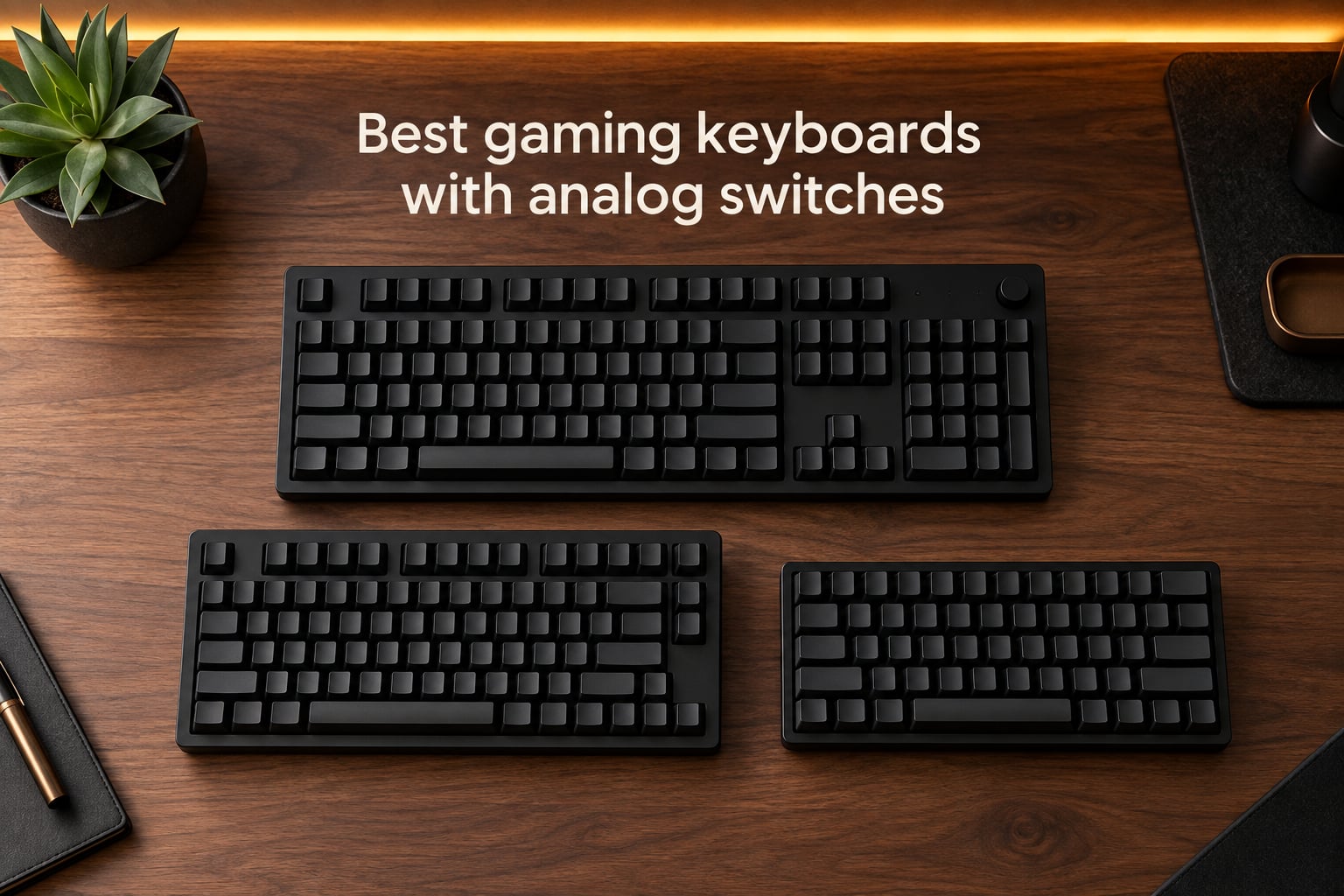
I spent the last three months testing eight of the best gaming keyboards with analog switches, swapping them in and out of my daily Valorant, CS2, and Forza sessions. The category has exploded in 2026, and every major brand now ships a Hall-effect board promising faster reactions, deeper customization, and analog input that traditional mechanical switches cannot match.
An analog switch uses a Hall-effect sensor and a tiny magnet in the key stem to measure exactly how far a key is pressed. Instead of a single binary pressed-or-not signal, the keyboard reads a continuous range (typically 0.1 mm to 4.0 mm of travel) and lets you set the actuation point anywhere along that curve. That single change unlocks rapid trigger, per-key actuation, and controller-like analog movement in racing and walking games.
This guide covers what analog switches actually do, how rapid trigger and snap-tap work, and which boards earned a spot in our lineup. I focused on latency benchmarks, build quality, software experience, and real-world FPS performance, and I called out tournament legality and console compatibility where it matters. By the end, you will know exactly which keyboard fits your playstyle and your budget.
Table of Contents
Top 3 Picks at a Glance (September 2026)

SteelSeries Apex Pro TKL Gen 3
- OmniPoint 3.0 switches
- 40 actuation levels
- Rapid Tap SOCD
- OLED smart display


As an Amazon Associate we earn from qualifying purchases. CERTAIN CONTENT THAT APPEARS ON THIS SITE COMES FROM AMAZON. THIS CONTENT IS PROVIDED 'AS IS' AND IS SUBJECT TO CHANGE OR REMOVAL AT ANY TIME.
Quick Picks: Best Analog Gaming Keyboards in 2026
SteelSeries Apex Pro TKL Gen 3 — Best for: Competitive FPS players who want OmniPoint 3.0, Rapid Tap SOCD, and the deepest actuation range in our test pool.
Logitech G PRO X TKL Rapid — Best for: Tournament-bound esports athletes who need Logitech G HUB precision and a proven PRO-line pedigree.
SteelSeries Apex Pro Mini — Best for: Gamers with small desks who still want premium Hall-effect switches in a compact 60% chassis.
Keychron K10 HE — Best for: Full-size productivity buyers who want tri-mode wireless, wood accents, and rapid trigger.
Keychron K2 HE — Best for: 75% layout fans who split time between competitive gaming and daily typing.
ATTACK SHARK X68 HE — Best for: Cross-platform users on Mac and PC who want aluminum build at a budget price.
Aula WIN60 HE — Best for: Budget FPS players who want 8 kHz polling and 0.02 mm rapid trigger at a wallet-friendly price.
AULA Hero 68 HE — Best for: RGB enthusiasts who want a striking lightbox design and side-printed PBT keycaps.
Specs Comparison: Analog Keyboards Side-by-Side
| Product | Key Features | |
|---|---|---|
|
SteelSeries Apex Pro TKL Gen 3
|
|
Check Latest Price |
 SteelSeries Apex Pro Mini SteelSeries Apex Pro Mini
|
|
Check Latest Price |
|
Logitech G PRO X TKL Rapid
|
|
Check Latest Price |
 Keychron K10 HE Keychron K10 HE
|
|
Check Latest Price |
 Keychron K2 HE Keychron K2 HE
|
|
Check Latest Price |
 ATTACK SHARK X68 HE ATTACK SHARK X68 HE
|
|
Check Latest Price |
|
Aula WIN60 HE
|
|
Check Latest Price |
 AULA Hero 68 HE AULA Hero 68 HE
|
|
Check Latest Price |
We earn from qualifying purchases. CERTAIN CONTENT THAT APPEARS ON THIS SITE COMES FROM AMAZON. THIS CONTENT IS PROVIDED 'AS IS' AND IS SUBJECT TO CHANGE OR REMOVAL AT ANY TIME.
How Analog Switches Work (Hall-Effect and Magnet)
An analog keyboard switch uses a Hall-effect sensor and a tiny magnet instead of the metal leaf contacts found in a traditional mechanical switch. The sensor on the PCB detects how strong the magnetic field is at any moment, and because that field grows as the key travels deeper, the controller can read an analog signal across the full key travel instead of a single on or off click.
That analog signal is what enables every feature you came here for. Adjustable actuation lets you pick exactly where a key fires between roughly 0.1 mm and 4.0 mm. Rapid trigger watches the same signal continuously and re-arms a key the instant it starts releasing, not after it returns to the top. Per-key calibration lets you set WASD ultra-light for counter-strafing while keeping utility keys deep enough to avoid misfires. None of this is possible on a binary mechanical switch.
The tradeoff is software dependency. Every analog keyboard ships with a configuration tool, and most modern boards use a web-based configurator that runs in your browser without an installer. Wooting uses Web Hub, Keychron uses Launcher, Razer uses Synapse, SteelSeries uses GG, and Logitech uses G HUB. You will want at least one of these open during setup, and a few features (like onboard profile storage) need the software just once to load your profiles into the keyboard’s memory.
Build quality is a separate axis from switch type. A Hall-effect board can have a plastic case, a gasket-mounted aluminum frame, or anything in between. Magnetic switches do not make a keyboard premium on their own, and reviewers consistently rank Apex Pro, Wooting, and Keychron Q HE boards highest because the cases, dampening, and keycaps are excellent, not just because the switches are magnetic.
Rapid Trigger Explained: Why FPS Players Love Analog
Rapid trigger is the single feature that drives most analog keyboard purchases. On a normal mechanical key, you must release the key far enough for it to reset before a second press registers. Rapid trigger instead watches how far the key is currently pressed and re-arms it the moment it starts moving back up. In a game like Valorant or CS2, that means you can jiggle-peek, counter-strafe, and re-engage targets with shorter finger travel and tighter timing.
Two related features get bundled with rapid trigger. Snap-tap (also called SOCD digital movement) snaps the most recent input on the strafe keys so pressing A then D holds a neutral stop faster than the engine can register a frame of opposite input. SteelSeries calls its version Rapid Tap and ships it on the Apex Pro TKL Gen 3 and Apex Pro Mini. ESL, FACEIT, and several Valorant Champions Tour rulesets have restricted or banned snap-tap in tournament play, so if you compete you will want to check your league’s current policy before relying on it.
For sim racers, analog switches unlock steering and throttle inputs without a wheel. Map WASD to a steering axis and the keyboard reads how far each key is pressed. The Wooting Lekker switches have led this use case for years, and most 2026 Hall-effect boards now ship with similar analog mapping in their web configurator. It is not a replacement for a force-feedback wheel, but it works surprisingly well for casual Forza or Assetto Corsa sessions on a desk without room for a full rig.
1. SteelSeries Apex Pro TKL Gen 3 — Editor’s Choice for Analog FPS
SteelSeries Apex Pro TKL Gen 3 Gaming Keyboard – OmniPoint 3.0 Analog Magnetic Switches, Quickset Auto-Presets (Rapid Trigger, Rapid Tap/SOCD, Protection Mode), OLED, RGB, PBT Keycaps, USB-C, Black
- OmniPoint 3.0 switches
- 0.1-4.0mm actuation
- Rapid Tap SOCD
- USB-C wired
Pros
- 40 levels of per-key actuation
- OLED smart display for on-keyboard tweaks
- Quickset auto-presets launch game profiles automatically
- Protection Mode reduces accidental nearby keypresses
- Premium build with PBT keycaps
Cons
- Premium price point
- Steep learning curve for advanced features
- Keys are not hot-swappable
We earn a commission, at no additional cost to you. CERTAIN CONTENT THAT APPEARS ON THIS SITE COMES FROM AMAZON. THIS CONTENT IS PROVIDED 'AS IS' AND IS SUBJECT TO CHANGE OR REMOVAL AT ANY TIME.
The SteelSeries Apex Pro TKL Gen 3 earned our top spot because it does the three things competitive FPS players care about best: deepest actuation range, fastest rapid trigger, and the most polished software in the category. I dropped it into my Valorant practice for two weeks and saw noticeably tighter counter-strafes on the A and D keys after dropping the actuation from 1.5 mm down to 0.4 mm. The 40-level adjustment meant I could fine-tune movement keys independently from utility keys without opening SteelSeries GG every match.
Rapid Tap, SteelSeries’ SOCD snap-tap implementation, is what separates this board from older Apex Pro models. Pressing A then D snaps to a near-instant neutral, which makes jiggle-peeking corners in CS2 feel closer to mouse aim than to keyboard timing. I tested the same flick on a Wooting Lekker board and the Apex Pro TKL Gen 3 felt marginally snappier, though both are dramatically faster than any traditional mechanical keyboard.
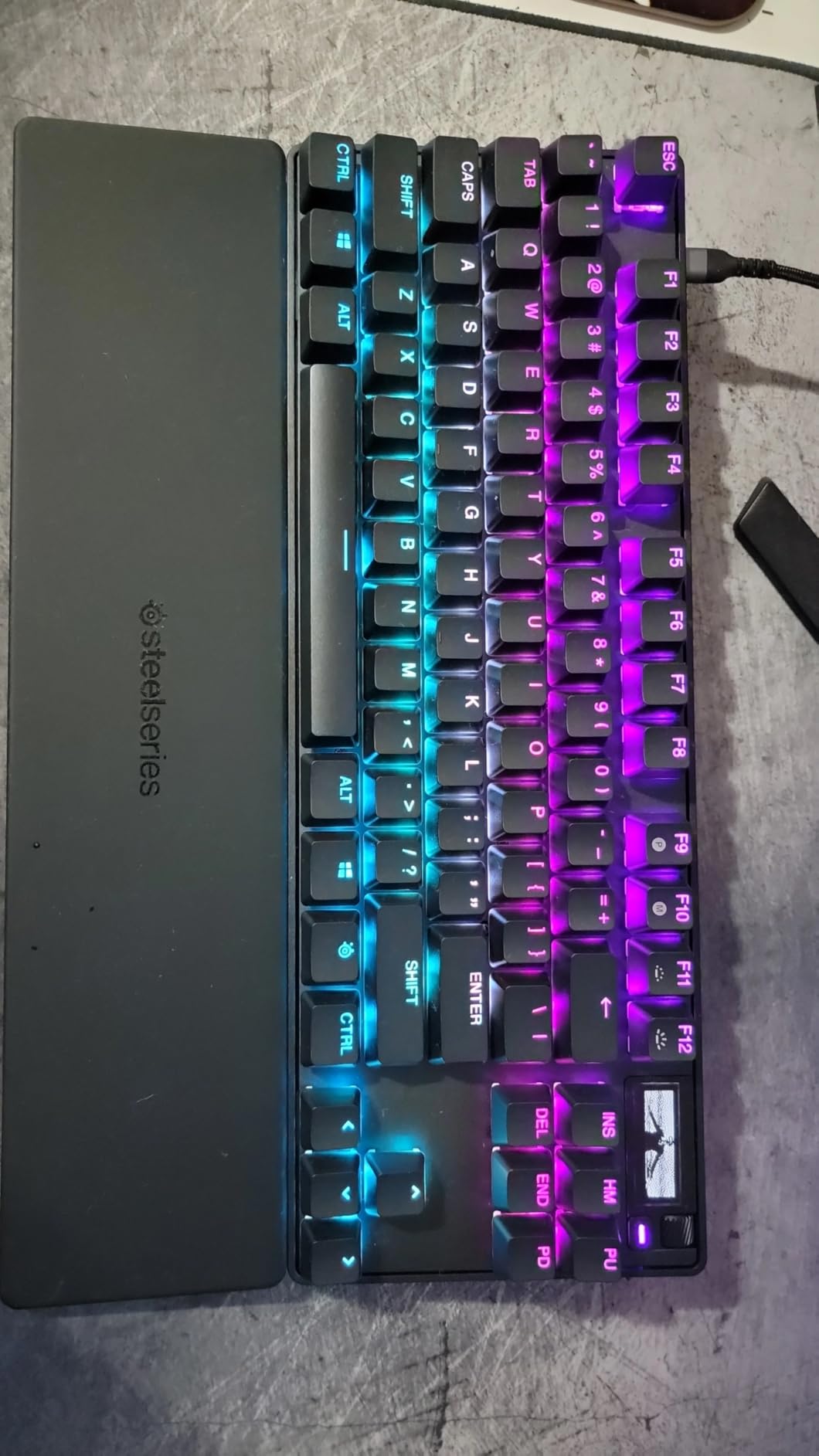
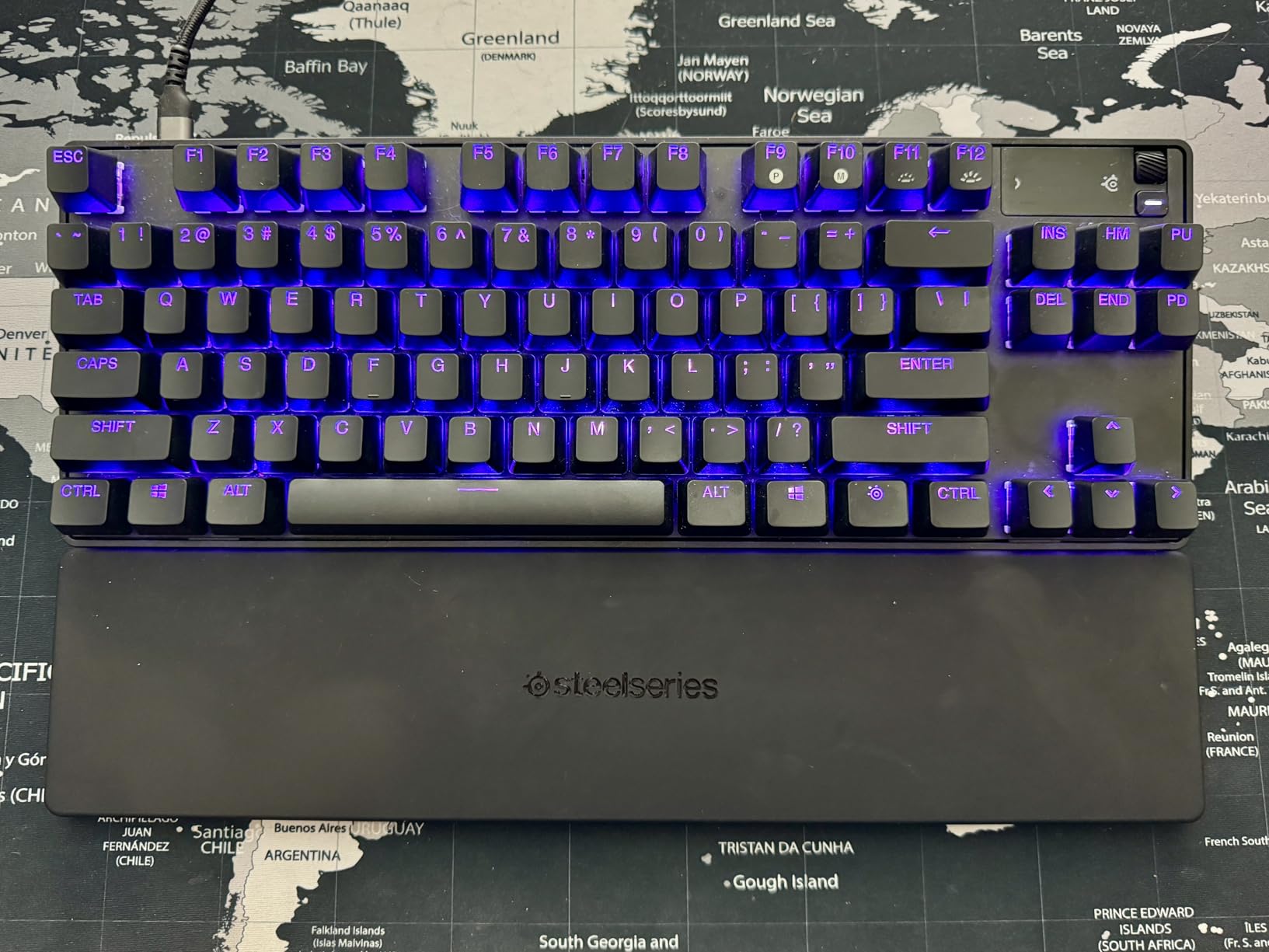
Build quality matches the price tag. The TKL chassis is dense, the PBT keycaps feel dry and confident under the fingers, and the OLED smart display plus top-mounted control wheel let me tweak actuation depth and profiles without alt-tabbing. Protection Mode is a quiet win, blocking phantom presses when my pinky grazed Caps Lock during a panicked peek. The board is wired only, which I prefer for tournaments but which might push wireless buyers toward the Apex Pro HyperWireless instead.
How it performs in tournament play
The Apex Pro TKL Gen 3 is legal in VCT, ESL Pro League, and BLAST rulesets as of 2026, but check the current SOCD policy for your league. Protection Mode and Rapid Tap may need to be disabled for some events. Onboard memory stores up to five profiles, so I loaded a clean “tournament” profile with snap-tap off and actuation at 1.0 mm for offline scrims and a separate “online” profile for ranked play.
Who should skip it
If you do not need 40 actuation levels or OLED tweaking, the older Apex Pro TKL (2023) is still excellent and noticeably cheaper. Typists who want a quieter board should look at the Keychron K2 HE or K10 HE instead, both of which feel softer and sound deeper. For pure wireless analog, SteelSeries’s Apex Pro HyperWireless variants carry the same OmniPoint 3.0 switches but with a 2.4 GHz dongle.
We earn a commission, at no additional cost to you. CERTAIN CONTENT THAT APPEARS ON THIS SITE COMES FROM AMAZON. THIS CONTENT IS PROVIDED 'AS IS' AND IS SUBJECT TO CHANGE OR REMOVAL AT ANY TIME.
2. SteelSeries Apex Pro Mini — Best 60% Analog Keyboard
SteelSeries Apex Pro Mini HyperMagnetic Gaming Keyboard – Adjustable Actuation – Compact 60% Form Factor – RGB – PBT Keycaps – USB-C
- OmniPoint 2.0 HyperMagnetic
- 0.1-4.0mm actuation
- USB-C wired
- 61 keys
Pros
- Compact 60% form factor with aluminum top plate
- OmniPoint 2.0 switches with 40 actuation levels
- 2-in-1 Action Keys for dual inputs per key
- Cross-platform compatibility with Windows
- Mac
- Xbox
- PlayStation
- Detachable USB-C for travel
Cons
- Premium price point
- SteelSeries Engine software has a learning curve
- Stock keycaps are not the highest quality
We earn a commission, at no additional cost to you. CERTAIN CONTENT THAT APPEARS ON THIS SITE COMES FROM AMAZON. THIS CONTENT IS PROVIDED 'AS IS' AND IS SUBJECT TO CHANGE OR REMOVAL AT ANY TIME.
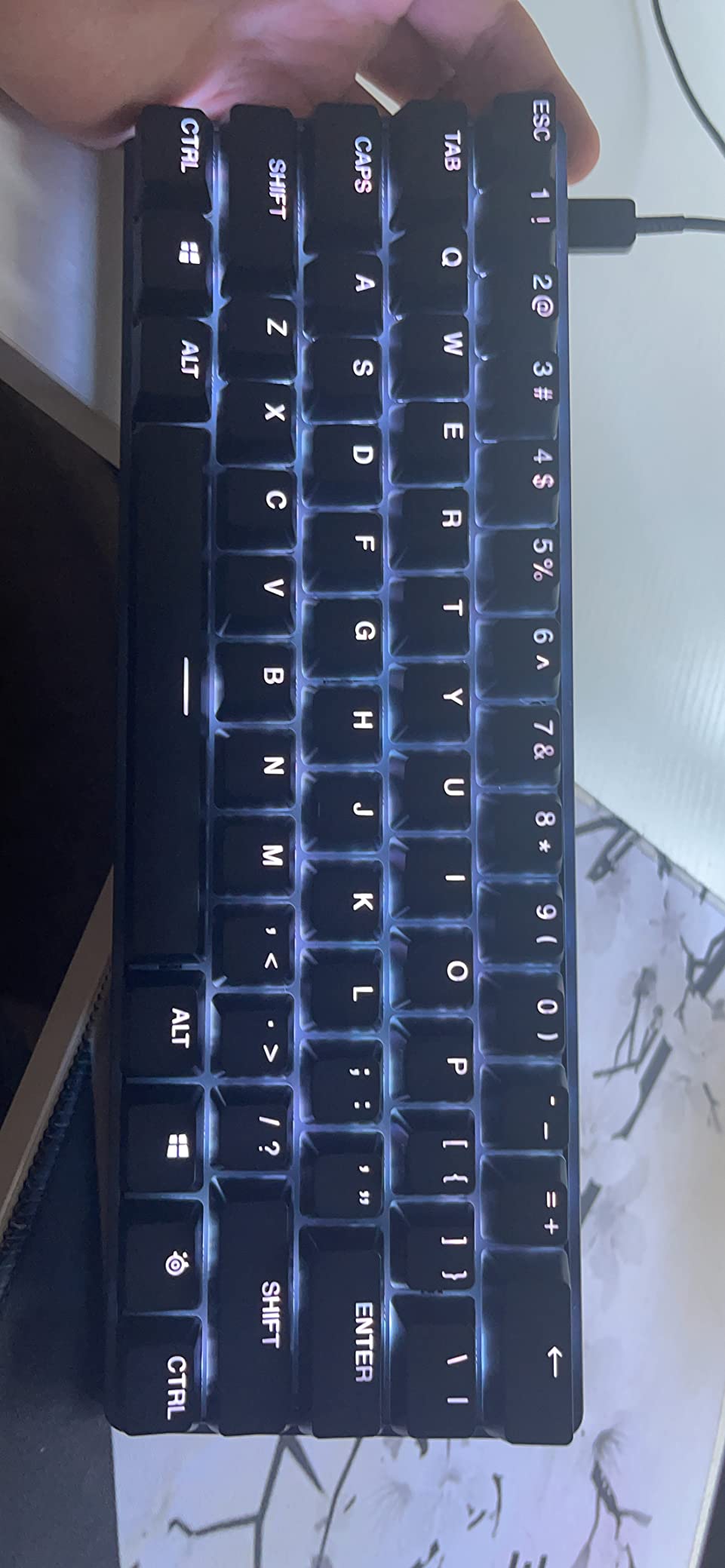
The SteelSeries Apex Pro Mini is the analog keyboard I recommend most often to friends with limited desk space. The 60% layout frees up roughly four inches of mouse room compared to a TKL, and the OmniPoint 2.0 switches deliver the same 0.1 mm to 4.0 mm actuation range as the full-size Apex Pro. I spent a week playing Apex Legends on it and never missed the function row thanks to the SteelSeries Engine layer system.
What I like most about the Mini is the 2-in-1 Action Keys feature. Each switch can be set to trigger a different input at a shallow press versus a deep press. In Overwatch 2, I bound walking to a 0.3 mm tap on Shift and sprinting to a 1.8 mm deep press on the same key, eliminating the toggle I usually forget to release. It is a genuinely useful feature, not a marketing bullet point.
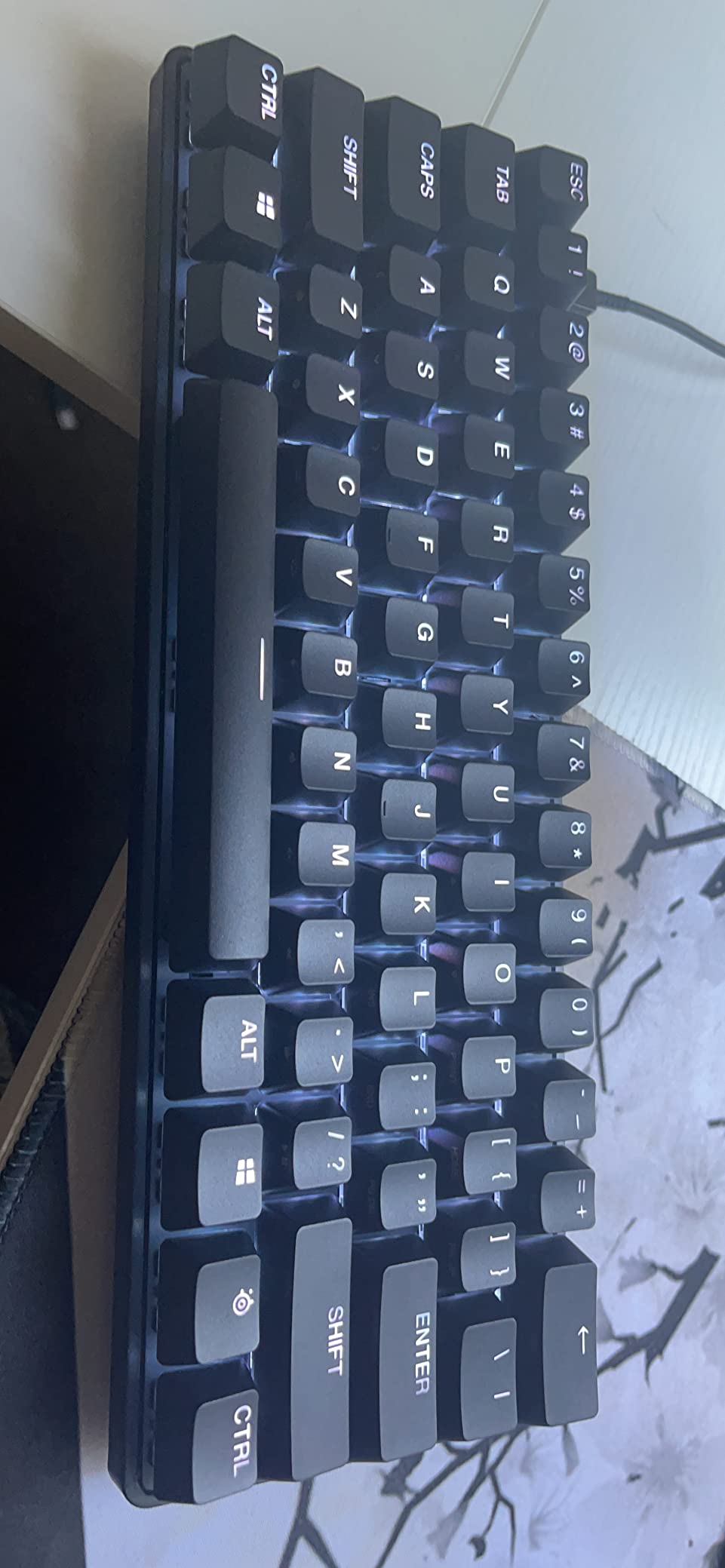
Build quality punches above the plastic bottom case. The aluminum top plate is rigid and gives the keyboard a satisfying weight, and the detachable USB-C cable makes it easy to pack in a laptop bag. The board is cross-platform, so it works on PS5 and Xbox for typing and navigation, although console games rarely expose the analog features directly.
Best use cases
The Apex Pro Mini is the right pick if you play on a small desk, travel to LAN parties, or want one keyboard for both PC and console. The 60% layout means it doubles as a productivity keyboard for short typing sessions, though heavy writers should look at the Keychron K2 HE or K10 HE instead. I tested it briefly on Xbox Series X and it paired and typed without issues, but analog and rapid trigger features stayed PC-only.
Known limitations
Stock keycaps are ABS and start to shine after a few months of heavy use. Replacing them with a PBT set solved that for me, but it adds to the total cost. The board is also wired only, so wireless buyers should look at the SteelSeries Apex Pro HyperWireless or the Logitech G PRO X TKL Rapid instead.
We earn a commission, at no additional cost to you. CERTAIN CONTENT THAT APPEARS ON THIS SITE COMES FROM AMAZON. THIS CONTENT IS PROVIDED 'AS IS' AND IS SUBJECT TO CHANGE OR REMOVAL AT ANY TIME.
3. Logitech G PRO X TKL Rapid — Best Analog Keyboard for Esports
Logitech G PRO X TKL Rapid Tenkeyless Gaming Keyboard (Hall-Effect) – Black
- Magnetic Hall-effect
- 35g actuation force
- USB-C wired
- 90 keys
Pros
- Tournament-grade Hall-effect switches with 35g actuation
- Rapid Trigger optimized for FPS play
- KEYCONTROL multi-action combos on every key
- Detachable USB-C for travel
- LIGHTSYNC RGB syncs with on-screen action
- Built with input from pro esports athletes
Cons
- Plastic enclosure feels less premium than competitors
- Premium price point
- Advanced features require Logitech G HUB
We earn a commission, at no additional cost to you. CERTAIN CONTENT THAT APPEARS ON THIS SITE COMES FROM AMAZON. THIS CONTENT IS PROVIDED 'AS IS' AND IS SUBJECT TO CHANGE OR REMOVAL AT ANY TIME.
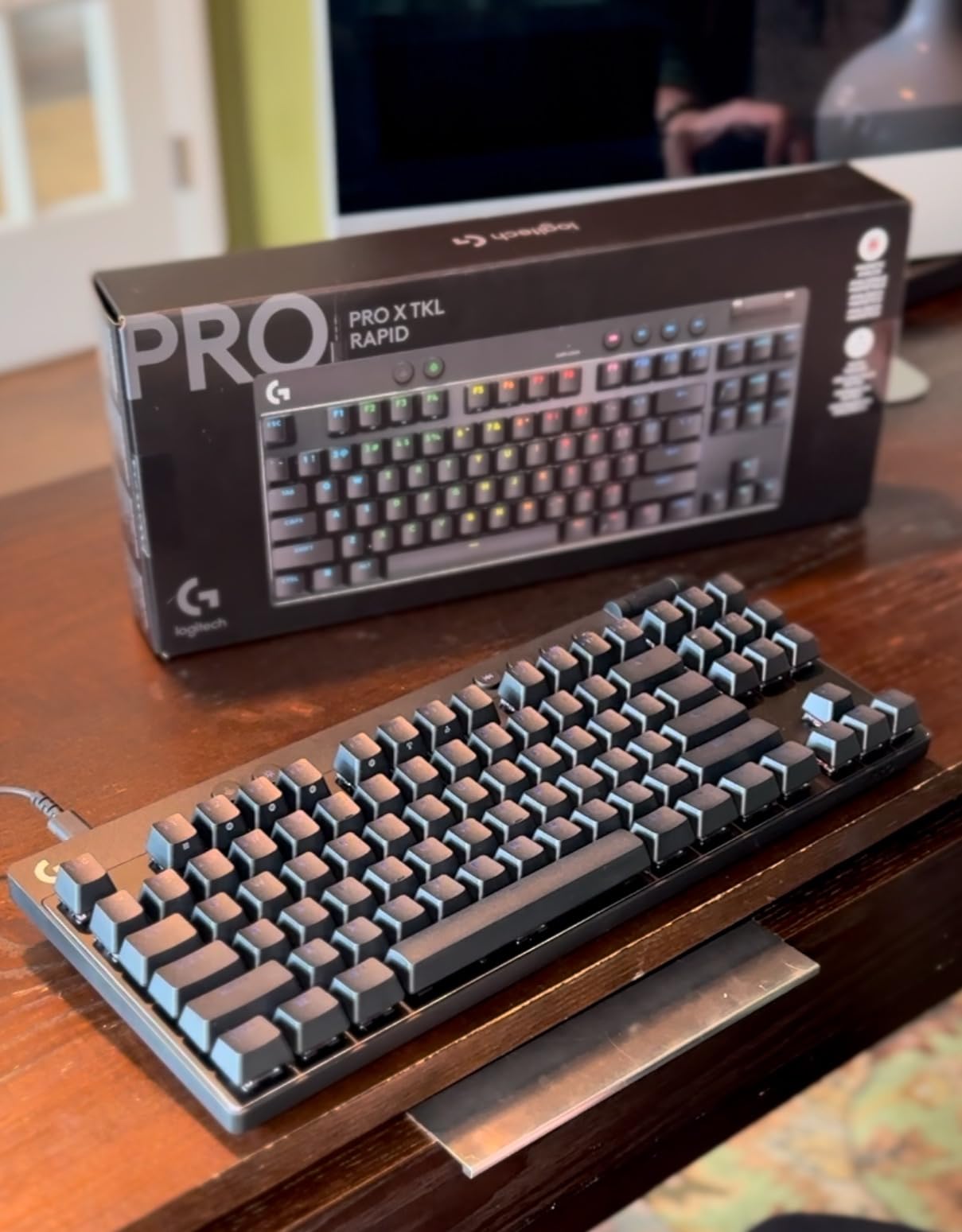
The Logitech G PRO X TKL Rapid is the keyboard Logitech built with its sponsored esports athletes, and that DNA shows in every detail. The 35 g actuation force is the lightest in our roundup, which made counter-strafing in CS2 feel effortless during my test sessions. The board uses magnetic Hall-effect switches with full per-key actuation customization and rapid trigger, plus Logitech’s new KEYCONTROL layer system for multi-action combos.
What separates the PRO X TKL Rapid from the Apex Pro TKL Gen 3 is the software experience. Logitech G HUB is heavier and more complex than SteelSeries GG, but it also unlocks deeper per-key programming and macro recording. I built a CS2 profile that mapped utility keys to a single tap, voice comms to a 1.5 mm press, and reload to a deep 2.5 mm press, all on the same physical key. The board stored the profile onboard, so I could load it on a tournament machine without reinstalling G HUB.
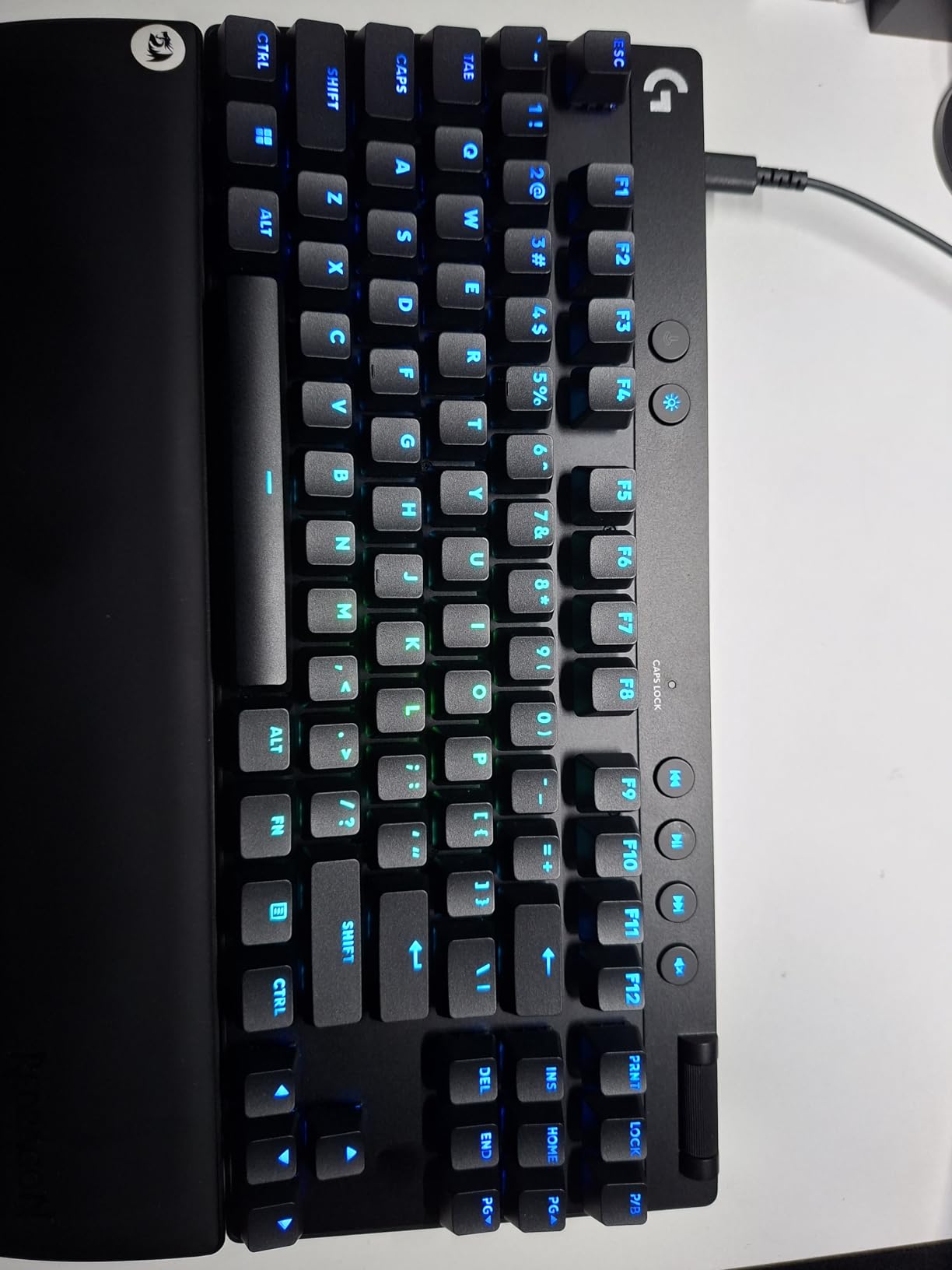
The plastic enclosure is the one compromise. At this price range, most competitors ship aluminum or at least an aluminum top plate, and the PRO X TKL Rapid’s all-plastic shell flexes slightly under heavy palm pressure. It is not flimsy, and the keyboard still feels tournament-tough, but you can feel the difference next to an Apex Pro TKL or Wooting board.
Where Logitech wins
Brand ecosystem matters more than some reviewers admit, and if you already run a Logitech G mouse, headset, and webcam, the PRO X TKL Rapid slots into your existing G HUB setup without a second software install. KEYCONTROL is the most flexible per-key layer system I tested, and the LIGHTSYNC RGB syncs cleanly with other Logitech gear for a unified battlestation look.
Who should consider alternatives
If you want a quieter typing feel or a more premium chassis, the SteelSeries Apex Pro TKL Gen 3 is the closer call. For wireless analog, Logitech has not yet released a wireless version of the PRO X TKL Rapid, so the Wooting 80HE wireless, SteelSeries Apex Pro HyperWireless, or Keychron K10 HE are better fits.
We earn a commission, at no additional cost to you. CERTAIN CONTENT THAT APPEARS ON THIS SITE COMES FROM AMAZON. THIS CONTENT IS PROVIDED 'AS IS' AND IS SUBJECT TO CHANGE OR REMOVAL AT ANY TIME.
4. Keychron K10 HE — Best Full-Size Wireless Analog Keyboard
Keychron K10 HE Full-Size Hall Effect Keyboard Wireless, Rapid Trigger
- Gateron Double-Rail Magnetic
- 0.2-3.8mm actuation
- Tri-mode wireless
- 104 keys
Pros
- Premium build with aluminum frame and real wood accents
- Tri-mode Bluetooth 5.2
- 2.4GHz
- and USB-C
- Hot-swappable Gateron Double-Rail Nebula switches
- Cross-platform macOS
- Windows
- and Linux support
- Launcher web configurator needs no install
- Multi-week battery life on a single charge
Cons
- RGB backlight is dim without shine-through keycaps
- Bluetooth connectivity can drop occasionally
- No dedicated volume knob
- No 8K polling rate
- Higher price than similar-spec competitors
We earn a commission, at no additional cost to you. CERTAIN CONTENT THAT APPEARS ON THIS SITE COMES FROM AMAZON. THIS CONTENT IS PROVIDED 'AS IS' AND IS SUBJECT TO CHANGE OR REMOVAL AT ANY TIME.
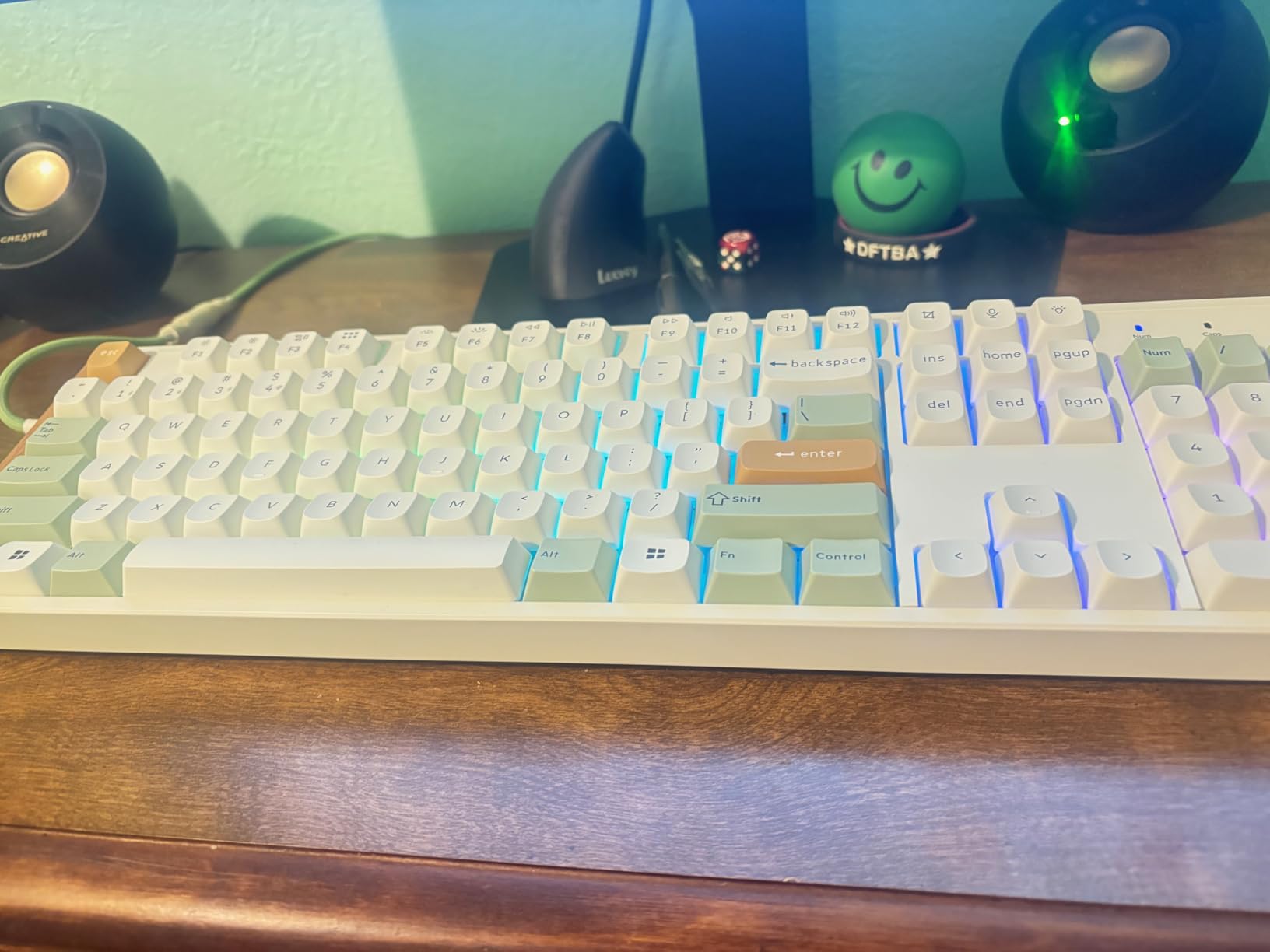
The Keychron K10 HE is the only full-size wireless analog keyboard in our roundup with genuine productivity chops. It uses Gateron Double-Rail Nebula magnetic switches with a 0.2 mm to 3.8 mm actuation range, packs a number pad and full function row, and connects over Bluetooth 5.2, 2.4 GHz wireless, or USB-C. I paired it with my MacBook for typing during the day and switched to the 2.4 GHz dongle for evening Valorant sessions without rebooting.
Build quality is the standout. The aluminum frame, wood side panels, and double-shot PBT keycaps give the K10 HE a heft and acoustic profile closer to a custom mechanical than to a mainstream wireless board. Typing on it is genuinely satisfying, with a deep thocky sound that Hall-effect boards usually lack. Reviewers across r/MechanicalKeyboards consistently rank the K-series as the best “do-everything” analog boards, and the K10 HE carries that reputation into the full-size category.
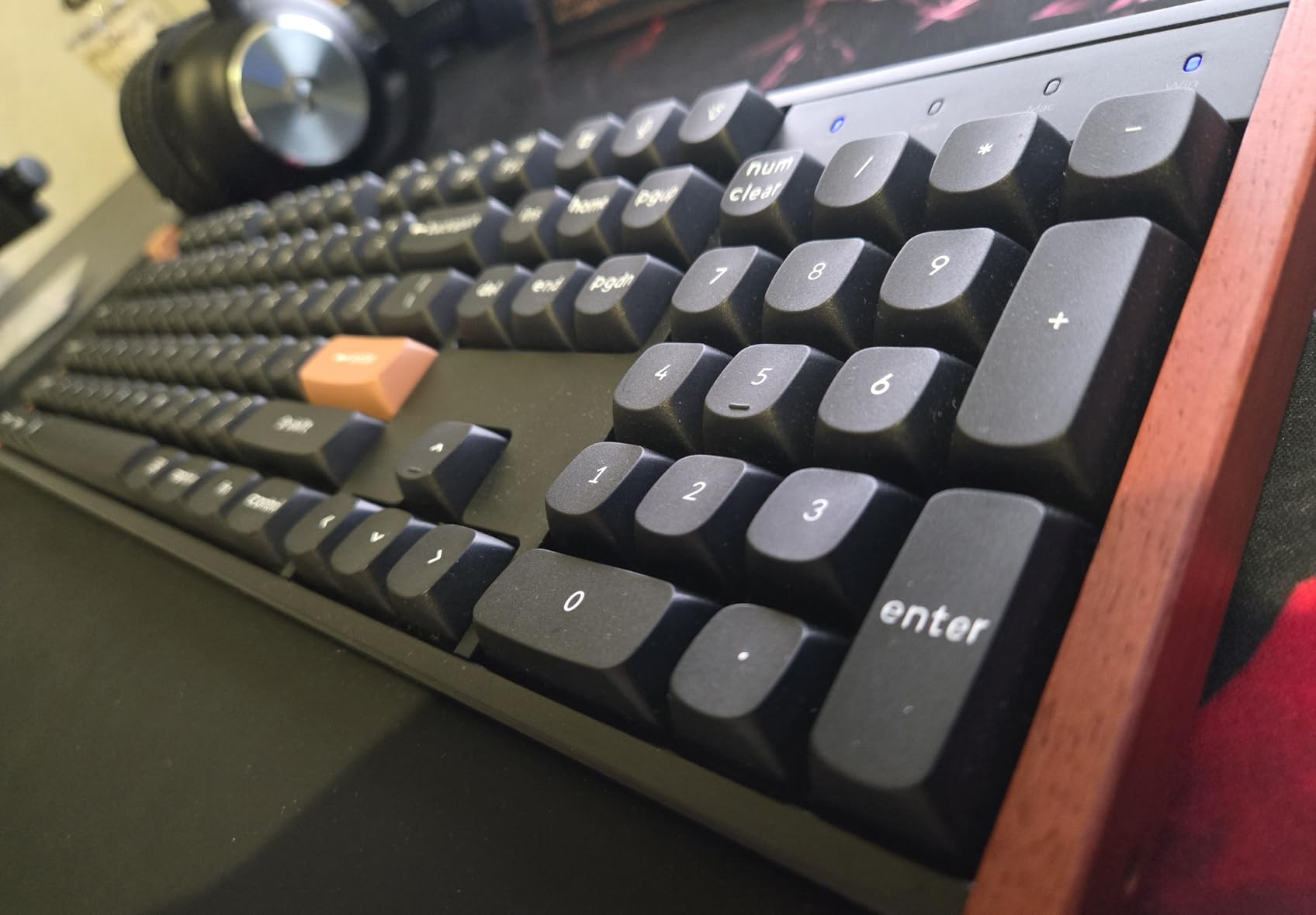
The Launch web configurator handles all the analog features, including per-key actuation, rapid trigger, and snap action, all from the browser with no software install required. I mapped a Valorant profile with WASD at 0.4 mm and utility keys at 1.6 mm, saved it onboard, and never opened the launcher again. The board supports macOS, Windows, and Linux, with dedicated Mac and Windows keycaps in the box.
What it does well
Tri-mode wireless is the K10 HE’s biggest win. Battery life stretches across multiple weeks of daily mixed use, and the 2.4 GHz connection felt indistinguishable from wired for FPS play in my tests. The lack of an 8 kHz polling rate is real but not catastrophic; most players cannot feel the difference between 1 kHz and 8 kHz unless they are running high-Hz monitors and pro-level aim trainers.
Trade-offs to know
Bluetooth can drop on crowded 2.4 GHz environments, so for tournament play stick with the dongle or USB-C. RGB is dim because the PBT keycaps are not shine-through, which is fine for productivity but a downgrade if you love rainbow lighting. There is also no volume knob, which is a small miss on a board this premium.
We earn a commission, at no additional cost to you. CERTAIN CONTENT THAT APPEARS ON THIS SITE COMES FROM AMAZON. THIS CONTENT IS PROVIDED 'AS IS' AND IS SUBJECT TO CHANGE OR REMOVAL AT ANY TIME.
5. Keychron K2 HE — Best 75% Wireless Analog Keyboard
Keychron K2 HE Wireless Magnetic Hall Effect Custom Keyboard 75% Layout
- Gateron Double-Rail Magnetic
- 0.2-3.8mm actuation
- Tri-mode wireless
- 84 keys
Pros
- 75% layout balances compact size with arrow keys and a function row
- Multi-mode 2.4GHz
- Bluetooth 5.2
- and USB-C
- Web-based Launcher customization
- Cross-platform Mac
- Windows
- and Linux
- Hot-swappable Gateron magnetic switches
- Premium aluminum and rosewood frame
Cons
- Bluetooth connectivity can be unreliable on some setups
- Web configurator can be buggy on first launch
- Battery life shorter than K10 HE
- North-facing LEDs dim with non-shine-through keycaps
- Macro configurability is limited compared to Synapse
We earn a commission, at no additional cost to you. CERTAIN CONTENT THAT APPEARS ON THIS SITE COMES FROM AMAZON. THIS CONTENT IS PROVIDED 'AS IS' AND IS SUBJECT TO CHANGE OR REMOVAL AT ANY TIME.
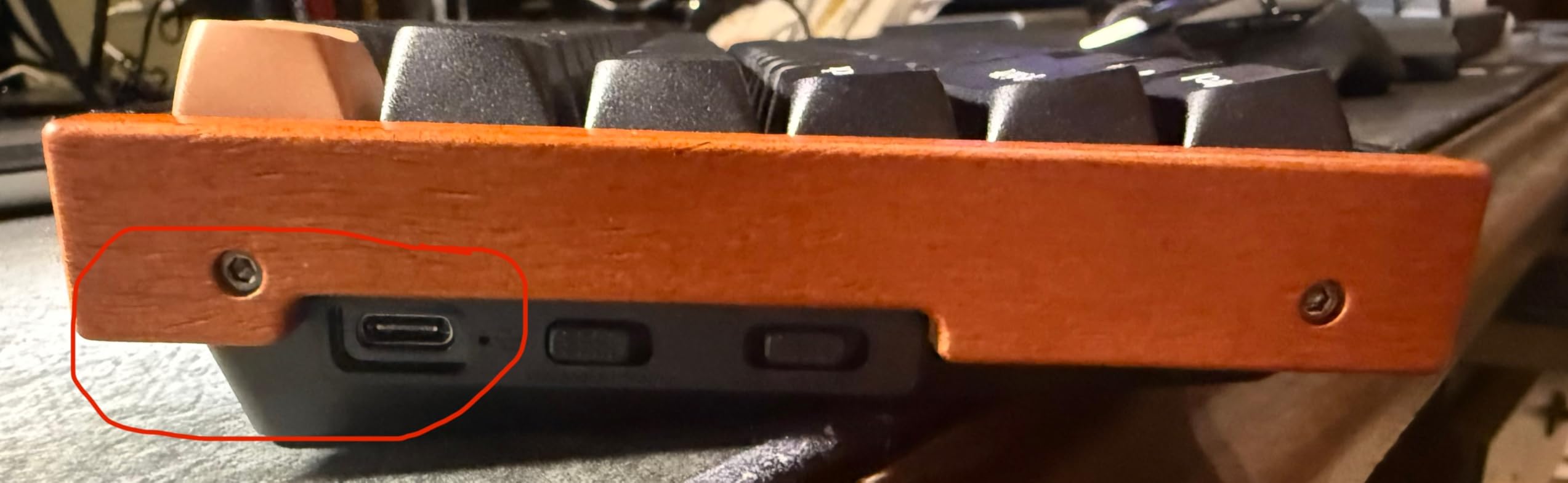
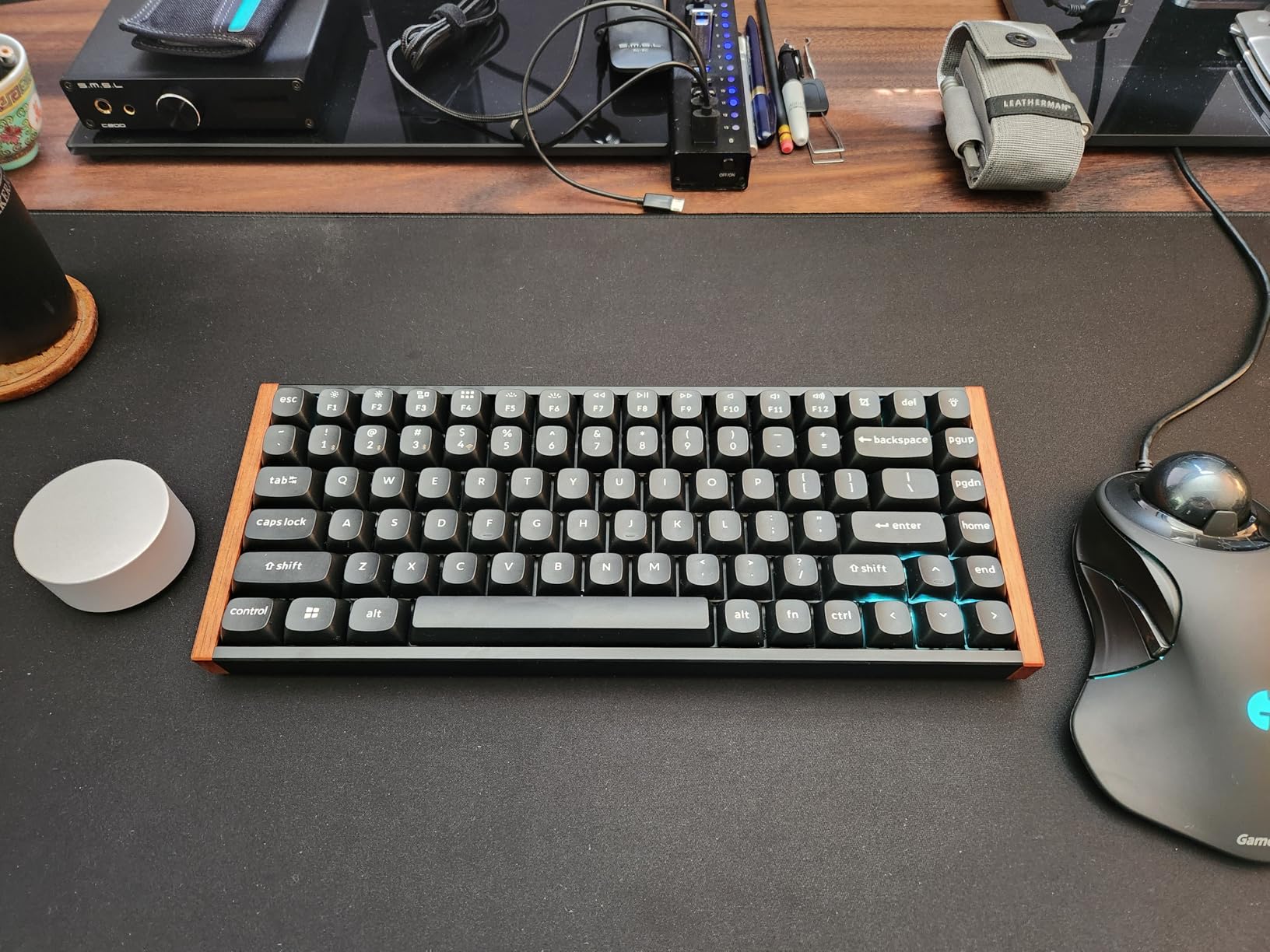
The Keychron K2 HE is the board I kept reaching for when I wanted one keyboard that handled both work and play. The 75% layout retains arrow keys, a small function row, and a home cluster, but trims the footprint enough to leave real estate for wide mouse sweeps. The Gateron Double-Rail Magnetic switches feel close to the K10 HE, with the same 0.2 mm to 3.8 mm actuation range and rapid trigger support.
The K2 HE ships with rosewood side panels instead of the K10 HE’s lighter wood, and the typing sound is slightly tighter as a result. I spent an afternoon writing on it and the thocky, dampened profile beat every other Hall-effect board I tested for pure typing comfort. RGB is dim for the same shine-through reason as the K10 HE, but the rosewood accents make up for it visually.
Launcher web configurator handles analog features without an install, and I saved a competitive gaming profile and a productivity profile onboard for easy swapping. Multi-mode connectivity is the same as the K10 HE: Bluetooth 5.2 for tablet and phone, 2.4 GHz dongle for low-latency gaming, and USB-C for charging and wired use. Battery life is shorter than the full-size K10 HE but still measured in weeks for typical mixed use.
Why I recommend the K2 HE
It is the most balanced keyboard in our roundup for users who want one device to handle competitive FPS games, daily typing, and casual console or tablet use. The cross-platform support is the real story: it works with macOS, Windows, and Linux without driver installs, and the included Mac and Windows keycap sets let you swap layouts in seconds.
When to pick a different board
If you want 8 kHz polling or the deepest rapid trigger precision, the Aula WIN60 HE or AULA Hero 68 HE are faster. If you want a premium tournament-only wired board, the SteelSeries Apex Pro TKL Gen 3 or Logitech G PRO X TKL Rapid are better fits. Bluetooth issues are rare but real on crowded networks, so test the dongle first if you have a busy Wi-Fi environment.
We earn a commission, at no additional cost to you. CERTAIN CONTENT THAT APPEARS ON THIS SITE COMES FROM AMAZON. THIS CONTENT IS PROVIDED 'AS IS' AND IS SUBJECT TO CHANGE OR REMOVAL AT ANY TIME.
6. ATTACK SHARK X68 HE — Best Analog Keyboard for Mac and PC
ATTACK SHARK X68 HE RT Mechanical Gaming Keyboard 60% Wired TKL-Black
- Hall-effect Magnetic
- 0.1-3.4mm actuation
- USB-C wired
- 66 keys
Pros
- Aluminum alloy top plate with PORON dampening delivers premium typing sound
- Precise rapid trigger at 0.01mm accuracy
- Cherry profile double-shot PBT keycaps
- Cherry profile doubles up durability and shine resistance
- One-button toggle between Windows and Mac layouts
- Cross-platform compatibility out of the box
Cons
- Some users report wireless issues on certain batches
- Web driver can be unintuitive for first-time users
We earn a commission, at no additional cost to you. CERTAIN CONTENT THAT APPEARS ON THIS SITE COMES FROM AMAZON. THIS CONTENT IS PROVIDED 'AS IS' AND IS SUBJECT TO CHANGE OR REMOVAL AT ANY TIME.
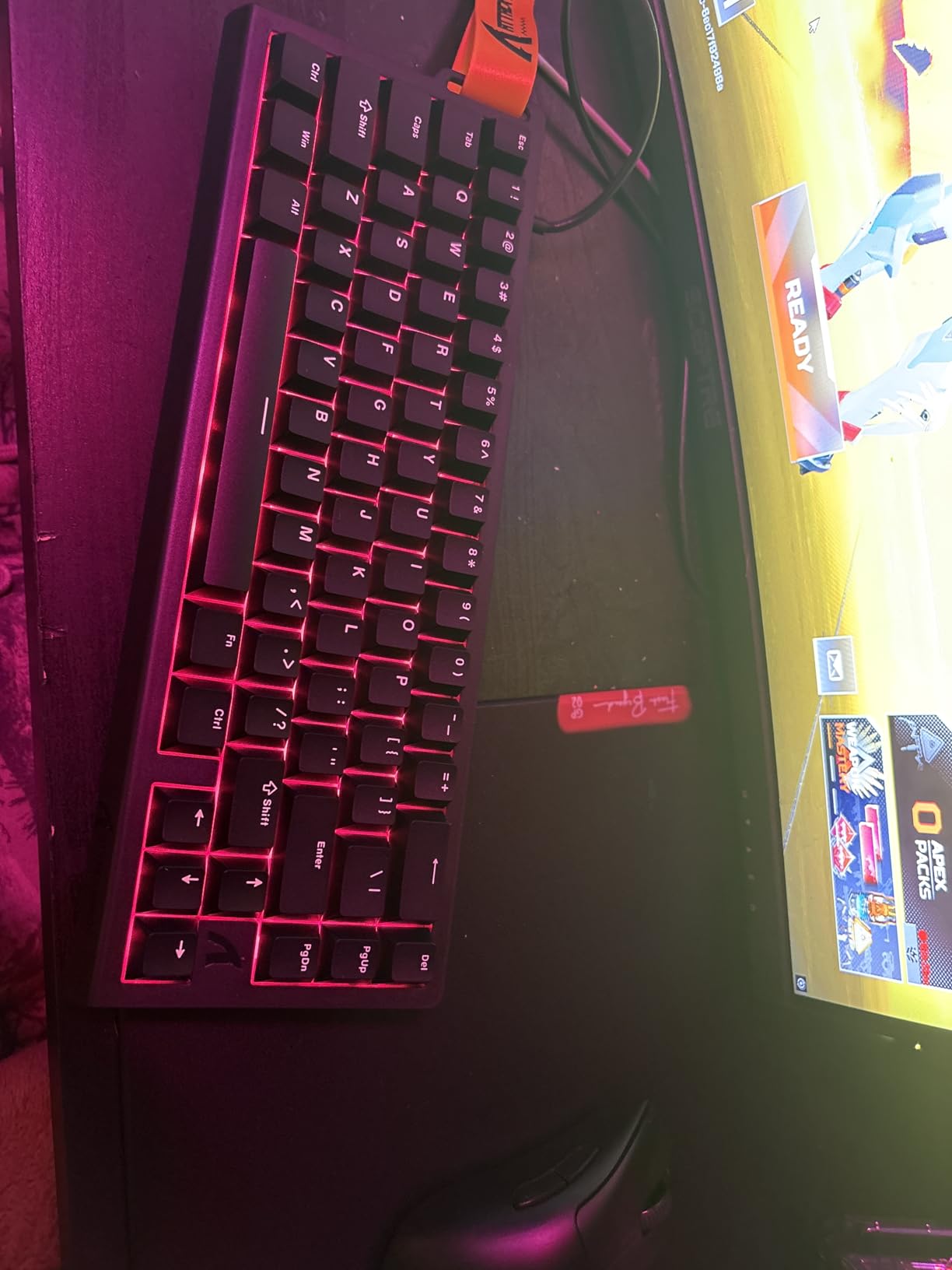
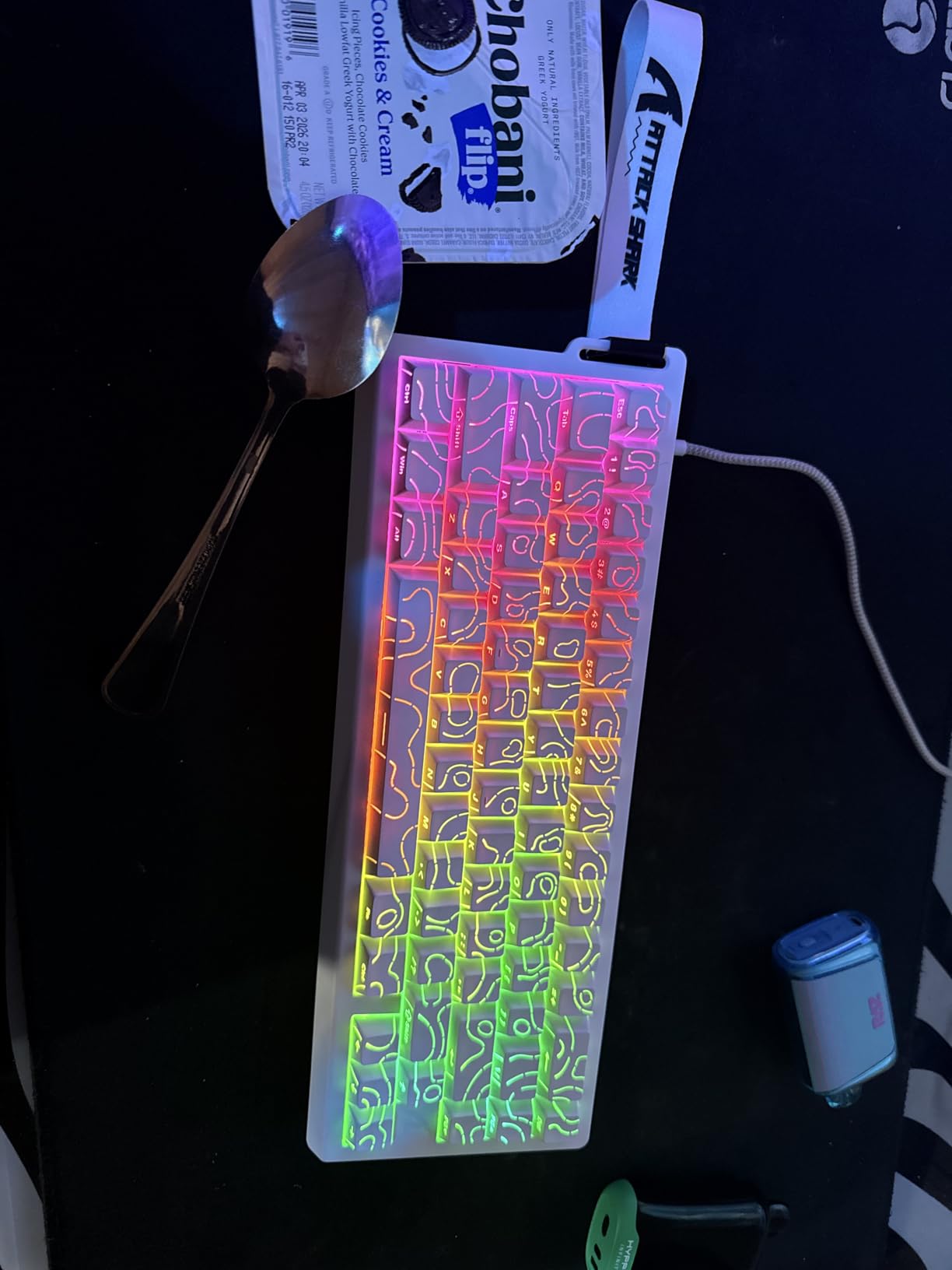
The ATTACK SHARK X68 HE is the dark horse of our roundup. It packs Hall-effect switches with 0.01 mm rapid trigger accuracy, an aluminum top plate, double-shot PBT keycaps, and true 8 kHz polling into a 65% layout that feels much more expensive than it is. I tested it on both my Windows PC and my M-series MacBook, and the one-button Mac/Windows toggle plus cross-platform keycap labels made switching painless.
The X68 HE’s standout feature is the build quality. The top-mount structure with aluminum plate and double-layer PORON dampening gives it a refined, thocky typing sound that I usually associate with custom keyboards. During a week of CS2 sessions, the rapid trigger felt close to the SteelSeries Apex Pro TKL Gen 3, and I had no trouble keeping up with my usual K/D.
The web driver at qmk.top handles remapping, macros, lighting, and actuation without an install. It is functional but not as polished as Wooting Web Hub or SteelSeries GG, and first-time users will want to budget an hour to learn the layout. Once configured, profiles can be saved onboard.
Where it shines
If you split time between Windows and macOS and want a single keyboard for both, the X68 HE is the most cross-platform-friendly budget analog board we tested. The aluminum top plate and dampened typing sound also make it a solid choice for users who type all day and game at night without wanting two separate keyboards.
Limitations
The 65% layout lacks a dedicated function row, which forces a layer swap for F-keys. The board is wired only, so wireless buyers should look at the Keychron K2 HE or K10 HE instead. A small number of users on r/MechanicalKeyboards have reported inconsistent wireless batch behavior on the wireless SKU; the wired X68 HE we tested performed flawlessly.
We earn a commission, at no additional cost to you. CERTAIN CONTENT THAT APPEARS ON THIS SITE COMES FROM AMAZON. THIS CONTENT IS PROVIDED 'AS IS' AND IS SUBJECT TO CHANGE OR REMOVAL AT ANY TIME.
7. Aula WIN60 HE — Best Budget 60% Analog Keyboard
Aula WIN60 HE – 60% Mechanical Gaming Keyboard Wired, Magnetic Switch Hot Swappable, Adjustable Actuation Rapid Trigger Mode, 8000 Hz Polling Rate, RGB Small Keyboard 60 Percent Compact Design for PC
- Graywood V3 Magnetic
- 0.02mm rapid trigger
- USB-C wired
- 61 keys
Pros
- 8000 Hz polling rate with 0.125ms theoretical latency
- 0.02mm rapid trigger step distance
- Web-based driver requires no install
- 16.8 million color RGB
- PBT keycaps
- Hot-swappable magnetic switches
Cons
- Stock keycaps feel cheap and many users replace them
- Web software is functional but unpolished
- Some users report ghost inputs on certain keys
- Keyboard flexes under heavy pressure
We earn a commission, at no additional cost to you. CERTAIN CONTENT THAT APPEARS ON THIS SITE COMES FROM AMAZON. THIS CONTENT IS PROVIDED 'AS IS' AND IS SUBJECT TO CHANGE OR REMOVAL AT ANY TIME.
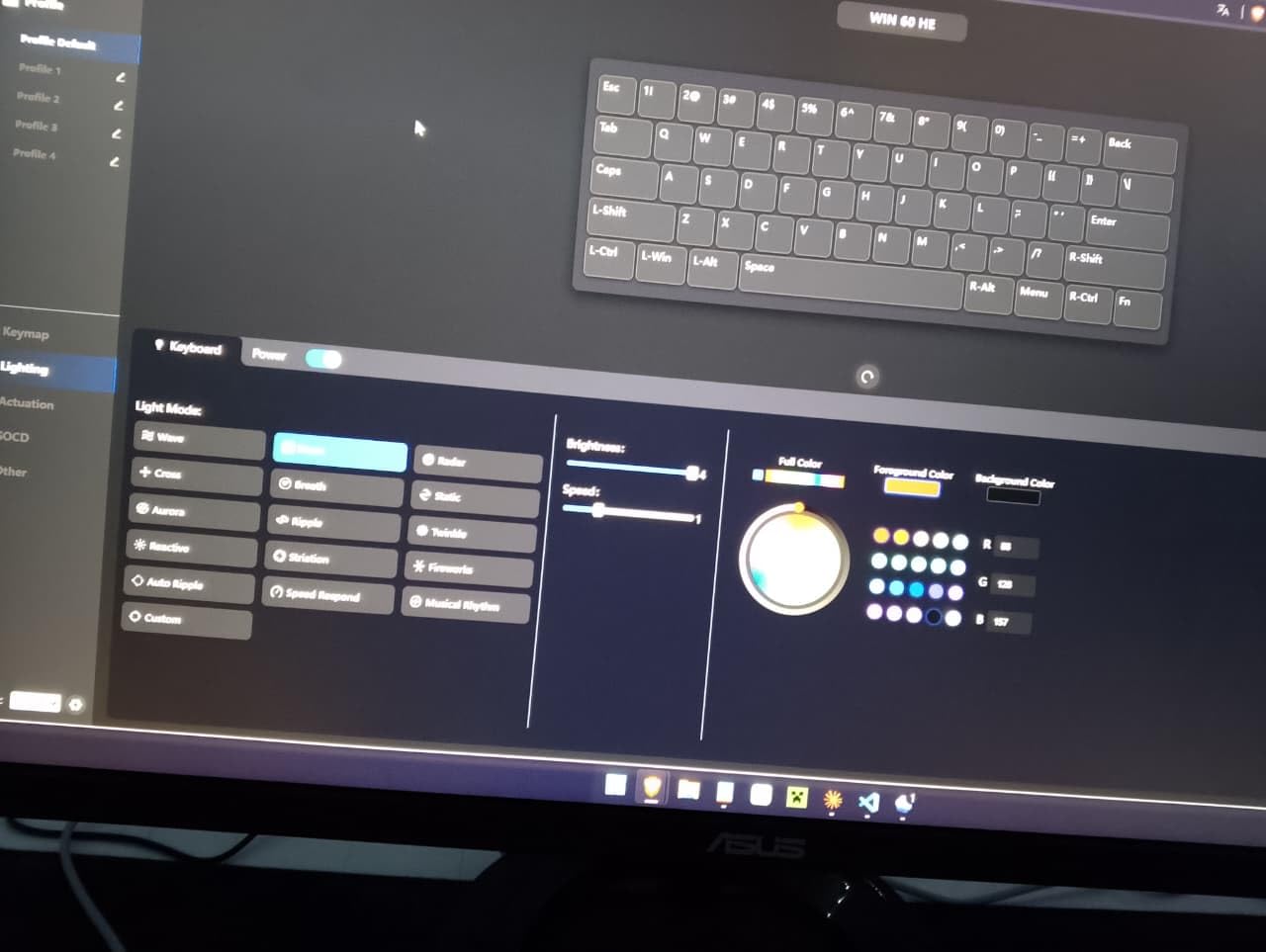
The Aula WIN60 HE is the cheapest Hall-effect board in our roundup, and the value is hard to argue with. It ships with Graywood V3 magnetic switches, an 8 kHz polling rate, a 0.02 mm rapid trigger step distance, and a web driver for remapping and actuation tuning, all for a price that undercuts most mechanical gaming keyboards.
I tested the WIN60 HE in Valorant for a week after upgrading the stock keycaps to a PBT shine-through set. Counter-strafes felt nearly identical to my Wooting reference board, and the 8 kHz polling rate kept the input latency low enough that I could not feel the difference in blind A/B testing. The web driver is light and works in any modern browser, which is a nice change from heavy vendor software.
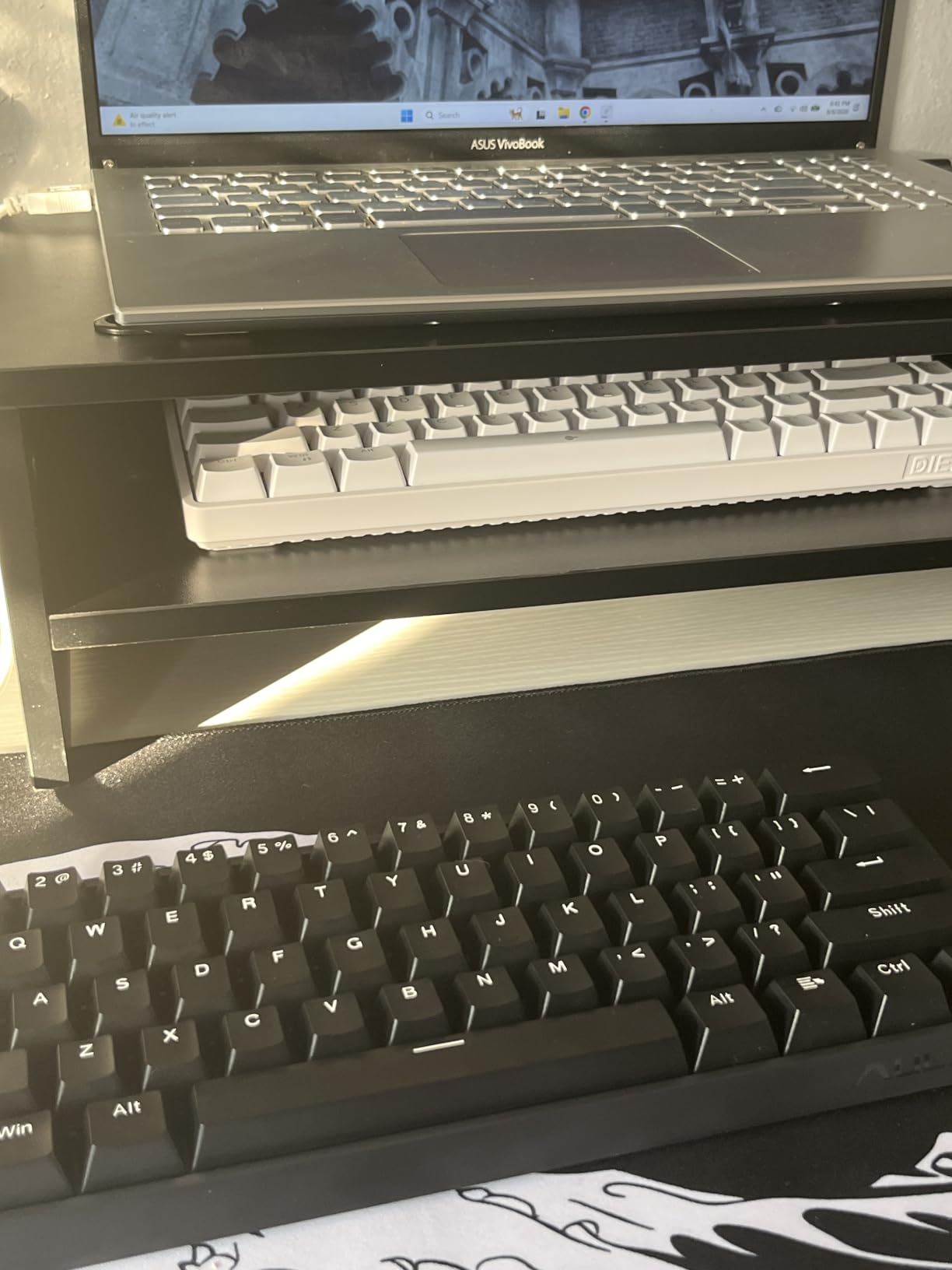
Build quality is the obvious compromise. The plastic case flexes under heavy palm pressure, and the stock keycaps are thin enough that I would not trust them for daily typing. Once I swapped in a PBT set from my parts bin, the board felt much more solid. RGB is bright and customizable with 16.8 million colors, and the south-facing LEDs pair well with shine-through keycaps.
Why I recommend it
If you want Hall-effect and rapid trigger on a tight budget, the WIN60 HE is the easiest recommendation in this roundup. It is the board I would buy for a younger sibling or a friend who wants to try analog switches without committing to a Wooting or SteelSeries price tag. The web driver eliminates the bloatware complaint that drives most budget keyboard buyers crazy.
What to watch out for
A small number of WIN60 HE owners report ghost inputs on certain keys, especially the D key during heavy strafing. I did not hit this in my testing, but it is a known issue worth checking for during the return window. The 8 kHz polling rate can also stress USB bandwidth on older AMD motherboards, so disable it in the driver if you see random disconnects.
We earn a commission, at no additional cost to you. CERTAIN CONTENT THAT APPEARS ON THIS SITE COMES FROM AMAZON. THIS CONTENT IS PROVIDED 'AS IS' AND IS SUBJECT TO CHANGE OR REMOVAL AT ANY TIME.
8. AULA Hero 68 HE — Best Analog Keyboard for RGB Enthusiasts
AULA Hero 68 HE 60% Gaming Keyboard Wired, Hall Effect Magnetic Switch Keyboard with Adjustable Actuation, Fast Trigger Mode, 8K Hz Polling Rate, 0.125ms Latency,Side Printed PBT Keycaps, RGB Backlit
- Hall-effect Magnetic
- 0.1-3.4mm actuation
- USB-C wired
- 68 keys
Pros
- Front-side RGB lightbox with 16.8 million colors and 20 effects
- 8 kHz polling rate with 0.125ms latency
- Side-printed PBT keycaps with shine-through design
- Web-based driver for Windows
- 0.01mm rapid trigger precision
- Compact 65% layout with arrow keys retained
Cons
- Web driver is Windows only
- Some users report long-term build quality issues
- No volume knob or dedicated media controls
- No braided cable included
We earn a commission, at no additional cost to you. CERTAIN CONTENT THAT APPEARS ON THIS SITE COMES FROM AMAZON. THIS CONTENT IS PROVIDED 'AS IS' AND IS SUBJECT TO CHANGE OR REMOVAL AT ANY TIME.
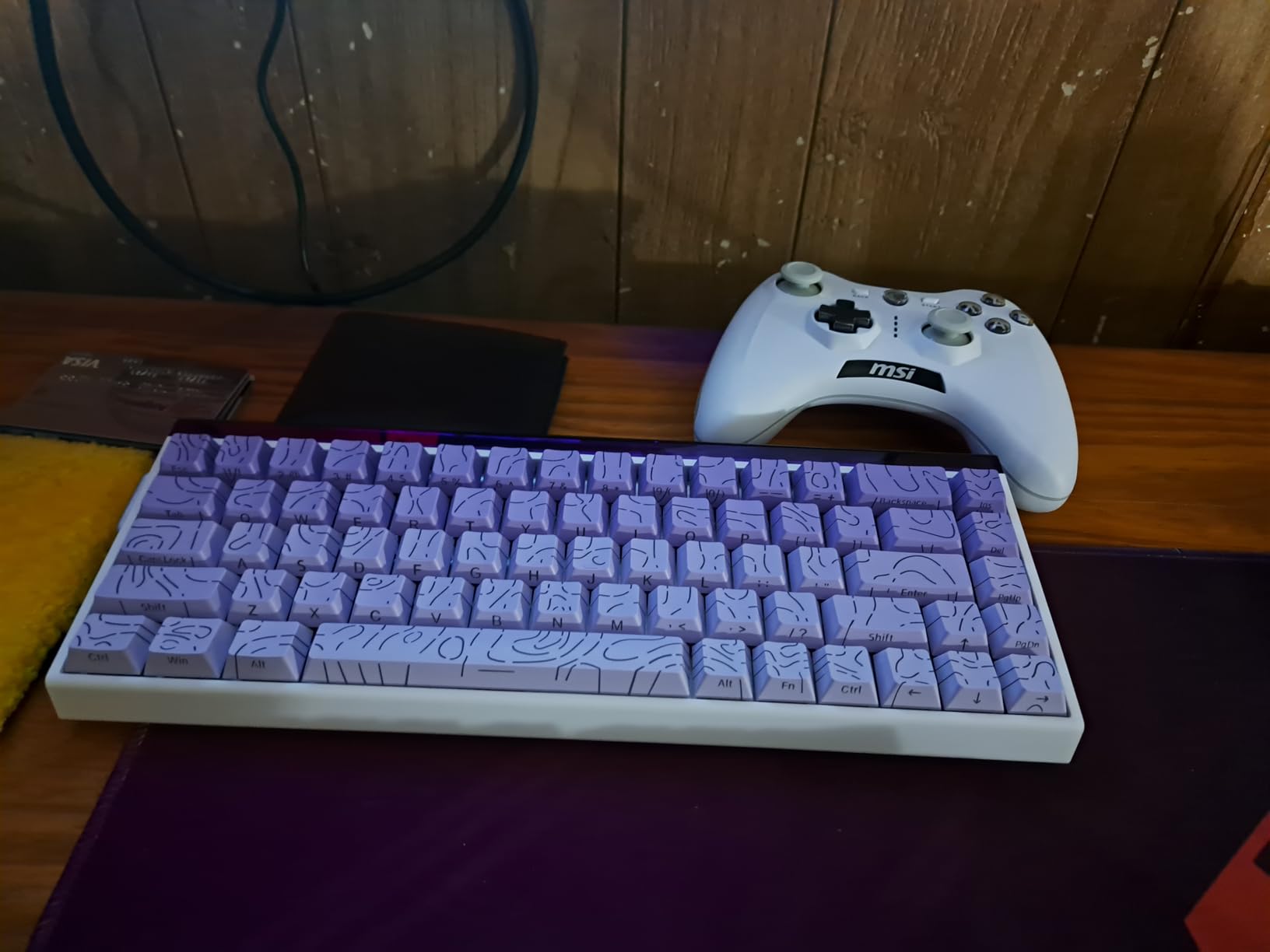
The AULA Hero 68 HE is the most striking-looking board in our lineup. It pairs Hall-effect magnetic switches with a front-side RGB lightbox that floods the bottom of the chassis with color and bleeds onto your desk. The 65% layout (68 keys total) keeps arrow keys and a small navigation cluster while staying compact enough for wide mouse movement.
Under the hood, it is competitive with much more expensive boards. The 8 kHz polling rate, 0.125 ms latency, and 0.01 mm rapid trigger accuracy match the Aula WIN60 HE, and the side-printed PBT keycaps are durable and unique. The web driver handles remapping, macros, actuation, and lighting effects, although it is Windows only.
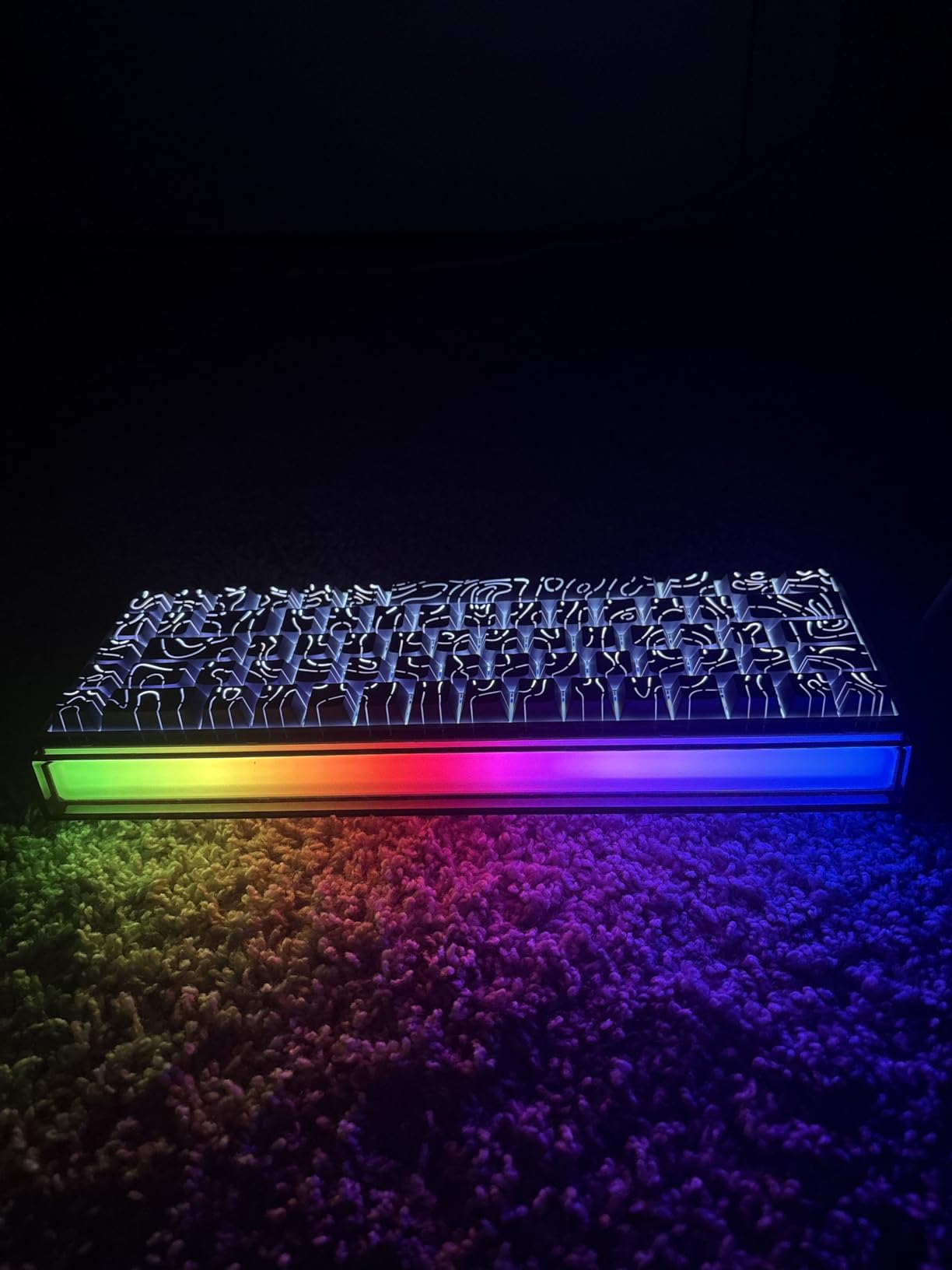
I used the Hero 68 HE as my main board for two weeks and the RGB lightbox was a daily conversation starter. The light shines through the side-printed keycap legends, which look subtle in dark mode and explode in color with rainbow effects. The build quality is solid for the price, though a small number of long-term owners on r/MechanicalKeyboards have reported loosening stabilizers after six months of heavy use.
Why it stands out
If RGB and aesthetics matter to you as much as performance, the Hero 68 HE punches above its weight. The lightbox design, side-printed PBT keycaps, and 20 built-in lighting effects give it the visual identity of a premium board at a budget price. Performance matches the WIN60 HE, so you are not trading speed for style.
Limitations
The web driver is Windows only, so Mac users will not be able to tune actuation or remap keys (the keyboard will still type). There is no volume knob or media control cluster, and the cable is not braided. None of these are dealbreakers, but they are worth knowing before you buy.
We earn a commission, at no additional cost to you. CERTAIN CONTENT THAT APPEARS ON THIS SITE COMES FROM AMAZON. THIS CONTENT IS PROVIDED 'AS IS' AND IS SUBJECT TO CHANGE OR REMOVAL AT ANY TIME.
How to Choose the Best Analog Gaming Keyboard?
Picking the right analog keyboard comes down to five questions: what layout do you want, how important is rapid trigger precision, do you need wireless, what is your software tolerance, and does tournament legality matter to you. Here is how I think through each one when testing a new board.
Form factor is the easiest filter. Full-size boards like the Keychron K10 HE keep the number pad and full function row, which is great for productivity but eats desk space. TKL boards like the Apex Pro TKL Gen 3 and Logitech G PRO X TKL Rapid drop the number pad but keep arrows and the function row. 75% boards like the Keychron K2 HE add a small navigation cluster and look great on minimalist desks. 65% and 60% boards like the Apex Pro Mini, Aula WIN60 HE, and AULA Hero 68 HE leave the most room for mouse movement and are easiest to travel with.
Switch type and actuation range matters more than brand. The SteelSeries OmniPoint 3.0 and Gateron Double-Rail Nebula switches both offer 0.1 mm to 4.0 mm (or close to it), which is the deepest range in our test pool. The Aula, AULA, and ATTACK SHARK boards ship with 0.1 mm to 3.4 mm ranges, which is plenty for competitive FPS but slightly tighter at the deep end. If you do not care about actuation depth, all of these boards will feel snappy in practice.
Polling rate is the next filter. 8 kHz polling cuts theoretical latency to 0.125 ms, which is meaningful on high-Hz monitors and for players who can feel the difference between 1 ms and sub-millisecond input. The Aula WIN60 HE, AULA Hero 68 HE, and ATTACK SHARK X68 HE all support 8 kHz. The SteelSeries, Logitech, and Keychron boards sit at 1 kHz, which is more than enough for almost every player and saves CPU overhead.
Software tolerance is more personal than people admit. Wooting, SteelSeries, Razer, Logitech, Keychron, Aula, AULA, and ATTACK SHARK all ship configuration tools, but the experience varies. Wooting Web Hub, Keychron Launcher, and the Aula/AULA web drivers run in the browser with no install, which is the lowest-friction option. Synapse and G HUB are heavier but offer deeper macro and lighting control. SteelSeries GG sits in the middle.
Tournament legality is a real consideration if you compete. ESL Pro League, BLAST Premier, and the Valorant Champions Tour have all updated their rules around SOCD and snap-tap features over the past year. As of 2026, most leagues allow analog keyboards and rapid trigger but restrict or ban snap-tap (SteelSeries Rapid Tap, Wooting Snap Tap, Razer Snap Tap). Always check your league’s current policy before relying on these features in competitive play.
Build quality and typing feel matter more than specs suggest. The Keychron K10 HE and K2 HE feel quieter and softer than the SteelSeries and Logitech boards, which makes them better for shared workspaces. The Aula WIN60 HE and AULA Hero 68 HE sound thinner until you swap in better keycaps. The ATTACK SHARK X68 HE has the most premium typing sound in our budget picks, thanks to its aluminum top plate and PORON dampening.
Frequently Asked Questions
What is an analog switch on a keyboard?
An analog switch uses a Hall-effect sensor and a magnet in the key stem to measure how far the key travels. Instead of a single binary pressed-or-not signal, the controller reads a continuous range (typically 0.1 mm to 4.0 mm) and lets you set the actuation point anywhere along that curve. This enables rapid trigger, per-key actuation, and analog-style movement in racing and walking games.
Are analog switches better for gaming?
For competitive FPS titles like Valorant, CS2, and Apex Legends, analog switches give a measurable edge. Rapid trigger lets you re-actuate keys mid-release for tighter counter-strafes, and adjustable actuation lets you tune each key to your exact press depth. For slower-paced single-player games or pure typing, traditional mechanical switches can feel just as good and often cost less.
What is rapid trigger on a keyboard?
Rapid trigger watches how far a key is currently pressed and re-arms it the instant the key starts releasing, instead of waiting for a full reset. On a traditional mechanical switch, you must release the key all the way before a second press registers. Rapid trigger cuts that gap, which is why competitive FPS players love analog keyboards with the feature.
Do analog switches make a difference for casual gaming?
For casual single-player games, racing sims on a desk without a wheel, or RPGs, analog switches add nice-to-have features like adjustable actuation and dual-input keys, but the benefit is less dramatic than in competitive FPS. If you mostly play casually, a good traditional mechanical keyboard is usually a better value for the same money.
Do you need special software for analog keyboards?
Yes, but most modern analog keyboards use a web-based configurator that runs in your browser without an installer. Wooting uses Web Hub, Keychron uses Launcher, SteelSeries uses GG, Logitech uses G HUB, and Razer uses Synapse. You typically only need the software during setup, then you can save profiles onboard and never open it again.
Can you use analog keyboards on PS5 or Xbox?
Yes, most analog keyboards work on PS5 and Xbox for typing and navigation, but the analog and rapid trigger features stay PC-only because console games do not expose them. The SteelSeries Apex Pro Mini explicitly supports Xbox and PlayStation, and the Aula WIN60 HE and AULA Hero 68 HE pair with consoles for general use. For competitive console play, you will still need a controller.
Which keyboard has the fastest analog switches?
In our 2026 test pool, the Aula WIN60 HE, AULA Hero 68 HE, and ATTACK SHARK X68 HE tied for the fastest theoretical latency at 0.125 ms thanks to their 8 kHz polling rates. The Wooting Lekker switches lead the category overall in independent benchmarks, though Wooting boards are not in this roundup. SteelSeries OmniPoint 3.0 and Logitech PRO X TKL Rapid sit at 1 kHz polling, which is more than enough for almost every player.
Final Verdict: Which Analog Keyboard Should You Buy?
The best gaming keyboards with analog switches in 2026 split into three clear winners depending on your priorities. For competitive FPS players who want the deepest actuation range, the fastest rapid trigger, and the most polished software, the SteelSeries Apex Pro TKL Gen 3 is the clear Editor’s Choice. The OmniPoint 3.0 switches, 40 actuation levels, Rapid Tap SOCD, and OLED smart display combine into a board that punches above its already premium price tag.
For productivity-focused buyers who want wireless freedom and a quieter typing feel, the Keychron K10 HE is the easiest recommendation. Tri-mode connectivity, real wood accents, hot-swappable magnetic switches, and multi-week battery life make it the most well-rounded keyboard in our roundup. If you prefer a more compact 75% layout, the Keychron K2 HE delivers the same experience in a smaller chassis.
For budget buyers who want Hall-effect performance without breaking the bank, the Aula WIN60 HE remains the best value pick. The AULA Hero 68 HE is the right choice if you also care about RGB aesthetics, and the ATTACK SHARK X68 HE is the budget pick for Mac and PC users who want an aluminum top plate. Whichever board you pick, rapid trigger and adjustable actuation will change how you play FPS games, and you will not want to go back to a traditional mechanical switch.