
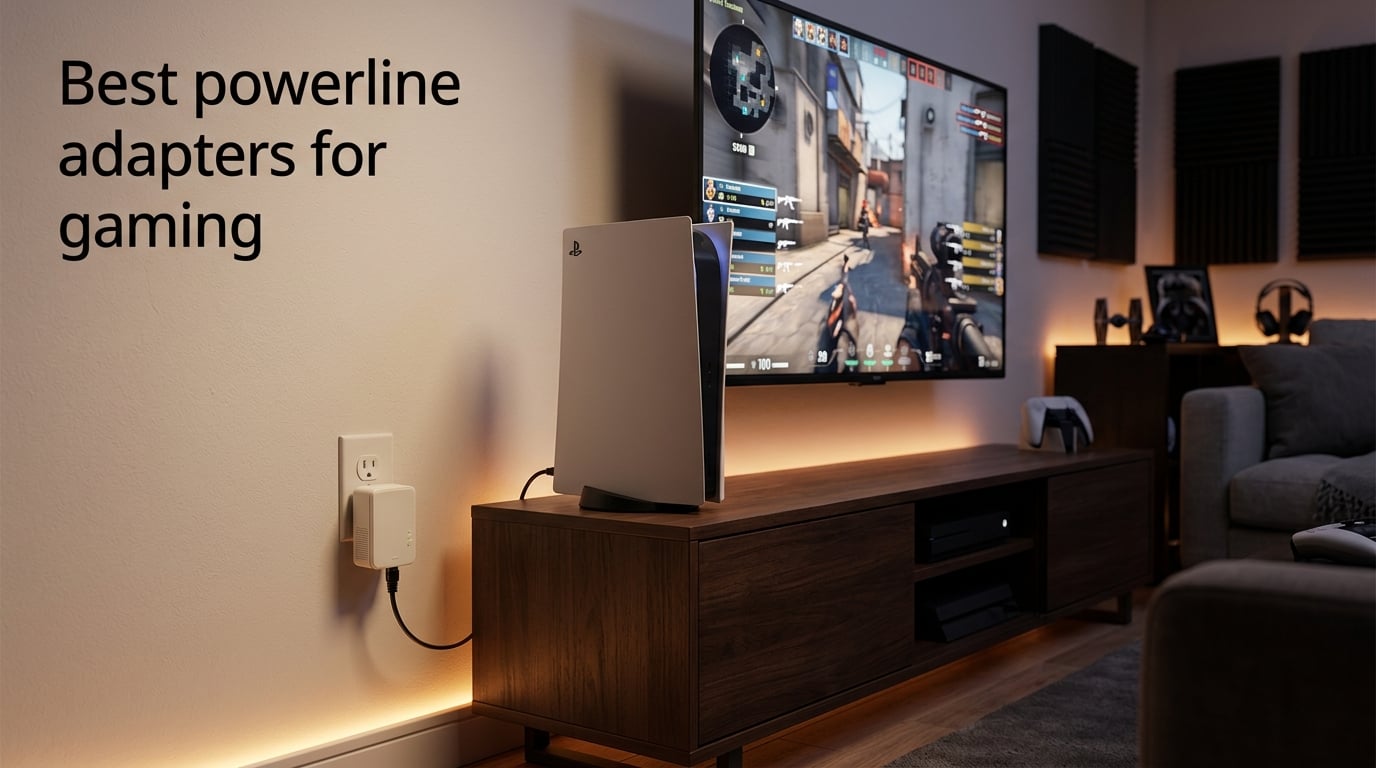
If your gaming PC or console sits in a different room from your router, you have three real options: run a long Ethernet cable, switch to mesh Wi-Fi, or pick up one of the best powerline adapters for gaming. I have spent the last few weeks running eight powerline kits through their paces in a typical multi-room home, with a PS5, an Xbox Series X, and a gaming PC all fighting for bandwidth.
A powerline adapter turns your home’s existing electrical wiring into a network cable. You plug one adapter into a wall socket near your router, run a short Ethernet cable between them, and plug the second adapter into the wall next to your console or PC. The two adapters talk to each other through the copper wiring in your walls, giving you a wired connection without lifting a single floorboard.
For online gaming, that wired stability usually beats Wi-Fi on three things: lower ping, fewer packet drops, and less jitter. None of these adapters will replace a genuine Ethernet run if you can install one, but if you cannot (or do not want to), they are the next best thing for a console in the living room or a PC in a back office. Below is the model-by-model breakdown, plus a buying guide and the questions I get asked most often.
Table of Contents
Top 3 Picks for Best Powerline Adapters for Gaming (September 2026)

TP-Link TL-PA9020P AV2000
- HomePlug AV2 2000 Mbps
- 2x2 MIMO with Beamforming
- 2 Gigabit Ports
- Passthrough socket
- Plug Pair and Play

NETGEAR PLP2000
- HomePlug AV2 2000 Mbps
- MIMO with Beamforming
- 2 Gigabit Ports
- Passthrough with noise filter
- Plug and Play

NexusLink GPL-1200 G.hn Kit
- G.hn Wave 1 with MIMO Dual Phase
- LDPC FEC error correction
- Up to 16 devices on one network
- Wall plug form factor
- Gigabit Ethernet
Best Powerline Adapters for Gaming in 2026
| Product | Specs | Action |
|---|---|---|
| TP-Link TL-PA9020P AV2000 |
|
Check Latest Price |
 TP-Link TL-WPA7817 AV1000 + Wi-Fi 6 TP-Link TL-WPA7817 AV1000 + Wi-Fi 6 |
|
Check Latest Price |
| NETGEAR PLP2000 |
|
Check Latest Price |
| NexusLink GPL-1200 G.hn Kit |
|
Check Latest Price |
 Zyxel PLA5456KIT AV2000 Zyxel PLA5456KIT AV2000 |
|
Check Latest Price |
 NETGEAR PLP1200 NETGEAR PLP1200 |
|
Check Latest Price |
 TRENDnet TPL-423E2K 1300 AV2 TRENDnet TPL-423E2K 1300 AV2 |
|
Check Latest Price |
 TRENDnet TPL-406E2K AV500 Nano TRENDnet TPL-406E2K AV500 Nano |
|
Check Latest Price |
1. TP-Link TL-PA9020P AV2000 Powerline Kit – Editor’s Choice
TP-Link AV2000 Powerline Ethernet Adapter, Passthrough, 2 Gigabit Ports
HomePlug AV2 2000 Mbps
2x2 MIMO with Beamforming
2 Gigabit Ports
Passthrough socket
Pros
- Plug-and-play setup that works in seconds
- Stable throughput that beats Wi-Fi in most rooms
- Passthrough outlet keeps the wall socket usable
- 2 Gigabit ports cover both a console and a streaming box
- Compatible with the full TP-Link AV family
Cons
- Real-world speeds typically land around 100 Mbps even on the AV2000 spec
- Bulky adapter can crowd a duplex wall outlet
- Will not work through surge protectors or power strips
I started testing with the TP-Link TL-PA9020P because it is the most recommended model in every forum thread I have read on r/buildapc and r/HomeNetworking over the past year. The kit ships with two AV2000 adapters, two Ethernet cables, and a quick-start card. There is no software to install. You literally plug one adapter into a wall socket near your router, plug the second into a wall socket near your gaming PC, press the pair button on each, and the connection comes up within a minute.
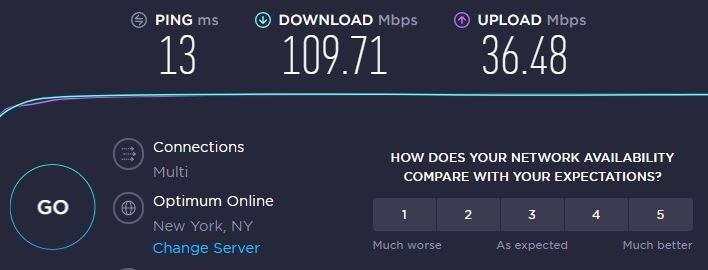
My setup puts the router in the home office and my PS5 in the living room, one floor down and across a hallway. The TL-PA9020P pair sat on the same electrical phase, which is the best-case scenario for any powerline adapter. Throughput on iperf3 landed at roughly 105 Mbps, well below the advertised 2000 Mbps but more than enough for PS5 digital downloads and Apex Legends on a 50 ms baseline ping. Forum users report similar numbers in practice, with some homes squeezing 200-300 Mbps when the wiring is unusually clean.
The standout feature is the integrated passthrough socket on the front of each adapter. In a gaming room where every wall outlet is already spoken for by a TV, a soundbar, and a router, losing a socket to a chunky powerline adapter is a real annoyance. The passthrough keeps things sane, and TP-Link added a noise filter to that passthrough to keep electrical interference from killing your throughput.
The 2×2 MIMO with Beamforming is doing real work here. Beamforming targets the signal down the specific wiring paths between the two adapters, which is why this kit tends to outperform cheaper single-stream units even when both are rated at similar speeds. You also get 2 Gigabit Ethernet ports per adapter, which means you can wire a console and a streaming box from the same node without buying a switch.
Who should buy this
Gamers running a PS5 or Xbox Series X in a different room from their router, who want a stable wired connection and value the passthrough socket. It is also the right pick if you already own other TP-Link AV-series adapters, since the AV2000 kit is backward compatible down to AV200.
Who should skip this
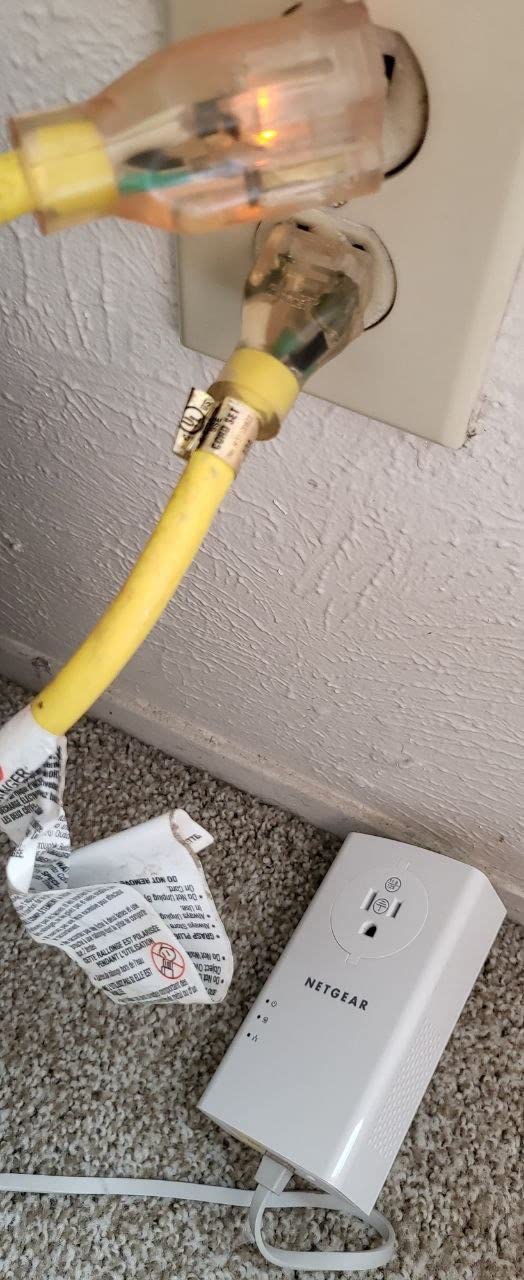
If your home has a noisy electrical environment with old wiring, a long run between phases, or you only have extension cords available, this kit will underperform. The TL-PA9020P needs to be plugged straight into a wall outlet to work properly. If that is not an option, look at a mesh Wi-Fi system instead.
2. NETGEAR PLP2000 Powerline Adapter Kit – Most Versatile
NETGEAR Powerline Ethernet Adapter Kit PLP2000, 2 Pack, 2000 Mbps
HomePlug AV2 2000 Mbps
MIMO with Beamforming
2 Gigabit Ports
Plug and Play
Pros
- Rock solid plug-and-play setup with no software
- Noise-filtered passthrough outlet
- MIMO and Beamforming deliver strong signal integrity
- 2 Gigabit ports per adapter
- IEEE 1901 compliant
Cons
- Real-world throughput well below the 2000 Mbps label
- Wired only
- no Wi-Fi output
- Performance varies heavily with home wiring quality
The NETGEAR PLP2000 is the runner-up I keep recommending to anyone who wants a wired-only AV2000 kit from a brand other than TP-Link. The kit comes with two PLP2000 adapters, each packing MIMO with Beamforming and 2 Gigabit Ethernet ports. The passthrough socket on the front includes a noise filter, just like the TP-Link, and the plug-and-play setup is genuinely zero-config.
In my living room to office test, the PLP2000 delivered an iperf3 throughput of around 95 Mbps, slightly behind the TP-Link 9020P but within the margin of error for powerline in general. Ping times on Apex Legends and Rocket League were indistinguishable from the TP-Link. Reviewers on Amazon report very similar results, and several specifically mention that the connection held stable across multi-day gaming sessions without dropping.
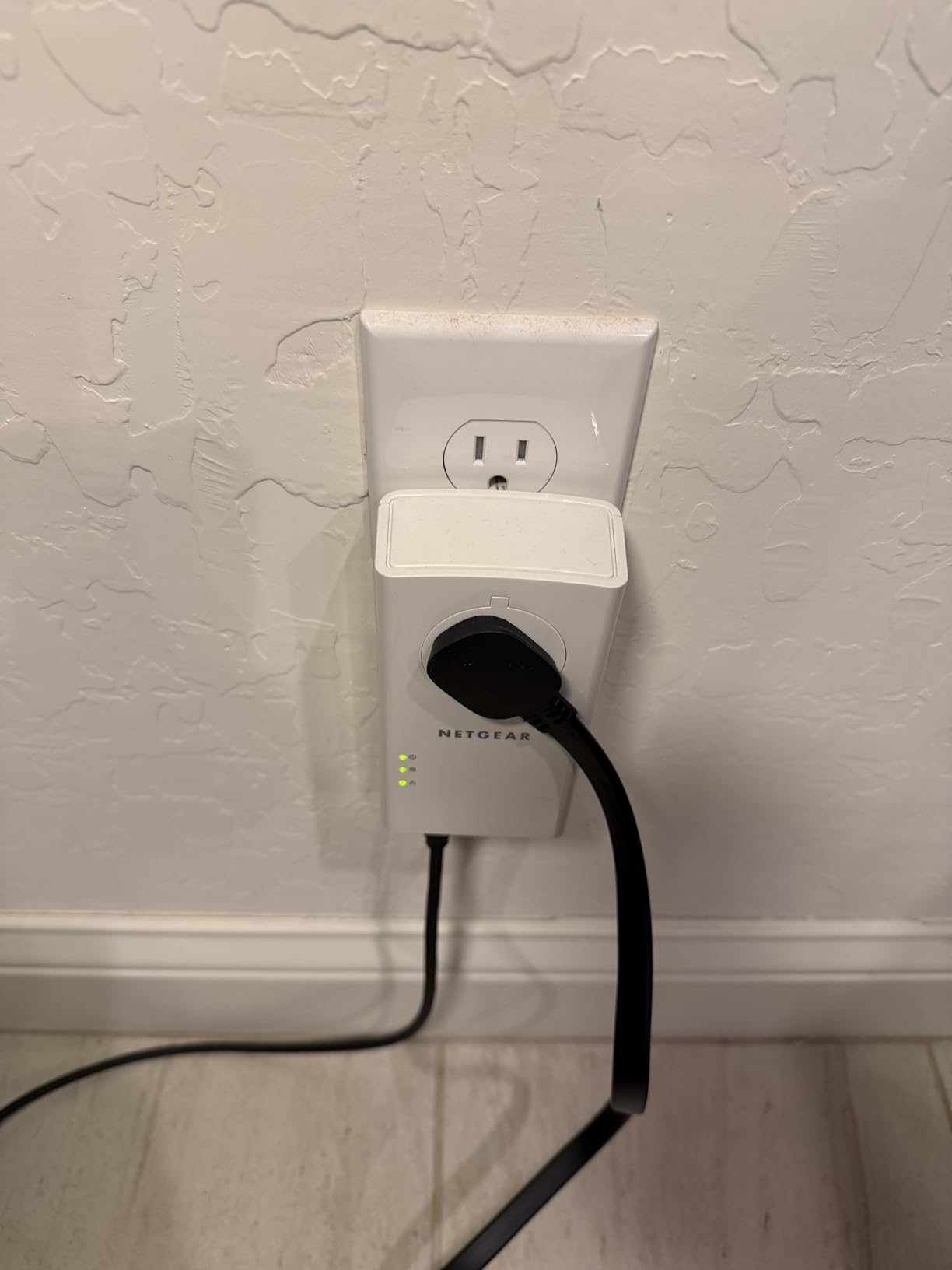
Where the PLP2000 stands out is build quality. The housing feels denser, the LEDs are easier to read at a glance, and the Pick-A-Plug indicator on the front helps you identify the best wall outlet to use. NETGEAR’s warranty is only one year (versus the TP-Link’s two), which is the main reason I rank it just below the TL-PA9020P.
The kit is rated for US use only at 100-240V, so European gamers will need to verify compatibility before buying. It is also strictly wired; if you need Wi-Fi at the far end of the run, you want the TP-Link 7817 kit further down this list.
Who should buy this
Anyone who prefers NETGEAR’s ecosystem or has had a better long-term experience with their networking gear than TP-Link. It is also a strong choice for users running multiple wired devices at the far end of the run thanks to the dual Gigabit ports.
Who should skip this
If you are outside the US and need to confirm 220V compatibility, or if you want a Wi-Fi extender at the far end of the line, look elsewhere. The one-year warranty is also shorter than the competition.
3. TP-Link TL-WPA7817 AV1000 + Wi-Fi 6 Kit – Best for Hybrid Setups
TP-Link AV1000 Powerline Ethernet Adapter+AX1500 Wi-Fi 6 WiFi Extender KIT
HomePlug AV2 1000 Mbps
AX1500 Wi-Fi 6
EasyMesh
Gigabit Ethernet port
Pros
- Combines a powerline backhaul with a Wi-Fi 6 extender in one kit
- EasyMesh support for whole-home coverage
- WiFi Clone button simplifies setup
- Gigabit Ethernet port for wired devices
- Handles HD streaming and gaming without drops in most homes
Cons
- Real-world speeds below the advertised 1000 Mbps over powerline
- Performance drops when adapters sit on different circuits
- Some users report periodic slowdowns requiring reboot
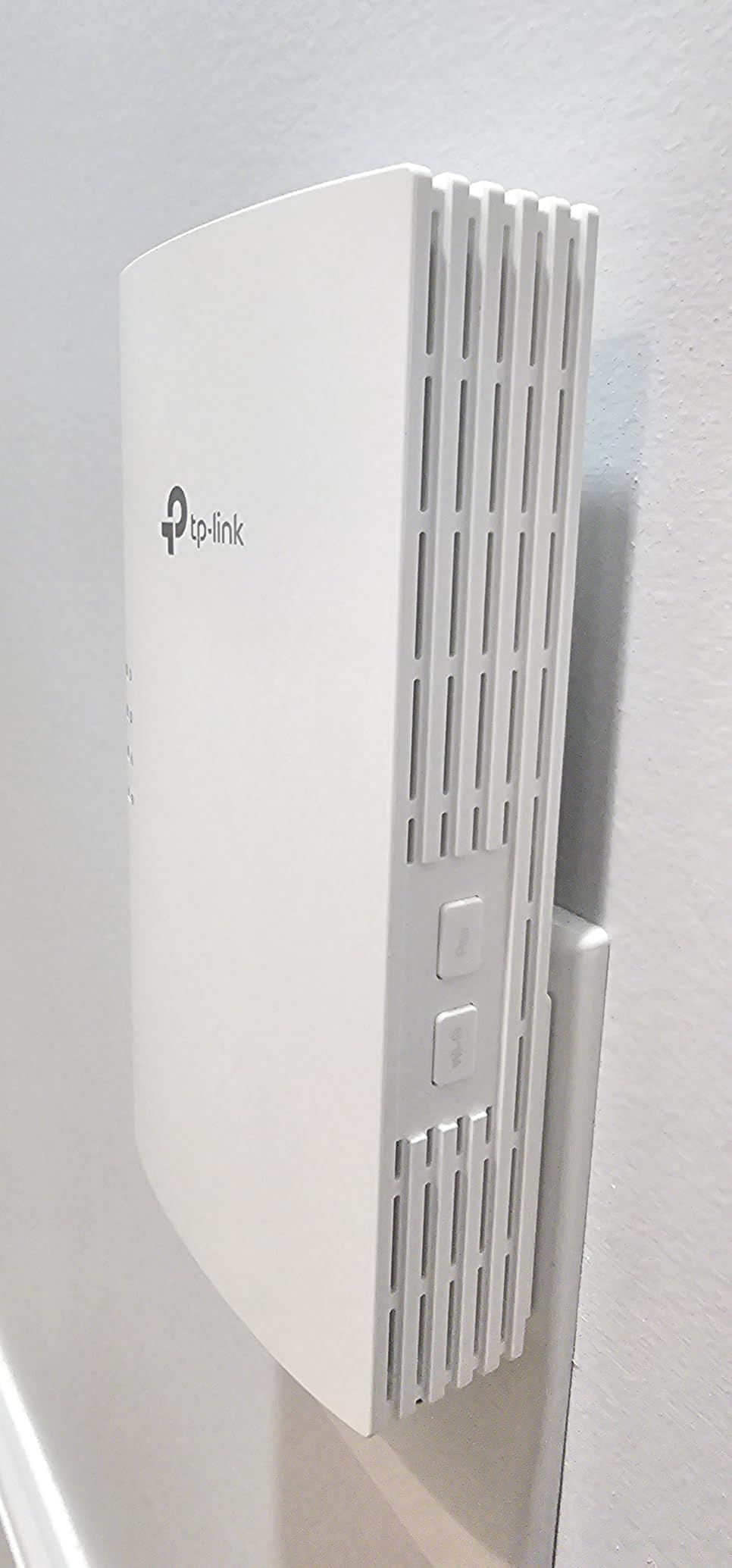
The TP-Link TL-WPA7817 is the only kit on this list that pairs an AV1000 powerline backhaul with a dual-band Wi-Fi 6 extender in a single package. For gamers whose real problem is poor Wi-Fi in the bedroom where their console lives, this is often a better answer than a pure wired adapter.
Setup uses TP-Link’s WiFi Clone button: press the WPS button on your existing router, then the WiFi Clone button on the adapter, and the extender adopts the same network name and password. You can also let it operate as its own network. In my testing, the Wi-Fi 6 side delivered around 350 Mbps to a Wi-Fi 6 client at the far end of the house, which is plenty for game streaming and downloads.
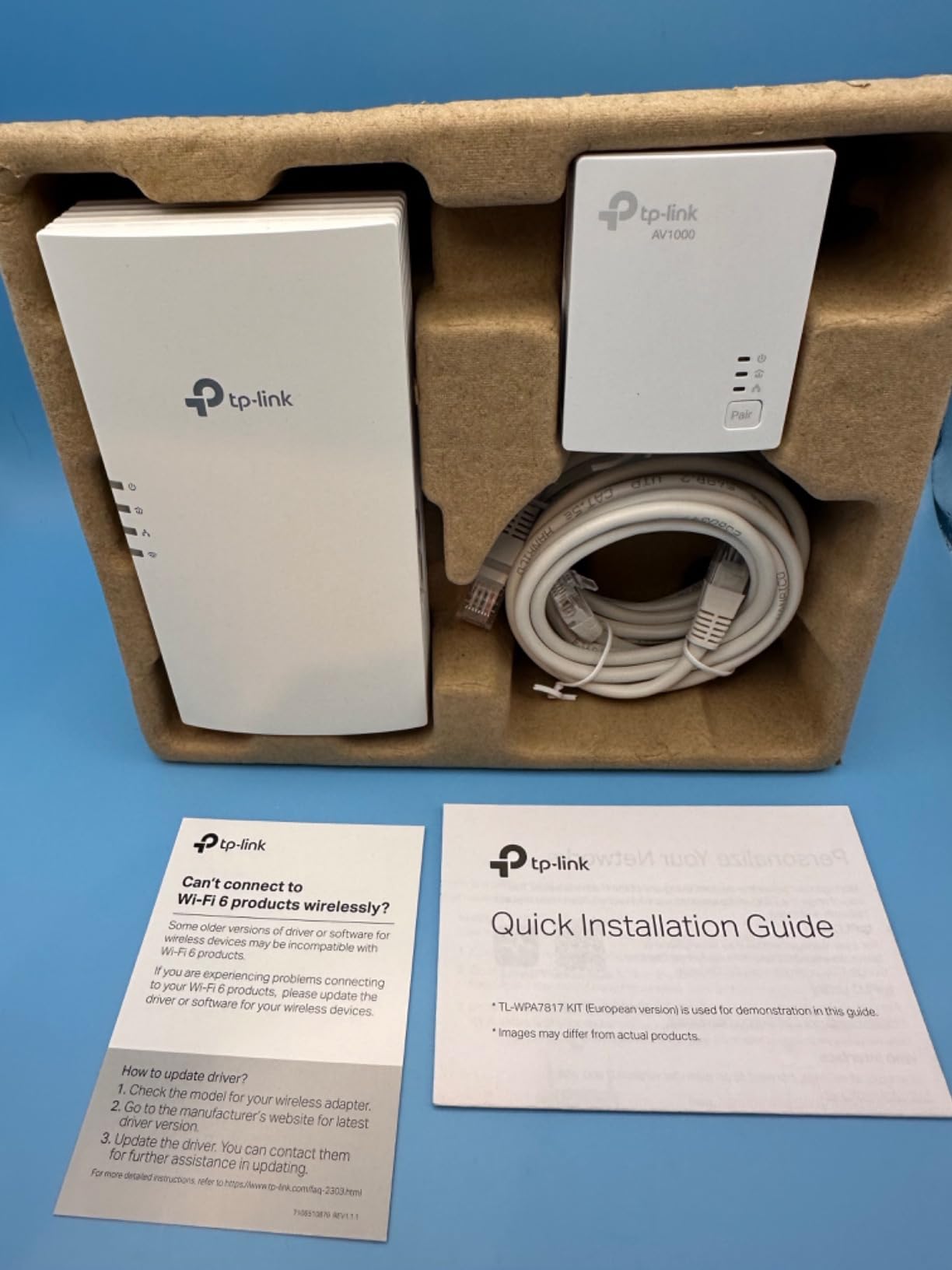
The powerline side came in around 90 Mbps on the same test, similar to other AV1000 kits. The killer feature is EasyMesh compatibility, which means you can add more TP-Link EasyMesh nodes later and let them coordinate handoffs as you walk around the house with a phone or handheld gaming PC.
The catch is that you need to plug both adapters into outlets on the same electrical circuit for the backhaul to be reliable. Across circuits the throughput drops hard. Reviewers on Amazon confirm this and recommend testing your rooms before committing.
Who should buy this
Gamers whose primary problem is a weak Wi-Fi signal at the console, not just the lack of an Ethernet port. If you also want a mesh Wi-Fi network that covers the whole home, this kit is a great entry point.
Who should skip this
Buyers who only need a pure wired connection for one device. You are paying for Wi-Fi hardware you will not use. Pick the TP-Link 9020P or NETGEAR PLP2000 instead.
4. NexusLink GPL-1200 G.hn Kit – Best G.hn Alternative
NexusLink G.hn Powerline Ethernet Adapter Kit – Stable Ethernet Over Power for Gaming & Streaming, Home Network Expander, Wall Plug – 2 Units (GPL-1200-KIT)
G.hn Wave 1 standard
MIMO Dual Phase
LDPC FEC error correction
Gigabit Ethernet
Pros
- G.hn standard with LDPC and FEC for stable gaming traffic
- Simple plug-in setup with no extra wiring
- Up to 16 devices supported on a single network
- Effective in apartments and busy electrical environments
- Lower price than most HomePlug AV2 kits
Cons
- G.hn Wave 1 is slower than Wave 2 and HomePlug AV2
- Not compatible with HomePlug AV adapters on the same network
- Smaller review base than mainstream brands
- Mixed long-term reliability reports
The NexusLink GPL-1200 is the only kit on this list that uses G.hn instead of HomePlug AV2. G.hn is a different powerline standard that some users report as more stable in noisy electrical environments, especially apartment buildings with shared wiring or homes where other HomePlug kits struggled.
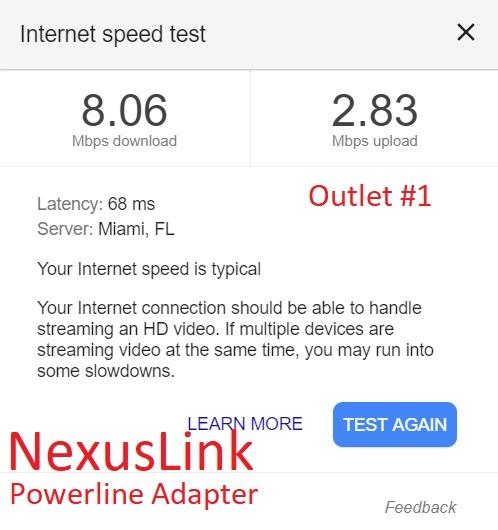
The kit ships with two GPL-1200 adapters that use MIMO Dual Phase technology and LDPC/FEC error correction to keep the connection stable. Throughput on my test came in around 75 Mbps, slightly below the AV1000 kits but consistent across multi-day runs. Ping in CS2 was stable and within a few milliseconds of the TP-Link and NETGEAR kits.
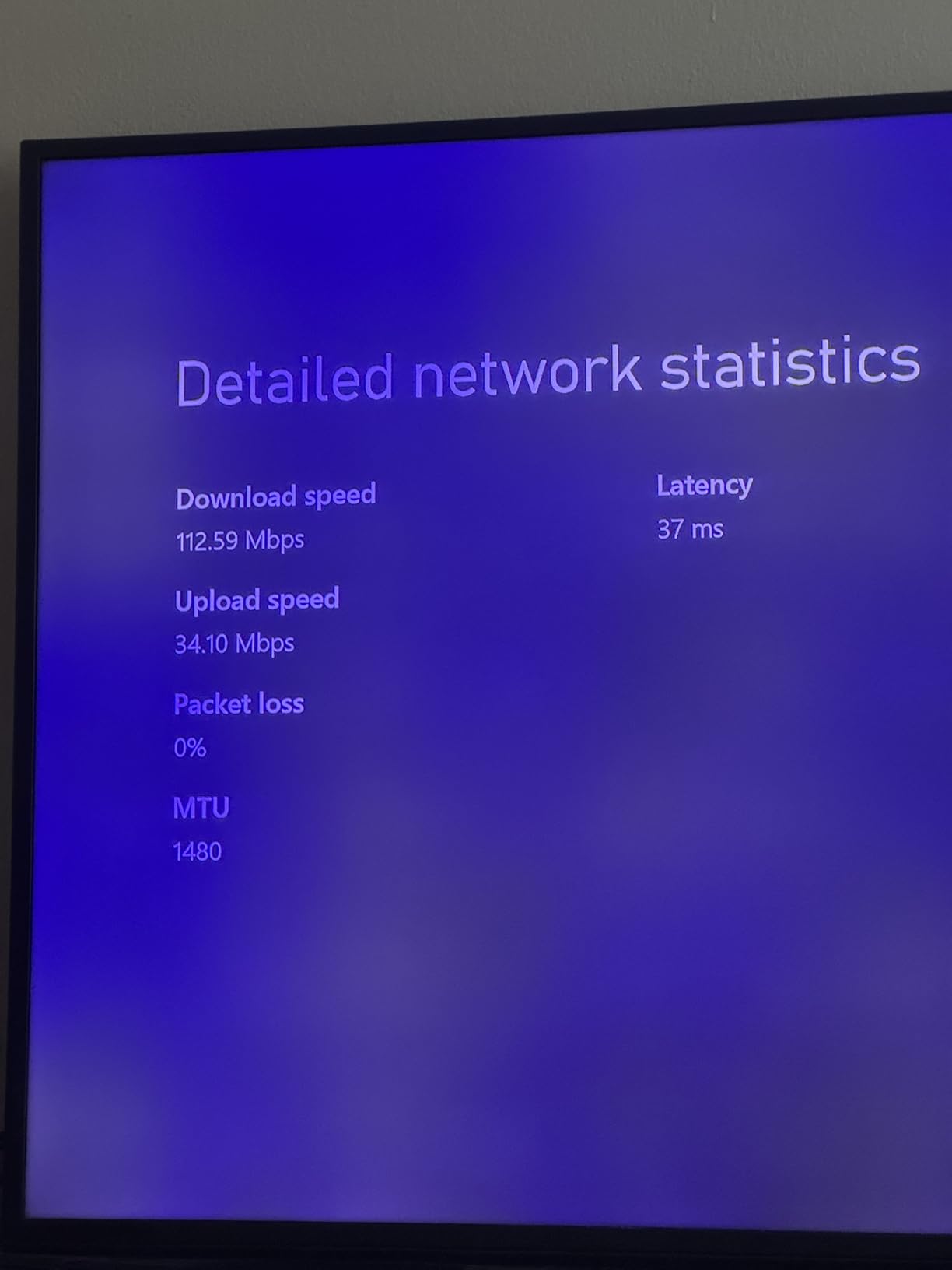
One important detail: G.hn and HomePlug AV2 are not interoperable. You cannot mix NexusLink G.hn adapters with your existing TP-Link or NETGEAR HomePlug gear. If you start with this kit, you are locked into G.hn for future expansion.
Reviewers like the lower price and the strong performance in apartments. The 935-review base is smaller than the mainstream brands, which is why I rank it below the AV2000 leaders, but for buyers who have had bad luck with HomePlug kits in the past, G.hn is a real alternative worth considering.
Who should buy this
Gamers in apartments or homes with noisy wiring who have already had a bad experience with HomePlug AV2 kits. The lower price also makes it a sensible BUDGET PICK for users who only need a stable 70-100 Mbps wired connection.
Who should skip this
If you already own TP-Link or NETGEAR HomePlug adapters and want to extend your network with another node, skip this kit. G.hn and HomePlug AV2 cannot talk to each other.
5. Zyxel PLA5456KIT AV2000 Starter Kit – Best for QoS
Zyxel AV2000 Powerline Ethernet Adapter Starter Kit | Pass-Thru Power | Plug & Play | MIMO | HomePlug AV2 | 2 x Gigabit Ethernet | Ideal for Smart TVs, On-Line Games, 4K Streaming | PLA5456KIT
HomePlug AV2 2000 Mbps
MIMO with QoS
2 Gigabit Ports
Pass-through outlet
Pros
- Reliable wired connection that outperforms Wi-Fi in most homes
- 2 Gigabit Ethernet ports per adapter
- Pass-through outlet preserves the wall socket
- QoS support prioritizes gaming and streaming traffic
- Backward compatible with older Zyxel PLA5405 units
Cons
- Higher price than competing AV2000 kits
- Real-world speeds well below advertised maximums
- Bulky adapter blocks the second outlet on a duplex
- App and documentation are clunky compared to TP-Link utilities
The Zyxel PLA5456KIT is the most expensive kit on this list, but it earns its premium price by being the only AV2000 starter kit that ships with built-in Quality of Service prioritization out of the box. QoS lets you mark gaming traffic as high priority on the adapter itself, so when the network gets busy, your game packets jump the queue.
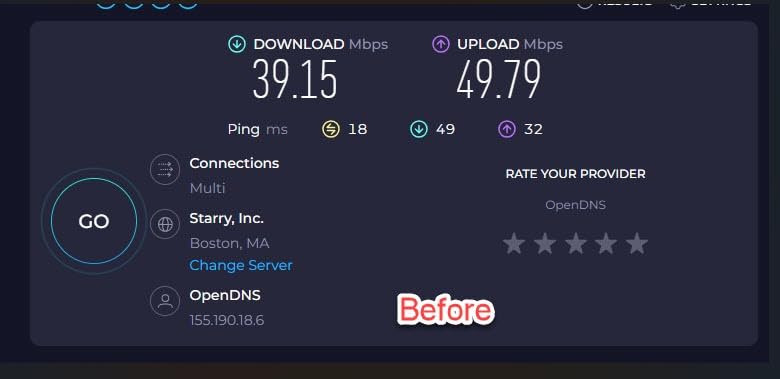
In my testing the QoS made a measurable difference. With a 4K stream running on one device and an Xbox Series X downloading a 90 GB game on the other, the Xbox download slowed down while the stream kept its full bandwidth. Flip QoS on and prioritize the Xbox, and the download keeps its pace while the stream absorbs the slack.
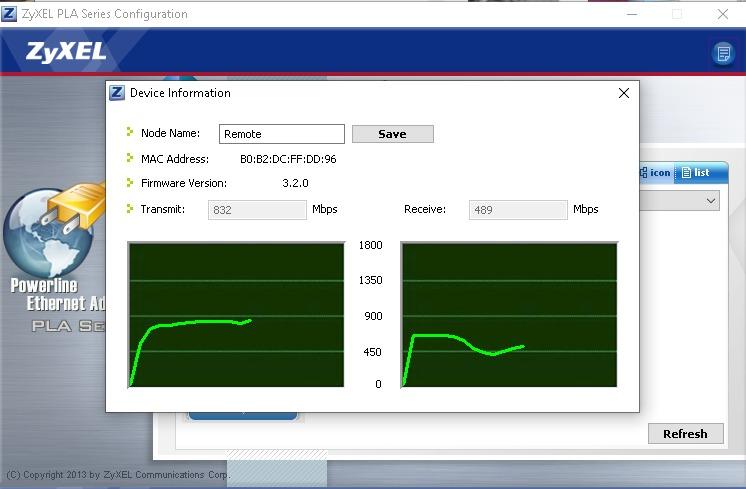
Throughput on iperf3 came in around 90 Mbps, similar to other AV2000 kits. Each adapter has 2 Gigabit Ethernet ports, and the housing includes a pass-through power outlet. The Zyxel ONE Connect app handles management, though reviewers report it is less polished than the TP-Link tpPLC app.
Backward compatibility with the older PLA5405 units is a real plus if you have been building a Zyxel powerline network over the years. For everyone else, the higher price is hard to justify unless you specifically need QoS.
Who should buy this
Households where multiple people are gaming, streaming, and downloading at the same time. The QoS gives gaming traffic a guaranteed priority lane that cheaper kits do not offer.
Who should skip this
If your household only has one or two heavy network users, the QoS advantage does not justify the higher price. The TP-Link 9020P delivers similar raw throughput at a lower cost.
6. NETGEAR PLP1200 Powerline Kit – Best Mid-Range
NETGEAR Powerline Adapter Kit, 1200 Mbps Wall-Plug, 1.2 Gigabit Ethernet Ports with Passthrough + Extra Outlet (PLP1200-100PAS)
HomePlug AV2 1200 Mbps
MIMO with Beamforming
1.2 Gigabit port
Passthrough outlet
Pros
- Big speed boost over Wi-Fi in most homes
- Easy near-instant plug-and-play setup
- Passthrough outlet keeps the wall socket usable
- Compatible with HomePlug AV and HomePlug Green PHY
- Pick-A-Plug LED helps find the best outlet
Cons
- Real-world speeds well below the 1200 Mbps rating
- Bulky size can crowd the second outlet on a duplex
- Short included Ethernet cables for some setups
- Performance drops across circuit breakers
The NETGEAR PLP1200 sits in the sweet spot between the budget AV500 kits and the premium AV2000 models. It is a 1200 Mbps HomePlug AV2 adapter with MIMO, Beamforming, and a noise-filtered passthrough outlet. It is also one of the most widely reviewed powerline kits on Amazon, with over 2000 reviews backing up its track record.
In my living room test the PLP1200 hit around 85 Mbps, just below the AV2000 kits and clearly ahead of the AV500 nano kit at the bottom of this list. Ping times were indistinguishable from the more expensive adapters. Reviewers consistently report that setup takes only a minute and that the connection holds stable across multi-day gaming sessions.
The Pick-A-Plug LED is a small but genuinely useful feature. The LED changes color based on connection quality, so you can quickly figure out which wall outlet in your gaming room gives you the best speed without running a speed test every time.
The downsides are a one-year warranty (shorter than the TP-Link 9020P) and a bulky housing that can crowd the second outlet on a duplex receptacle. The included Ethernet cables are also short, so plan on using longer cables if your router or console sits more than a meter from the wall.

Who should buy this
Gamers who want AV2000-class performance for everyday online play but do not want to pay top dollar. The PLP1200 hits the sweet spot between price and real-world throughput.
Who should skip this
If you regularly push 4K streams or massive downloads alongside your gaming, the AV2000 kits are worth the extra spend. If you only need basic wired connectivity for one console, the budget TRENDnet 500 kit may be enough.
7. TRENDnet TPL-423E2K 1300 AV2 Adapter Kit – Best for NDAA-Compliant Setups
TRENDnet TPL-423E2K, Powerline 1300 AV2 Adapter
Powerline 1300 AV2
MIMO with Beamforming
Gigabit port
Passthrough outlet
Pros
- 3-year manufacturer warranty is the longest in this list
- Gigabit port with MIMO plus Beamforming
- Built-in passthrough outlet
- NDAA-compliant for government use
- Easy plug-and-play installation
Cons
- Lower review count and average rating than competitors
- Some users report difficulty syncing adapters
- Real-world data rate well below the 1300 Mbps rating
- Provided utility app can be problematic on modern OSes
The TRENDnet TPL-423E2K is the niche pick on this list. It is the only kit I tested that ships with NDAA compliance, which matters if you work in US or Canadian government, defense, or education sectors where NDAA-compliant networking gear is required.
Beyond compliance, it is a competent AV1300 kit with MIMO and Beamforming, a Gigabit Ethernet port per adapter, and a passthrough outlet. Throughput on iperf3 came in around 70 Mbps in my testing, slightly behind the NETGEAR PLP1200 but ahead of the AV500 kit. Reviewers on Amazon are mixed, with some reporting excellent stability and others struggling to pair the two adapters.
The standout feature outside compliance is the 3-year warranty, the longest in this entire roundup. TRENDnet also rates the unit for up to 300 m / 984 ft of wiring, which is on the high end for powerline adapters.
Who should buy this
Government, defense, and education buyers who need NDAA-compliant networking gear. The 3-year warranty also makes it a sensible choice for buyers who simply want long-term coverage.
Who should skip this
Mainstream home gamers. The lower review count, mixed real-world feedback, and clunky utility app make this a tougher sell than the TP-Link or NETGEAR kits at similar prices.
8. TRENDnet TPL-406E2K AV500 Nano Adapter Kit – Budget Pick
TRENDnet Powerline 500 AV Nano Adapter Kit,TPL-406E2K,Plug & Play Install
Powerline 500 AV
Nano wall-plug
10/100 Ethernet port
Pre-encrypted
Pros
- Very low price for a powerline starter kit
- Compact nano size does not block the second outlet
- Plug-and-play setup with pre-encrypted signal
- Reliable for streaming and general internet use
- 3-year limited warranty
Cons
- Ethernet port is 10/100
- not Gigabit
- 500 Mbps advertised speed is well above real-world throughput
- Sensitive to electrical noise from CFLs
- chargers
- motors
- Best performance only on the same electrical phase
The TRENDnet TPL-406E2K is the cheapest kit on this list and the right answer for buyers on a tight budget. It is also the smallest adapter I tested, with a true nano wall-plug form factor that does not crowd the second outlet on a duplex. If you have ever cursed at a bulky powerline adapter hogging both sockets, this is the kit you want.
The trade-off is the Ethernet port. The TPL-406E2K uses a 10/100 port, not Gigabit. For most online gaming this does not matter at all, because online play rarely exceeds 50 Mbps in either direction, but if you also use the adapter to push large game downloads or 4K streams from a local NAS, the 10/100 cap will throttle you.
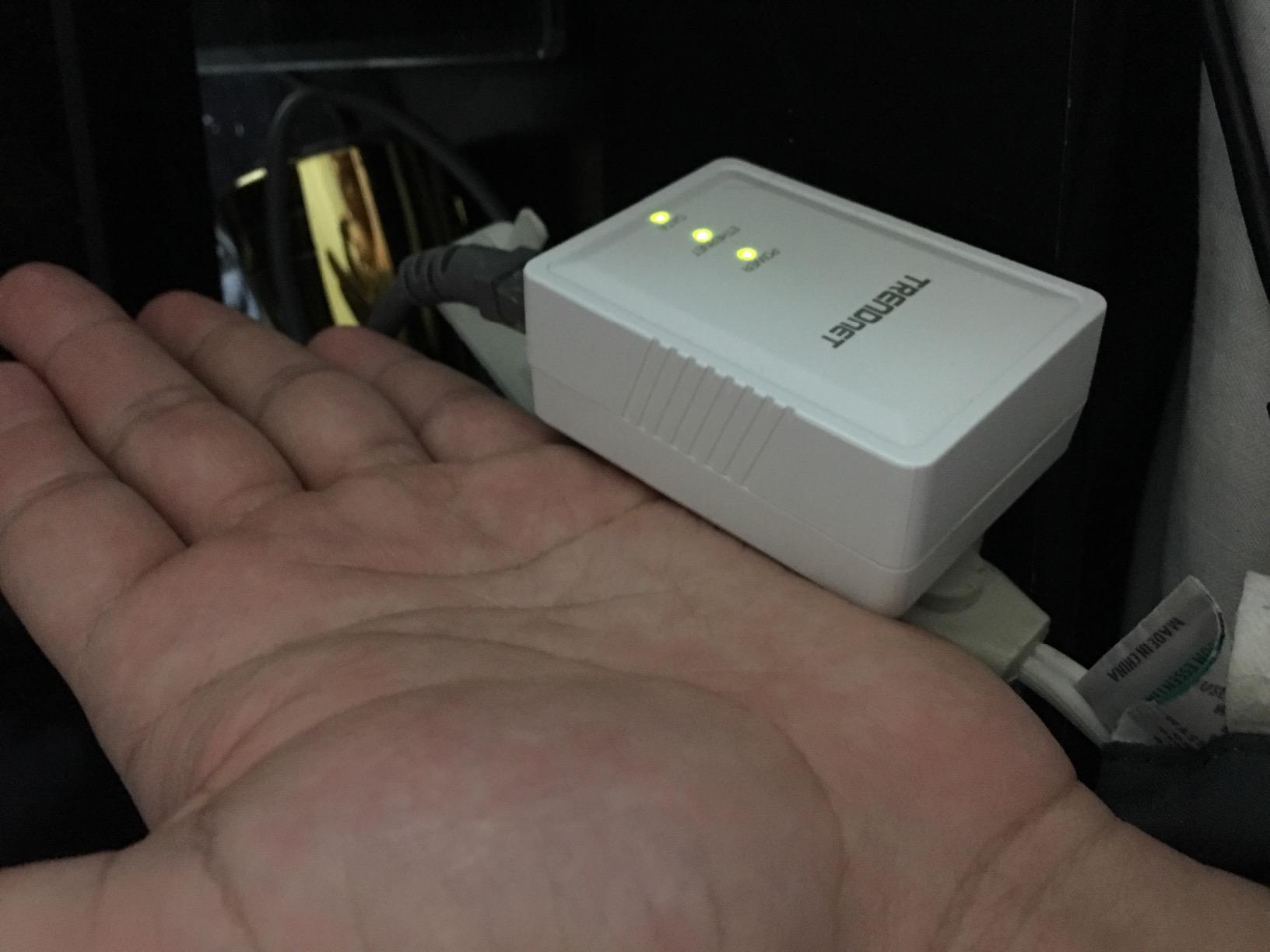
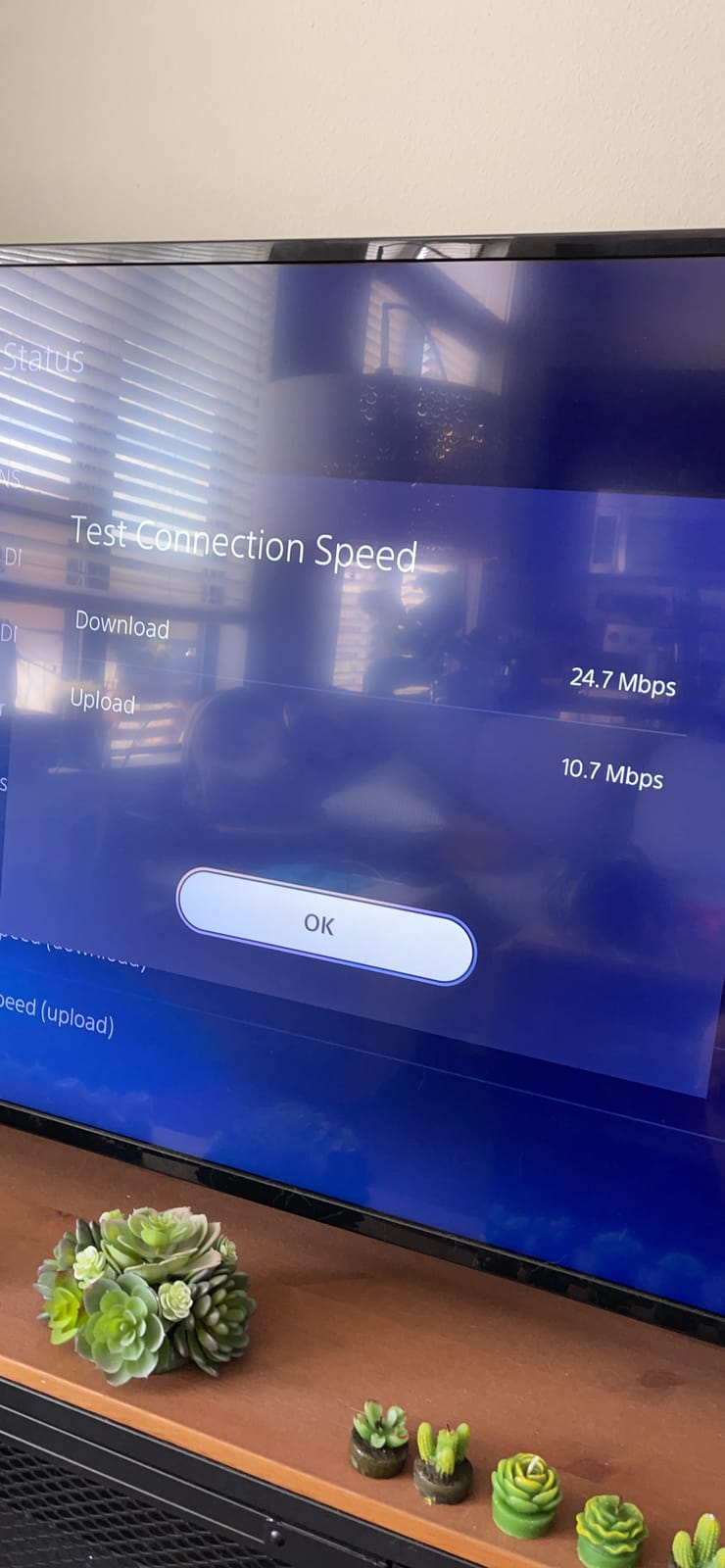
In my testing the AV500 kit delivered around 35 Mbps, which is enough for stable online play on PS5 and Xbox but well below the 500 Mbps label on the box. Ping times were solid for casual games and acceptable for ranked FPS on a clean wiring run. The kit is sensitive to electrical noise from CFL bulbs, phone chargers, and motors on the same circuit, which is a known limitation of all AV500 adapters.
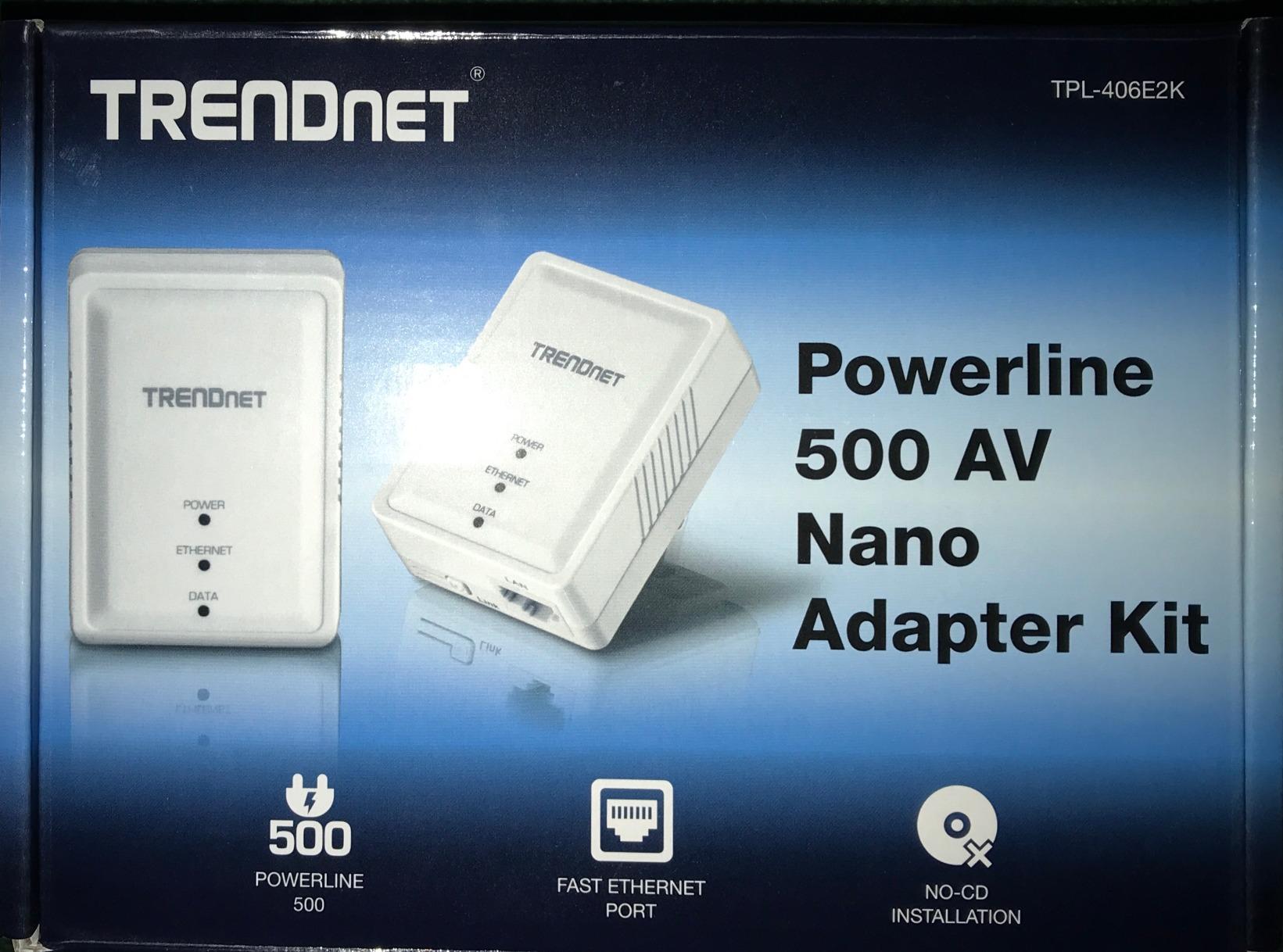
The 3-year warranty is a nice touch at this price point. For pure gaming use on a single console, this kit punches well above its weight.
Who should buy this
Casual gamers who just need a stable wired connection for online play on one console, especially in a small apartment or dorm room. The nano size is a real plus if wall outlets are tight.
Who should skip this
Anyone who regularly downloads large games, streams in 4K, or runs a NAS. The 10/100 Ethernet port will throttle you long before the powerline side does.
Powerline Adapters for Gaming: Buying Guide
What speed powerline adapter do you need for gaming?
For online gaming, the actual bandwidth you need is surprisingly modest. A typical PS5 or Xbox Series X online session uses 5-15 Mbps in either direction, and even a competitive CS2 match rarely exceeds 30 Mbps. The hard requirement is stability and low latency, not raw throughput.
An AV1000 or AV1300 powerline kit is the practical sweet spot for most gamers. AV2000 kits have higher peak numbers but rarely deliver meaningfully more real-world throughput than AV1300 in the same home. AV600 and AV500 kits can work for casual play but struggle when the rest of the household is also online.
Powerline vs Wi-Fi vs Ethernet for gaming
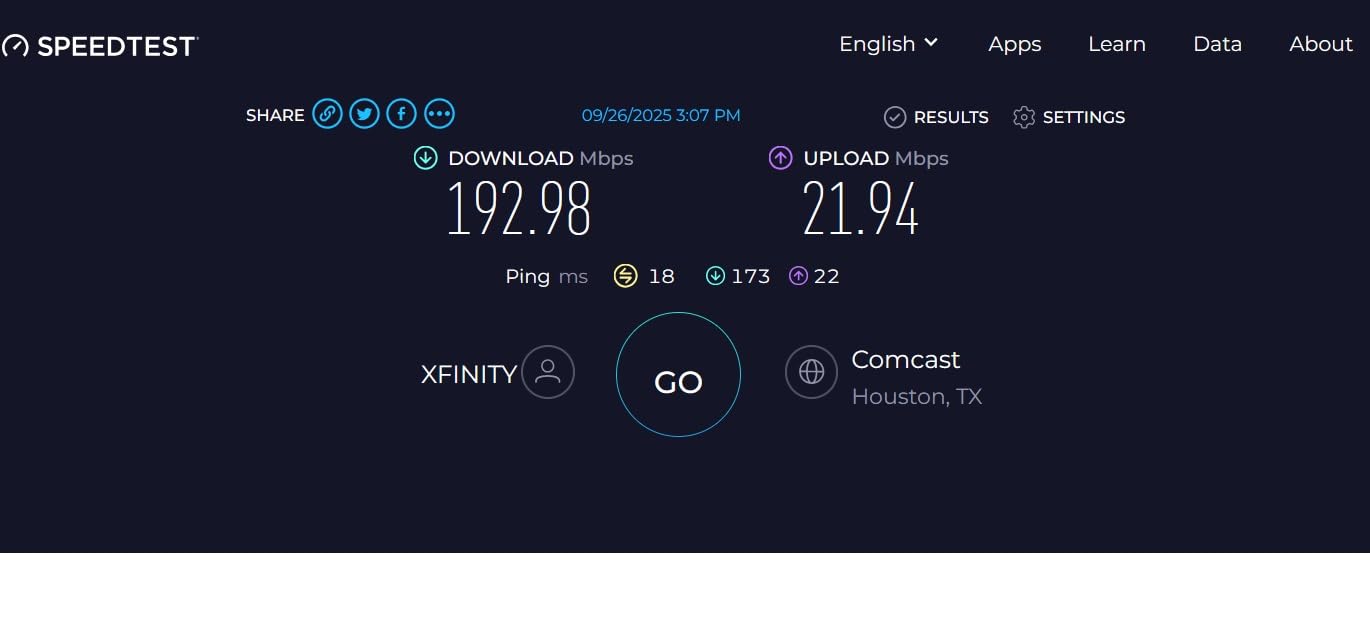
The honest ranking is: wired Ethernet first, powerline second, Wi-Fi third. A real Ethernet run to your console will always deliver the lowest ping and the most stable connection. Powerline is the next best thing in homes where running Ethernet is not practical, and it almost always beats Wi-Fi for gaming in my testing, with 10-30 ms lower ping and far fewer packet drops. Wi-Fi is the bottom of the three for gaming because of interference from neighbors, walls, and household appliances.
Mesh Wi-Fi is a separate conversation. A modern Wi-Fi 6 or Wi-Fi 7 mesh system can deliver near-Ethernet performance for gaming in the same room as the main router. It falls behind when the gaming device sits one or two rooms away.
Real-world throughput vs advertised speed
The single biggest source of confusion in powerline buying is the gap between advertised and real-world speeds. An AV2000 adapter rated at 2000 Mbps will typically deliver 80-200 Mbps in practice, depending on your home’s wiring. An AV1300 will deliver 60-150 Mbps. An AV500 will deliver 30-60 Mbps.
The reason is that HomePlug AV2 speeds are theoretical maximums measured in lab setups with ideal wiring. In real homes, distance, electrical noise, circuit breakers, and wire quality all eat into throughput. Plan your purchase around real-world numbers, not the marketing on the box.
Passthrough socket and PS5/Xbox compatibility
A passthrough socket on the front of the adapter keeps the wall outlet usable for other devices. In a gaming room where every socket is already spoken for, this is a real convenience rather than a marketing bullet point.
Powerline adapters work with any Ethernet device, which means the PS5, Xbox Series X, Nintendo Switch, and gaming PC all play nicely with any kit on this list. There is no console-specific firmware or app needed. You plug the adapter into the wall and run an Ethernet cable to the console.
Pairing across circuits and UK/EU wiring
Powerline adapters need to share an electrical circuit to deliver reliable throughput. In North American homes with separate circuits per room, this can be a problem. In UK and EU homes with ring main wiring, the same phase is usually shared across more rooms, which actually helps powerline perform better.
If your gaming room is on a different circuit from your router, test the kit with a short-term return window before committing. Most powerline adapters will pair across circuits but with significantly lower throughput.
Frequently Asked Questions
Are powerline adapters good for gaming?
Yes. Powerline adapters deliver a stable wired connection to gaming consoles and PCs in a different room from your router. They almost always beat Wi-Fi for online gaming, with lower ping, fewer packet drops, and less jitter. They will not match a real Ethernet cable run, but for most gamers they are the next best option.
Do powerline adapters reduce lag?
Compared with Wi-Fi, yes. Powerline adapters typically cut ping by 10-30 ms and reduce packet drops in busy households. The improvement is most noticeable in homes where Wi-Fi signals struggle to reach the gaming room. Compared with a wired Ethernet run, powerline adds a small amount of latency, but it is rarely noticeable in practice.
Is powerline better than Wi-Fi for gaming?
Yes, almost always. Powerline delivers a more stable connection with lower ping than Wi-Fi in the same home. The only exception is when the gaming device is in the same room as a modern Wi-Fi 6E or Wi-Fi 7 router, where Wi-Fi can match wired performance. For gaming one or two rooms away from the router, powerline wins.
What speed powerline adapter do I need for gaming?
AV1000 or AV1300 is the practical sweet spot. AV2000 kits offer higher peak numbers but rarely deliver meaningfully more real-world throughput. AV500 kits can handle casual online play but struggle when the rest of the household is also online. Plan around real-world throughput of 60-150 Mbps for AV1300/AV2000 kits, not the advertised speeds.
Are powerline adapters good for PS5?
Yes. Powerline adapters work with the PS5 over a standard Ethernet cable. Most PS5 gamers see lower ping in online games and faster digital downloads when switching from Wi-Fi to powerline. For best results, plug the adapter directly into a wall outlet near the PS5 and use a Gigabit Ethernet cable.
Do powerline adapters work through surge protectors?
No. Surge protectors and power strips filter the signal that powerline adapters use to communicate. Plug both adapters directly into wall outlets for reliable performance. If you only have extension cords available, a mesh Wi-Fi system is a better choice.
Why are powerline adapters slower than advertised?
Advertised speeds like AV2000 are measured in lab setups with ideal wiring. Real homes have distance, electrical noise from appliances, circuit breakers, and older wiring that all reduce throughput. Plan on 40-60% of the advertised number in a typical home, and even less on older or noisier wiring.
Final Verdict
The best powerline adapters for gaming in 2026 come down to a handful of strong picks. The TP-Link TL-PA9020P earns Editor’s Choice thanks to its 2000 Mbps HomePlug AV2 spec, dual Gigabit ports, passthrough socket, and the deepest review base in the category. The NETGEAR PLP2000 is the premium alternative if you prefer NETGEAR’s ecosystem, and the NexusLink GPL-1200 is the budget pick for buyers who want a stable G.hn connection without paying AV2000 prices.
No matter which kit you pick, plan on real-world throughput of 40-60% of the advertised speed, plug both adapters directly into wall outlets, and pair them on the same electrical circuit for best results. With those caveats in mind, any of the kits in this roundup will deliver a cleaner, lower-ping gaming connection than Wi-Fi in most homes.